Blabber WordPress Theme
by AncoraThemes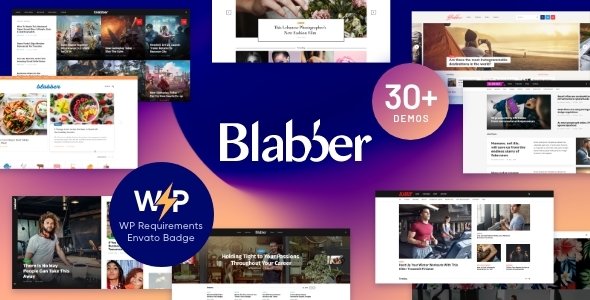
Stuck on your Blabber WordPress theme? Let's fix it.
No endless back-and-forth. Just send us the details and we'll get it done.
No obligation · Replies within 1 hour · Quote within 1 day
Setup · Customization · Bug fixes · WooCommerce integration
About Blabber WP Theme
Blabber is a WordPress theme built by AncoraThemes, aimed at news sites, blogs, and online magazines. It ships with over 20 pre-built demo layouts, a drag-and-drop header builder, and tight integration with Elementor. The design system is built around content density — multiple post formats, category-based color coding, and flexible grid options give editors real control over how stories are presented.
Under the hood, Blabber includes built-in AMP support, schema markup for articles, and lazy loading out of the box. AncoraThemes keeps the codebase actively updated, which matters for themes running high-traffic editorial sites. If you need a theme that handles breaking news tickers, trending post widgets, and heavy ad placements without falling apart, Blabber is a solid starting point.
Get matched with a Blabber developer in under one day
Tell us about your Blabber project. Small fixes, Blabber theme customization, or a full website build, whatever you need, we've got it covered.
We'll connect you to the right Blabber developers, define the scope, and get everything 100% clear.
You'll get one estimate, hire your preferred developer, and start collaborating.
Blabber has enough options to get a news site live quickly, but the same flexibility that makes it powerful creates room for configuration mistakes. Font rendering inconsistencies, ad zone conflicts, and broken mobile layouts on category pages are common when the theme isn’t set up correctly from the start.
Working with a vetted Blabber developer through Codeable means you get someone who has built with AncoraThemes products before. No guesswork, no trial-and-error billing. Just a developer who knows the theme and can build what you actually need.
Pros
- Over 20 niche-specific demo layouts built for news and magazine sites
- Visual header builder with sticky, transparent, and split header options
- Built-in AMP support and article schema markup out of the box
- Category-based color coding system for multi-topic publications
- Active development from AncoraThemes with regular compatibility updates
Cons
- Options panel is large and poorly organized, making first-time setup slow
- Mixes its own shortcodes with Elementor widgets, which creates dependency confusion
- Demo import can overwrite existing settings without a clear warning
- Mobile performance drops noticeably when multiple widget areas are loaded
- Some built-in ad zone placements conflict with aggressive caching plugins
Who is Blabber for?
Online News Portal
Blabber’s breaking news ticker, multiple homepage grid layouts, and category color system make it well suited for high-volume news portals covering politics, business, or local news. The built-in AMP support helps with Google News indexing, and the flexible ad zones work well for display advertising revenue models.
Personal Blog
For solo writers and bloggers, Blabber offers clean single-column and sidebar layouts with strong typography options. The reading progress bar and related posts widget keep readers on the page longer. It handles personal branding well without requiring heavy customization to look professional from day one.
Entertainment Magazine
Celebrity, film, and music sites benefit from Blabber’s bold grid layouts, trending post widgets, and video post format support. The theme handles image-heavy content without breaking structure, and the multiple header variants let entertainment brands create a distinctive visual identity without touching code.
Technology Review Site
Tech review sites need structured content and clear product comparisons. Blabber supports review post formats with rating displays and works well alongside comparison table plugins. The clean article schema helps review pages rank in Google’s rich results, which drives qualified organic traffic to product roundups.
Sports News Website
Sports sites move fast and need layouts that surface live scores, match previews, and breaking transfers. Blabber’s ticker, tabbed widgets, and post format support for video and galleries handle the content variety a sports publication produces. Category color coding helps separate football from basketball from motorsport coverage cleanly.

Customizing Blabber
Blabber gives you a lot through the WordPress Customizer and Elementor, but pushing it beyond the defaults takes real knowledge of how AncoraThemes structures its options panel. The theme uses its own shortcode system alongside Elementor widgets, and mixing the two without understanding the hierarchy causes layout conflicts.
Custom post grids, sticky sidebar behavior, category archive templates, and header variants all need careful configuration. A Blabber expert will know which settings override others, how to extend the built-in color scheme system per category, and where custom CSS needs to go to avoid being wiped by theme updates. Getting this right the first time saves hours of troubleshooting later.
Recommended plugins for Blabber
Blabber works well with WooCommerce for merchandise or subscription stores attached to your publication. It also integrates cleanly with popular ad management plugins like Ad Inserter and Advanced Ads, which matters for monetized news sites.
For SEO, Blabber’s built-in schema is a good base, but pairing it with a dedicated plugin through our WordPress SEO service gives you more control over structured data. On the performance side, Blabber’s lazy load helps, but a proper caching and image optimization setup via our WordPress performance service makes a measurable difference under real traffic loads.
Not sure which plugins to use? This WordPress plugins directory covers the most popular options with reviews and setup guides.
Blabber common issues
Blabber theme header not showing correctly after update
Header display issues after a Blabber update are usually caused by the header builder cache holding outdated settings. Go to Appearance > Customize > Header Builder and re-save your header layout. If the problem persists, clear any server-side or plugin cache. Conflicts with Elementor Pro’s site-wide header templates can also cause this — check whether a conflicting template is overriding the theme header on certain page types. Our WordPress bug fixing service can diagnose this quickly.
Blabber breaking news ticker not working
The Blabber breaking news ticker relies on a widget placed in the designated ticker widget area. If it’s not displaying, first check that the widget area is enabled under Appearance > Customize > Header. Verify that posts are assigned to the correct category selected in the ticker settings. Caching plugins sometimes serve a cached header without the ticker — purge your full cache and test in an incognito window before investigating further.
Blabber demo import not working or stuck
Blabber demo imports fail most often due to server memory limits or PHP execution timeouts. Your host needs at least 256MB of memory and a 300-second max execution time for the import to complete. Check Tools > Site Health for PHP limits. If the importer gets stuck partway, reset the site and try importing content only, without media, then source images manually. Shared hosting environments frequently cause this problem.
Blabber theme slow on mobile
Blabber loads multiple widget areas and ad zones by default, many of which load even when empty. On mobile, this adds unnecessary render-blocking weight. Start by disabling unused widget areas and sidebar blocks. Blabber’s built-in lazy loading helps with images, but you’ll need a proper performance setup for scripts and fonts. Our WordPress performance service covers server-level caching, script deferral, and Core Web Vitals optimization for Blabber-based sites.
Blabber FAQ
Yes, Blabber is specifically designed for news, blog, and online magazine sites. It includes features like a breaking news ticker, multiple homepage grid layouts, category color coding, and built-in AMP support. It handles high-volume content publishing well, though proper configuration is important for performance on busy sites.
Blabber integrates with Elementor and includes custom Elementor widgets. However, the theme also uses its own shortcode-based elements alongside Elementor, which can create confusion. For complex layouts, knowing which system to use for each component matters. A developer familiar with both Blabber and Elementor will get better results faster.
Blabber is a premium paid theme sold through ThemeForest by AncoraThemes. A regular license covers one site and includes six months of support from the author. Extended support can be purchased separately. There is no free version, but AncoraThemes offers a live demo so you can test the theme before buying.
Blabber includes WooCommerce compatibility, making it usable for magazine or news sites that also sell merchandise, digital downloads, or subscriptions. It is not a dedicated ecommerce theme, so WooCommerce shop pages use basic styling. For a store-first site, a purpose-built WooCommerce theme would serve you better.
Always use a child theme for any custom CSS or template overrides before updating Blabber. Theme Customizer settings are stored in the database and survive updates. Header builder layouts are also database-stored but can behave unexpectedly after major version jumps. Back up your site fully before updating, and test the update on a staging environment first. Our WordPress maintenance service handles this safely.
Hire a Blabber Expert Developer
Whether you need a full Blabber setup from scratch, a custom child theme, or help fixing a layout that broke after an update, we can match you with a developer who knows this theme. Work is handled through Codeable, so you get a vetted professional, not a random freelancer. Get a free estimate with no obligation to hire. Describe your project and you’ll have a response within 24 hours.
You'll need a free Codeable account so developers can ask questions and send their quotes.