Vox Populi WordPress Theme
by BoldThemes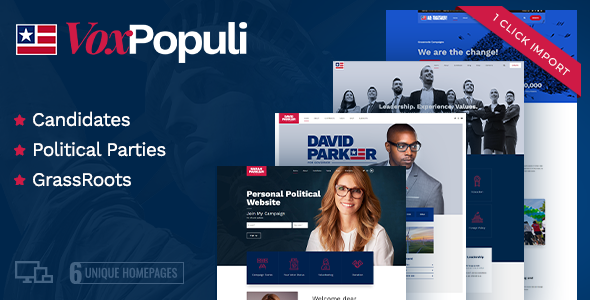
Stuck on your Vox Populi WordPress theme? Let's fix it.
No endless back-and-forth. Just send us the details and we'll get it done.
No obligation · Replies within 1 hour · Quote within 1 day
Setup · Customization · Bug fixes · WooCommerce integration
About Vox Populi WP Theme
Vox Populi is a WordPress theme by BoldThemes built for news, magazine, and editorial websites. It ships with multiple homepage layouts, a modular post grid system, and a focus on readability across devices. The theme supports custom widgets, ad placement zones, and a flexible category-based navigation structure that suits high-volume publishing.
BoldThemes built Vox Populi on a clean codebase with WooCommerce compatibility and support for the block editor. It includes a dark mode option, sticky header, and breaking news ticker out of the box. For publishers who need a fast, content-heavy site without heavy page builders, Vox Populi covers most requirements without plugins doing all the heavy lifting.
Get matched with a Vox Populi developer in under one day
Tell us about your Vox Populi project. Small fixes, Vox Populi theme customization, or a full website build, whatever you need, we've got it covered.
We'll connect you to the right Vox Populi developers, define the scope, and get everything 100% clear.
You'll get one estimate, hire your preferred developer, and start collaborating.
Vox Populi has enough flexibility for serious editorial sites, but configuration decisions compound quickly. Choosing the wrong grid layout, misconfiguring ad zones, or missing performance settings early can mean rework later. The developers on Codeable have worked across BoldThemes products and understand where Vox Populi needs attention. They can set it up correctly the first time, or fix what isn’t working on an existing build.
Pros
- Multiple pre-built homepage layouts suited to news and magazine publishing
- Built-in breaking news ticker and sticky header without extra plugins
- Native dark mode toggle included in the theme settings
- Ad placement zones built into the layout structure
- WooCommerce compatible for subscription or merchandise integration
Cons
- Customizer-only settings mean advanced layout changes require code
- Block editor support exists but full-site editing is not supported
- Heavy widget usage can slow down the site without proper caching
- Documentation from BoldThemes is sparse for edge-case configurations
- Limited third-party tutorial resources compared to mainstream themes
Who is Vox Populi for?
Online News Publication
Vox Populi handles high-volume news publishing well. Its category grid system lets editors organize breaking stories, featured articles, and evergreen content into separate visual zones. The ticker and sticky header keep navigation clean even when posting dozens of articles per day.
Political or Community Blog
The theme’s name fits its use case. Community-focused sites benefit from the structured homepage layouts that surface opinion pieces, local coverage, and reader submissions clearly. The dark mode and clean typography keep long-form political writing readable across devices.
Sports Magazine Site
Sports sites need fast updates and strong visual hierarchy. Vox Populi’s grid layouts handle match reports, league tables rendered via shortcode, and photo-heavy posts without the layout collapsing. Ad zones fit naturally around content without requiring custom template work.
Entertainment and Celebrity Content
For entertainment publishing, Vox Populi’s image-forward grid styles and flexible widget sidebar make it practical. Trending stories, video embeds, and gallery-heavy posts sit cleanly within the default layouts without significant modification to the theme files.
Niche Industry Newsletter Site
Niche industry publishers who monetize through newsletters and sponsorships can use Vox Populi’s ad zones and WooCommerce integration to manage paid tiers or digital products alongside editorial content. The layout scales to different content volumes without breaking.

Customizing Vox Populi
The WordPress Customizer handles most of Vox Populi’s settings, covering typography, color schemes, header layout, sidebar positions, and widget areas. You can swap between grid styles per category, control featured post sections, and configure the homepage block order without touching code.
That said, deeper changes, such as custom post templates, ad zone restructuring, or category-specific layouts, require PHP and CSS knowledge. A Vox Populi expert can handle these efficiently without introducing regressions. If you want the theme to match a precise editorial design or integrate with a specific plugin setup, working with someone who knows the BoldThemes architecture saves significant time.
Recommended plugins for Vox Populi
Vox Populi pairs well with plugins that extend its publishing and monetization capabilities. WooCommerce adds a shop or subscription layer. Yoast or Rank Math works cleanly with the theme’s structure for WordPress SEO work. For speed, pairing Vox Populi with a caching plugin and image optimization suite is straightforward, and the theme responds well to WordPress performance improvements. Contact Form 7 and newsletter plugins integrate without layout conflicts.
Not sure which plugins to use? This WordPress plugins directory covers the most popular options with reviews and setup guides.
Vox Populi common issues
Vox Populi breaking news ticker not showing
The breaking news ticker in Vox Populi pulls from a specific category you assign in the Customizer. If the ticker isn’t showing, check that the assigned category has published posts and that the ticker is toggled on under the Header settings panel. A caching plugin sometimes serves a stale header, so purge the cache after saving. If the issue persists after that, a WordPress bug fix may be needed to trace a script conflict.
Vox Populi homepage layout reset after update
BoldThemes updates occasionally reset Customizer values tied to homepage layout blocks, particularly if the update modifies widget area IDs. Before updating Vox Populi, export your Customizer settings using a plugin like Customizer Export/Import. After an update resets the layout, re-import the saved settings. If the homepage structure is broken and the settings won’t restore correctly, a developer can rebuild the configuration from the theme files directly.
Vox Populi dark mode not working on mobile
Dark mode in Vox Populi relies on a JavaScript toggle stored in the browser. On some mobile browsers, particularly those with their own dark mode override at the OS level, conflicts occur. Check whether a caching plugin is serving a desktop-cached version to mobile users. If you have a separate mobile caching rule, ensure the dark mode cookie or localStorage key is included in the cache variation logic. Clearing the site cache and testing in a fresh mobile browser session often resolves the symptom.
Vox Populi custom widget areas disappeared
Widget areas in Vox Populi are registered by the theme and tied to specific template positions. After an update or theme switch back, WordPress sometimes deregisters widget areas and moves their content to the inactive widgets list. Go to Appearance > Widgets and check the inactive section. If the areas themselves are missing from the list, the theme may need a re-activation or a child theme adjustment to re-register them. Ongoing WordPress maintenance helps catch these issues before they affect live content.
Vox Populi FAQ
Vox Populi supports the WordPress block editor for writing and editing posts. You can use blocks inside articles without issues. However, the theme does not support full-site editing, so the header, footer, and homepage layouts are still controlled through the Customizer and widget areas rather than the Site Editor.
Yes. Vox Populi is WooCommerce compatible. Shop pages, product listings, and cart and checkout pages inherit the theme’s styling. You may need minor CSS adjustments to match your brand, but the core WooCommerce templates work without conflicts. This makes it practical for publishers adding paid subscriptions or merchandise to an editorial site.
Vox Populi supports child themes. BoldThemes recommends using one before making any custom CSS or PHP changes. A child theme protects your modifications when the parent theme updates. If you haven’t set one up and have already made direct edits, a developer can migrate those changes into a child theme without losing them.
Go to Appearance > Customize > Site Identity in your WordPress dashboard. Upload your logo image there. Vox Populi displays it in the header automatically. The theme supports both a primary logo and a retina version for high-density screens. Recommended dimensions vary by layout, so check BoldThemes documentation for your specific homepage style.
Vox Populi is a solid choice for news and magazine sites. It includes category grids, a breaking news ticker, ad zones, and multiple homepage layouts built specifically for editorial publishing. It works best for teams comfortable managing WordPress settings directly. Sites with high traffic should pair it with a caching solution and a CDN for best performance.
Hire a Vox Populi WordPress Expert
Whether you need Vox Populi set up from scratch, customized to match a specific design, or fixed after something broke, FoxyConcept connects you with vetted WordPress developers through Codeable. Post your project, get a free estimate within 24 hours, and only proceed if it makes sense. Get a free estimate now with no obligation to hire.
You'll need a free Codeable account so developers can ask questions and send their quotes.