Azalea WordPress Theme
by Elated-Themes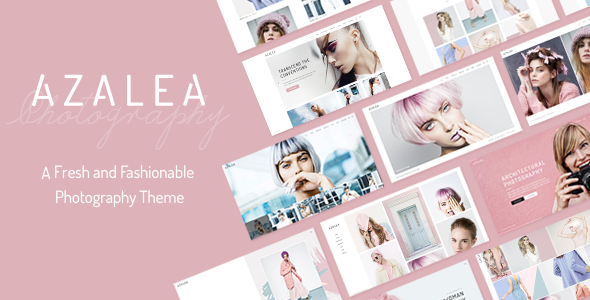
Stuck on your Azalea WordPress theme? Let's fix it.
No endless back-and-forth. Just send us the details and we'll get it done.
No obligation · Replies within 1 hour · Quote within 1 day
Setup · Customization · Bug fixes · WooCommerce integration
About Azalea WP Theme
Azalea is a WordPress theme built by Elated-Themes, designed for fashion, lifestyle, and beauty-focused websites. It ships with a clean, magazine-style layout that prioritises editorial content and visual storytelling. The theme is built on Elated-Themes’ own framework, which includes a drag-and-drop page builder, multiple header styles, and a WooCommerce-ready shop layout.
Out of the box, Azalea includes demo content you can import in one click, making initial setup fast. It supports custom widgets, Instagram feed integration, and a variety of post formats including audio, video, and gallery. Typography options are broad, pulling from Google Fonts. The theme targets bloggers and small online stores that want a polished look without writing custom code.
Get matched with a Azalea developer in under one day
Tell us about your Azalea project. Small fixes, Azalea theme customization, or a full website build, whatever you need, we've got it covered.
We'll connect you to the right Azalea developers, define the scope, and get everything 100% clear.
You'll get one estimate, hire your preferred developer, and start collaborating.
Azalea’s options panel looks approachable until you hit a layout problem the settings cannot solve. That’s where framework knowledge matters. Our developers have worked with Elated-Themes builds and understand how Azalea handles shortcodes, custom post types, and WooCommerce output. Through Codeable, you get a vetted developer matched to your project within 24 hours. No guesswork, no forums, just focused work on your actual site. Explore our WordPress development services to see what’s possible.
Pros
- One-click demo import gets a full site live quickly
- Built-in WooCommerce templates cover product pages, cart, and checkout
- Wide typography control with Google Fonts integration
- Multiple header layouts including transparent and sticky options
- Regular updates from Elated-Themes with active support forums
Cons
- Relies on Elated-Themes' proprietary shortcodes, creating lock-in risk
- Options panel is large and takes time to learn for new users
- Default page load includes heavy scripts that need manual optimisation
- Mobile menu customisation is limited without custom CSS
- Child theme setup requires familiarity with the Elated framework structure
Who is Azalea for?
Fashion & Style Blogs
Azalea’s editorial grid layouts and multiple post format support make it a practical choice for fashion bloggers. You can feature lookbooks, embed video content, and display Instagram feeds natively. The typography flexibility helps maintain a strong visual identity without custom development.
Beauty & Skincare Brands
Clean product-focused layouts and WooCommerce integration make Azalea usable for beauty and skincare brands selling direct. Product pages support rich media, and the theme’s whitespace-heavy aesthetic fits premium positioning. A developer can refine product templates to match brand guidelines precisely.
Lifestyle Magazines
Azalea’s magazine-style homepage layouts handle multiple content categories well. Featured post sliders, category widgets, and a clean archive structure give lifestyle publishers a solid editorial platform. The theme supports multiple authors and post scheduling without additional plugins.
Small Clothing Boutiques
Small clothing boutiques benefit from Azalea’s built-in WooCommerce templates and lookbook post format. Shop pages are clean and image-led. With some developer customisation, the checkout flow and product filtering can be tuned to match a specific brand experience and conversion goal.
Wedding & Events Sites
Wedding planners and event venues use Azalea’s visual layouts to showcase photography and package details. The gallery post format and full-width section options work well for image-heavy content. A contact form and booking plugin integrate without layout conflicts in most configurations.

Customizing Azalea
Azalea gives you a solid starting point, but most sites need customisation beyond what the built-in options panel covers. The Elated-Themes framework has its own logic for layout, shortcodes, and styling, which means standard WordPress documentation often does not apply directly. Adjusting column widths, overriding header behaviour on mobile, or modifying WooCommerce templates requires knowledge of the framework’s structure.
Working with an Azalea expert saves time here. A developer familiar with Elated-Themes knows where custom CSS hooks live, how child themes layer on top of the framework, and how to modify demo layouts without breaking updates. Whether you need a custom landing page, a bespoke header, or a refined shop layout, targeted development work gets better results than trial-and-error in the options panel.
Recommended plugins for Azalea
Azalea works well with several common plugins. WooCommerce handles the shop, and the theme includes dedicated templates for product pages and cart. WPML compatibility makes it usable for multilingual sites. Yoast SEO and Rank Math both work without conflict, though you should review structured data output since Elated-Themes adds its own meta in places.
For performance, caching plugins like WP Rocket work but require careful configuration around the framework’s built-in scripts. Want to go further? Our WordPress performance service and SEO optimisation service cover Azalea-specific improvements that go beyond plugin defaults.
Not sure which plugins to use? This WordPress plugins directory covers the most popular options with reviews and setup guides.
Azalea common issues
Azalea theme slider not showing on mobile
This usually happens when the slider script conflicts with a caching plugin or a lazy-load setting. First, check your caching plugin’s JavaScript optimisation settings and disable script deferral for the slider. If you’re using a page builder row to contain the slider, check that the element isn’t set to hide on mobile. If the issue persists, a developer can trace the script load order and fix the conflict directly in the theme or child theme. See our WordPress bug fixing service for faster resolution.
Azalea WooCommerce product images not displaying correctly
Incorrect WooCommerce image sizes in Azalea are usually caused by a mismatch between the theme’s registered image sizes and your media settings. Run the Regenerate Thumbnails plugin after confirming the correct dimensions in WooCommerce settings under Products > Display. If images still crop incorrectly, the theme may be overriding WooCommerce’s template files. A developer can check which template version Azalea is using and align it with your current WooCommerce version.
Azalea theme slow loading after update
Azalea loads several framework scripts by default. After an update, new scripts are sometimes added or existing ones change in size. Start by checking GTmetrix or PageSpeed Insights to identify the specific files causing the slowdown. Defer non-critical JavaScript, enable CSS minification, and check whether the update added new Google Fonts calls. Our WordPress performance service covers Azalea-specific script audits and load time fixes.
Azalea header overlapping page content
A sticky or transparent header in Azalea can overlap page content when the top padding on the first page section isn’t accounting for the header height. Go to the page settings in the Elated Options panel and check the header top padding value. If you’re using a full-width section as the first block, add a padding-top value equal to your header height in pixels. A developer can make this conditional so it only applies when the sticky header is active.
Azalea FAQ
Yes, Azalea includes WooCommerce-ready templates for product pages, the cart, and checkout. The theme handles basic shop setups well. For more complex stores with custom filtering, variable products, or specific checkout flows, you’ll likely need developer customisation to get the output exactly right.
Azalea uses the Elated-Themes framework and its own shortcode-based builder. You can install Elementor alongside it, but there may be style conflicts between Elementor’s output and the theme’s CSS. Many developers build with Azalea’s native builder to avoid those conflicts. Testing in a staging environment before combining the two is strongly recommended.
After activating the theme, go to Elated Options in your WordPress dashboard and look for the Demo Import section. Select the demo you want, click import, and the theme will pull in pages, images, and settings automatically. The process takes a few minutes. Make sure required plugins are activated first or the import may be incomplete.
Elated-Themes continues to update its themes including Azalea. Updates are delivered through ThemeForest or the Elated-Themes dashboard plugin. Support is available through their forums. Response times vary, and complex framework issues sometimes require a freelance developer rather than the standard support channel.
Technically yes. Azalea’s grid layouts, typography controls, and WooCommerce support work for any content-driven site. In practice, the visual style skews feminine and editorial, so it fits naturally in fashion, beauty, lifestyle, and wedding niches. Using it for unrelated industries may require significant visual customisation to feel appropriate.
Hire an Azalea WordPress Developer
If your Azalea site needs custom layouts, WooCommerce work, speed improvements, or anything the options panel can’t handle, a specialist developer will get it done faster and cleaner than DIY fixes. Post your project and get matched with a vetted Azalea developer within 24 hours. Free estimate, no obligation to hire. Get your free estimate today.
You'll need a free Codeable account so developers can ask questions and send their quotes.