Invetex WordPress Theme
by ThemeREX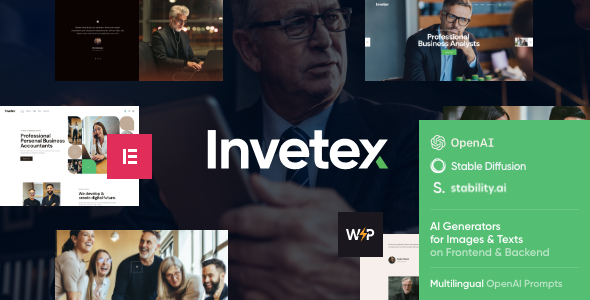
Stuck on your Invetex WordPress theme? Let's fix it.
No endless back-and-forth. Just send us the details and we'll get it done.
No obligation · Replies within 1 hour · Quote within 1 day
Setup · Customization · Bug fixes · WooCommerce integration
About Invetex WP Theme
Invetex is a WordPress theme built by ThemeREX, designed for investment firms, financial advisors, and wealth management companies. It ships with a set of pre-built demo layouts tailored to finance and business niches, making it a practical starting point for professional service sites.
The theme is built on ThemeREX’s own framework and includes the Elementor page builder, giving you visual control over layouts without writing code. It supports WPBakery as well, depending on the version you use.
Invetex includes custom post types for team members, services, and case studies. It also comes with built-in contact forms, Google Maps integration, and translation-ready files. The design leans clean and corporate, which suits financial and consulting brands that need to project trust and professionalism.
Get matched with a Invetex developer in under one day
Tell us about your Invetex project. Small fixes, Invetex theme customization, or a full website build, whatever you need, we've got it covered.
We'll connect you to the right Invetex developers, define the scope, and get everything 100% clear.
You'll get one estimate, hire your preferred developer, and start collaborating.
Invetex gives you a solid foundation for a financial or investment site, but the ThemeREX framework has a learning curve. Between the custom options panel, Elementor integration, and multiple post type templates, small missteps can cause layout issues that are frustrating to trace.
Working with a vetted Invetex developer through Codeable means you get someone who already knows the theme’s structure. No onboarding time wasted, no guesswork. You get the result you want faster and without the headaches of DIY customization.
Pros
- Pre-built finance and investment demo layouts reduce setup time significantly
- Elementor integration gives non-developers visual control over page structure
- Custom post types for team, services, and case studies are built in from the start
- WPML compatible, which is useful for multilingual financial firms
- ThemeREX provides regular updates and dedicated support for the theme
Cons
- ThemeREX's custom options panel is complex and spreads settings across many locations
- Demo content import can be slow and occasionally incomplete without manual cleanup
- Theme loads multiple scripts by default, which can hurt page speed scores
- Switching away from Invetex later is difficult due to ThemeREX shortcode dependency
- Support quality from ThemeREX can vary and response times are not always fast
Who is Invetex for?
Investment Firm Website
Invetex suits investment firms that need to present portfolio strategies, team credentials, and case studies in a structured format. The built-in post types handle this cleanly. The demo layouts are close enough to production-ready that a firm can launch a polished site without building everything from scratch.
Financial Advisory Practice
Independent financial advisors can use Invetex to showcase services, display regulatory credentials, and generate leads through contact forms. The clean corporate design builds the visual trust that clients expect before reaching out to an advisor. A team section with headshots and bios is already templated.
Wealth Management Company
Wealth management companies with multiple service lines benefit from the theme’s flexible page templates. You can create dedicated pages for retirement planning, estate management, and tax strategy without them looking inconsistent. The WPML support also helps firms serving international clients.
Business Consulting Agency
Consulting agencies that work across business strategy, operations, or finance will find Invetex’s case study post type particularly useful. Clients want proof before they hire. A well-structured case study archive with results and methodology is easy to build with this theme’s native tools.
Corporate Services Firm
Corporate service firms offering legal, accounting, or compliance services can adapt Invetex’s layouts without heavy customization. The service post type, team profiles, and contact integration cover most of what a firm’s site needs. The professional design fits regulated industries that need to project credibility.

Customizing Invetex
Invetex has a lot of moving parts. The ThemeREX framework adds its own layer of options on top of the WordPress Customizer, which means there are settings spread across multiple panels. Getting the header, footer, and page templates to behave exactly how you want takes time.
Typography, color schemes, and layout spacing are all adjustable, but the defaults are opinionated. If your brand differs from the demo, expect to spend time overriding styles. An Invetex expert will know where the theme stores its settings and how to avoid breaking the layout when customizing.
Custom post types like team profiles and services need to be configured correctly for the archive and single templates to display properly. If you want something beyond what the demos show, working with an Invetex developer saves you from hours of trial and error.
Recommended plugins for Invetex
Invetex works with WooCommerce if you need to sell financial products, reports, or consulting packages directly from your site. It also supports WPML for multilingual sites, which matters for firms operating across multiple countries.
For lead generation, you can pair it with contact form plugins or CRM integrations like HubSpot or Mailchimp. Adding a caching plugin and an image optimization tool is worth doing early, since ThemeREX themes load several scripts by default. Check our WordPress performance service if load time becomes an issue. For organic search, our WordPress SEO service can help structure your financial content for better visibility.
Not sure which plugins to use? This WordPress plugins directory covers the most popular options with reviews and setup guides.
Invetex common issues
Invetex demo content not importing correctly
Demo import failures with Invetex usually come down to server memory limits or PHP execution timeouts. Set memory_limit to at least 256MB and increase max_execution_time to 300 seconds in your php.ini or wp-config.php. Also make sure the ThemeREX importer plugin is active before running the import. If content still fails, import in stages and manually assign menus and widgets. Our WordPress bug fixing service can resolve this quickly.
Invetex page layout broken after update
Layout breaks after an Invetex update are often caused by changes in the ThemeREX framework conflicting with saved Elementor or WPBakery data. First, clear all caches including server, plugin, and browser. If the issue persists, check whether a ThemeREX plugin update is also needed to match the theme version. Mismatched versions between the theme and its companion plugins cause most post-update layout problems. Regenerating CSS from the theme options panel can also resolve visual glitches.
Invetex header not displaying correctly on mobile
Mobile header issues in Invetex are usually tied to custom header height values or sticky header settings that don’t scale correctly on smaller screens. Go to the ThemeREX options panel under Header settings and check the mobile breakpoint and logo size values. If you’ve added custom CSS targeting the header, check for conflicting rules at mobile widths. Resetting to the theme’s default header style and rebuilding from there is often the fastest fix.
Invetex slow loading speed and poor performance scores
Invetex loads several ThemeREX framework scripts and styles that aren’t always needed on every page. Use a plugin like Asset CleanUp to disable unused scripts per page template. Enable lazy loading for images, switch to a lightweight Google Fonts loader, and defer non-critical JavaScript. A CDN and server-level caching make a significant difference. For a full audit and fix, see our WordPress performance service.
Invetex FAQ
Yes. Invetex is built with Elementor compatibility in mind and most of the demo layouts are built using Elementor. You can build and edit pages visually using Elementor’s drag-and-drop interface. Some older versions also include WPBakery, but Elementor is the primary builder for current releases.
Technically yes, but the design language and demo content are heavily finance-focused. Adapting it for a different industry requires overriding demo styles and replacing default content. If your project is outside finance or business consulting, you may spend more time fighting the theme’s defaults than you would with a more neutral base theme.
Yes, Invetex is WooCommerce compatible. You can sell digital products, reports, or service packages through a shop. The theme styles WooCommerce pages to match the overall design. That said, heavy ecommerce use cases are not what this theme is optimised for, so complex shop setups may need custom work.
Before updating Invetex, back up your site fully including files and database. Check the ThemeREX changelog for breaking changes. Update the ThemeREX companion plugins at the same time as the theme to avoid version mismatches. Test on a staging environment first if possible. Our WordPress maintenance service handles this process safely.
Invetex uses a clean HTML structure and supports popular SEO plugins like Yoast and Rank Math without conflicts. However, the theme’s default script load can hurt Core Web Vitals scores if left unoptimized. Structured data and schema markup for financial services will need to be added manually or via plugin.
Hire an Invetex Developer
Need help setting up, customizing, or fixing your Invetex site? FoxyConcept connects you with vetted WordPress developers who know the ThemeREX framework inside out. Post your project, get a free estimate within 24 hours, and only move forward if you’re happy with the plan.
No obligation, no risk. Get your free estimate here and get matched with an Invetex expert today.
You'll need a free Codeable account so developers can ask questions and send their quotes.