CityBook WordPress Theme
by cththemes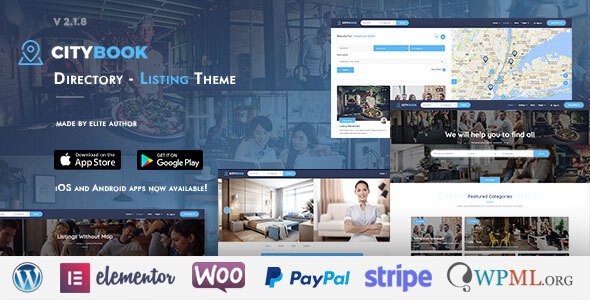
Stuck on your CityBook WordPress theme? Let's fix it.
No endless back-and-forth. Just send us the details and we'll get it done.
No obligation · Replies within 1 hour · Quote within 1 day
Setup · Customization · Bug fixes · WooCommerce integration
About CityBook WP Theme
CityBook is a directory and listing WordPress theme built by CTHthemes. It’s designed for local business directories, city guides, and listing portals where users can submit, browse, and review businesses or places.
The theme ships with multiple homepage layouts, a front-end submission system, monetisation options including paid listings and WooCommerce integration, and map-based search powered by Google Maps. It supports both free and paid listing tiers, making it a practical choice for anyone building a revenue-generating directory.
CityBook works with Elementor and includes its own custom page builder elements. The backend gives admins control over listing categories, custom fields, pricing plans, and claim listing workflows. It’s one of the more feature-complete directory themes available on ThemeForest, though getting everything configured correctly does take time.
Get matched with a CityBook developer in under one day
Tell us about your CityBook project. Small fixes, CityBook theme customization, or a full website build, whatever you need, we've got it covered.
We'll connect you to the right CityBook developers, define the scope, and get everything 100% clear.
You'll get one estimate, hire your preferred developer, and start collaborating.
CityBook is powerful, but it’s not plug-and-play. Pricing plans, map configuration, submission workflows, and custom fields all need to be set up correctly before your directory is usable. A poorly configured directory loses listings and trust fast.
FoxyConcept works with experienced CityBook developers through Codeable, a vetted network of WordPress specialists. Every developer is screened, so you’re not rolling the dice on quality. You get a free estimate before committing to anything. Start your estimate here.
Pros
- Built-in paid listing plans with WooCommerce integration for direct monetisation
- Front-end submission system lets businesses add their own listings without admin access
- Google Maps integration with radius search and geolocation out of the box
- Claim listing feature built in, useful for business verification workflows
- Multiple pre-built homepage and listing page layouts reduce initial design work
Cons
- Google Maps API setup and billing configuration trips up many new users
- WooCommerce pricing plan integration requires careful setup and frequent testing
- Documentation is patchy, leaving gaps for non-obvious configuration steps
- Performance can degrade noticeably on large directories without proper caching
- CTHthemes support can be slow to respond, especially for complex theme conflicts
Who is CityBook for?
Local Business Directory
CityBook is well suited for city or regional business directories where businesses pay for featured or premium listing slots. The front-end submission system means businesses can self-register, and WooCommerce handles plan upgrades automatically. Custom fields let you capture category-specific details like business hours, accepted payment methods, or accessibility features.
Restaurant and Food Guide
Restaurant guides benefit from CityBook’s map-based search, category filtering, and the ability to add custom fields for cuisine type, price range, and opening times. User reviews add social proof, and paid featured placements give restaurant owners a reason to upgrade their listing. The visual listing cards work well for food-focused directories.
Real Estate Listings Portal
While CityBook isn’t a dedicated real estate theme, it handles property listing directories effectively. Custom fields cover bedrooms, price, and property type. Map search is particularly valuable for property browsing. Paid featured listings work as a revenue model, and agents can manage their own listings through front-end submission.
Event and Venue Directory
Event spaces, wedding venues, and entertainment listings fit naturally into CityBook’s directory structure. Categories and custom fields handle capacity, amenities, and booking details. Map search helps users find nearby venues. Venue owners can claim and manage their listings, keeping information current without admin involvement.
Hotel and Accommodation Guide
Accommodation directories for hotels, hostels, or short-term rentals work well with CityBook. The review system builds trust for travellers, and map-based search is essential for location-based browsing. Custom fields cover amenities, star ratings, and price ranges. Paid listings give accommodation providers visibility options worth paying for.

Customizing CityBook
CityBook offers a lot of flexibility, but that comes with a learning curve. The theme options panel covers colours, typography, header styles, and map settings. Listing page layouts can be adjusted per category, and you can add custom fields to capture business-specific data like opening hours, social links, or price ranges.
Front-end submission forms are configurable through the backend, and pricing plans connect to WooCommerce for payment processing. Getting all these pieces working together the way you want often requires digging into settings that aren’t well documented.
If you want a setup that matches your brand and actually converts visitors, working with a CityBook expert saves a significant amount of trial and error. Custom colour schemes, unique listing card designs, and tailored search filter layouts are all achievable with the right developer handling the build.
Recommended plugins for CityBook
CityBook integrates with WooCommerce for paid listing plans, Google Maps API for location search, and Elementor for page building. It also supports WPML for multilingual directories and various payment gateways through WooCommerce extensions.
For site speed, CityBook can benefit from caching plugins and image optimisation, especially when directories grow large. Check our WordPress performance service if your listing pages are loading slowly. If you’re targeting local search traffic, pairing CityBook with solid on-page SEO work matters. Our WordPress SEO service covers that side of things.
Not sure which plugins to use? This WordPress plugins directory covers the most popular options with reviews and setup guides.
CityBook common issues
CityBook Google Maps not working or showing blank map
This almost always comes down to the Google Maps API key. CityBook requires a valid API key with the Maps JavaScript API, Places API, and Geocoding API all enabled. The key also needs billing activated in Google Cloud Console, even for low-traffic sites. Check your browser console for API errors, then verify which APIs are enabled in your Google Cloud project. Restricting the key to your domain incorrectly can also block map loading.
Need help sorting it out? Our WordPress bug fixing service covers API configuration issues.
CityBook paid listings not processing payments correctly
Payment issues in CityBook usually trace back to WooCommerce plan configuration or webhook settings. Check that each pricing plan in CityBook is correctly linked to a WooCommerce product. Confirm your payment gateway is active and test mode is off. PayPal and Stripe both require correct webhook URLs configured in the gateway settings. Also check that WooCommerce order status changes are triggering the correct listing activation hooks in CityBook settings.
CityBook front-end submission form not sending email notifications
Missing email notifications from the front-end submission form are usually caused by server-side mail delivery issues rather than a CityBook bug. WordPress uses PHP mail by default, which many hosts block or deprioritise. Install an SMTP plugin like WP Mail SMTP and connect it to a transactional email service such as SendGrid or Mailgun. Also confirm your notification email addresses are correctly set in the CityBook backend under submission settings.
CityBook listing search returning no results or wrong results
Search result problems in CityBook often come from incorrect category assignment on listings, missing geolocation data, or AJAX search conflicts with caching plugins. First check that listings have coordinates saved by viewing individual listings in the backend. If using a caching plugin, exclude the search results page from caching. Also check for JavaScript errors in the browser console that might be breaking the AJAX search request before it completes.
CityBook FAQ
Yes. CityBook includes its own Elementor widgets for listing grids, maps, search forms, and category sections. You can build custom pages using Elementor while using CityBook’s built-in templates for listing detail pages. Some elements require the CityBook plugin to be active alongside Elementor. Not every CityBook layout option is exposed through Elementor, so you may still need the theme options panel for certain settings.
You can run CityBook without WooCommerce if you only need free listings. The front-end submission system and listing management work independently. However, if you want paid listing plans, featured placement upgrades, or any payment-based features, WooCommerce is required. Most directory sites that want to generate revenue need WooCommerce active. Disabling it removes the entire monetisation layer.
CityBook includes a front-end submission system built into the theme. You need to create a submission page and assign it in the CityBook backend under the listing settings section. Users can register, log in, and submit listings from that page. You control which fields appear on the form and whether submissions require admin approval before going live. Pricing plans can be attached to the submission flow if WooCommerce is active.
CityBook is compatible with WPML, making multilingual directories possible. You can translate listing categories, custom field labels, and static theme strings. Multisite compatibility is not officially guaranteed by CTHthemes, so running CityBook across a WordPress multisite network may require additional testing. For straightforward multilingual setups on a single install, WPML integration works reasonably well.
Migrating an existing directory to CityBook requires importing listing data into CityBook’s custom post type structure, mapping your existing categories, and recreating custom fields. There is no one-click import from other directory themes. CSV import tools or custom migration scripts are typically needed. Our WordPress migration service can handle this kind of structured data transfer if you need professional help.
Hire a CityBook Expert Developer
Whether you’re building a local business directory from scratch or fixing an existing CityBook site, we match you with developers who know this theme well. Through Codeable, you get access to pre-vetted WordPress professionals who have worked on directory and listing projects before.
Post your project, get a free estimate within 24 hours, and only hire if you’re happy with what you see. No risk, no obligation. Get your free estimate now.
You'll need a free Codeable account so developers can ask questions and send their quotes.