Harington WordPress Theme
by ClaPat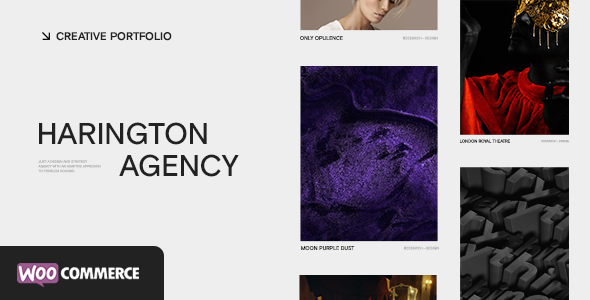
Stuck on your Harington WordPress theme? Let's fix it.
No endless back-and-forth. Just send us the details and we'll get it done.
No obligation · Replies within 1 hour · Quote within 1 day
Setup · Customization · Bug fixes · WooCommerce integration
About Harington WP Theme
Harington is a WordPress theme developed by ClaPat, built for clean, editorial-style websites. It suits content-heavy projects where typography and layout clarity matter more than flashy effects. The theme uses a minimal grid structure, making it easy to present articles, portfolios, or product pages without visual noise.
Under the hood, Harington follows standard WordPress coding practices, which means it works well with most plugins and page builders. It supports the block editor and keeps CSS and JavaScript lean. Load times stay reasonable on a properly configured server. The theme targets bloggers, small agencies, and creative professionals who want something functional without extensive setup time. ClaPat has kept the design intentionally restrained, which gives developers room to extend it without fighting the base styles.
Get matched with a Harington developer in under one day
Tell us about your Harington project. Small fixes, Harington theme customization, or a full website build, whatever you need, we've got it covered.
We'll connect you to the right Harington developers, define the scope, and get everything 100% clear.
You'll get one estimate, hire your preferred developer, and start collaborating.
Most WordPress theme problems are not theme problems. They are configuration, plugin conflict, or customisation issues that look like the theme is broken. Working through Codeable connects you with vetted developers who have hands-on experience with ClaPat themes including Harington. You get a fixed estimate before any work starts, no hourly billing surprises, and a developer who can look at your actual setup rather than giving generic advice. Explore our WordPress development services to see what is possible.
Pros
- Minimal, clean design that does not require heavy override work to look professional
- Lightweight front-end code keeps baseline page speed scores solid
- Compatible with the WordPress block editor without conflicts
- Straightforward Customizer options suitable for non-technical users
- Works well as a base for content-first sites like blogs and editorial publications
Cons
- Limited built-in layout variations compared to multipurpose themes
- WooCommerce styling is minimal and requires significant CSS work for a polished store
- No bundled mega menu or advanced header builder
- ClaPat's documentation is sparse, which makes troubleshooting harder without developer help
- Demo content import can produce inconsistent results depending on your server configuration
Who is Harington for?
Personal Blog
Harington’s typography-first layout makes it a good fit for personal blogs focused on long-form writing. The reading experience is clean, sidebars are unobtrusive, and the content column width is easy to adjust. Writers who want a simple setup without learning a page builder will find the theme approachable from day one.
Creative Portfolio
For designers, photographers, or illustrators, Harington’s grid structure works as a starting point for portfolio pages. The minimal chrome keeps focus on the work rather than the interface. Some custom template work is typically needed to get a proper project detail page, but the base theme does not fight you when you start adding that code.
Small Agency Website
Small agencies with five to ten service pages and a blog can use Harington without overcomplicating the build. The theme handles standard page structures cleanly. You will need a developer to build out a proper services section and contact flow, but the foundation is solid and the codebase is not cluttered with features you will never use.
Editorial or News Site
Sites publishing multiple articles per week benefit from Harington’s readable archive layouts and category pages. The theme does not include advanced editorial features like breaking news tickers or paywall support out of the box, but for straightforward content publishing with a clean interface, it handles the load well.
Freelancer Service Page
Freelancers in writing, consulting, or design can build a simple service page on Harington without much setup time. A homepage, services page, about page, and contact form cover the basics. The theme does not get in the way, which matters when you want the site live quickly rather than spending weeks on configuration.

Customizing Harington
Out of the box, Harington gives you access to the WordPress Customizer for basic adjustments: colours, fonts, header layout, and widget areas. For anything beyond surface changes, you will need to work with child themes or custom CSS to avoid losing edits on updates.
Custom post types, advanced layout variations, and WooCommerce integration all require additional development work. A Harington expert can map out what changes are achievable through Customizer settings versus what needs code, saving you time and preventing breakage. If you want a header rebuilt, custom archive templates, or a unique homepage layout that does not match the default options, a developer who knows ClaPat themes will get there faster and more cleanly than trial and error with a page builder.
Recommended plugins for Harington
Harington pairs well with plugins that extend core WordPress functionality without bloating the front end. WooCommerce works with the theme, though the default styling is minimal and will likely need adjustments. Yoast SEO and Rank Math both integrate cleanly. For caching and performance, WP Rocket or LiteSpeed Cache are solid choices.
If you are building a membership site or running ads alongside content, additional configuration is needed to keep pages fast. Check out our WordPress performance service and WordPress SEO optimisation service if you want those areas handled properly.
Not sure which plugins to use? This WordPress plugins directory covers the most popular options with reviews and setup guides.
Harington common issues
Harington theme header not showing correctly after update
Header display issues after a Harington update usually point to a cached stylesheet conflict or a child theme that has not been updated to match the parent. Clear your caching plugin cache and your CDN cache first. If the problem persists, check whether you are running a child theme. If not, any direct edits to the parent theme files would have been overwritten. A developer can audit the header template files and restore the correct output. See our WordPress bug fixing service for faster resolution.
Harington WordPress theme slow loading on mobile
Mobile slowness on Harington is usually caused by unoptimised images, render-blocking scripts loaded by plugins, or a lack of caching. Start by running the URL through PageSpeed Insights to identify the specific bottlenecks. Harington’s base files are reasonably lean, so the issue is typically at the plugin or hosting layer. Enable lazy loading for images, defer non-critical JavaScript, and use a caching plugin. If scores remain poor, a performance audit will isolate the remaining issues.
Harington theme custom CSS not applying after changes
If custom CSS added through the WordPress Customizer is not applying, the most common causes are specificity conflicts with existing theme rules, a caching layer serving the old stylesheet, or the CSS being added in the wrong place. Check your browser’s developer tools to see whether the rule is present in the stylesheet but overridden by a more specific selector. Adding a more specific selector or using the Additional CSS field in the Customizer should resolve most cases. Clear all caches after making changes.
Harington theme sidebar overlapping content on smaller screens
Sidebar overlap on smaller screens in Harington typically means a CSS breakpoint is not triggering correctly, or a plugin has injected styles that conflict with the theme’s responsive rules. Open browser dev tools, resize the viewport, and check which CSS rules are controlling the sidebar and content column widths at each breakpoint. Adjusting the media query thresholds or adding a small CSS fix in a child theme will correct this without touching core theme files.
Harington FAQ
Harington is technically compatible with WooCommerce, but the default styling is bare. Product pages, cart, and checkout will display with minimal design. You will need custom CSS or a WooCommerce child theme to make the store look intentional. For a proper e-commerce build on Harington, working with a developer is the practical route rather than trying to patch styles manually.
Harington works alongside Elementor and similar page builders, but the combination can create front-end bloat and occasional styling conflicts. The theme is designed for the native block editor, and that is where it performs best. If you need a page builder for a specific project requirement, test the combination on a staging site before building out full pages.
Harington is compatible with WPML and Polylang for multilingual builds. The theme does not include any hardcoded strings that break translation workflows. You will need to configure the language plugin separately and test that dynamic strings from the theme are correctly captured in the translation files. This is standard work for any WordPress multilingual setup.
Create a child theme folder in wp-content/themes with a style.css file that includes the Template header pointing to harington. Add a functions.php file that enqueues both the parent and child stylesheets. Activate the child theme from the WordPress dashboard. All custom CSS and template file overrides go into the child theme, which means they survive parent theme updates without being wiped.
Update frequency for ClaPat themes including Harington is inconsistent compared to larger theme shops. Check the theme’s page on ThemeForest or the ClaPat website for the last update date before purchasing or building a new project on it. If the theme has not been updated recently, factor in potential compatibility issues with future WordPress releases when planning a long-term project.
Hire a Harington WordPress Developer
Whether you need a small layout fix or a full site build on Harington, working with a developer who knows the theme saves significant time. Post your project through FoxyConcept and get matched with a vetted Harington developer via Codeable within 24 hours. You receive a free estimate with no obligation to proceed. Get a free estimate today and describe exactly what you need.
You'll need a free Codeable account so developers can ask questions and send their quotes.