Soho WordPress Theme
by Select-Themes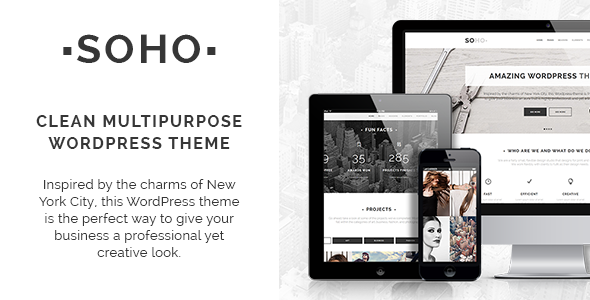
Stuck on your Soho WordPress theme? Let's fix it.
No endless back-and-forth. Just send us the details and we'll get it done.
No obligation · Replies within 1 hour · Quote within 1 day
Setup · Customization · Bug fixes · WooCommerce integration
About Soho WP Theme
Soho is a premium WordPress theme developed by Select-Themes, designed for photographers, creatives, and portfolio-focused websites. It puts visual content first, with a clean grid-based layout that keeps images sharp and navigation minimal.
The theme ships with multiple portfolio styles, a fullscreen slideshow option, and built-in support for video backgrounds. It uses a lightweight codebase that loads quickly without a page builder dependency. Soho is compatible with WooCommerce, making it a practical choice for creatives who also sell prints, products, or digital downloads. Updates from Select-Themes have kept it stable across recent versions of WordPress, and documentation covers setup well enough for most intermediate users.
Get matched with a Soho developer in under one day
Tell us about your Soho project. Small fixes, Soho theme customization, or a full website build, whatever you need, we've got it covered.
We'll connect you to the right Soho developers, define the scope, and get everything 100% clear.
You'll get one estimate, hire your preferred developer, and start collaborating.
Soho looks simple to set up. In practice, custom portfolio layouts, WooCommerce integration, and client-ready editing setups take real development work. FoxyConcept connects you with vetted Soho developers through Codeable, a network where every developer is screened before taking on projects. You get a free estimate with no obligation. The developer assigned to your project has hands-on experience with Select-Themes builds and knows where the common pitfalls are. No agencies, no junior developers, no guesswork.
Pros
- Clean, image-first layout that works well for photographers and visual portfolios without extra configuration
- Multiple portfolio grid styles included out of the box, including masonry and fixed-height options
- Lightweight codebase with no forced page builder dependency, keeping page load times low
- WooCommerce compatible for selling prints, services, or digital downloads from the same site
- Actively maintained by Select-Themes with reliable updates for WordPress core compatibility
Cons
- Customizer options are limited compared to themes that ship with a visual builder, so design changes often require CSS knowledge
- Typography control is basic out of the box and requires manual Google Fonts integration for full font flexibility
- Not ideal for content-heavy sites like blogs or news publications where text layout is the priority
- Portfolio filtering relies on the theme's built-in system, which can be limiting for complex category structures
- Demo content import can be inconsistent and may not reproduce the demo layout exactly on all hosting environments
Who is Soho for?
Photography Portfolio
Soho was built for photographers. The fullscreen slideshow, masonry grids, and distraction-free layout let images carry the page. Portfolio categories keep shoots organized. A developer can add client gallery access, password-protected albums, or a booking form to turn the portfolio into a working client tool.
Creative Agency Website
Agencies with a strong visual identity use Soho to showcase case studies and work samples. The theme’s minimal chrome keeps focus on the work. With custom post types and filtered portfolio views, a developer can structure the site by service type, industry, or client without cluttering the navigation.
Fine Art Print Shop
WooCommerce support makes Soho a practical base for photographers or artists selling prints. Product pages stay visually consistent with the portfolio. A developer can set up print size variants, digital download delivery, and Stripe or PayPal checkout without switching to a WooCommerce-specific theme.
Freelance Designer Portfolio
Designers need a portfolio that shows work clearly without the site design competing with it. Soho handles this well. A developer can add case study templates, password-protected project pages for NDA work, and a contact section that routes enquiries to the right service type.
Videographer Showcase
Soho supports video backgrounds and can embed Vimeo or YouTube reels cleanly. For videographers, a developer can build out a services section, embed showreels with autoplay, and connect a booking or enquiry form. The theme’s visual layout keeps the focus on the footage rather than the interface.

Customizing Soho
Soho gives you a solid foundation, but most serious builds require going beyond the default Customizer options. Custom color schemes, typography pairings, layout adjustments, and portfolio filtering logic often need direct CSS or PHP work to match a specific brand.
A Soho expert can restructure portfolio grids, add custom post type support, integrate third-party booking or gallery plugins, and wire up contact forms without breaking the theme’s visual flow. If you need a client-editable setup with careful use of the Gutenberg editor or a lightweight page builder, a developer familiar with Soho’s template hierarchy can set that up properly. Getting this right the first time saves hours of cleanup later.
Recommended plugins for Soho
Soho pairs well with WooCommerce for selling prints or digital files. Plugins like Envira Gallery or FooGallery extend its built-in portfolio with lightbox and filtering options beyond what the theme provides natively.
For contact and booking, WPForms or Gravity Forms slot in cleanly. Yoast SEO or Rank Math work without conflicts. If site speed matters, pairing Soho with a caching plugin and a CDN makes a real difference. See our WordPress performance service and WordPress SEO service for hands-on help with both.
Not sure which plugins to use? This WordPress plugins directory covers the most popular options with reviews and setup guides.
Soho common issues
Soho theme portfolio grid not displaying correctly
Portfolio grid issues in Soho are usually caused by a JavaScript conflict with another plugin, or a missing image size that hasn’t been regenerated after changing the portfolio layout style. Start by deactivating plugins one at a time and testing. If the grid still breaks, run the Regenerate Thumbnails plugin to rebuild image sizes. If neither fixes it, the template files may need a direct look. Our WordPress bug fixing service can diagnose and resolve this without disrupting your content.
Soho theme WooCommerce shop page layout broken
WooCommerce layout problems in Soho typically happen after a WooCommerce major version update that changes template file structure. Soho’s bundled WooCommerce templates can fall out of sync. Go to WooCommerce > Status > Tools and check for outdated templates. Updating them through a child theme is the right fix, not editing theme files directly. If you are not comfortable with child theme overrides, a developer can handle this cleanly without losing your existing styles.
Soho theme not showing featured images in portfolio
If featured images are not showing in the Soho portfolio, the most common cause is that the image was not set on the portfolio post itself, or the thumbnail size registered by the theme has not been generated for that image. Check the individual portfolio post and confirm the featured image is set. Then run Regenerate Thumbnails. If images still do not appear, check whether a caching plugin is serving a stale page version without the image markup.
Soho theme Customizer changes not saving
When Soho’s Customizer changes do not save, it is usually a permissions issue with the uploads folder, a PHP memory limit being hit during the save request, or a security plugin blocking the AJAX call. Check your PHP error log for failed requests first. Increasing the memory limit in wp-config.php resolves it in many cases. If a firewall or security plugin is blocking the save, whitelist the Customizer endpoint. Persistent issues may point to a database write problem worth investigating properly.
Soho FAQ
Yes. Soho was designed specifically with photographers and visual creatives in mind. It prioritizes image display with fullscreen options, clean portfolio grids, and minimal interface elements. It handles large image files well and keeps the focus on the work rather than the site frame. It is one of the more focused photography themes available from Select-Themes.
Yes, Soho is WooCommerce compatible. You can sell prints, digital downloads, or services through a standard WooCommerce setup. The shop pages inherit the theme’s visual style reasonably well, though some layout adjustments are usually needed for product archive and single product pages to match the portfolio aesthetic properly.
Basic setup is manageable without coding. The Customizer covers colors, fonts at a surface level, and layout options. For anything beyond that, including custom typography, modified grid layouts, or plugin integrations, you will need CSS or PHP knowledge. Most users who want a polished result end up working with a developer for at least part of the build.
Select-Themes provides a demo content XML file you can import through Tools > Import > WordPress in your admin. After importing, you assign menus and widgets manually. The result rarely matches the demo exactly due to image licensing, so expect some cleanup. Hosting environment and active plugins can also affect how cleanly the import goes.
Yes, Select-Themes continues to maintain Soho with updates for WordPress core compatibility. It is not abandoned. Update frequency is moderate rather than frequent, which is normal for a stable premium theme. Always check the changelog before updating on a live site, and test in a staging environment if your site has custom modifications.
Hire a Soho WordPress Developer
Whether you need a full Soho build from scratch, layout customizations, plugin integrations, or fixes to an existing site, FoxyConcept can match you with a developer who knows this theme well. Work is delivered through Codeable’s vetted network, so quality is consistent and timelines are clear. Get a free estimate with no obligation to hire. You describe the project, we scope it out, and you decide if you want to move forward.
You'll need a free Codeable account so developers can ask questions and send their quotes.