Crafto WordPress Theme
by themezaa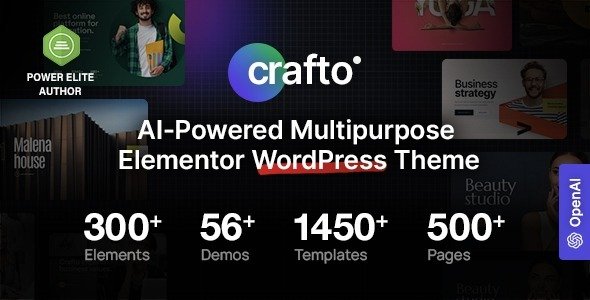
Stuck on your Crafto WordPress theme? Let's fix it.
No endless back-and-forth. Just send us the details and we'll get it done.
No obligation · Replies within 1 hour · Quote within 1 day
Setup · Customization · Bug fixes · WooCommerce integration
About Crafto WP Theme
Crafto is a multipurpose WordPress theme built by Themezaa. It ships with over 40 pre-built demos covering agencies, portfolios, SaaS products, e-commerce stores, and more. The page builder integration runs on WPBakery and Elementor, giving you drag-and-drop control without touching code.
Under the hood, Crafto uses a modular design system. Headers, footers, and sections are built independently, so you can mix elements across demos without breaking layouts. It supports WooCommerce out of the box, includes a dedicated revolution slider license, and loads GSAP-powered animations on scroll.
Themezaa maintains Crafto actively. Updates land regularly, documentation is detailed, and the included demos are production-quality rather than placeholder mockups. It sits in the mid-range on Themeforest and has strong sales numbers for that price point.
Get matched with a Crafto developer in under one day
Tell us about your Crafto project. Small fixes, Crafto theme customization, or a full website build, whatever you need, we've got it covered.
We'll connect you to the right Crafto developers, define the scope, and get everything 100% clear.
You'll get one estimate, hire your preferred developer, and start collaborating.
Crafto has a steep setup curve. The demo importer, Revolution Slider configuration, and WPBakery row logic all interact in ways that trip up first-timers. A developer who has shipped Crafto sites before can skip the guesswork entirely.
FoxyConcept connects you with vetted Crafto specialists through Codeable, the expert-only WordPress freelancer network. Every developer is screened, rated, and experienced. You get a free estimate before any commitment. No generalists, no guessing.
Pros
- 40+ production-ready demos across diverse industries
- Supports both WPBakery and Elementor page builders
- Revolution Slider license included at no extra cost
- Regular updates with active support from Themezaa
- Native WooCommerce support with product quick-view built in
Cons
- Demo importer can fail on shared hosting with low memory limits
- Mixing elements from multiple demos often causes layout conflicts
- Heavy JavaScript payload from GSAP and Revolution Slider slows initial load
- WPBakery shortcodes create lock-in that complicates future theme switches
- Theme options panel has a learning curve; settings are spread across multiple tabs
Who is Crafto for?
Creative Agencies
Crafto’s agency demos include full-screen hero sections, animated case study layouts, and team grid options. An agency can launch a polished site from the agency demo and customize brand colors and typography without rebuilding from scratch. The built-in scroll animations give agency sites a premium feel without custom development.
SaaS and Tech Products
Several Crafto demos target SaaS and app landing pages specifically. Feature comparison tables, pricing section templates, and app screenshot mockups are all included. These demos are well-suited to product launches where you need a fast, professional page live before a campaign starts.
E-Commerce Stores
Crafto’s WooCommerce demos cover fashion, electronics, and general retail layouts. Quick-view, wishlist, and custom product page templates come out of the box. For stores with specific checkout flow requirements or custom product types, a developer will need to extend beyond what the theme options provide.
Personal and Studio Portfolios
Crafto includes minimal portfolio demos with full-screen image grids, lightbox galleries, and filterable project archives. Photographers, illustrators, and design studios can showcase work without plugin overhead. Custom portfolio layouts that break the grid require hands-on development work.
Corporate and Business Sites
Corporate demos in Crafto cover service listings, team pages, client logo sections, and contact layouts. They suit consultancies, law firms, and professional service providers who need a credible online presence. The modular section structure means you can assemble a page from multiple demo components cleanly.

Customizing Crafto
Crafto exposes most visual settings through the WordPress Customizer and a dedicated theme options panel. You can switch fonts, adjust spacing, change color palettes, and toggle layout modes without writing CSS. That works well for surface-level changes.
Deeper customization is where a Crafto expert earns their keep. Custom header layouts, non-standard animation sequences, and WooCommerce checkout redesigns require working directly with Crafto’s component library and overriding its SCSS structure. Mistakes here cascade across the whole site.
If you need a specific demo as a starting point but want to deviate significantly from its structure, a developer who knows Crafto’s child theme setup will save you days of trial and error. Getting the Revolution Slider to match a custom design spec is another common task better handed off than figured out alone.
Recommended plugins for Crafto
Crafto works cleanly with most major WordPress plugins. WooCommerce integration is built in, including product quick-view and wishlist support. Revolution Slider comes bundled, and the theme registers support for Contact Form 7, Mailchimp for WordPress, and WPML for multilingual sites.
For performance, you will want to pair Crafto with a caching plugin and a CDN since the animation library adds weight to initial load. See our WordPress performance optimization service for specifics.
If SEO is a priority, Crafto plays well with Yoast and Rank Math, but schema and structured data still need manual attention. Our WordPress SEO service covers that ground.
Not sure which plugins to use? This WordPress plugins directory covers the most popular options with reviews and setup guides.
Crafto common issues
Crafto demo import not working
Most Crafto demo import failures come down to PHP memory limits or execution timeouts on shared hosting. Set memory_limit to at least 256MB and max_execution_time to 300 seconds in your php.ini or wp-config.php. Also confirm that the required plugins listed in the importer are all activated before you run the import. If the importer stalls repeatedly, a developer can import the XML and .json files manually. Visit our WordPress bug fixing service for hands-on help.
Crafto Revolution Slider not displaying correctly
Revolution Slider display issues in Crafto usually trace back to a version mismatch between the bundled slider plugin and the theme. Check that you are running the slider version Themezaa ships with the current theme release, not an auto-updated version from a previous install. Clear all caches after updating. If slides show but animations break, the conflict is often a JavaScript error from another plugin loading its own jQuery version. Use your browser console to identify the conflicting script.
Crafto WooCommerce layout broken after update
WooCommerce layout breaks in Crafto after updates are common because the theme overrides WooCommerce templates in its own /woocommerce/ folder. When WooCommerce updates its core templates, Crafto’s copies go stale. Check the WooCommerce status screen under WooCommerce > Status > Tools for outdated template warnings. Update those template files to match the new WooCommerce versions, or have a developer handle the merge to avoid breaking your custom styling.
Crafto site loading slowly with animations enabled
Crafto loads GSAP, Revolution Slider scripts, and its own animation library on every page by default, even pages that use none of those features. Start by disabling Revolution Slider on pages that do not use it. Then use a plugin like Asset CleanUp to stop unused scripts from loading site-wide. Enabling lazy loading for images and deferring non-critical JavaScript will recover significant load time. For a full audit, see our WordPress performance service.
Crafto FAQ
Crafto is manageable for beginners if you stick close to a pre-built demo. The Customizer handles fonts, colors, and basic layout changes without code. Where it gets difficult is when you want to combine elements from different demos or build custom sections. That level of work benefits from developer experience with WPBakery or Elementor and Crafto’s component structure.
Crafto supports both. Themezaa ships Elementor-specific demos and WPBakery-specific demos. You pick your builder at setup and stick with it. Mixing both on the same site is technically possible but creates maintenance headaches. Check the demo list on Themeforest before purchasing to confirm your preferred builder is covered for the niche you need.
Yes. Crafto includes WooCommerce-compatible demos for fashion, electronics, and general retail. Product quick-view, wishlist, and custom product page layouts are built in. For stores needing custom checkout flows, subscription products, or advanced filtering, you will need plugin extensions and likely some developer configuration beyond the theme defaults.
Always use a child theme for any code-level customizations before updating Crafto. Visual changes made through the Customizer and theme options panel are stored in the database and survive updates. After updating, check your Revolution Slider version and any overridden WooCommerce templates for conflicts. Test on a staging site before pushing updates to production.
Migrating an existing site to Crafto means rebuilding your content inside Crafto’s page builder structure. Your posts and pages carry over, but layouts will need to be reconstructed using Crafto’s components. It is not a one-click switch. A developer can handle the rebuild efficiently. See our WordPress migration service for more detail on the process.
Hire a Crafto Developer
Whether you need a full Crafto site build, a specific demo customized, or ongoing changes to an existing setup, we can match you with someone who knows the theme inside out. Work is handled through Codeable, so quality is guaranteed and payment is protected.
Get a free estimate and hear back within 24 hours. No obligation, no upfront cost.
You'll need a free Codeable account so developers can ask questions and send their quotes.