Artistic WordPress Theme
by awaiken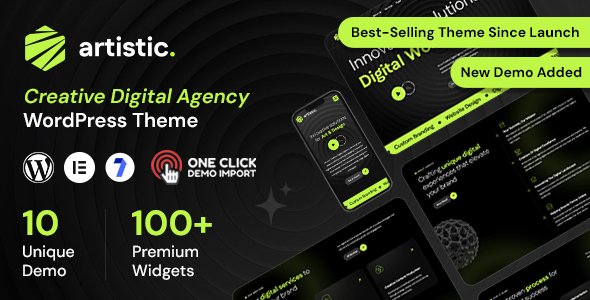
Stuck on your Artistic WordPress theme? Let's fix it.
No endless back-and-forth. Just send us the details and we'll get it done.
No obligation · Replies within 1 hour · Quote within 1 day
Setup · Customization · Bug fixes · WooCommerce integration
About Artistic WP Theme
Artistic is a WordPress theme developed by awaiken, built specifically for creatives who want their portfolio to do the talking. It uses a clean, minimal layout that puts images and visual work front and center, without unnecessary distractions.
The theme supports full-screen project displays, smooth page transitions, and a structured grid layout that works well for photographers, illustrators, designers, and other visual artists. It is compatible with standard WordPress page builders and works cleanly with the block editor.
Artistic is a lightweight theme with a focus on typography and whitespace. Navigation is simple and intentional. It handles both single-page portfolio setups and multi-page sites without breaking the visual flow. If your work needs a clean stage, Artistic gives you exactly that.
Get matched with a Artistic developer in under one day
Tell us about your Artistic project. Small fixes, Artistic theme customization, or a full website build, whatever you need, we've got it covered.
We'll connect you to the right Artistic developers, define the scope, and get everything 100% clear.
You'll get one estimate, hire your preferred developer, and start collaborating.
Artistic looks straightforward, but making it work exactly the way you need it to takes real WordPress knowledge. FoxyConcept works through Codeable, a vetted network of WordPress developers where every developer is screened and approved before taking client work.
That means no freelancer roulette. You post your project, get matched with a qualified Artistic developer, and receive a free estimate before committing to anything. The process is fast, transparent, and carries no obligation to hire.
Pros
- Clean minimal layout that keeps visual work as the focal point without clutter
- Smooth page transitions give the site a polished, professional feel without custom code
- Full-screen image display works well for photographers and illustrators with strong visual portfolios
- Lightweight theme with fast base load times before additional plugins are added
- Works with the native WordPress block editor without requiring a separate page builder plugin
Cons
- Theme options panel is limited, meaning many visual changes require direct CSS or PHP edits
- WooCommerce styling is not included, so adding a shop requires extra development work to match the theme
- Blog layout is basic and not suited for content-heavy sites that need category filtering or advanced post structures
- Limited built-in animation controls, so custom scroll effects or transitions need manual implementation
- Documentation from awaiken is sparse, which makes troubleshooting harder without developer experience
Who is Artistic for?
Photography Portfolios
Artistic suits photographers well because full-screen image presentation is baked into the layout. You can display project galleries cleanly, group work by client or category, and let the images carry the page without fighting against competing design elements. With minor customization, it handles both commercial and fine art photography portfolios.
Graphic Design Studios
Design studios need a portfolio that communicates quality before a word is read. Artistic’s grid-based layout and whitespace handling make it easy to present case studies, branding projects, and print work in a structured way. A developer can extend the default portfolio structure to include client details, project scope, and filterable categories.
Illustrators and Artists
Illustrators benefit from Artistic’s image-first approach and clean navigation. The theme handles single-image showcases and series-based projects equally well. Adding a simple client inquiry form and organizing work by medium or style are straightforward customizations that make the site more functional without altering the visual direction.
Creative Agencies
Small creative agencies can use Artistic as a base for a services and portfolio site. The minimal layout communicates confidence in the work rather than relying on heavy design. A developer can add a team section, service detail pages, and a contact flow that keeps the overall experience consistent with the theme’s aesthetic.
Print and Digital Product Sellers
Artists who sell prints or digital files can connect WooCommerce to Artistic, but shop pages will need styling work to match the rest of the site. With a developer handling the WooCommerce integration, you get a shop that feels like part of the portfolio rather than a separate platform bolted on.

Customizing Artistic
Out of the box, Artistic covers the basics well. But if you need something beyond the default settings, the theme has clear limits without developer input. Custom color schemes, modified grid layouts, unique hover effects, and non-standard navigation structures all require hands-on work in the code.
An Artistic expert can also help you restructure the portfolio archive, add filterable project categories, integrate contact forms that match the design, and fix inconsistencies that appear across devices. Fine-tuning typography scales and spacing often needs direct CSS work rather than theme panel adjustments.
If you want the site to feel like it was built from scratch for your brand rather than a modified template, working with someone who knows the Artistic theme saves significant time and avoids the common mistakes that come from trial-and-error customization.
Recommended plugins for Artistic
Artistic pairs well with WooCommerce if you sell prints or digital downloads, though you will need styling work to keep the shop consistent with the rest of the theme. WPForms and Gravity Forms both integrate cleanly for contact and inquiry pages.
For performance, image optimization plugins like Imagify or ShortPixel are worth adding given how image-heavy portfolio sites become. A well-configured caching setup also makes a measurable difference. Learn more about WordPress performance optimization.
For visibility, pairing Artistic with a solid SEO plugin and proper schema markup for creative portfolios can improve search traffic. See how WordPress SEO optimization applies to portfolio sites.
Not sure which plugins to use? This WordPress plugins directory covers the most popular options with reviews and setup guides.
Artistic common issues
Artistic theme mobile menu not working
Mobile menu failures in Artistic usually come down to a JavaScript conflict with another plugin or a caching issue serving outdated scripts. Start by deactivating plugins one at a time to identify the conflict. Clear your cache after each deactivation. If the menu works in a fresh browser session but not in the cached version, a cache plugin setting is likely the cause. Persistent issues often need direct script debugging. Our WordPress bug fixing service can resolve this quickly.
Artistic WordPress theme images not displaying full screen
Full-screen image display in Artistic depends on correct image dimensions and proper theme template usage. If images are not stretching as expected, check that you uploaded images at a high enough resolution and that the correct page template is selected in the page attributes panel. CSS overrides from child themes or plugins can also restrict image height. Inspect the element in your browser’s developer tools to find which rule is constraining the image container.
Artistic theme portfolio grid layout broken after update
Portfolio grid breaks after an update are common when a theme update changes class names or template structure. If you modified theme files directly rather than using a child theme, those changes get overwritten. Compare your current template files against the previous version to identify what changed. Re-apply customizations through a child theme going forward. If the grid is broken without any custom changes, the update itself may have introduced a bug worth reporting to awaiken.
Artistic theme custom fonts not loading correctly
Custom fonts failing to load in Artistic usually points to an incorrect enqueue setup or a content security policy blocking external font sources. If you added fonts via the theme customizer, check that the font names match exactly what the provider requires. If you added them manually through functions.php, verify the enqueue hook and handle. Fonts loaded from Google Fonts or Adobe Fonts also need the correct domain whitelisted if you are running a strict CSP header.
Artistic FAQ
Support activity from awaiken has been limited in recent years. The theme still functions with current versions of WordPress, but you should check the theme’s changelog and support forum on WordPress.org before relying on it for a new project. For ongoing maintenance and updates, working with a developer rather than depending on the original author is the safer approach. See our WordPress maintenance service for ongoing support options.
Artistic works with Elementor in a basic sense, but the theme’s design is built around its own templates and layout logic. Using a page builder on top of it can create conflicts with full-screen sections and portfolio templates. Most developers working with Artistic recommend staying within the theme’s native structure and using custom CSS for adjustments rather than layering a full page builder on top.
Custom logos in Artistic are added through the WordPress Customizer under the Site Identity section. Go to Appearance, then Customize, then Site Identity and upload your logo file there. If your logo is not displaying at the right size, you may need to add a small CSS rule targeting the site logo image element to set the max-width or height to match your design.
Artistic is technically compatible with WooCommerce but does not include built-in WooCommerce styling. Shop pages, product pages, and cart and checkout screens will inherit basic WooCommerce defaults that clash visually with the Artistic design. A developer needs to write custom CSS to bring those pages in line with the rest of the site before you launch a shop.
Yes, migrating an existing portfolio to Artistic is straightforward from a content standpoint. Posts, pages, and media transfer cleanly. The work involved is in recreating your current layout and structure within Artistic’s templates. If your current site uses a different portfolio plugin or custom post types, those will need to be mapped to how Artistic handles project entries. WordPress migration support can handle the technical side of this.
Hire an Artistic WordPress Developer
Whether you need a full Artistic theme setup, specific customizations, or fixes to an existing site, FoxyConcept can help. Work is handled through Codeable, so you are matched with a developer who actually knows what they are doing with this theme.
No guesswork, no lengthy back-and-forth. Get a free estimate and describe what you need. You will hear back within 24 hours with a clear scope and price, and there is no obligation to proceed.
You'll need a free Codeable account so developers can ask questions and send their quotes.