Classify WordPress Theme
by JoinWebs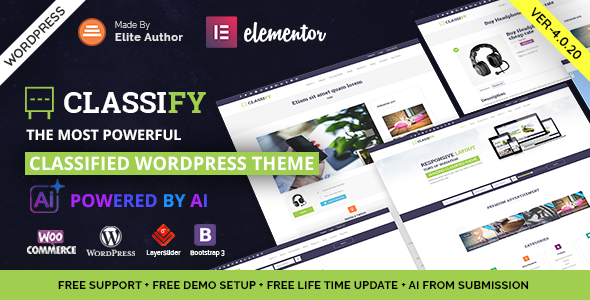
Stuck on your Classify WordPress theme? Let's fix it.
No endless back-and-forth. Just send us the details and we'll get it done.
No obligation · Replies within 1 hour · Quote within 1 day
Setup · Customization · Bug fixes · WooCommerce integration
About Classify WP Theme
Classify is a WordPress theme built by JoinWebs, designed specifically for online directories and listing websites. It gives you a clean, structured layout for publishing categorized listings across niches like real estate, job boards, local business directories, and classified ads.
The theme ships with a front-end submission system, so users can post listings directly without needing access to the WordPress dashboard. It supports paid listings via WooCommerce, making it a solid base for monetized directory sites.
Classify is built on a custom framework by JoinWebs and includes dedicated listing templates, search and filter functionality, and a structured category system. It is designed to handle large volumes of listings without needing a third-party directory plugin like Listify or GeoDirectory.
Get matched with a Classify developer in under one day
Tell us about your Classify project. Small fixes, Classify theme customization, or a full website build, whatever you need, we've got it covered.
We'll connect you to the right Classify developers, define the scope, and get everything 100% clear.
You'll get one estimate, hire your preferred developer, and start collaborating.
Classify is capable out of the box, but directory sites usually need custom work before they are production-ready. Field logic, search filters, user roles, and payment flows all require code-level changes that go beyond the theme options panel.
FoxyConcept connects you with vetted WordPress developers through Codeable, the expert-only freelance platform. Every developer is screened, so you get someone who knows WordPress directory builds, not a generalist guessing at JoinWebs code. Explore our WordPress development services to see what is possible.
Pros
- Built-in front-end listing submission with no extra plugin required
- WooCommerce integration supports paid listing packages out of the box
- Clean category and search filter system suited for large listing volumes
- Dedicated listing detail templates with structured field layouts
- Active JoinWebs support and regular theme updates
Cons
- Limited documentation makes advanced customization harder without developer help
- Custom field types require PHP modifications, not configurable from the admin
- No built-in map clustering for high-density location-based directories
- Styling is tied tightly to the theme framework, making child theme overrides trickier
- WooCommerce payment flow for listings is basic and needs custom work for complex pricing models
Who is Classify for?
Local Business Directory
Classify handles multi-category local business directories well. You can set up listings by industry, location, and rating. Front-end submission lets business owners post their own listings, and paid packages via WooCommerce allow you to charge for featured or premium placement without custom plugin development.
Real Estate Listings
Real estate sites need structured fields for bedrooms, price, area, and location. Classify supports custom field sets and map-based search, making it a workable starting point. A developer can extend the listing schema to match MLS-style data and add advanced proximity search filters that the default setup does not include.
Job Board
Job boards built on Classify benefit from the built-in submission system. Employers post jobs from the front end, applicants browse by category and location. Adding application tracking or resume uploads requires custom development, but the core listing and category structure is a solid foundation for a job directory.
Classified Ads Site
Classified ad sites need user accounts, expiry dates on listings, and category filtering. Classify covers all three out of the box. Paid featured ads and bump-up functionality can be added via WooCommerce. It is a practical choice for general classifieds without building a custom solution from scratch.
Event Listings Directory
Event directories require date fields, venue information, and time-based filtering. Classify can be adapted for this use case with custom fields and modified search logic. Pairing it with a calendar or events plugin adds front-end display options that the theme does not natively provide.

Customizing Classify
Classify includes a theme options panel that lets you control colors, fonts, layout settings, and header configuration without touching code. The homepage sections are modular, so you can rearrange or hide them through the admin interface.
For more specific changes, like custom listing fields, modified submission workflows, or category-specific templates, you will need PHP and CSS knowledge. A Classify expert can build custom field sets for specific listing types, create location-based filtering, or integrate third-party payment gateways beyond the default WooCommerce setup.
If you want the theme to behave like a fully custom directory product, with tailored search logic, user dashboards, or membership tiers, a developer who knows the JoinWebs codebase will save you significant time.
Recommended plugins for Classify
Classify works with WooCommerce for paid listing packages and membership upgrades. You can add Google Maps integration for location-based listings and connect contact form plugins for listing inquiries.
For search engine visibility, pairing Classify with an SEO plugin like Yoast or Rank Math is recommended, since directory sites depend heavily on organic traffic. You can also explore WordPress SEO optimization to get more out of indexed listing pages.
If your directory grows, site speed becomes critical. Caching plugins, image optimization tools, and a CDN all help. See our WordPress performance service for directory-specific speed improvements.
Not sure which plugins to use? This WordPress plugins directory covers the most popular options with reviews and setup guides.
Classify common issues
Classify theme listing submission not working
Front-end submission failures in Classify are usually caused by a permalink conflict or a missing page assignment in the theme settings. Go to Appearance > Theme Options and confirm the submission page is correctly assigned. Then go to Settings > Permalinks and re-save without changing anything. If the issue persists, a plugin conflict is likely. Disable all plugins except WooCommerce and test again. Our WordPress bug fixing service can diagnose this quickly.
Classify WordPress search filter not showing results
If the Classify search filter returns no results or shows incorrect listings, the most common cause is a mismatch between listing category slugs and the filter widget settings. Check that your listing categories use the correct taxonomy registered by Classify. Also confirm that the search widget is pulling from listing post types, not standard WordPress posts. Reindexing by re-saving a few listings can sometimes reset filter queries that are returning stale data.
Classify WooCommerce paid listing package not activating
When a WooCommerce listing package does not activate after purchase, the issue is usually a disconnection between the order status and the theme’s listing activation hook. Check that your WooCommerce order completed status triggers correctly. Also verify that the listing package product is set up using the exact product type Classify expects, typically a simple product with a specific meta field. Incorrect product configuration is the most frequent cause of this problem.
Classify theme slow to load with many listings
Directory sites on Classify can slow down significantly as listings grow. Common causes include unoptimized listing images, no server-side caching, and heavy query loads from the search and filter system. Install a caching plugin like WP Rocket, enable lazy loading for listing images, and consider offloading images to a CDN. For persistent performance issues at scale, see our WordPress performance service for directory-specific optimization.
Classify FAQ
Classify handles large listing volumes reasonably well, but performance depends on your hosting setup and query optimization. Sites with thousands of listings will need server-side caching, optimized database queries, and potentially custom indexes. Out of the box, Classify is built for directory use, but scaling it requires infrastructure decisions beyond the theme itself.
Classify is not designed with Elementor compatibility as a priority. Some pages can be edited with Elementor, but the listing templates and directory-specific pages are controlled by the theme’s own template system. Trying to rebuild listing layouts inside Elementor often causes conflicts. A developer can bridge the gap, but it is not a native integration.
Migrating to Classify depends on how your current listings are structured. If your existing data uses a compatible post type and field structure, migration is straightforward with a custom import script. If your data is in a different plugin like GeoDirectory or Listify, a developer will need to map and transform the data. See our WordPress migration service for structured help.
Classify does not have a drag-and-drop custom fields interface. Adding new fields to listing forms requires editing PHP template files or using the theme’s filter hooks if they are available for that field location. For non-developers, this means hiring a Classify developer. The changes are not complex, but they do require direct file edits or a properly structured child theme.
JoinWebs continues to sell and update Classify as of the latest available information. Updates are released periodically through ThemeForest, where the theme is sold. Support is handled via the JoinWebs support forum on ThemeForest. Response times vary, and complex issues often go beyond what theme support can resolve, which is where a dedicated developer becomes useful.
Hire a Classify Expert Developer
Need custom listing fields, a modified submission flow, or WooCommerce integration that fits your directory model? A Classify developer can handle it without breaking your existing setup.
Post your project and get matched with a screened WordPress developer within 24 hours. Free estimate, no pressure, no risk. Get your free estimate and describe what you need.
You'll need a free Codeable account so developers can ask questions and send their quotes.