Gon WordPress Theme
by skygroup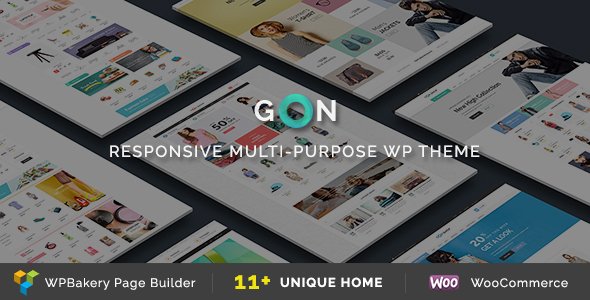
Stuck on your Gon WordPress theme? Let's fix it.
No endless back-and-forth. Just send us the details and we'll get it done.
No obligation · Replies within 1 hour · Quote within 1 day
Setup · Customization · Bug fixes · WooCommerce integration
About Gon WP Theme
Gon is a multipurpose WordPress theme built by skygroup. It targets businesses, portfolios, and agencies that need a flexible, well-structured starting point without building from scratch. The theme ships with multiple pre-built demo layouts, a Visual Composer integration, and a clean options panel that covers typography, colours, headers, and footers without touching code.
Skygroup designed Gon to work with WooCommerce, making it a reasonable pick for stores that also need strong branding pages. Performance is acceptable out of the box, though like most multipurpose themes it benefits from proper caching and image optimisation. The theme follows standard WordPress coding practices and receives updates, keeping it compatible with current WordPress versions. If you need something between a basic free theme and a fully custom build, Gon sits in that middle ground.
Get matched with a Gon developer in under one day
Tell us about your Gon project. Small fixes, Gon theme customization, or a full website build, whatever you need, we've got it covered.
We'll connect you to the right Gon developers, define the scope, and get everything 100% clear.
You'll get one estimate, hire your preferred developer, and start collaborating.
Gon is flexible enough for many projects but specific enough that getting the details right takes experience. Skygroup’s documentation covers the basics, but custom layouts, plugin conflicts, and WooCommerce extensions usually need a developer who knows the theme’s file structure. FoxyConcept delivers Gon development through Codeable, a vetted WordPress developer network. You get a developer who has worked inside themes like Gon before, not someone learning on your project budget.
Pros
- Ships with multiple pre-built demo layouts that cover business, portfolio, and shop use cases
- WooCommerce compatibility is built in, including product page templates and cart styling
- Visual Composer integration lets non-developers build complex page layouts without code
- Live customiser support means colour, font, and layout changes preview in real time
- Receives regular updates from skygroup, keeping it compatible with current WordPress releases
Cons
- Bundled Visual Composer adds page builder lock-in, making content harder to migrate later
- Default script loading is heavy and needs manual optimisation to hit good Core Web Vitals scores
- Demo import can bring in placeholder content and unused plugins that need cleanup
- Template overrides for WooCommerce require child theme knowledge to do safely
- Support from skygroup is limited to documentation and ticket-based responses, with no live chat
Who is Gon for?
Agency and Creative Studio Websites
Gon’s portfolio demo layouts and project grid options make it a practical base for agencies and studios. The header and typography controls let you establish a distinct visual identity quickly. A developer can extend the portfolio post type with custom filters or AJAX-loaded project grids where the defaults fall short.
Small Business Service Pages
Service businesses need clear calls to action, team sections, and contact forms. Gon’s pre-built layouts cover these patterns. With minor customisation to the header and service blocks, a small business site can go live without a full custom build, keeping costs controlled while still looking professional.
WooCommerce Product Stores
Gon’s WooCommerce support covers product archives, single product pages, and cart flows. For stores needing custom product tabs, bulk pricing tables, or subscription billing, a developer familiar with the theme’s WooCommerce templates can add those without rewriting the theme’s core files.
Freelance Portfolio Sites
Freelancers using Gon can build a portfolio with case studies, a services page, and a contact form in a short timeframe. The customiser handles most branding work. If you want a one-page layout or a custom project filtering system, small targeted development work gets you there without over-engineering.
Corporate and Finance Landing Pages
Gon’s business-oriented demos include clean hero sections, feature columns, and testimonial blocks that work for finance, consulting, or corporate landing pages. Accessibility and performance improvements are worth investing in for these audiences, where credibility and load speed directly affect conversion rates.

Customizing Gon
Gon offers a live customiser panel alongside its own theme options, so most visual changes can be previewed before publishing. You can adjust layout widths, sidebar positions, header styles, and colour schemes without writing CSS. Shortcodes and Visual Composer elements handle most content layouts inside the page builder.
Where things get more specific, such as custom post type templates, WooCommerce layout overrides, or integrating a third-party booking plugin, the built-in options run out. That is where a Gon expert adds real value. A developer familiar with the theme structure can override templates cleanly using child theme methods, add custom fields, and extend functionality without breaking future updates. If your project has requirements beyond the standard options panel, working with a Gon expert is the faster and safer route.
Recommended plugins for Gon
Gon pairs well with common WordPress plugins. WooCommerce works out of the box for product pages. Contact Form 7 and WPForms slot in without styling conflicts. For SEO, a plugin like Yoast or Rank Math handles what the theme cannot. WordPress SEO work on top of Gon typically involves schema, speed fixes, and structured content rather than theme rewrites.
On the performance side, Gon loads several scripts by default that are not always needed. A proper optimisation pass, including script deferral, image compression, and caching, makes a measurable difference. See our WordPress performance service for details on what that involves technically.
Not sure which plugins to use? This WordPress plugins directory covers the most popular options with reviews and setup guides.
Gon common issues
Gon theme demo import not working
Demo import failures in Gon are usually caused by server memory limits, a PHP timeout, or a missing required plugin like Visual Composer. Check your php.ini settings and raise memory_limit to at least 256MB. Make sure all required plugins listed in the theme’s setup wizard are installed and activated before running the importer. If the import still stalls, a manual XML import combined with a widget data import often completes what the one-click tool cannot. Our WordPress bug fixing service can handle this quickly.
Gon WooCommerce product page layout broken
Broken WooCommerce product page layouts in Gon usually follow a WooCommerce major version update that changes template file hooks. Gon’s bundled WooCommerce templates can fall out of sync with the plugin’s current structure. The fix involves updating the outdated template files inside the theme or, better, inside a child theme so future updates do not overwrite your changes. Check WooCommerce’s system status screen for a list of outdated templates and update each one against the current plugin version.
Gon theme slow loading after plugin update
Slow loading after a plugin update in Gon is often caused by a script conflict or a newly introduced render-blocking resource. Use your browser’s network tab to identify which scripts are loading slowly or blocking. Visual Composer adds its own scripts on every page by default, which can be restricted to pages that actually use it. Combine that with a caching plugin and a CDN for static assets. If the slowdown is sudden and specific, check if the update added new external requests. Our WordPress performance service can diagnose and fix this properly.
Gon Visual Composer elements not displaying correctly
Visual Composer elements not displaying in Gon usually come down to a plugin version mismatch or a JavaScript conflict with another plugin. First, check the browser console for JS errors that identify the conflicting script. Deactivate plugins one at a time to isolate the conflict. If the issue appeared after a Visual Composer update, check skygroup’s changelog to see if a theme update is needed to match. Running an outdated version of either the theme or the bundled page builder is the most common cause of this problem.
Gon FAQ
Skygroup updates Gon to maintain compatibility with current WordPress releases. Before updating WordPress on a live site, check the theme’s changelog on ThemeForest and verify the release date matches a recent WordPress version. Running a staging environment before updating production is always the safer approach, especially if you have customisations applied directly to the theme files.
Yes, Gon works without Visual Composer in the sense that the theme itself loads and functions. However, any demo content imported using Visual Composer shortcodes will display as raw shortcode text if the plugin is deactivated. If you prefer Gutenberg or another block editor, build your pages fresh rather than importing VC-based demos. Some layout features are only accessible through the page builder.
Gon was built around Visual Composer and does not have native Elementor integration. You can install Elementor alongside Gon, but you may encounter styling conflicts in headers, footers, and sidebars that require CSS overrides. Using Elementor with a Gon child theme and targeted style fixes is workable, but it is not the intended workflow for this theme.
Create a child theme by making a new folder in wp-content/themes/, adding a style.css with the correct Template: gon header, and a functions.php that enqueues the parent theme’s stylesheet. Activate the child theme from the WordPress admin. Any template file or style change goes inside the child theme folder, leaving the parent intact for updates.
Yes, Gon migrates like any standard WordPress theme. Move the database and files to the new host, update the site URL in the database, and update file paths if needed. The theme itself has no host-specific dependencies. If you are also changing domain names during the migration, a search-and-replace on the database handles URL references. See our WordPress migration service if you want this handled without downtime.
Hire a Gon WordPress Developer
Whether you need a full site build on Gon, a customisation that the options panel cannot handle, or a fix for something that broke after an update, we can help. Work is scoped clearly before anything starts. Get a free estimate and hear back within 24 hours. No obligation, no risk. Our WordPress development services cover everything from single-page fixes to complete theme customisation projects on Gon.
You'll need a free Codeable account so developers can ask questions and send their quotes.