Shaha WordPress Theme
by AncoraThemes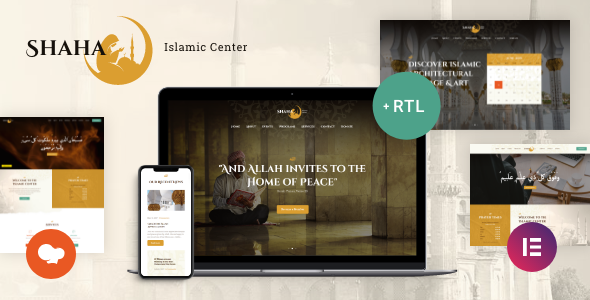
Stuck on your Shaha WordPress theme? Let's fix it.
No endless back-and-forth. Just send us the details and we'll get it done.
No obligation · Replies within 1 hour · Quote within 1 day
Setup · Customization · Bug fixes · WooCommerce integration
About Shaha WP Theme
Shaha is a multipurpose WordPress theme built by AncoraThemes. It ships with a clean, modern design that works well for creative agencies, portfolios, and business websites. The theme includes a drag-and-drop page builder, multiple pre-built demo layouts, and WooCommerce support for shops.
AncoraThemes built Shaha with Elementor compatibility in mind, so most visual changes happen without touching code. It also supports WPML for multilingual sites and comes with custom post types for portfolios and testimonials.
Performance is decent out of the box, with lazy loading and minified assets included. The theme documentation covers installation and demo import clearly, which helps non-developers get started without much friction. That said, deeper customisation work usually benefits from a developer who knows the theme well.
Get matched with a Shaha developer in under one day
Tell us about your Shaha project. Small fixes, Shaha theme customization, or a full website build, whatever you need, we've got it covered.
We'll connect you to the right Shaha developers, define the scope, and get everything 100% clear.
You'll get one estimate, hire your preferred developer, and start collaborating.
Shaha is straightforward to install, but making it work exactly as you need takes experience with AncoraThemes’ template structure and Elementor’s quirks together. A developer who has worked with Shaha before knows where the edge cases are.
Through Codeable, FoxyConcept connects you with vetted WordPress developers who know this theme. You post your project, get matched within 24 hours, and receive a free estimate with no obligation to proceed. Specific expertise, no guesswork.
Pros
- Elementor compatibility built in from the start, no patching required
- Multiple pre-built demo layouts covering different industries and page types
- WooCommerce support works cleanly without layout conflicts
- WPML compatible for sites that need content in more than one language
- AncoraThemes provides regular updates and maintains active support documentation
Cons
- Deep layout changes beyond the Customizer options require custom CSS or child theme knowledge
- Demo import can overwrite existing content if not handled carefully
- Some header and footer options are locked unless you use a companion plugin
- Mobile responsiveness on complex grid layouts sometimes needs manual adjustment
- Theme support response times vary and complex issues often go unresolved through the official channel
Who is Shaha for?
Creative Agency Website
Shaha’s agency demo layout includes service sections, team member grids, and case study templates. With Elementor, an agency can build out its full site without custom development. A developer can refine the layout, add custom animations, and ensure the contact and lead forms are connected to a CRM or email tool correctly.
Freelance Portfolio
The portfolio post type in Shaha displays work cleanly across grid and masonry layouts. Filtering by category works out of the box. A freelancer can use the demo as a base and have a developer customise the project detail pages, adjust typography, and add a booking or inquiry form tailored to their workflow.
WooCommerce Store
Shaha’s WooCommerce integration handles product listings, cart, and checkout pages without major styling issues. For stores needing custom product templates, filtered shop pages, or upsell sections, a Shaha developer can extend the default setup and keep everything consistent with the rest of the site design.
Corporate Business Site
The corporate demo includes hero sections, service blocks, testimonial carousels, and a blog layout. It suits consultancies, law firms, and B2B businesses. A developer can add multilingual support via WPML, configure SEO metadata properly, and set up analytics tracking across all key conversion points.
Photography Studio
Shaha’s full-width image sections and gallery support make it a practical choice for photographers. The masonry grid handles large image sets well. A developer can optimise images for fast loading, configure a lightbox gallery plugin, and build a booking or contact form that fits the studio’s client intake process.

Customizing Shaha
Shaha gives you a good amount of control through the WordPress Customizer and Elementor widgets, but there are limits. Changing the header layout, adjusting spacing across breakpoints, or modifying how the portfolio grid behaves often requires custom CSS or child theme work.
If you want Shaha to match a specific brand identity, a Shaha expert can save you significant time. That means custom fonts loaded properly, colour schemes applied consistently across all templates, and mobile layouts that actually look intentional rather than just scaled down.
AncoraThemes releases updates regularly, so any customisations made directly to the parent theme files get overwritten. A child theme is essential. A developer can set that up correctly from the start, ensuring your changes persist through every update.
Recommended plugins for Shaha
Shaha integrates with WooCommerce for product listings, WPForms and Contact Form 7 for lead capture, and WPML for multilingual setups. Elementor Pro unlocks additional widgets that pair well with Shaha’s templates.
For performance, pairing Shaha with a caching plugin like WP Rocket and an image optimisation tool reduces load times noticeably. Check our WordPress performance service if speed is a priority.
SEO plugins like Rank Math and Yoast integrate cleanly. If you want structured data and technical SEO handled properly, our WordPress SEO service covers the full setup.
Not sure which plugins to use? This WordPress plugins directory covers the most popular options with reviews and setup guides.
Shaha common issues
Shaha theme mobile menu not working after update
This usually happens when a JavaScript conflict appears after a theme or plugin update. Open your browser console and look for JS errors. Start by deactivating plugins one at a time to find the conflict. If the mobile menu toggle stops working specifically after an AncoraThemes update, check the changelog for hook or script changes. A WordPress bug fixing service can trace and resolve this quickly without trial and error.
Shaha page builder layout broken on frontend
Broken Elementor layouts in Shaha typically result from a version mismatch between Elementor, Elementor Pro, and the theme. Regenerate CSS from Elementor’s Tools panel first. If that doesn’t fix it, clear all caches and check whether the theme update changed any template structure. Reverting to a child theme setup protects your customisations from being overwritten. If the issue persists, a developer can inspect the template hierarchy and restore the layout properly.
Shaha demo import fails or shows blank page
Demo import failures in Shaha are often caused by PHP memory limits, upload size restrictions, or timeout settings on the server. Increase memory_limit, max_execution_time, and upload_max_filesize in your PHP configuration. Some hosts require this through a php.ini or .htaccess file. If the page goes blank after import, check for XML parsing errors in the error log. A developer can run the import manually and troubleshoot server-level blockers.
Shaha theme slow loading on mobile
Slow mobile performance on Shaha is often caused by unoptimised images, render-blocking scripts, or Google Fonts loading synchronously. Start by running the site through PageSpeed Insights to identify specific bottlenecks. Use a caching plugin and enable lazy loading if it isn’t already active. Deferring non-critical JavaScript and preconnecting to Google Fonts reduces load time. Visit our WordPress performance service for a full audit and fix.
Shaha FAQ
Yes. Shaha is built with Elementor compatibility as a core feature. All pre-built demo layouts use Elementor, and the theme registers its own Elementor widgets for specific sections. Elementor Pro adds additional functionality that works cleanly with Shaha’s templates. Most layout work can be done entirely inside the Elementor editor without writing code.
Shaha includes WooCommerce support. Shop pages, product listings, cart, and checkout all use Shaha’s styling without major conflicts. The theme doesn’t override core WooCommerce templates unnecessarily, which makes it easier to update WooCommerce independently. For stores with specific product page layouts or custom filtering, a developer can extend the default setup to match your requirements.
Always use a child theme. Any changes made directly to Shaha’s parent theme files get overwritten when AncoraThemes releases an update. A child theme stores your custom CSS and template overrides separately. If you haven’t set one up yet, a developer can migrate your existing customisations into a child theme safely before the next update causes problems.
Shaha outputs clean HTML and is compatible with Yoast SEO and Rank Math. Schema markup and meta tags are handled through those plugins. The theme itself doesn’t add excessive bloat, but load speed and structured data configuration still need attention. A proper SEO setup goes beyond the theme. See our WordPress SEO service for full technical optimisation.
Migrating an existing site to Shaha requires rebuilding page layouts using Elementor since the theme uses its own template structure. Content like posts, pages, and media can be transferred directly. The design work needs to be rebuilt inside Shaha’s framework. Our WordPress migration service covers both the technical transfer and the layout rebuild.
Hire a Shaha WordPress Developer
Whether you need a full Shaha setup from scratch, custom template work, or fixes to an existing site, FoxyConcept can match you with the right developer. Work is delivered through Codeable’s vetted network, so you only work with developers who have a proven track record.
Get a free estimate for your Shaha project today. No commitment, no risk. Tell us what you need and we’ll come back to you within 24 hours with a clear plan and price.
You'll need a free Codeable account so developers can ask questions and send their quotes.