Sassico WordPress Theme
by XpeedStudio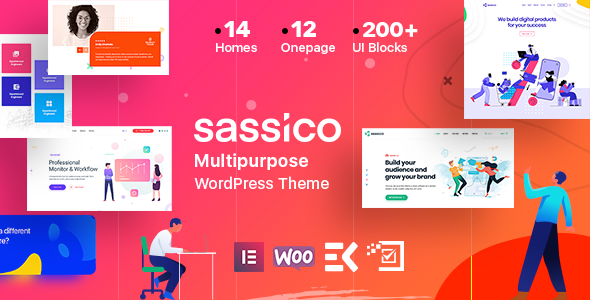
Stuck on your Sassico WordPress theme? Let's fix it.
No endless back-and-forth. Just send us the details and we'll get it done.
No obligation · Replies within 1 hour · Quote within 1 day
Setup · Customization · Bug fixes · WooCommerce integration
About Sassico WP Theme
Sassico is a multipurpose SaaS and agency WordPress theme built by XpeedStudio. It targets software companies, digital agencies, and startups that need a polished, conversion-focused website without building from scratch.
The theme ships with over 20 homepage demos, pre-built inner pages, and deep integration with Elementor. Pricing tables, feature sections, and testimonial blocks are all included as ready-to-use templates.
XpeedStudio is also behind popular plugins like MetForm and Wpmet, so Sassico benefits from tight in-house plugin compatibility. The theme supports WooCommerce, making it workable for software companies selling subscriptions or digital products directly on their site.
Performance is reasonable out of the box, though heavy demo content and multiple bundled plugins mean some optimization work is usually needed before going live.
Get matched with a Sassico developer in under one day
Tell us about your Sassico project. Small fixes, Sassico theme customization, or a full website build, whatever you need, we've got it covered.
We'll connect you to the right Sassico developers, define the scope, and get everything 100% clear.
You'll get one estimate, hire your preferred developer, and start collaborating.
Sassico uses XpeedStudio’s own plugin ecosystem, which is different from a standard Elementor setup. Widgets depend on Wpmet, forms run through MetForm, and the header builder has its own logic. A developer unfamiliar with this stack will spend time just mapping out dependencies.
Through Codeable, you get matched with WordPress developers who have hands-on experience with themes like Sassico. That means faster delivery, fewer back-and-forth questions, and no surprises when something in the XpeedStudio ecosystem behaves differently than expected.
Pros
- 20+ homepage demos designed specifically for SaaS and agency use cases
- Deep Elementor integration with custom widgets from the Wpmet ecosystem
- Built-in header and footer builder with swappable pre-designed layouts
- Native MetForm integration makes lead capture forms fast to set up
- WooCommerce compatibility for selling software licenses or subscriptions
Cons
- Heavy demo import loads multiple plugins, slowing initial performance significantly
- Customization relies on XpeedStudio's own plugin stack, creating vendor dependency
- Some advanced widgets only work with the premium Wpmet Pro version
- Documentation is spread across multiple plugin and theme sources, making it harder to follow
- Design is optimized for SaaS and agencies, making it a poor fit for blogs or portfolios
Who is Sassico for?
SaaS Product Landing Pages
Sassico’s pricing tables, feature comparison blocks, and conversion-focused hero sections are built for SaaS products. You can present subscription tiers, highlight core features, and capture trial signups without custom development. The layout logic assumes you have a product to sell and structures pages around that goal from the start.
Digital Marketing Agencies
Agency demo layouts include service listing pages, team sections, and case study templates. MetForm handles client inquiry forms natively. If your agency offers multiple services with different landing pages, Sassico’s homepage variations let you build separate funnels without starting from a blank Elementor canvas each time.
Software Startups
Startups need to move fast. Sassico’s pre-built inner pages, including about, pricing, and contact, reduce setup time considerably. The theme’s visual style signals credibility without requiring a custom design. WooCommerce support means you can add a payment flow for early-access products or lifetime deals without switching platforms.
IT Service Companies
IT service companies covering managed hosting, cybersecurity, or cloud infrastructure will find Sassico’s service page templates a solid starting point. The theme handles technical content well, with icon blocks, numbered process steps, and client logo sections that suit B2B positioning and longer sales cycles.
App Showcase Websites
Sassico includes app showcase sections with mockup-friendly layouts and feature highlight blocks. Mobile app screenshots slot into device frame designs cleanly. App store buttons, review scores, and download CTAs are part of the demo content, so the structure is already there without needing custom Elementor work.

Customizing Sassico
Sassico customization happens primarily inside Elementor. Most sections use custom widgets from the MetForm and Wpmet ecosystems, which gives you fine-grained control over forms, counters, and pricing tables without touching code.
Global colors and typography are managed through Elementor’s site settings, while theme-specific options sit in the WordPress Customizer. Header and footer layouts can be swapped from a built-in library of pre-designed options.
If you need something beyond what the visual editor supports, a Sassico expert can help. Custom post types, conditional template logic, or bespoke Elementor widgets all require PHP and a solid understanding of how XpeedStudio’s plugin stack fits together. Structural changes to demo layouts are quicker with someone who has worked with the theme before.
Recommended plugins for Sassico
Sassico works well alongside several additions. Performance optimization is worth prioritizing early, especially if you imported a full demo, since bundled scripts add up quickly.
For software companies, adding SEO optimization on top of Sassico’s existing structure helps drive organic traffic to landing pages and feature sections the theme is built around.
MetForm handles lead capture natively, but more complex CRM integrations or payment flows may need additional plugin work. WooCommerce extensions for subscriptions or license management pair cleanly with the existing pricing table design.
Not sure which plugins to use? This WordPress plugins directory covers the most popular options with reviews and setup guides.
Sassico common issues
Sassico homepage not loading after demo import
This usually happens when required plugins were not activated before running the demo import. Sassico depends on Wpmet, MetForm, and in some cases Elementor Pro. Check Appearance > Install Plugins and activate everything listed. If the homepage still shows a blank or broken layout, re-run the demo import after all plugins are active. Clearing any caching plugin before and after the import also prevents stale template data from interfering.
Sassico Elementor widgets missing or showing errors
Missing Sassico Elementor widgets almost always point to the Wpmet plugin being deactivated or on a lower version than the theme expects. Go to Plugins > Installed Plugins, confirm Wpmet is active, and check for available updates. If widgets show a broken icon inside Elementor, try regenerating the CSS cache under Elementor > Tools > Regenerate Files. A WordPress bug fixing service can diagnose conflicts faster if the issue persists.
Sassico header layout not saving changes
Sassico uses its own header builder rather than the standard Customizer header controls. Changes made in the wrong panel will appear to save but won’t reflect on the frontend. Navigate to the dedicated header builder section inside the theme options and publish from there. Also confirm that full-page caching is not serving an old header. Purge your cache after every header change to see accurate results.
Sassico site slow after installing theme
Sassico demo content loads several plugins and large image assets by default. Start by auditing active plugins and deactivating anything not in use from the demo. Run a WordPress performance audit to identify render-blocking scripts from Wpmet or MetForm. Enable lazy loading for images, use a caching plugin, and consider a CDN. Removing unused demo pages also reduces database load on first render.
Sassico FAQ
Yes, Sassico works with Elementor Pro, but it does not require it. The theme’s custom widgets come from the Wpmet plugin rather than Elementor Pro’s library. You can use Elementor’s free version and still access the full range of Sassico-specific blocks. Elementor Pro adds features like popups, dynamic content, and theme builder templates on top of that.
Some widgets and features are locked behind Wpmet Pro. The free version of Wpmet covers the core widgets used in most Sassico demos, but advanced functionality like certain form features, animated elements, and premium widgets require the paid tier. Before upgrading, check which specific widgets your chosen demo relies on to avoid paying for features you won’t use.
Technically yes, but Sassico’s design language is built around SaaS products and digital agencies. Using it for a restaurant, blog, or portfolio will require significant layout changes to remove the default SaaS-focused structure. The demos won’t give you a useful head start. A theme built for your actual niche will save time and produce better results.
Yes. Sassico includes WooCommerce support and its pricing table design adapts reasonably well for product and subscription pages. It works best for digital products, software licenses, or simple subscription setups. Complex physical product stores with large catalogs will likely outgrow what Sassico’s WooCommerce styling comfortably handles.
Migrating an existing site to Sassico means rebuilding your pages inside Elementor using the theme’s templates. Content migration is straightforward, but layout reconstruction takes time. A WordPress migration service can handle both the technical move and the Elementor rebuild so your existing content fits cleanly into the new design without starting from scratch manually.
Hire a Sassico Expert Developer
Need help setting up Sassico, customizing a demo, or fixing something that broke after an update? FoxyConcept connects you with vetted WordPress developers through Codeable. Post your project, get a free estimate within 24 hours, and only move forward if the fit is right.
There’s no obligation to hire. Get your free estimate here and describe exactly what you need done.
You'll need a free Codeable account so developers can ask questions and send their quotes.