Dolcino WordPress Theme
by Mikado-Themes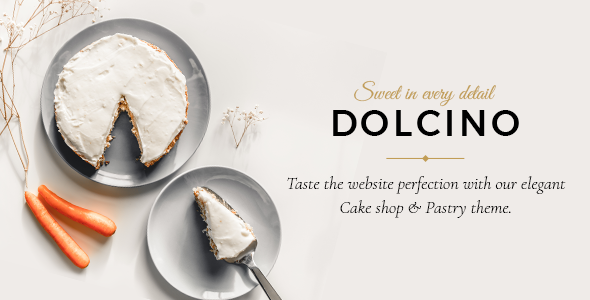
Stuck on your Dolcino WordPress theme? Let's fix it.
No endless back-and-forth. Just send us the details and we'll get it done.
No obligation · Replies within 1 hour · Quote within 1 day
Setup · Customization · Bug fixes · WooCommerce integration
About Dolcino WP Theme
Dolcino is a WordPress theme built by Mikado-Themes, designed specifically for restaurants, cafes, and food-related businesses. It ships with a clean, elegant layout that puts food photography and menus front and center. The theme is built on Mikado’s own framework, which means it comes with the Mikado Core plugin and their custom page builder for visual editing.
Out of the box, Dolcino includes multiple homepage demos, a dedicated food menu system, reservation form integration, and WooCommerce support for online orders. Typography is carefully selected to give the site a warm, upscale feel without requiring a designer. If you run a restaurant and want a site that looks polished without starting from scratch, Dolcino covers the basics well. That said, getting it to match your exact branding still takes some configuration time.
Get matched with a Dolcino developer in under one day
Tell us about your Dolcino project. Small fixes, Dolcino theme customization, or a full website build, whatever you need, we've got it covered.
We'll connect you to the right Dolcino developers, define the scope, and get everything 100% clear.
You'll get one estimate, hire your preferred developer, and start collaborating.
Mikado-Themes builds solid themes, but their custom framework has its own logic. Not every WordPress developer knows how the Mikado options panel, shortcodes, and plugin dependencies interact. Getting the wrong developer means hours of trial and error billed to you.
Through Codeable, you get matched with WordPress developers who have hands-on experience with themes like Dolcino. Every developer on the platform is vetted. You post your project, get a clear estimate, and only move forward if it makes sense. No guesswork, no risk.
Pros
- Pre-built restaurant demos reduce initial setup time significantly
- Built-in food menu system with category filtering works without extra plugins
- WooCommerce compatibility allows online ordering without a custom build
- Clean typography and layout choices suit upscale dining and cafe brands
- Regular updates from Mikado-Themes keep it compatible with current WordPress versions
Cons
- Relies on Mikado Core plugin, creating a dependency that complicates switching themes later
- Page load times are heavier than average due to bundled scripts and styles
- The Mikado options panel has a steep learning curve for non-technical users
- Deep customization outside the demo styles requires familiarity with Mikado's framework
- Limited third-party documentation compared to mainstream themes like Divi or Astra
Who is Dolcino for?
Restaurants
Dolcino is built with full-service restaurants in mind. The food menu system handles starters, mains, and desserts in separate sections. Reservation form placement is flexible, and the homepage demos are structured to showcase hero food photography immediately. A developer can wire in OpenTable or a booking plugin to handle real-time table management.
Cafes and Coffee Shops
Cafes benefit from Dolcino’s warm color palette options and grid-based menu layouts. Daily specials, seasonal drinks, and loyalty program details all fit naturally into the theme’s content structure. The WooCommerce integration also works well for selling branded merchandise or packaged coffee products alongside the main cafe offering.
Catering Companies
Catering businesses need to present packages, pricing, and past event photography clearly. Dolcino’s gallery sections and flexible page layouts handle this without custom development. A contact or quote request form can replace the standard reservation widget, making the site work as a lead generation tool rather than a booking system.
Food Bloggers
Food bloggers can use Dolcino’s clean post layouts and featured image handling to make recipe content visually strong. The theme supports standard blog listing pages and single post templates that keep the focus on photography and text. It works, though bloggers with large archives may find performance optimization becomes necessary over time.
Bakeries and Pastry Shops
Bakeries and pastry shops get a lot of use from Dolcino’s product-focused demo layouts. WooCommerce lets you sell cakes, boxes, or seasonal items directly. The visual style suits handcrafted branding well. Custom order forms for wedding cakes or special requests can be built in with a form plugin and some developer configuration.

Customizing Dolcino
Dolcino gives you control over colors, fonts, header styles, and layout options through the WordPress Customizer and Mikado’s own options panel. You can switch between demo styles, adjust spacing, and set up your food menu categories without writing code. For most restaurant owners, the defaults get you 70% of the way there.
The remaining 30% is where things get specific. Custom menu layouts, reservation system integrations with third-party booking tools, animated sections, or anything outside the included demos will need development work. A Dolcino expert who knows the Mikado framework can make those changes without breaking the theme’s built-in structure. Trying to force custom CSS on top of Mikado’s layer system often causes conflicts that are frustrating to debug later.
Recommended plugins for Dolcino
Dolcino works with WooCommerce for online ordering and product sales. It also supports popular reservation plugins like OpenTable widgets and Bookly. Contact Form 7 and WPForms both integrate cleanly into the included form areas.
For performance, Dolcino’s bundled scripts can slow page load times if not properly optimized. Caching plugins and image compression are worth adding from day one. If SEO is a priority for your restaurant, pairing Dolcino with Yoast or Rank Math helps structure your local search presence. You can learn more about WordPress performance optimization and WordPress SEO to get more out of the theme.
Not sure which plugins to use? This WordPress plugins directory covers the most popular options with reviews and setup guides.
Dolcino common issues
Dolcino theme menu not displaying correctly after update
Menu display issues in Dolcino usually come from the Mikado Core plugin being out of sync with the theme version after an update. Check that both the theme and the Mikado Core plugin are on matching versions. Clear any caching plugins after updating. If the food menu shortcode is broken, deactivate and reactivate Mikado Core. Persistent issues often need a developer to check template overrides or custom CSS conflicts. See our WordPress bug fixing service if you need hands-on help.
Dolcino reservation form not sending emails
When Dolcino’s reservation form stops sending emails, the problem is almost always with WordPress mail delivery, not the form itself. Install an SMTP plugin like WP Mail SMTP and connect it to a transactional email service like SendGrid or Mailgun. Also check that your contact email address is not flagged as spam. Test delivery using the SMTP plugin’s built-in send test. If the form itself is broken, check for JavaScript errors in your browser console.
Dolcino theme slow loading on mobile
Dolcino loads several scripts and stylesheets that add up quickly on mobile connections. Start by enabling a caching plugin and serving images in WebP format. Use a tool like GTmetrix to identify the largest resources. Mikado themes often load Google Fonts in a way that blocks rendering. Consider switching to system fonts or self-hosting the font files. Lazy loading images and deferring non-critical scripts also helps. Check our WordPress performance guide for a full approach.
Dolcino page builder content missing after switching hosting
Dolcino uses Mikado’s custom page builder, which stores content in the database as serialized data tied to post meta. When migrating between hosts, this data can become corrupted if the database transfer is incomplete or if table prefixes differ. Run a search-replace tool like Better Search Replace after migration to fix any URL references. If page content is completely blank, restore from a backup taken before the migration. A proper WordPress migration process prevents most of these issues.
Dolcino FAQ
Yes, Dolcino is purpose-built for restaurants. It includes a native food menu system, reservation form placement, and pre-built demos that match the needs of a restaurant site. The design defaults to an upscale, warm aesthetic. You will still need some configuration time to match your specific branding, and a developer helps if you want integrations beyond the basics.
Dolcino supports WooCommerce. You can sell products, take online orders, or set up a simple storefront alongside your restaurant content. The theme styles the basic WooCommerce pages to match its design. More advanced store setups, like custom checkout flows or product filtering, may need additional development work to integrate cleanly.
No. Mikado Core is required for Dolcino to function properly. It powers the shortcodes, menu system, page builder elements, and most of the theme’s custom features. Disabling it breaks core functionality. This is a known trade-off with Mikado themes and means the theme has a plugin dependency that makes switching themes more involved later.
Dolcino includes a basic contact or reservation form element, but it is not connected to a real-time booking system by default. To handle actual table reservations, you need to integrate a plugin like Bookly, Rezdy, or embed an OpenTable widget. A developer familiar with Dolcino can place these correctly within the theme’s layout without breaking the existing design.
Mikado-Themes does release updates for Dolcino to maintain WordPress and WooCommerce compatibility. You can check the changelog on ThemeForest where the theme is sold. Updates have been consistent, though the pace is slower than high-volume themes. Keeping both the theme and the Mikado Core plugin updated together is important to avoid conflicts between versions.
Hire a Dolcino Developer
Whether you need a full Dolcino setup, a menu layout adjusted, a booking system wired in, or something broken fixed, the right developer makes the difference. FoxyConcept works through Codeable to connect you with developers who know the Mikado framework well. Get a free estimate and describe your project. You’ll hear back within 24 hours with no obligation to hire.
You'll need a free Codeable account so developers can ask questions and send their quotes.