Mana WordPress Theme
by themeton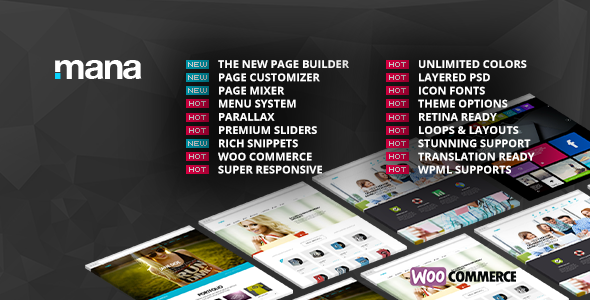
Stuck on your Mana WordPress theme? Let's fix it.
No endless back-and-forth. Just send us the details and we'll get it done.
No obligation · Replies within 1 hour · Quote within 1 day
Setup · Customization · Bug fixes · WooCommerce integration
About Mana WP Theme
Mana is a multipurpose WordPress theme developed by Themeton. It targets creative agencies, freelancers, and small businesses that need a clean, portfolio-focused website without heavy configuration overhead.
The theme ships with Elementor support, a drag-and-drop page builder experience, and a library of pre-built demo templates. You can import a full demo in minutes and start swapping content immediately.
Mana includes WooCommerce compatibility, making it viable for shops alongside portfolio or agency sites. Typography controls, color scheme options, and header layout variations give you enough flexibility to match most branding requirements without touching code.
It is regularly updated by Themeton and has a track record of compatibility with current WordPress versions. Performance is reasonable out of the box, though optimization work is often needed before going live on a production site.
Get matched with a Mana developer in under one day
Tell us about your Mana project. Small fixes, Mana theme customization, or a full website build, whatever you need, we've got it covered.
We'll connect you to the right Mana developers, define the scope, and get everything 100% clear.
You'll get one estimate, hire your preferred developer, and start collaborating.
Mana is approachable for DIY users, but client work and production sites demand more precision. Custom layouts, plugin integrations, and performance tuning all require developer-level knowledge of how Mana and Elementor interact under the hood.
FoxyConcept connects you with vetted WordPress developers through Codeable. Every developer on the platform has passed a strict vetting process, so you are not taking a chance on quality. You describe your project, get a clear estimate, and decide whether to proceed. No obligation.
Pros
- Ships with a solid set of Elementor-compatible demo templates that cover agency, portfolio, and shop use cases
- WooCommerce support is built in, so adding a shop section does not require a separate compatibility plugin
- Customizer options cover header variants, footer layouts, and typography without needing custom CSS for most changes
- Themeton maintains active update cycles, keeping Mana compatible with recent WordPress and Elementor versions
- Clean base markup makes it easier to layer on SEO improvements and structured data compared to heavier multipurpose themes
Cons
- Demo import can leave unused images and placeholder content that requires manual cleanup before launch
- Advanced layout customization beyond the provided templates requires Elementor Pro or custom development work
- Documentation from Themeton is functional but thin on developer-focused guidance for child themes or template overrides
- Out-of-the-box page speed scores need work, particularly on image-heavy demo layouts that load multiple scripts
- Support response times from Themeton can be slow during busy periods, which is a problem if you hit a blocking issue
Who is Mana for?
Creative Agency
Mana’s agency demo provides a structured layout for showcasing services, team members, and case studies. The Elementor-based sections make it straightforward to build a services page with icon blocks and a client logo row. Agencies that need a professional presence quickly without a fully custom build will find Mana a practical starting point.
Freelance Portfolio
Freelancers benefit from Mana’s portfolio-focused templates and clean grid layouts. You can display project work with custom thumbnail ratios, filter categories, and lightbox support. The minimal design keeps the focus on the work itself rather than the surrounding chrome, which suits designers, copywriters, and developers presenting their output.
WooCommerce Store
Mana’s built-in WooCommerce compatibility means product pages, cart, and checkout inherit the theme’s styling without extra configuration. You can customize product grid columns, button styles, and sale badge designs through the Customizer. For shops that also want a brand story or blog section, Mana handles that content alongside the store without layout conflicts.
Photography Site
Photography sites need fast-loading galleries and distraction-free layouts. Mana supports full-width image sections, masonry grids, and lightbox displays. Combined with an image optimization plugin and lazy loading, it performs acceptably for visual portfolios. The dark color scheme option suits photographers who want their images to take center stage against a neutral background.
Consulting or Coaching Business
Consultants and coaches need a site that builds credibility through testimonials, a clear services section, and a strong call to action. Mana’s pre-built sections cover all of these. You can set up a booking or contact flow using WPForms or Caldera, and the theme’s layout handles the surrounding content without requiring custom development for a standard setup.

Customizing Mana
Mana gives you access to its settings through the WordPress Customizer and Elementor’s visual editor. You can adjust header styles, footer layouts, font pairings, and color palettes without writing CSS. For most standard changes, this workflow is straightforward.
Where things get more involved is when you need custom post type layouts, advanced Elementor widget combinations, or WooCommerce page redesigns that go beyond the provided templates. That is where working with a Mana expert saves significant time.
A developer familiar with Mana’s structure can build child theme overrides, create custom Elementor widgets, and modify template files cleanly without breaking future updates. They can also connect third-party plugins like ACF or WPForms in ways that fit the existing design system rather than clashing with it.
Recommended plugins for Mana
Mana works with the broader WordPress plugin ecosystem without major conflicts. The most common additions include contact form plugins, SEO tools, and caching solutions.
For performance, pairing Mana with a good caching plugin and an image optimization tool makes a measurable difference. See our WordPress performance service for specifics.
If organic search matters to your site, structured SEO work on top of Mana’s clean markup can yield solid results. Our WordPress SEO service covers technical and on-page optimization that works alongside any Elementor-built theme.
Not sure which plugins to use? This WordPress plugins directory covers the most popular options with reviews and setup guides.
Mana common issues
Mana theme demo import not working
Demo import failures in Mana are usually caused by PHP memory limits or upload size restrictions on the server. Check that your host allows at least 256MB of PHP memory and a 64MB max upload size. In some cases, the XML file import through WordPress’s built-in importer works when the one-click option fails. If the issue persists, a developer can run the import process manually via WP-CLI. See our bug fixing service if you need hands-on help.
Mana theme header not displaying correctly on mobile
Mobile header issues in Mana are often tied to a conflict between Elementor’s responsive controls and the theme’s own header settings. Open the Customizer and check the mobile header toggle and breakpoint settings. If you have a custom header built in Elementor, verify that mobile visibility is enabled for each section. Clearing the Elementor CSS cache after changes often resolves rendering inconsistencies on smaller screens.
Mana theme slow loading speed after setup
Slow load times after a Mana demo import are common because demo content includes full-resolution images and multiple font loads. Start by running the site through PageSpeed Insights to identify the largest contributors. Install an image compression plugin, enable lazy loading, and configure a caching plugin. Removing unused Elementor global fonts and disabling Google Fonts loading for locally hosted alternatives also helps. Our performance service covers this in full.
Mana WooCommerce pages not matching theme style
WooCommerce pages that do not match the Mana theme style usually need their templates overridden in a child theme. Mana includes basic WooCommerce styling, but product archive and single product layouts sometimes need manual CSS adjustments. Create a child theme, copy the relevant WooCommerce template files into a woocommerce folder, and apply targeted styles. Avoid editing the parent theme files directly, as updates will overwrite your changes.
Mana FAQ
Themeton keeps Mana updated alongside WordPress core releases. Before updating either WordPress or Mana, check the Themeton changelog and test in a staging environment first. Conflicts are rare but can appear when major WordPress versions introduce changes to block editor internals or REST API behavior that affect Elementor-based themes.
Yes, Mana is compatible with Elementor Pro. The free version of Elementor handles basic page building, but Elementor Pro adds the Theme Builder, which lets you create custom headers, footers, and archive templates that override Mana’s defaults. This combination gives you significantly more control over the full site design without modifying theme files directly.
Mana includes built-in WooCommerce support covering product grids, single product pages, cart, and checkout styling. It is a practical choice for small to medium shops, especially those that also need a portfolio or agency-style homepage. For heavily customized shop layouts or large catalogs, you may need a developer to extend the default WooCommerce templates.
Create a child theme by making a new folder in wp-content/themes with a style.css file that references Mana as the template. Add a functions.php file that enqueues the parent theme’s stylesheet. Activate the child theme from the WordPress Themes screen. All customizations made in the child theme survive Mana updates. Themeton’s documentation covers the basic setup, or a developer can handle it as part of a larger project.
Mana’s markup is reasonably clean and does not introduce major technical SEO problems. Using it alongside a dedicated SEO plugin like Yoast or Rank Math covers meta tags, sitemaps, and schema basics. For deeper optimization including Core Web Vitals improvements and structured data, additional work beyond the theme’s defaults is needed. Our SEO service can help with that.
Hire a Mana WordPress Developer
Whether you need a full Mana site built from scratch, a custom layout added to an existing site, or a specific bug resolved, FoxyConcept can match you with a developer who knows the theme. Work is delivered through Codeable, with transparent pricing and no risk.
Get a free estimate and hear back within 24 hours. No upfront payment, no obligation to hire.
You'll need a free Codeable account so developers can ask questions and send their quotes.