Sirius WordPress Theme
by ThemeGoods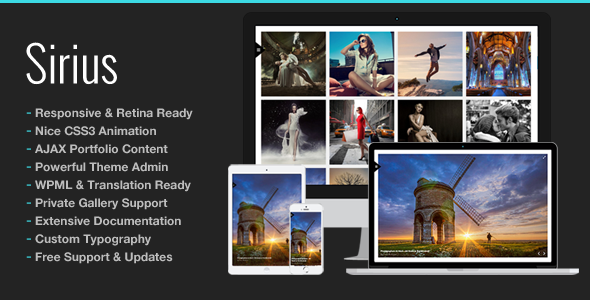
Stuck on your Sirius WordPress theme? Let's fix it.
No endless back-and-forth. Just send us the details and we'll get it done.
No obligation · Replies within 1 hour · Quote within 1 day
Setup · Customization · Bug fixes · WooCommerce integration
About Sirius WP Theme
Sirius is a WordPress theme built by ThemeGoods, designed primarily for creative agencies, portfolios, and business websites. It ships with a visual drag-and-drop page builder, multiple homepage layouts, and a strong focus on clean typography and white space.
The theme uses a modular approach, letting you assemble pages from pre-built sections rather than coding from scratch. It supports WooCommerce, custom post types for portfolios, and includes a selection of shortcodes and widgets built specifically for service-based businesses.
ThemeGoods has a solid track record on ThemeForest, and Sirius reflects that with consistent updates and documentation. It works well for studios, consultancies, and freelancers who want a polished site without starting from a blank canvas.
Get matched with a Sirius developer in under one day
Tell us about your Sirius project. Small fixes, Sirius theme customization, or a full website build, whatever you need, we've got it covered.
We'll connect you to the right Sirius developers, define the scope, and get everything 100% clear.
You'll get one estimate, hire your preferred developer, and start collaborating.
Most WordPress developers can install a theme. Fewer understand how a specific theme like Sirius is structured under the hood. FoxyConcept works through Codeable, a vetted network of senior WordPress developers. Every developer on the platform is manually screened. You get a free estimate, no commitment, and a developer who has worked with ThemeGoods themes before. That matters when you need something done right the first time.
Pros
- Multiple pre-built homepage layouts reduce initial build time significantly
- Built-in portfolio post type with custom filtering works well for agency showcases
- WooCommerce compatibility is solid for small to medium product catalogues
- ThemeGoods provides regular updates and maintains compatibility with recent WordPress versions
- Clean, minimal design aesthetic holds up well without heavy customization
Cons
- The drag-and-drop builder stores content as shortcodes, making future theme switches painful
- Mobile menu behavior needs CSS tweaks on complex navigation structures
- Default page load includes unused CSS and JS that requires manual optimization
- Documentation covers basics but lacks detail for advanced customization scenarios
- Limited block editor (Gutenberg) support means the classic editor workflow is still the reliable path
Who is Sirius for?
Creative Agency
Sirius suits digital agencies well. The portfolio post type handles case studies cleanly, and the multi-column layouts display services and team members without needing custom templates. Agencies can present multiple service lines on one page using the built-in section blocks, keeping the structure organized without heavy development work.
Freelance Portfolio
Freelancers get a lot out of Sirius without needing to hire anyone. The portfolio grid, a simple contact form, and a clean about section cover most of what a personal brand site needs. The theme is lean enough that a solo developer or designer can own and maintain it without ongoing support.
Consulting Business
Consultants and solo practitioners benefit from Sirius’s service-focused layouts. You can build a clear homepage that leads visitors through your offering, social proof, and a call to action without custom coding. The typography is professional and readable, which matters for credibility in advisory businesses.
Photography Studio
Photography studios get clean full-width gallery support and a portfolio grid that showcases images well. Sirius keeps the interface out of the way of the visuals. For studios selling prints or booking sessions, the WooCommerce integration covers basic storefront needs without requiring a separate theme or major plugin work.
Small WooCommerce Store
Small shops with a focused product range work well on Sirius. The WooCommerce integration handles standard product pages, cart, and checkout reliably. It is not built for large catalogues or complex filtering, but for boutique product lines or digital downloads, the setup is straightforward and the design stays consistent.

Customizing Sirius
Sirius gives you a reasonable starting point, but most serious projects need customization beyond what the theme panel allows. Changing the header layout, adjusting spacing across breakpoints, or building a custom post type template all require working directly with the theme files or adding custom CSS and PHP.
If you want pixel-accurate results, a Sirius expert can handle that without breaking the theme on update. Common customization requests include custom portfolio filters, unique landing page sections, WooCommerce styling, and integrating third-party plugins like booking systems or CRMs.
Working with a developer who knows Sirius specifically means fewer guesses and faster delivery. They already know where ThemeGoods places its hooks, how the builder stores data, and what to avoid touching.
Recommended plugins for Sirius
Sirius pairs well with several plugins depending on what your site needs to do. Contact Form 7 and WPForms both integrate cleanly. WooCommerce works out of the box for simple shops, though heavier stores may need custom template work.
For SEO, the theme outputs clean markup but you will still want a dedicated plugin. Yoast or Rank Math both work well alongside it. If page speed is a concern, check out our WordPress performance services since builder-heavy themes like Sirius can carry extra load.
For organic visibility, our WordPress SEO service covers technical audits and on-page work specific to your setup.
Not sure which plugins to use? This WordPress plugins directory covers the most popular options with reviews and setup guides.
Sirius common issues
Sirius theme header not showing correctly after update
Header display issues after an update usually point to a conflict between the theme’s custom header settings and a cached version of the stylesheet. Start by clearing all caches, including server-side, CDN, and any caching plugin. If the issue persists, check whether a child theme is overriding the header template. If you made direct edits to the parent theme files, those changes will have been wiped on update. A WordPress bug fix can trace the exact cause quickly.
Sirius WordPress theme slow page load speed
Sirius, like most builder-based themes, can load unnecessary scripts on every page. Start by identifying what is actually loading using a tool like Query Monitor or GTmetrix. Disable unused shortcode scripts, minify and combine CSS and JS through a performance plugin, and consider lazy loading images. If the theme loads its builder assets sitewide, a developer can conditionally enqueue those only where needed. Visit our WordPress performance service for a full audit.
Sirius theme portfolio filter not working
Portfolio filter issues in Sirius are usually caused by a JavaScript conflict with another plugin, or an incorrectly assigned taxonomy on the portfolio posts. Check the browser console for JS errors first. If you see an Isotope or jQuery error, there is likely a script conflict. Deactivate plugins one at a time to isolate it. If the taxonomy is the issue, make sure all visible portfolio items have at least one category assigned. A missing category assignment breaks the filter logic.
Sirius theme WooCommerce layout broken
WooCommerce layout breaks in Sirius most often happen after a WooCommerce major version update that changes template files. Sirius ships with its own WooCommerce templates, and if those templates are out of date, the layout fragments. Go to WooCommerce > Status > Tools and check for outdated templates. Update them carefully, or use a child theme to hold the overrides. If you are not comfortable doing this manually, a WordPress bug fixing service can resolve it without risking data.
Sirius FAQ
ThemeGoods has maintained Sirius with periodic updates to keep it compatible with current WordPress versions. Check the ThemeForest changelog for the most recent update date. If you bought the theme, you get lifetime updates through your ThemeForest account. For sites that have been running for a few years, it is worth checking whether your installed version is current before adding new plugins.
Sirius has its own built-in page builder and is not designed to integrate deeply with Elementor or Gutenberg. You can use it in a basic way with the block editor, but the theme’s own builder is the intended workflow. Running Elementor alongside it often causes styling conflicts. If you want to move to a Gutenberg or Elementor-based workflow, a full site migration to a different theme may be the cleaner path.
Switching themes in WordPress always carries risk when a builder has been used. Sirius stores page content as shortcodes. When you deactivate the theme, that content becomes unreadable text strings. You will need to rebuild pages in the new theme’s editor. Plan this as a migration project, not a simple theme swap. Back up everything first and expect to spend time rebuilding layouts.
To create a child theme for Sirius, create a new folder in wp-content/themes with a style.css file that references Sirius as the template. Add a functions.php that enqueues the parent theme stylesheet. Any file you copy from the parent into the child theme will take precedence. This protects your customizations from being overwritten when Sirius updates. ThemeGoods documentation covers the basics, but a developer can set this up in under an hour.
Sirius outputs reasonably clean HTML, which is a good starting point. But SEO depends on more than theme markup. You still need a dedicated SEO plugin, proper heading structure in your content, fast load times, and solid internal linking. The theme does not hinder SEO, but it does not do the work for you either. Our WordPress SEO service covers the technical and on-page factors your site needs.
Hire a Sirius WordPress Developer
Whether you need a quick fix or a full site build on Sirius, our developers can help. Work is scoped clearly, priced fairly, and delivered by someone who knows the theme. Get a free estimate with no obligation. You describe the project, get matched within 24 hours, and decide if you want to move forward. No risk, no pressure.
You'll need a free Codeable account so developers can ask questions and send their quotes.