Knowhere Pro WordPress Theme
by Monkeysan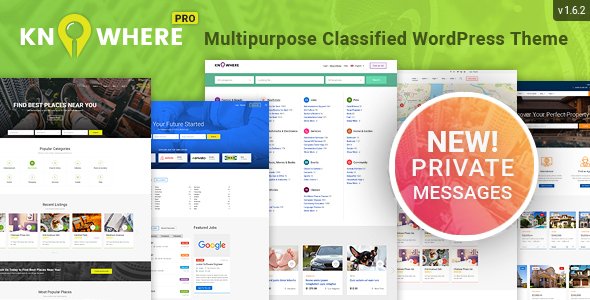
Stuck on your Knowhere Pro WordPress theme? Let's fix it.
No endless back-and-forth. Just send us the details and we'll get it done.
No obligation · Replies within 1 hour · Quote within 1 day
Setup · Customization · Bug fixes · WooCommerce integration
About Knowhere Pro WP Theme
Knowhere Pro is a multipurpose WordPress theme built by Monkeysan, designed primarily for directory and listing websites. It ships with a flexible layout system, built-in listing functionality, and support for custom post types. Whether you are building a local business directory, a listings marketplace, or a community portal, Knowhere Pro gives you a solid structural foundation without requiring a separate directory plugin.
The theme integrates tightly with WPBakery Page Builder and includes its own listing management panel. Monetisation features like paid listings and claim-a-listing are available out of the box. It supports Google Maps, advanced search filters, and user-submitted listings, which makes it a practical choice for anyone building a directory site without starting from scratch.
Get matched with a Knowhere Pro developer in under one day
Tell us about your Knowhere Pro project. Small fixes, Knowhere Pro theme customization, or a full website build, whatever you need, we've got it covered.
We'll connect you to the right Knowhere Pro developers, define the scope, and get everything 100% clear.
You'll get one estimate, hire your preferred developer, and start collaborating.
Knowhere Pro has enough built-in features to get a directory off the ground, but production-ready directory sites almost always need custom work. Paid listing flows, membership tiers, map clustering, custom search filters, and user dashboards all require hands-on development. Our developers, working through Codeable, have built and extended directory sites on Knowhere Pro. They know where the theme’s defaults end and where custom code needs to take over. You get a vetted developer, a clear estimate, and no guesswork.
Pros
- Built-in directory and listing management without needing a separate plugin
- Supports paid listings, claim-a-listing, and user-submitted content out of the box
- Google Maps integration with location-based search and radius filters
- WPBakery included for flexible page layouts outside listing templates
- Active theme with multiple demo imports covering different directory niches
Cons
- WPBakery shortcode lock-in makes it harder to switch page builders later
- Listing templates are not easily customised without PHP knowledge or a child theme
- Advanced search filter customisation requires developer involvement
- Performance can drop on large directories with many listings and active map layers
- Documentation is functional but thin on edge cases and advanced configuration
Who is Knowhere Pro for?
Local Business Directory
Knowhere Pro handles local business listings well. Each listing supports address, phone, hours, categories, and a map pin. Users can submit their own business, claim existing entries, and leave reviews. The built-in search filters by category, location, and rating, which is exactly what a local directory needs to be useful.
Real Estate Listings Site
Real estate directories need property fields, gallery support, and map integration. Knowhere Pro covers all three. Custom fields via ACF can add bedrooms, bathrooms, and square footage. Paid listing packages work for agent submissions. A developer can extend the search filters to support price ranges and property types without rebuilding the theme.
Restaurant and Food Guide
Restaurant guides need cuisine filters, opening hours, photo galleries, and map search. Knowhere Pro supports all of this through its listing structure. Category-based filtering lets visitors narrow by food type or neighbourhood. User reviews add social proof. With some custom field work, you can add reservation links and menu uploads per listing.
Job Board
Job boards need employer profiles, job category filters, and application workflows. Knowhere Pro’s listing structure maps onto job listings reasonably well. Paid listing packages handle employer subscriptions. A developer can add application forms, expiry dates per listing, and employer dashboards, turning the directory framework into a functional job board.
Events and Venue Directory
Event and venue directories need date-based filtering and location search. Knowhere Pro’s map and category system provides a base. Custom fields for event dates and ticket links extend it further. Recurring events need additional plugin support, but one-off event listings work well within the theme’s default listing structure with minimal customisation.

Customizing Knowhere Pro
Knowhere Pro ships with a theme options panel that controls colours, fonts, header layouts, and listing card styles. Most visual changes are made through the Customizer or the dedicated options panel, and WPBakery handles page layouts. That covers the basics, but directory sites often need more: custom listing fields, modified search logic, conditional filter rules, or a checkout flow built around specific membership tiers.
That is where a Knowhere Pro expert becomes essential. A developer who knows the theme’s templating structure can extend listing types, modify map behaviour, override default search queries, and connect third-party payment or booking systems without breaking core functionality. Custom child themes keep those changes safe across updates.
Recommended plugins for Knowhere Pro
Knowhere Pro works well with plugins that extend its native listing and monetisation features. WooCommerce handles paid listing packages. WPML adds multilingual support for international directories. Advanced Custom Fields lets you create custom listing data structures. For site speed, image optimisation and caching are worth prioritising since listing pages with maps and filters can load slowly without tuning. Learn more about WordPress performance optimisation. If your directory depends on organic traffic, structured data and on-page SEO for listing pages matter a lot. See our WordPress SEO service for details.
Not sure which plugins to use? This WordPress plugins directory covers the most popular options with reviews and setup guides.
Knowhere Pro common issues
Knowhere Pro map not showing listings
A missing or invalid Google Maps API key is the most common cause. Check the theme settings panel under Map Settings and confirm the key is entered correctly. The key also needs the Maps JavaScript API and Geocoding API enabled in your Google Cloud console. If listings have no coordinates saved, they will not appear on the map regardless of the key. Re-save each affected listing to trigger geocoding.
Knowhere Pro paid listing submission not working
Paid listing issues usually come from a WooCommerce misconfiguration or a missing connection between the listing package product and the submission form. Check that the listing package is published, priced correctly, and linked in the theme’s monetisation settings. Payment gateway errors show in WooCommerce logs. If the form submits but no order is created, check for JavaScript errors in the browser console that may be blocking the checkout trigger.
Knowhere Pro search filters returning no results
Empty search results often mean a mismatch between the search query parameters and how listings are stored. Verify that listings have the correct category and location taxonomy terms assigned. If you recently changed permalink settings, flush rewrites under Settings > Permalinks. Custom filter fields added via ACF may also need a query modification to be included in search results. Our WordPress bug fixing service can diagnose this quickly.
Knowhere Pro pages loading slowly with many listings
Listing pages with active Google Maps, filter scripts, and thumbnail grids generate a lot of page weight. Start with a caching plugin and make sure map tiles load lazily. Unoptimised listing images are a frequent bottleneck. Limit the number of listings per page in the theme settings. For larger directories, consider object caching and query optimisation. See our WordPress performance service for a full audit.
Knowhere Pro FAQ
It can handle large directories, but performance needs attention at scale. Default WordPress queries on listing archives can slow down with thousands of posts. You will likely need database indexing, object caching, and query optimisation to keep things fast. The theme itself does not cap listing volume, but the infrastructure around it needs to be set up properly for high-volume directories.
Knowhere Pro is built around WPBakery, not Elementor. You can install Elementor and use it for standard pages, but the listing templates and directory-specific layouts are controlled by the theme’s own templates, not a page builder. Rebuilding those templates in Elementor would require significant custom work and is not officially supported by Monkeysan.
Yes, but it depends on where your data is coming from. If your listings are in another directory theme or plugin, you will need to map your existing data to Knowhere Pro’s custom post type and field structure. This usually requires a custom import script. Our WordPress migration service can handle the data mapping and transfer cleanly.
Knowhere Pro has a built-in custom fields section in its listing settings panel. For more control, Advanced Custom Fields Pro lets you add field groups tied to the listing post type. Fields added via ACF appear in the listing edit screen and can be displayed in templates using a child theme. A developer can also surface those fields in search filters with a custom query modification.
Monkeysan continues to sell and update Knowhere Pro through ThemeForest. Updates have been periodic rather than frequent, so check the changelog on the ThemeForest listing page to see how recently it was maintained. If long-term support is a concern, factor in ongoing WordPress maintenance to keep plugins, PHP, and the theme itself up to date.
Hire a Knowhere Pro Developer
Need a Knowhere Pro expert to build or extend your directory site? We match you with a vetted WordPress developer through Codeable within 24 hours. Whether you need custom listing fields, a paid submission flow, map customisation, or a full directory build, we scope the work and give you a clear price before anything starts. No obligation, fully risk-free. Get a free estimate today and describe what you need.
You'll need a free Codeable account so developers can ask questions and send their quotes.