Freestyle WordPress Theme
by Edge-Themes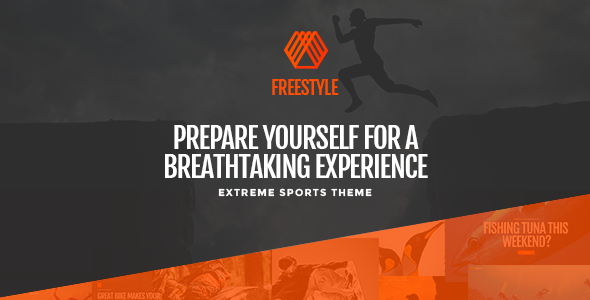
Stuck on your Freestyle WordPress theme? Let's fix it.
No endless back-and-forth. Just send us the details and we'll get it done.
No obligation · Replies within 1 hour · Quote within 1 day
Setup · Customization · Bug fixes · WooCommerce integration
About Freestyle WP Theme
Freestyle is a multipurpose WordPress theme built by Edge-Themes. It ships with a large library of pre-built demo sites covering portfolios, agencies, shops, and blogs. The theme is built on Edge-Themes’ own framework and pairs with their Elemntor-based page builder, giving you visual control over layouts without touching code.
Out of the box, Freestyle supports WooCommerce, has built-in mega menu options, and includes typography controls that cover Google Fonts. Header and footer layouts are handled through a dedicated builder rather than a single template. The theme is regularly updated and has a solid track record on ThemeForest with thousands of sales and documented support.
It suits freelancers and agencies who want a polished starting point without building from scratch, though the sheer number of options can slow down initial setup if you’re unfamiliar with the Edge-Themes ecosystem.
Get matched with a Freestyle developer in under one day
Tell us about your Freestyle project. Small fixes, Freestyle theme customization, or a full website build, whatever you need, we've got it covered.
We'll connect you to the right Freestyle developers, define the scope, and get everything 100% clear.
You'll get one estimate, hire your preferred developer, and start collaborating.
Freestyle gives you a strong starting point, but production-ready sites usually need work beyond what the options panel can do. That means custom templates, plugin integrations, and performance tuning that require real PHP and CSS knowledge.
Through Codeable, you get matched with vetted WordPress developers who have hands-on Freestyle experience. Post your project, get an estimate within 24 hours, and only proceed if the scope and price work for you. No obligation.
Pros
- Large demo library with one-click import makes initial setup fast
- Built-in header and footer builder removes need for a separate plugin
- Native WooCommerce support with dedicated shop and product templates
- Regular updates from Edge-Themes keep compatibility with current WordPress versions
- Elementor integration covers most layout needs without custom code
Cons
- The Edge-Themes Options Panel has a steep learning curve for new users
- Demo sites are image-heavy and require optimization work before going live
- Switching away from Freestyle means rebuilding Elementor layouts from scratch
- Support is ticket-based with slower response times during busy periods
- Some advanced layout patterns still require custom PHP and CSS outside the builder
Who is Freestyle for?
Creative Portfolio
Freestyle ships with several portfolio-focused demos that use filterable grids and fullscreen project pages. Designers and illustrators can import a demo, swap in their own work, and have a live portfolio running quickly. Custom case study layouts are achievable with Elementor without developer help in most cases.
Digital Agency
Agency demos in Freestyle include service pages, team sections, and contact forms styled to match the overall design. The mega menu option handles complex navigation for agencies with multiple service categories. A developer is typically needed to wire up a CRM form or custom lead capture beyond the default contact page.
WooCommerce Store
Freestyle’s WooCommerce templates cover product grids, single product pages, and cart styling. It works well for stores with a clean visual brand. For stores needing custom product options, subscription logic, or a complex checkout, a Freestyle developer will need to extend the default WooCommerce setup.
Personal Blog
The blog layouts in Freestyle support standard post formats and category filtering. Typography controls give writers real flexibility over how content reads on screen. Setup is straightforward if you’re using a demo as a base, though the options panel adds overhead compared to a lighter blogging theme.
Photography Site
Freestyle has fullscreen gallery demos built for photographers. Lazy loading and lightbox functionality are included. Performance tuning is important here because large image sets slow down load times significantly. Pairing Freestyle with a CDN and a caching plugin is recommended before launch.

Customizing Freestyle
Freestyle’s customization runs through the Edge-Themes Options Panel, which sits inside the WordPress dashboard. You control fonts, colors, header styles, footer layouts, and section spacing all from one place. Demo content can be imported with a single click, which gives you a working layout to modify rather than starting blank.
The theme works with Elementor, and most of the demo pages are built with it. If you want to deviate from the demos significantly, for example changing the underlying grid logic or building a custom post type layout, that usually requires developer input.
A Freestyle expert can wire up custom templates, adjust the theme’s PHP hooks, and integrate third-party plugins without breaking the existing design. If you have specific layout requirements that the options panel does not cover, working with a Freestyle developer is the faster route compared to trial and error inside the admin.
Recommended plugins for Freestyle
Freestyle works well with WooCommerce for product listings and checkout flows. The theme includes dedicated shop templates, but pairing it with a plugin like YITH WooCommerce Wishlist or a product filter plugin requires some CSS alignment to match the existing design.
For performance, caching plugins like WP Rocket or LiteSpeed Cache reduce load times noticeably, especially if you’re running large image galleries. Check our WordPress performance service if page speed is a concern.
On the SEO side, Freestyle outputs clean heading structure, but you’ll still want Rank Math or Yoast active. See our WordPress SEO service for more detail on what’s typically needed beyond the theme layer.
Not sure which plugins to use? This WordPress plugins directory covers the most popular options with reviews and setup guides.
Freestyle common issues
Freestyle theme demo import not working
Demo import failures in Freestyle are usually caused by PHP memory limits or max execution time settings set too low on the server. Check that memory_limit is at least 256MB and max_execution_time is set to 300 or higher in your php.ini or via the hosting control panel. If the import still fails, try importing the XML content manually through WordPress Tools rather than through the theme panel. Check our bug fixing service if the issue persists.
Freestyle header layout not saving changes
The Freestyle header builder saves changes through its own AJAX process. If changes aren’t sticking, a caching plugin or a browser cache issue is the most common cause. Clear all caches after saving. If the problem continues, check for a JavaScript error in the browser console, which often points to a plugin conflict. Deactivate plugins one by one to isolate the conflict. A persistent save failure may require inspecting the database directly.
WooCommerce shop page broken after Freestyle update
After a Freestyle update, WooCommerce template files may be outdated. Freestyle includes custom WooCommerce templates in /woocommerce/ inside the theme folder. If WooCommerce updates its core templates and the theme hasn’t been updated to match, layout breaks occur. Go to WooCommerce > Status > Tools and check for outdated templates. You may need to update the theme’s template files or use a child theme to override them cleanly. See our bug fixing service for help.
Freestyle theme slow loading on mobile
Freestyle loads several JavaScript files and large CSS bundles that can hurt mobile performance. Start by enabling lazy loading for images and running the site through PageSpeed Insights to identify specific bottlenecks. Minify and combine CSS and JS through WP Rocket or similar. Reduce the number of Google Fonts loaded through the theme options panel. Unused demo assets and unoptimized images are typically the biggest contributors to slow mobile scores.
Freestyle FAQ
Yes. Freestyle is built to work with Elementor and most of its demo sites use Elementor page templates. The theme’s own options panel handles global settings like fonts and colors, while Elementor handles page-level layouts. You will need both the free Elementor plugin and the Edge-Themes companion plugin active for the demos to function correctly.
Basic setup, demo import, and content swapping can be done without coding knowledge. The options panel and Elementor cover most visual changes. However, tasks like custom post type templates, plugin integrations, or significant layout changes outside the demo structure will typically require CSS or PHP work. For anything beyond the options panel, a developer saves time.
Yes. Freestyle includes dedicated WooCommerce templates for shop, product, cart, and checkout pages. It handles standard store setups well. More complex requirements like custom product fields, subscriptions, or advanced filtering will need additional plugin setup, and sometimes custom development to keep styling consistent with the rest of the theme.
Always use a child theme for any custom CSS or PHP changes. Edits made directly to the parent theme files are overwritten during updates. The Edge-Themes options panel settings and Elementor layouts are stored in the database, so those survive updates. Before updating, back up the site fully and check the changelog for any template changes that could affect your current layout.
Migrating an existing site to Freestyle means rebuilding your pages inside Elementor using Freestyle’s templates as a base. Content like posts and pages can be migrated, but layout and design work needs to be redone. If your current site has custom functionality, that also needs to be reviewed for compatibility. Our WordPress migration service covers the technical side of this process.
Hire a Freestyle WordPress Developer
Whether you need a full Freestyle build from a demo import, a custom page template, or a specific WooCommerce integration, a vetted developer can handle it without the back-and-forth of general freelancer platforms.
Post your project on Codeable through our free estimate page and get matched with a Freestyle expert within 24 hours. The estimate is free and there’s no obligation to hire. Your project is scoped properly before any work starts.
You'll need a free Codeable account so developers can ask questions and send their quotes.