Academia WordPress Theme
by G5Theme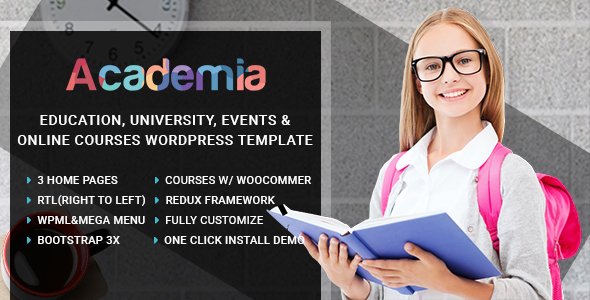
Stuck on your Academia WordPress theme? Let's fix it.
No endless back-and-forth. Just send us the details and we'll get it done.
No obligation · Replies within 1 hour · Quote within 1 day
Setup · Customization · Bug fixes · WooCommerce integration
About Academia WP Theme
Academia is a WordPress theme built by G5Theme, designed specifically for universities, schools, colleges, and educational institutions. It ships with a visual page builder, multiple pre-built demos, and dedicated layouts for courses, events, faculty profiles, and admissions pages.
The theme uses the WPBakery Page Builder and includes G5Plus Framework, giving you modular control over header styles, color schemes, and typography without touching code. It supports LMS plugins like LearnDash and LifterLMS, making it practical for institutions that need both a marketing site and a course delivery platform.
Performance is reasonable out of the box, and the theme is translation-ready with WPML compatibility. If you are running a school website or an online learning portal, Academia covers the structural needs without requiring a full custom build from scratch.
Get matched with a Academia developer in under one day
Tell us about your Academia project. Small fixes, Academia theme customization, or a full website build, whatever you need, we've got it covered.
We'll connect you to the right Academia developers, define the scope, and get everything 100% clear.
You'll get one estimate, hire your preferred developer, and start collaborating.
Academia has enough moving parts that small configuration mistakes cause real problems: broken course layouts, slow load times, or enrollment forms that do not convert. A vetted developer who knows the theme avoids those pitfalls.
Through Codeable, you get matched with a screened WordPress specialist within 24 hours. No junior developers, no bidding wars. You post your project, get a fixed estimate, and only pay if you decide to move forward. It is a straightforward way to get expert work done without the usual hiring risk.
Pros
- Pre-built demos cover universities, schools, and online learning portals so you start with a complete structure rather than a blank canvas
- Native compatibility with LearnDash and LifterLMS means LMS features slot in without requiring custom integration work
- Dedicated post types for courses, faculty, and events keep educational content organized and easy to manage in the backend
- WPML-ready translation support makes it viable for multilingual institutions without additional plugin overhead
- G5Plus Framework provides granular header, footer, and layout controls that most education themes do not offer at this price point
Cons
- Heavy reliance on WPBakery shortcodes makes content difficult to migrate if you ever want to switch themes or builders
- Default installation loads a significant number of scripts, which requires cleanup work to achieve good Core Web Vitals scores
- Some demo sections are visually dated and need restyling to match current design standards without looking generic
- Customer support from G5Theme can be slow, with ticket responses sometimes taking several days for non-trivial issues
- The framework adds a learning curve for developers unfamiliar with G5Plus, which can increase hourly costs if you hire a generalist
Who is Academia for?
University and College Websites
Academia was built with higher education in mind. Its faculty profiles, department pages, event calendars, and course archive layouts map directly onto how universities present information. A developer can extend this with custom application forms, campus maps, and integrations with student information systems to create a fully functional institutional site.
Online Course Platforms
When paired with LearnDash or LifterLMS, Academia becomes a full course delivery platform. You get marketing pages, course listings, instructor profiles, and student dashboards all within one theme. WooCommerce handles paid enrollment. With the right developer setup, this works well for creators and professional education businesses selling structured programs.
Private K-12 Schools
Private schools need admissions pages, news sections, parent resources, and an events calendar. Academia handles all of this without custom development for the basics. A developer can tailor the visual design to match school branding, add inquiry forms connected to a CRM, and ensure the site works cleanly on mobile for parents browsing on phones.
Training and Certification Centers
Training centers offering certifications benefit from Academia’s course structure and the ability to display credentials, outcomes, and instructor bios clearly. The theme supports clear calls to action for enrollment, and with WooCommerce added, you can sell courses directly. This setup works for corporate training providers and professional development organizations.
Language Schools and Tutoring Services
Language schools and tutoring services need simple, clear sites that explain offerings, show pricing, and convert visitors into inquiries. Academia’s layouts support this without overcomplicating the build. A developer can strip out the heavier educational elements and focus the theme on a cleaner, faster marketing site suited to smaller educational businesses.

Customizing Academia
Academia gives you a solid starting point, but most institutions need adjustments that go beyond the Theme Options panel. Custom course filtering, branded header layouts, department-specific landing pages, and integration with student management systems all require hands-on development work.
An Academia expert can rework the WPBakery elements into a cleaner build, strip unused scripts that slow the site down, and wire up third-party tools like Gravity Forms, Mailchimp, or payment gateways for enrollment flows. G5Theme’s framework is well-structured, but it has its quirks, and someone familiar with the codebase will move faster and make fewer mistakes than a generalist.
If you have a specific feature in mind or need the theme to behave differently from its defaults, working with an Academia developer saves significant time and avoids the trial-and-error cycle.
Recommended plugins for Academia
Academia pairs well with LearnDash or LifterLMS for full course management. WooCommerce handles paid enrollment or merchandise. The Events Calendar plugin integrates cleanly for open days and academic calendars.
For site speed, combining a caching plugin with image optimization and a CDN makes a measurable difference. Check our WordPress performance service if load times are a concern. For organic visibility, structured metadata and keyword-targeted course pages matter more than most themes address by default. Our WordPress SEO service covers that gap.
Not sure which plugins to use? This WordPress plugins directory covers the most popular options with reviews and setup guides.
Academia common issues
Academia theme page builder not loading in WordPress editor
This usually happens when WPBakery is not activated correctly or there is a plugin conflict preventing the builder from initializing. Start by deactivating all plugins except WPBakery and switching to Academia with no other plugins running. If the builder loads, reactivate plugins one at a time to find the conflict. PHP memory limits below 256MB also cause this. Check your wp-config.php or ask your host to increase the limit. If the issue persists, our WordPress bug fixing service can diagnose it properly.
Academia theme demo import failing or importing incomplete content
Demo imports fail most often because of PHP execution time limits, low memory allocation, or file size restrictions set by the hosting server. Before importing, set max_execution_time to 300 and memory_limit to 256M in your PHP settings. Use a staging environment rather than a live site for the import. If it imports partially, missing images usually means the external image server timed out. Re-running the import or manually uploading assets resolves this in most cases.
Academia theme slow loading speed after setup
Academia loads multiple CSS and JavaScript files by default, many of which are not needed on every page. Use a plugin like WP Rocket or Perfmatters to defer non-critical scripts, combine files, and enable caching. Remove unused WPBakery elements through the Element Manager. Compress images on upload and serve them via a CDN. These steps typically cut load time significantly. For a thorough audit, our WordPress performance service handles the full optimization process.
Academia theme course layout broken after plugin update
Course layout breaks after a plugin update usually point to a CSS conflict between Academia and the LMS plugin, or a shortcode that changed behavior in the new plugin version. Open browser developer tools and check the console for errors. Compare the broken element against the theme’s course template file in /templates/. If the LMS plugin updated its output structure, the theme template needs updating to match. Avoid editing theme files directly. Use a child theme so changes survive future Academia updates.
Academia FAQ
Yes, Academia is one of the more practical choices for university and college websites. It includes dedicated layouts for faculties, departments, courses, events, and faculty profiles. It is not the most modern-looking theme without customization, but the structural foundations are appropriate for higher education use cases and it saves considerable build time versus starting from scratch.
Academia is compatible with LearnDash. The theme’s course post types can be configured to work alongside LearnDash’s own course architecture, and you can use Academia’s layouts for marketing pages while LearnDash handles the actual lesson and quiz delivery. Some styling adjustments are usually needed to make both systems look consistent, which is straightforward work for an experienced developer.
After purchasing Academia from ThemeForest, install the theme via Appearance > Themes > Add New. Then install required plugins when prompted, including WPBakery and the G5Plus Framework. Go to the theme’s demo import panel, select the demo you want, and run the one-click import. Ensure your host allows large file uploads and has adequate PHP memory before starting the process.
Academia was built around WPBakery, not Elementor. While Elementor can technically be installed alongside it, the theme’s templates and layouts are not designed to work with Elementor’s structure. Using both builders together often causes conflicts and layout inconsistencies. If you prefer Elementor, a different base theme is a better starting point than trying to force compatibility with Academia.
G5Theme provides support through their ThemeForest comments section and a dedicated support ticket system for verified purchasers. Response times vary and can be slow for complex issues. The theme documentation covers most standard setup questions. For custom development issues or bugs that G5Theme support cannot resolve quickly, working with an independent Academia developer is usually faster and more reliable.
Hire an Academia WordPress Developer
Whether you need a full site setup, a specific feature added, or existing issues fixed, an Academia developer can take the project from brief to live without the back-and-forth that slows things down. Our specialists have direct experience with G5Theme builds and know where the theme needs extra attention.
Get a free estimate through Codeable. No obligation, no upfront cost, and you will hear back within 24 hours. If the quote works for you, the developer starts immediately.
You'll need a free Codeable account so developers can ask questions and send their quotes.