Accountant WordPress Theme
by azelab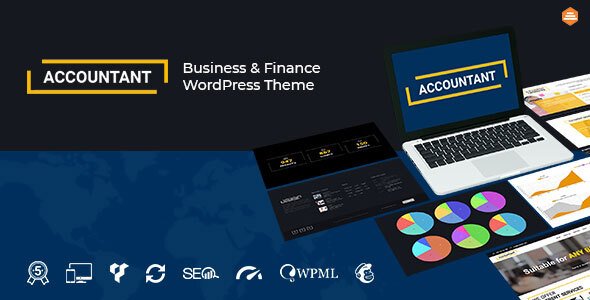
Stuck on your Accountant WordPress theme? Let's fix it.
No endless back-and-forth. Just send us the details and we'll get it done.
No obligation · Replies within 1 hour · Quote within 1 day
Setup · Customization · Bug fixes · WooCommerce integration
About Accountant WP Theme
Accountant is a WordPress theme built by azelab, designed specifically for accounting firms, financial consultants, tax advisors, and bookkeeping services. It ships with a clean, professional layout that communicates trust and credibility from the first scroll.
The theme includes pre-built page templates for services, team members, testimonials, and contact forms. It works with Elementor, making it accessible to non-developers who want to manage their own content. The design is minimal by intention — no visual clutter, just a clear path from visitor to client inquiry.
Built on a solid foundation with cross-browser compatibility and mobile responsiveness out of the box, Accountant suits small independent practices and larger multi-partner firms alike. It is a focused theme for a specific industry, and that focus shows in how well the default layouts translate to real-world financial service businesses.
Get matched with a Accountant developer in under one day
Tell us about your Accountant project. Small fixes, Accountant theme customization, or a full website build, whatever you need, we've got it covered.
We'll connect you to the right Accountant developers, define the scope, and get everything 100% clear.
You'll get one estimate, hire your preferred developer, and start collaborating.
Getting Accountant set up correctly from the start saves time and avoids rework later. The theme has specific conventions around its templates and widget areas that are easy to mishandle without prior experience.
Through Codeable, you get matched with a vetted WordPress developer who has worked with professional service themes like Accountant. No job boards, no guesswork on quality. Post your project, get a clear estimate within 24 hours, and move forward only when you are ready. There is no obligation to hire.
Pros
- Purpose-built for financial service businesses with industry-specific layouts
- Elementor compatibility makes content editing accessible without developer help
- Clean, minimal design that builds trust with finance-sector audiences
- Pre-built templates for services, team, and testimonials reduce setup time
- Mobile responsive and cross-browser compatible out of the box
Cons
- Limited visual variety — multiple firms using default styles can look identical
- Elementor dependency means layout is harder to manage if you switch page builders
- No built-in appointment booking or client portal — requires third-party plugins
- Customization beyond surface styling requires PHP knowledge or a developer
- Support and update frequency from azelab can be inconsistent compared to larger theme shops
Who is Accountant for?
Accounting Firms
Multi-partner accounting firms need a site that lists services clearly, introduces the team professionally, and makes it easy for prospective clients to get in touch. Accountant’s default page structure maps directly to these needs. A developer can extend it with filterable service pages and location-specific landing pages for firms with multiple offices.
Tax Consultants
Tax consultants benefit from the theme’s clean layout during peak filing season when client inquiry volume spikes. Pairing Accountant with a booking plugin and a clear service pricing page gives visitors exactly what they need to make a decision. A developer can set up intake forms that capture relevant tax situation details before the first call.
Bookkeeping Services
Bookkeeping businesses often operate as solo or small-team operations. Accountant’s straightforward layout works well at this scale — a homepage, services page, and contact form cover most needs. Adding a client testimonials section and a simple FAQ page builds confidence for visitors comparing multiple providers in a local search.
Financial Advisors
Financial advisors need credibility signals front and center. The Accountant theme supports testimonial sections, credentials display, and clear service breakdowns. A developer can add schema markup for professional services and configure a contact flow that routes different inquiry types to the right team member or service page.
Payroll Service Providers
Payroll providers deal with recurring clients who need quick access to resources and contact options. The Accountant theme can be extended with a client login area, document download sections, and a resource library. These additions go beyond the default setup but are straightforward for a developer familiar with the theme’s structure.

Customizing Accountant
Out of the box, Accountant covers the basics well. But most accounting firms need more than a default setup — they need a site that reflects their specific services, local market, and client expectations.
An Accountant expert can rework the homepage layout to lead with your strongest service offer, restructure the navigation for better conversion flow, and integrate tools like appointment booking, client portals, or contact form logic that matches how your intake process actually works.
Typography, color schemes, and spacing can all be adjusted to match firm branding without touching code. For deeper changes — custom post types for case studies, filterable service archives, or GDPR-compliant data request forms — a developer who knows the Accountant theme well will save you significant time and avoid the trial-and-error that comes with DIY customization.
Recommended plugins for Accountant
Accountant pairs well with several plugins that extend its core functionality. WPForms or Gravity Forms handle client intake and contact needs. WooCommerce can be added for paid consultation bookings. Yoast or Rank Math fit cleanly into the theme structure for on-page SEO work.
For firms concerned about load time, the theme responds well to caching and image optimization plugins — worth reviewing as part of a WordPress performance audit. Multilingual plugins like WPML also integrate without major layout issues, useful for firms serving clients across language groups.
Not sure which plugins to use? This WordPress plugins directory covers the most popular options with reviews and setup guides.
Accountant common issues
Accountant theme Elementor widgets not loading correctly
This usually points to a plugin conflict or a version mismatch between Elementor and the theme. Start by deactivating all plugins except Elementor, then reactivate them one by one to isolate the conflict. Also check that both the Accountant theme and Elementor are on their latest versions. If the issue persists, clearing Elementor’s CSS cache from the Elementor settings panel often resolves rendering problems. A WordPress bug fixing service can handle this quickly if you cannot identify the source.
Accountant theme contact form not sending emails
Most email delivery issues in WordPress come from the server’s default mail function being blocked by the hosting provider, not the theme itself. Install a plugin like WP Mail SMTP and configure it with an authenticated email service such as Gmail SMTP, SendGrid, or Mailgun. Test delivery using the plugin’s built-in test tool. Also check your spam folder and confirm the form’s recipient email address is correct in the form settings.
Accountant WordPress theme slow on mobile
Slow mobile performance on the Accountant theme is usually caused by large uncompressed images, unused CSS from Elementor, or slow hosting. Start by running the site through PageSpeed Insights to identify the specific bottlenecks. Install an image optimization plugin, enable caching, and consider a CDN. If the theme is loading full-size images in mobile views, that needs a template adjustment. A full WordPress performance review will surface all the contributing factors.
Accountant theme header layout broken after update
Header layout breaks after a theme update are often caused by custom CSS or child theme overrides that conflict with new template markup. Check if you are running a child theme — if not, any custom code added directly to the theme would have been overwritten. Compare your previous header settings in the Customizer against the current output. If you were using a child theme and the break still occurred, inspect the header.php file in the child theme for outdated template tags.
Accountant FAQ
Yes. The Accountant theme is well-suited to small and solo practices. Its default templates cover the main pages a small firm needs — services, about, team, and contact. It does not require heavy customization to look professional. If you want to add specific features like booking or a client login area, a developer can extend the theme without significant cost.
The Accountant theme is compatible with Elementor and works with Elementor Pro. Elementor Pro adds form widgets, popup builders, and additional section types that can be useful for a financial services site. Some of the theme’s built-in templates may overlap with Elementor Pro features, so a developer can help you decide which to use for each section to avoid conflicts.
The theme does not include booking functionality natively, but it integrates well with plugins like Bookly, Simply Schedule Appointments, or Calendly embedded via shortcode. The best choice depends on how complex your scheduling needs are. A developer can configure the plugin, style it to match the theme, and connect it to your calendar or CRM.
Purchase the theme from ThemeForest, download the installable ZIP file, then go to your WordPress dashboard and navigate to Appearance > Themes > Add New > Upload Theme. Upload the ZIP file and activate it. You will also need to install any required plugins the theme prompts you to install. The theme documentation from azelab walks through the full setup process.
Yes, migrating your existing content to the Accountant theme is possible. The complexity depends on how your current site is built. Pages built with a different page builder may need to be rebuilt using Elementor. Content like blog posts, images, and text migrates easily. For a smooth transition, consider a professional WordPress migration service to avoid downtime or content loss during the switch.
Hire an Accountant WordPress Developer
Whether you need a full setup, a specific customization, or ongoing support, a dedicated Accountant developer can handle it properly. Work is scoped clearly, delivered on time, and backed by Codeable’s quality standards.
Get a free estimate — describe your project and receive a no-obligation quote within 24 hours. 100% risk-free.
You'll need a free Codeable account so developers can ask questions and send their quotes.