Adifier WordPress Theme
by spoonthemes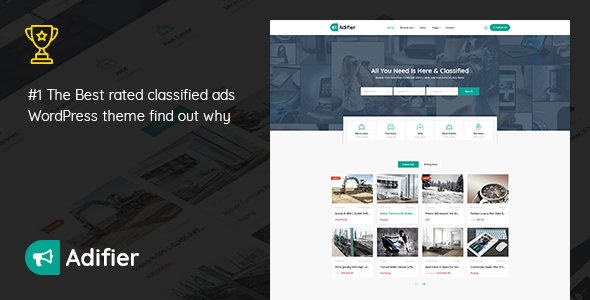
Stuck on your Adifier WordPress theme? Let's fix it.
No endless back-and-forth. Just send us the details and we'll get it done.
No obligation · Replies within 1 hour · Quote within 1 day
Setup · Customization · Bug fixes · WooCommerce integration
About Adifier WP Theme
Adifier is a classified ads WordPress theme built by SpoonThemes. It ships with a front-end submission system, monetisation tools, membership plans, and a built-in messaging system between buyers and sellers. The theme targets marketplace and directory-style sites where users post, manage, and respond to listings without touching the WordPress dashboard.
It integrates with WooCommerce for payment processing and supports multiple ad categories, custom fields per category, and geo-location filtering. The design is clean and listing-focused, with a search bar and category grid on the homepage. If you are building a Craigslist-style site, a niche classifieds platform, or a local marketplace, Adifier gives you a solid structural foundation out of the box.
Get matched with a Adifier developer in under one day
Tell us about your Adifier project. Small fixes, Adifier theme customization, or a full website build, whatever you need, we've got it covered.
We'll connect you to the right Adifier developers, define the scope, and get everything 100% clear.
You'll get one estimate, hire your preferred developer, and start collaborating.
Adifier has enough moving parts that generic WordPress advice rarely applies cleanly. Membership logic, WooCommerce payment flows, and front-end submission handling all interact in specific ways. Finding someone who has worked on Adifier-based projects before cuts the diagnostic time significantly.
Through Codeable, you get matched with vetted WordPress developers who have relevant experience. Post a project, get a free estimate, and only move forward if the fit is right. No risk, no obligation.
Pros
- Built specifically for classifieds and marketplace sites, not adapted from a generic theme
- Front-end ad submission with category-specific custom fields works well out of the box
- Membership and pricing plan system is integrated without needing a separate plugin
- Built-in messaging system between users reduces the need for third-party inbox plugins
- WooCommerce integration handles payments, refunds, and order tracking natively
Cons
- Documentation is thin on advanced configurations like custom payment flows or role restrictions
- SpoonThemes plugin dependencies make it harder to swap components without breaking functionality
- Performance degrades on sites with large listing counts if caching is not configured properly
- Elementor support is partial; some sections are hardcoded and cannot be edited visually
- Updates occasionally break customisations made to child themes, requiring re-testing after each release
Who is Adifier for?
General Classifieds Marketplace
Adifier handles multi-category classifieds well. You can set up separate field sets for electronics, furniture, jobs, and services without them interfering. An Adifier developer can configure category-specific search filters and submission forms so each section behaves like a dedicated site within the same installation.
Real Estate Listings Site
Real estate requires location filtering, image galleries, and detailed property fields. Adifier supports all of these natively. Pairing it with a maps plugin and configuring geo-radius search gives users a proper property browsing experience. An Adifier specialist can set up agent profiles and featured listing tiers for monetisation.
Automotive Buy and Sell Platform
Car marketplaces need make, model, year, mileage, and condition fields. Adifier’s custom field system handles this per category. An Adifier developer can add VIN lookup, conditional fields that appear based on vehicle type, and comparison features to make the buying experience more useful for serious buyers.
Local Services Directory
Local services directories benefit from Adifier’s geo-location filtering and membership tiers. Businesses can post listings, upgrade to featured placements, and receive enquiries through the built-in messaging system. An Adifier expert can restrict posting by service category and add review or rating functionality for service providers.
Niche Hobby or Collector Marketplace
Collector marketplaces for items like vintage cameras, trading cards, or rare books need specific condition fields and category taxonomies. Adifier’s flexible field system accommodates this. An Adifier developer can build out a structured submission flow that helps sellers provide accurate grading and provenance information buyers care about.

Customizing Adifier
Adifier ships with a theme options panel and Elementor support, but meaningful customisation usually requires digging deeper. Custom ad fields, category-specific layouts, membership tier logic, and payment gateway configuration all have quirks that take time to sort out correctly.
An Adifier expert can restructure the submission flow, add custom pricing rules, restrict categories by membership level, or integrate third-party payment providers beyond the defaults. SpoonThemes uses its own plugin ecosystem alongside the theme, so changes need to account for how those plugins interact.
If you need a front-end that matches your brand, geo-filtering tuned to a specific region, or a monetisation model that goes beyond what the default settings offer, working with an Adifier developer will save you considerable trial and error.
Recommended plugins for Adifier
Adifier pairs well with several additions. Caching plugins like WP Rocket or LiteSpeed Cache help significantly on high-listing-count sites. Learn more about WordPress performance optimisation to keep load times under control as your listings database grows.
For search visibility, the theme handles basic on-page structure but lacks depth. Pairing it with Rank Math or Yoast and working through proper WordPress SEO optimisation for classified listing schema, category pages, and individual ad URLs will make a measurable difference in organic traffic over time.
Not sure which plugins to use? This WordPress plugins directory covers the most popular options with reviews and setup guides.
Adifier common issues
Adifier ad submission form not working
This usually traces back to a conflict between Adifier’s core plugin and a caching or security plugin blocking the AJAX submission request. Start by disabling your caching plugin temporarily and testing the form. If it works, whitelist the submission endpoint in your cache settings. Also check that the Adifier Classifieds plugin is active and up to date, as the form relies on it entirely.
Adifier payment not processing after WooCommerce update
WooCommerce updates frequently change checkout hooks that Adifier’s payment integration relies on. Check the WooCommerce status log under WooCommerce > Status > Logs for order errors. Roll back the WooCommerce update if the timing matches. If the issue persists, an Adifier bug fix specialist can identify which hook changed and patch the integration correctly without waiting for an official theme update.
Adifier membership plan not restricting ad posting correctly
Membership restrictions in Adifier depend on the plan being correctly linked to the user role and the ad limit settings saved properly. Go to Adifier settings, open the membership section, and verify each plan has explicit posting limits set. Also check that users are assigned the correct plan after payment. A mismatch between WooCommerce order completion and plan assignment is a common cause of this problem.
Adifier featured listings not showing on homepage
Featured listings pull from a specific ad status flag that must be set either manually in the backend or automatically through a paid upgrade. Check that the featured toggle is enabled on the listing itself under the ad edit screen. Also verify the homepage widget or block is configured to display featured ads specifically, not just recent ones. Clear your site cache after making changes.
Adifier messages not sending between users
The built-in messaging system requires AJAX and proper user authentication to function. If messages are not sending, check your browser console for JavaScript errors. A common cause is a security plugin blocking AJAX calls from logged-in users. Also verify that both sender and recipient accounts are active. If the issue appeared after a plugin update, a WordPress bug fix review can isolate the conflict.
Adifier custom fields not saving on front-end submission
Custom field data not persisting after front-end submission usually means the field is not mapped correctly in the category settings. Go to the Adifier admin panel, open the relevant category, and verify each custom field is enabled and assigned to that category. Also check that the field input names match what the theme expects. Form submission validation errors can silently discard field data without showing the user a message.
Adifier map not loading on listing pages
Map loading failures on listing pages are almost always caused by an invalid or missing Google Maps API key. Check the Adifier settings panel for the maps API key field and verify it is saved correctly. Also confirm the key has the Maps JavaScript API and Places API enabled in your Google Cloud console. If the key looks correct, check your browser console for a specific API error message that will point to the exact restriction or billing issue.
Adifier search returning no results after filter applied
Empty search results after applying filters often point to a mismatch between how the filter values are stored and how the search query retrieves them. This can happen after a theme update changes field naming conventions. Try resetting the filter and searching with fewer parameters to isolate which filter is causing the problem. Reindexing or resaving listings in bulk can sometimes resolve meta field inconsistencies causing the empty results.
Adifier email notifications not being sent to users
Adifier uses WordPress’s native mail function for notifications, which is unreliable on most shared hosts. Install an SMTP plugin like WP Mail SMTP and connect it to a transactional email provider such as Mailgun or Postmark. After configuring SMTP, send a test email from the plugin’s diagnostics panel. Also check Adifier’s notification settings to confirm the relevant triggers are enabled. This resolves the majority of missing email issues without theme-level changes.
Adifier images not uploading on front-end ad form
Image upload failures on the front-end form usually relate to file size limits or PHP upload settings. Check your server’s upload_max_filesize and post_max_size values in php.ini. You can also add these overrides to your .htaccess or wp-config.php. If limits are fine, check that the uploads folder at wp-content/uploads is writable. A WordPress bug fixing service can run a full permissions audit if the issue persists.
Adifier FAQ
Yes, Adifier is purpose-built for classifieds. It handles front-end submissions, user dashboards, geo-filtering, and category-specific fields. It is one of the more complete solutions for this type of site on the market. That said, complex configurations like tiered monetisation or multi-region filtering will benefit from an Adifier specialist rather than relying solely on the documentation.
Yes. Adifier uses WooCommerce to handle ad payments, featured listing upgrades, and membership plan purchases. You will need WooCommerce installed and configured. Payment gateway options depend on which WooCommerce extensions you add. Stripe and PayPal work well in practice, but more complex payment flows may need custom configuration from an Adifier developer.
Basic setup is manageable without coding. You can configure categories, create membership plans, and adjust the theme options panel without touching code. However, layout changes beyond what the options panel offers, custom field logic, or integration with third-party tools will require PHP or JavaScript knowledge. For anything beyond standard setup, an Adifier expert will save you time.
Adifier requires its own companion plugin, Adifier Classifieds, which handles the core listing functionality. WooCommerce is required for payments. Some features like maps need a Google Maps API key. Elementor is optional but supported for page building. Keeping all required plugins updated and compatible with each other is important for site stability.
Go to the Adifier admin panel, navigate to Categories, and open the category you want to edit. There is a custom fields section where you can add text fields, dropdowns, checkboxes, and other input types. Each field can be set as required or optional. Fields only appear on the submission form for the category they are assigned to, which keeps forms clean and relevant.
Adifier is translation-ready and compatible with WPML and Polylang for multilingual setups. String translation for the theme and its companion plugin can be managed through these tools. Note that some dynamic strings generated by the classifieds plugin may need manual attention in the translation files. An Adifier specialist can handle a full multilingual configuration if needed.
Go to Adifier settings and open the Membership Packages section. You can create plans with ad limits, featured listing allowances, and duration. Each plan is sold as a WooCommerce product, so pricing and purchase flow are managed there. After purchase, users are automatically assigned the plan. Test the full purchase and assignment flow before going live to catch any gaps.
Migrating to Adifier from another classifieds platform requires mapping your existing listing data to Adifier’s post type and custom field structure. There is no one-click import tool for non-WordPress sources. The process involves exporting your data, transforming it into the correct format, and importing it via WP All Import or a custom script. See our WordPress migration service for help with this process.
Yes, Adifier uses a responsive layout that adapts to mobile and tablet screens. The listing grid, search filters, and front-end submission forms are all designed to work on smaller screens. That said, heavily customised layouts or third-party widgets added to the site may introduce mobile display issues that need testing and adjustment after any major changes.
Codeable is the most reliable way to find a vetted Adifier developer. Post your project, describe what you need, and get matched with developers who have relevant experience within 24 hours. You receive a free estimate before committing to anything. Visit our WordPress development services page for more detail on what to expect from the process.
Hire an Adifier Developer
Need an Adifier expert to build, fix, or extend your classifieds site? Whether you need a full build from scratch, a membership configuration overhaul, or a persistent bug tracked down, a specialist will move faster than a generalist. Get a Free Estimate and describe your project. You will hear back within 24 hours with a clear scope and cost. No commitment required.
You'll need a free Codeable account so developers can ask questions and send their quotes.