Advokat WordPress Theme
by rs-theme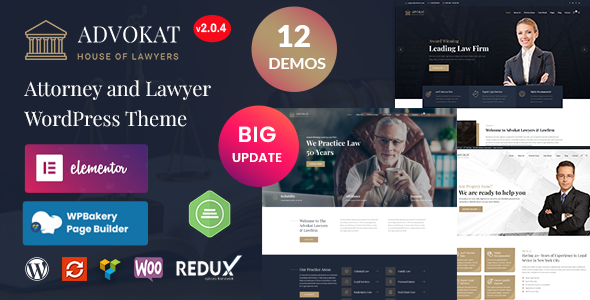
Stuck on your Advokat WordPress theme? Let's fix it.
No endless back-and-forth. Just send us the details and we'll get it done.
No obligation · Replies within 1 hour · Quote within 1 day
Setup · Customization · Bug fixes · WooCommerce integration
About Advokat WP Theme
Advokat is a WordPress theme built by rs-theme, designed specifically for law firms, attorneys, and legal service providers. It ships with a clean, professional layout that communicates credibility without requiring a designer’s touch.
The theme includes pre-built page templates for practice areas, attorney profiles, case results, and contact forms. It works with Elementor, making page editing accessible for non-technical users. WPBakery support is also included.
Advokat is regularly updated by rs-theme and comes with documentation that covers setup, widgets, and plugin configuration. For a legal-focused theme, it strikes a reasonable balance between out-of-the-box usability and customization flexibility. If you need something beyond the defaults, a developer can take it further without fighting the theme’s structure.
Get matched with a Advokat developer in under one day
Tell us about your Advokat project. Small fixes, Advokat theme customization, or a full website build, whatever you need, we've got it covered.
We'll connect you to the right Advokat developers, define the scope, and get everything 100% clear.
You'll get one estimate, hire your preferred developer, and start collaborating.
Advokat is a capable theme, but getting it to match your firm’s exact requirements takes more than clicking through the Customizer. Attorney profile systems, appointment booking, case result filters, multilingual setups — these require someone who knows the theme’s codebase.
Through Codeable, you get access to vetted WordPress developers who have worked with themes like Advokat across real legal projects. No generalist freelancers, no guesswork. Post your project, get a clear estimate, and only hire if you’re satisfied. Our WordPress development services page covers what’s possible.
Pros
- Purpose-built for legal firms with attorney profiles and practice area templates included
- Elementor and WPBakery compatibility makes page editing accessible without coding
- Clean, professional design that works well for trust-sensitive services like law
- Actively maintained by rs-theme with regular updates and bug fixes
- Includes demo content that makes initial setup significantly faster
Cons
- Heavy reliance on page builder shortcodes can make switching builders messy later
- Default typography and color options are limited without CSS customization
- No built-in appointment booking — you need a third-party plugin for that
- Demo import does not always work cleanly on all hosting environments
- Support response times from rs-theme can be slow during peak periods
Who is Advokat for?
Solo Attorney Website
Advokat’s single attorney profile layout works well for sole practitioners who need a professional online presence quickly. The template covers bio, specializations, contact details, and a case inquiry form. A developer can add client testimonials, a blog for legal insights, and schema markup to improve local search visibility for a one-person firm.
Multi-Practice Law Firm
For firms with multiple attorneys and practice areas, Advokat’s archive templates handle team pages and service listings cleanly. Custom filtering by practice area or attorney specialization can be added with development work. The theme scales reasonably well without becoming visually cluttered, which matters when presenting a full-service firm to prospective clients.
Legal Consulting Services
Legal consultants who offer advisory services rather than direct representation benefit from Advokat’s service page layouts. The theme supports clear calls to action, pricing tables if needed, and content-heavy pages that explain complex service offerings. A developer can wire in an intake form that routes inquiries to specific consultants based on service type.
Immigration Law Office
Immigration law offices deal with clients who need clear, step-by-step information. Advokat’s page builder compatibility makes it practical to build detailed visa process pages, document checklists, and multi-language versions using WPML. A developer familiar with the theme can set up language switching without breaking the layout or custom post types.
Family Law and Divorce Attorneys
Family law practices often handle sensitive cases and need a site that feels approachable while remaining professional. Advokat’s layout supports this balance. A developer can configure private consultation booking forms, add FAQ sections structured for featured snippets, and ensure the site loads fast on mobile where many clients first search for legal help.

Customizing Advokat
Advokat gives you control over fonts, colors, header layouts, and sidebar positions through the WordPress Customizer. Most surface-level changes are straightforward. Attorney profile pages, practice area grids, and the homepage hero section can all be adjusted without touching code.
Where things get more involved is custom post type modifications, unique case study layouts, or integrations with legal CRM tools. That’s where working with an Advokat expert saves real time. A developer familiar with the theme knows which template files to work with and how rs-theme structures its custom fields, so nothing breaks during updates.
If you need multi-language support via WPML, a contact form that feeds into a case management system, or a members-only portal, custom development is the practical path forward.
Recommended plugins for Advokat
Advokat pairs well with several plugins that expand its baseline functionality. Contact Form 7 and WPForms both integrate cleanly for client intake forms. For SEO, the theme is compatible with Yoast and Rank Math. A well-optimized legal site also needs fast load times, so pairing Advokat with a caching plugin and a CDN is worth doing early.
If your firm runs a legal blog or resource library, adding schema markup for articles and FAQs helps with search visibility. For site speed tuning, see our WordPress performance service. For search visibility, our WordPress SEO service covers technical and on-page work specific to your setup.
Not sure which plugins to use? This WordPress plugins directory covers the most popular options with reviews and setup guides.
Advokat common issues
Advokat theme demo content not importing correctly
Demo import failures in Advokat usually come down to PHP memory limits or file upload size restrictions on the hosting server. Set memory_limit to at least 256MB and upload_max_filesize to 64MB in your php.ini file. If the import still stalls, import the XML file manually through Tools > Import and upload the demo media separately. A developer can run this cleanly if the server environment is the underlying issue. See our WordPress bug fixing service for help.
Advokat header menu not showing on mobile
Mobile menu problems in Advokat are often caused by JavaScript conflicts with other plugins, or a caching plugin serving a stale version of the page. Start by clearing all caches and testing in an incognito window. Disable plugins one by one to isolate a conflict. If the hamburger icon appears but the menu doesn’t open, the issue is usually a jQuery version conflict introduced by another plugin. A developer can resolve this without breaking other site functionality.
Advokat custom fonts not loading after update
Custom fonts stopping after an Advokat update usually means the theme update reset enqueued font files or the Google Fonts API call changed. Check the Customizer to confirm your font selections are still saved. If you added fonts manually in a child theme’s functions.php, verify the enqueue hook still fires correctly after the update. Always use a child theme for Advokat so your customizations survive future updates cleanly.
Advokat page builder content broken after WordPress update
When a WordPress core update breaks Advokat’s page builder content, the most common cause is a plugin version mismatch between WPBakery or Elementor and the updated WordPress version. Update all plugins immediately after a WordPress update. If content displays as raw shortcodes, the page builder plugin is deactivated or conflicting. Reactivating it usually restores the layout. For recurring issues, our WordPress maintenance service handles updates safely.
Advokat FAQ
Yes. Advokat supports both Elementor and WPBakery. Most demo templates are built with WPBakery, but the theme does not block Elementor from functioning. If you plan to build with Elementor primarily, a developer can rebuild the core templates in Elementor to keep the setup consistent and avoid running both builders simultaneously, which slows page load.
Technically yes, but it’s not the best fit outside the legal sector. Advokat’s design language, built-in post types, and template structure are oriented toward law firms and professional services. Using it for an e-commerce store, portfolio, or content-heavy blog would mean working against the theme rather than with it. A more general-purpose theme would be a better starting point for unrelated industries.
Advokat is listed as WPML compatible. In practice, translating custom post types like attorney profiles and practice areas requires careful setup. String translations for theme-specific labels also need manual attention inside WPML’s String Translation module. If you’re building a multilingual legal site, a developer can configure WPML with Advokat correctly from the start, avoiding layout issues across language versions.
Advokat does not include booking functionality by default. The most practical options are Bookly, Simply Schedule Appointments, or Calendly embedded via shortcode. Contact Form 7 works for basic inquiry forms. A developer can integrate whichever booking plugin fits your workflow and style it to match Advokat’s design so it doesn’t look like a third-party addition dropped into the page.
Advokat’s code is reasonably clean and the theme does not introduce major SEO problems out of the box. It supports SEO plugins like Yoast and Rank Math without conflicts. That said, page builder usage can inflate HTML output and slow load times if not managed carefully. Schema markup for legal services and attorney profiles needs to be added manually or through a plugin. See our WordPress SEO service for structured implementation.
Hire an Advokat WordPress Developer
Need help setting up Advokat, customizing its templates, or fixing something that’s broken? A developer who knows this theme will work faster and make fewer mistakes than starting from scratch with documentation.
Post your project through FoxyConcept and get matched with a vetted Advokat developer via Codeable within 24 hours. Free estimate, no obligation. Get your free estimate here and describe what you need — setup, customization, or ongoing support.
You'll need a free Codeable account so developers can ask questions and send their quotes.