Affirm WordPress Theme
by UiCore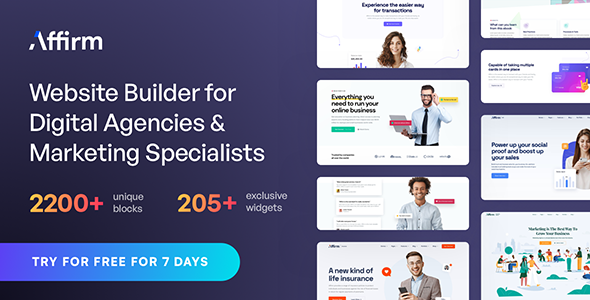
Stuck on your Affirm WordPress theme? Let's fix it.
No endless back-and-forth. Just send us the details and we'll get it done.
No obligation · Replies within 1 hour · Quote within 1 day
Setup · Customization · Bug fixes · WooCommerce integration
About Affirm WP Theme
Affirm is a multipurpose WordPress theme built by UiCore, the team behind the popular UiCore Framework. It ships with a library of pre-built demo sites covering agencies, portfolios, SaaS, and corporate use cases. Each demo can be imported with a single click, giving you a working site structure in minutes.
The theme is built on UiCore’s own page builder integration, with native support for Elementor and a lightweight core that avoids the bloat common in multipurpose themes. Typography, spacing, and color controls are handled through a structured theme options panel rather than scattering settings across multiple plugins.
Affirm targets freelancers, agencies, and small business owners who need a polished site without building everything from scratch. It is sold via Envato and supported directly by the UiCore team.
Get matched with a Affirm developer in under one day
Tell us about your Affirm project. Small fixes, Affirm theme customization, or a full website build, whatever you need, we've got it covered.
We'll connect you to the right Affirm developers, define the scope, and get everything 100% clear.
You'll get one estimate, hire your preferred developer, and start collaborating.
UiCore’s documentation covers the basics, but Affirm has enough moving parts that complex builds benefit from a developer who already knows the framework. Through Codeable, you get matched with vetted WordPress specialists who have hands-on experience with multipurpose themes like Affirm. No job boards, no guesswork. Post your project, get an estimate within 24 hours, and only move forward if the scope and price work for you.
Pros
- Single-click demo import gets a full site structure live in minutes
- Built on UiCore Framework which keeps the theme core lightweight compared to similar multipurpose themes
- Native Elementor support with purpose-built widgets that do not rely on third-party add-on plugins
- WPML compatible out of the box, which simplifies multilingual builds
- Active development team with regular updates and a responsive support forum on Envato
Cons
- Tied closely to UiCore Framework, so switching themes later is not straightforward
- Some demo designs share a similar visual style, limiting variety for niche industries
- WooCommerce support covers basic stores but breaks down on complex catalog or filtering setups
- Theme options panel has a learning curve for users who have only worked with simpler themes
- Support is forum-based on Envato, which can mean slower responses compared to dedicated helpdesk systems
Who is Affirm for?
Creative Agency
Affirm’s agency demo comes with case study layouts, team sections, and service page templates. The grid-based portfolio display works well for showing client work. An Affirm developer can adapt the demo to match a specific brand identity, swap out color schemes, and configure a project inquiry form that feeds into a CRM.
SaaS or Tech Product
The SaaS demo includes feature comparison tables, pricing blocks, and hero sections built for product-led messaging. It pairs well with tools like Lemon Squeezy or WooCommerce for digital product sales. Developers often customize the pricing section logic and add conditional content blocks based on user scroll behavior.
Freelance Portfolio
Affirm’s portfolio layouts support image-heavy grids with filterable categories. Freelancers use it to present work across different disciplines on a single site. With some custom post type configuration, you can separate project types cleanly and give each case study its own template without installing extra plugins.
Small Business or Corporate
Corporate sites built on Affirm typically use the business demo as a base, then strip out sections that do not apply. The result is a fast, clean site with a clear service structure. Developers regularly rebuild the homepage above the fold, add a custom testimonials block, and configure a contact form with department routing.
WooCommerce Store
Affirm handles straightforward WooCommerce stores well. Product pages, cart, and checkout styling align with the theme’s design system. For stores with large catalogs or custom filtering, additional configuration is needed. A developer familiar with WooCommerce and Affirm can set this up without reaching for heavy plugin solutions.

Customizing Affirm
Affirm gives you a solid starting point, but most projects require adjustments that go beyond clicking through the theme panel. Custom post types, header layouts, WooCommerce styling, and third-party plugin integration all need hands-on work once the demo import is done.
If you need a specific section built to match a brand, want the demo stripped back and rebuilt around your content, or need Elementor templates locked down for a client handoff, an Affirm expert will save you a lot of back-and-forth.
Common customization requests include custom mega menus, sticky header behavior changes, font pairing adjustments, and conditional template logic. These are straightforward tasks for a developer who knows UiCore’s framework well, but time-consuming if you are figuring them out alone.
Recommended plugins for Affirm
Affirm works well alongside a focused plugin stack. WooCommerce integration is solid for simple stores, though complex catalog setups will need extra configuration. For performance, pairing Affirm with a caching plugin and a CDN makes a measurable difference, and UiCore’s lightweight core helps here. WordPress performance optimization is worth investing in once the build is stable.
On the SEO side, Affirm outputs clean HTML and respects heading hierarchy, which is a good foundation. Adding a dedicated WordPress SEO setup on top will push rankings further. WPML support is built in for multilingual sites.
Not sure which plugins to use? This WordPress plugins directory covers the most popular options with reviews and setup guides.
Affirm common issues
Affirm theme demo import not working
Demo import failures in Affirm are usually caused by low PHP memory limits or a max execution time that times out mid-import. Set memory_limit to at least 256MB and max_execution_time to 300 in your php.ini or via your host’s control panel. Also confirm that UiCore Framework is installed and active before triggering the import. If the import stalls repeatedly, try importing content and settings separately using the manual import options in the theme panel. Our WordPress bug fixing service can resolve persistent import issues quickly.
Affirm header not sticking on scroll
Affirm’s sticky header is controlled through the Header Builder in the theme options panel, not through Elementor. Go to Appearance > UiCore Options > Header and look for the Sticky Header toggle within the behavior settings. If the option is enabled but not working, check for a CSS conflict from a third-party plugin. Inspect the header element in browser dev tools and look for a position override. Clearing your caching plugin after making changes is also required before testing.
Affirm theme slow loading after Elementor edits
Page speed drops after Elementor editing usually come from unused CSS being loaded or large images inserted without compression. First, run Elementor’s own CSS regeneration tool under Elementor > Tools > Regenerate CSS. Then audit what scripts are loading on the page using the browser’s Network tab. Affirm’s UiCore core is lightweight, so extra load typically traces back to Elementor widgets or third-party plugins added during editing. A WordPress performance audit can identify and fix the specific bottlenecks.
Affirm WooCommerce product page styling broken
WooCommerce template conflicts in Affirm usually happen after a WooCommerce update that changes core templates the theme has overridden. Go to WooCommerce > Status > System Status and check for outdated template warnings. If Affirm’s templates are flagged, you need to update them manually or ask a developer to reconcile the differences. Avoid editing theme files directly without a child theme in place, as updates will overwrite your changes. A developer can also add custom CSS to fix specific product page display issues without touching core files.
Affirm FAQ
Yes. Affirm is built with Elementor integration as a primary feature. It includes custom Elementor widgets through the UiCore Framework and all demo content is designed around Elementor page templates. Some global settings like headers and footers are managed through UiCore’s own builder rather than Elementor, so both tools are used together on a typical build.
Affirm supports WooCommerce and styles the core shop, product, cart, and checkout pages to match the theme. It works well for small to medium stores. Larger catalogs with advanced filtering, custom product types, or complex variation logic will need additional development work. WooCommerce-specific styling is not always consistent across all demo designs, so some CSS adjustments are common.
Always use a child theme before making any code-level changes to Affirm. Design customizations made through the UiCore options panel and Elementor are stored in the database, so they survive theme file updates. After updating, regenerate CSS in Elementor and clear your cache. Check the UiCore changelog before updating on a live site to catch any breaking changes.
Yes, Affirm declares WPML compatibility. The UiCore options panel settings can be translated using WPML’s string translation module. Elementor templates are also compatible with WPML’s page translation workflow. For sites using multiple languages, it is worth testing each translated page template individually after setup to catch any layout or string issues early.
Affirm outputs semantic HTML and respects heading hierarchy, which gives it a reasonable SEO foundation. Page speed depends heavily on how you build with Elementor and what plugins you add. The theme itself does not bloat the codebase. Pairing it with a proper WordPress SEO setup including schema, sitemap configuration, and page speed work is recommended for competitive rankings.
Hire an Affirm WordPress Developer
Whether you need a full site built on Affirm, a demo customized to match your brand, or specific features added to an existing install, a vetted developer can handle it faster and cleaner than trial and error. Our WordPress development services are delivered through Codeable, where every developer is pre-screened. Get a free estimate with no obligation to hire.
You'll need a free Codeable account so developers can ask questions and send their quotes.