AI Hub WordPress Theme
by LiquidThemes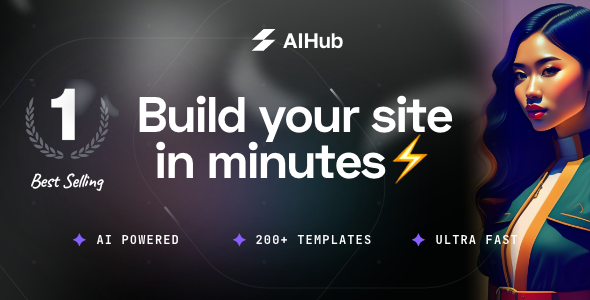
Stuck on your AI Hub WordPress theme? Let's fix it.
No endless back-and-forth. Just send us the details and we'll get it done.
No obligation · Replies within 1 hour · Quote within 1 day
Setup · Customization · Bug fixes · WooCommerce integration
About AI Hub WP Theme
AI Hub is a WordPress theme by LiquidThemes built specifically for artificial intelligence companies, SaaS platforms, and tech startups. It ships with multiple pre-built demo layouts, a clean dark and light design system, and integration-ready sections for showcasing AI tools, pricing tables, and feature comparisons.
The theme is built on Elementor, giving you a drag-and-drop editing experience without custom page builder lock-in. It includes demo importer support, custom post types for services and portfolios, and WooCommerce compatibility for selling digital products or subscriptions. Performance is reasonable out of the box, though real-world scores depend on hosting and configuration. For teams launching AI products, SaaS tools, or machine learning consultancies, AI Hub covers most layout needs without starting from scratch.
Get matched with a AI Hub developer in under one day
Tell us about your AI Hub project. Small fixes, AI Hub theme customization, or a full website build, whatever you need, we've got it covered.
We'll connect you to the right AI Hub developers, define the scope, and get everything 100% clear.
You'll get one estimate, hire your preferred developer, and start collaborating.
LiquidThemes builds solid foundations, but a theme alone does not build a product. If you need custom integrations, performance tuning, or a layout that does not look like the demo, you need a developer who has worked with AI Hub before. Codeable connects you with vetted WordPress specialists within 24 hours. Every project starts with a free estimate and no obligation to proceed. For AI Hub work specifically, that means getting an honest scope before committing budget.
Pros
- Multiple AI and SaaS-focused demo layouts ready to import in one click
- Built on Elementor, so page editing does not require code knowledge
- WooCommerce compatible for selling subscriptions, licences, or digital products
- Dark mode design system suits AI and tech product branding out of the box
- Regular updates from LiquidThemes with active ThemeForest support
Cons
- Heavy Elementor dependency means migrating away later is painful
- Demo sites require significant customisation to avoid looking generic
- No built-in API integration or AI tool connection functionality
- Page speed drops noticeably without caching and image optimisation setup
- Support is limited to theme issues only, not custom development or plugin conflicts
Who is AI Hub for?
AI SaaS Product Marketing Site
AI Hub suits SaaS companies that need a polished marketing site fast. The demo layouts include hero sections, feature grids, pricing tables, and integration showcases. An AI Hub developer can extend these with gated trial sign-ups, live chat hooks, and CRM integrations like HubSpot or Intercom to support a full product-led growth funnel.
Machine Learning Consultancy
Consultancies offering machine learning or data science services benefit from the portfolio and case study layouts. An AI Hub specialist can add a custom project intake form, proposal workflow, or client portal. The professional aesthetic matches what enterprise clients expect when evaluating technical partners for high-value engagements.
AI Tools Directory or Review Site
The flexible grid layouts in AI Hub work for directories listing AI tools by category. Combined with a plugin like Toolset or JetEngine, an AI Hub developer can build filterable, searchable tool listings with ratings, affiliate links, and comparison tables, all without touching the core theme files.
Tech Startup Landing Pages
Startups often need multiple landing pages for different audiences or campaigns. AI Hub supports multi-demo imports, making it practical to run separate Elementor-based pages per use case or product line. An AI Hub expert can set up A/B testing hooks and analytics integrations to track which pages convert best.
AI Training and Course Platform
With LearnDash or Tutor LMS installed alongside AI Hub, you can deliver AI and machine learning courses directly on your WordPress site. An AI Hub developer handles theme and plugin compatibility, custom certificate designs, and payment gateway integration, so learners get a smooth experience from sign-up through completion.

Customizing AI Hub
AI Hub gives you a solid starting point, but most businesses need changes beyond swapping colours and text. Elementor handles surface-level edits well, but custom functionality like API integrations, dynamic pricing logic, gated content, or custom onboarding flows requires developer work.
An AI Hub expert can rebuild demo sections to match your brand, extend the theme with custom Elementor widgets, and wire up third-party tools like Intercom, HubSpot, or OpenAI APIs. If your product requires user dashboards, subscription gating, or affiliate tracking, a developer needs to integrate those on top of the theme rather than expecting them out of the box. Hiring an AI Hub specialist from the start avoids the cost of fixing shortcut decisions later.
Recommended plugins for AI Hub
AI Hub pairs well with several plugin categories. For SEO, Rank Math or Yoast slot in cleanly, though an SEO configuration by a specialist will get more out of your tech niche content than default settings. For speed, LiteSpeed Cache or WP Rocket handle caching, but proper performance optimisation matters more when you are targeting enterprise clients who judge load times. WooCommerce adds product and subscription selling. MemberPress or Restrict Content Pro handles gated AI tooling. LearnDash works for AI training courses. Each plugin needs correct configuration to avoid conflicts with the Elementor-based layout.
Not sure which plugins to use? This WordPress plugins directory covers the most popular options with reviews and setup guides.
AI Hub common issues
AI Hub demo import not working or stuck
Demo import failures in AI Hub usually come from server memory limits, execution timeouts, or a missing required plugin like Elementor Pro. Check that your server has at least 256MB of memory and a 300-second max execution time. Install all required plugins before importing. If the import completes but images are missing, run the media regeneration tool. For persistent failures, a WordPress bug fixing specialist can diagnose the exact server or plugin conflict causing the block.
AI Hub Elementor layout broken after update
Elementor layout breaks after updates are almost always caused by a version mismatch between Elementor, Elementor Pro, and the AI Hub theme. Roll back to the previous Elementor version using the Version Rollback tool in Elementor settings, then check LiquidThemes’ changelog for a compatible version. Clear all caches after each change. If custom widgets or global styles are affected, a WordPress developer can identify which components need rebuilding without losing your content.
AI Hub slow loading speed on mobile
AI Hub loads multiple Elementor assets, custom fonts, and large demo images by default. On mobile, this compounds into poor Core Web Vitals scores. Start by compressing hero images to under 150KB, enabling lazy loading, and running a caching plugin like WP Rocket. Eliminate render-blocking scripts by deferring non-critical JavaScript. If scores are still low after those changes, a full performance audit will identify the remaining bottlenecks specific to your configuration.
AI Hub contact form not sending emails
Email delivery failures in AI Hub contact forms are almost always a server-level issue rather than a theme problem. WordPress uses PHP mail by default, which most hosts block. Install an SMTP plugin like WP Mail SMTP and connect it to a transactional email service like Mailgun, Postmark, or SendGrid. Check spam folders first to confirm emails are sending but being filtered. If the form itself is not triggering, check for JavaScript conflicts using the browser console.
AI Hub FAQ
Yes, AI Hub is one of the more practical SaaS theme options on ThemeForest. It includes pricing tables, feature sections, and integration showcase layouts that map well to SaaS marketing needs. You will still need developer work for things like trial sign-up flows, subscription billing, or CRM integrations, but the design foundation is solid for a product marketing site.
AI Hub’s demo layouts are built with Elementor and may use Pro widgets like the Form widget, Popup Builder, or Theme Builder sections. Basic page editing works with Elementor Free, but to replicate the demo accurately you will likely need Elementor Pro. Check the LiquidThemes documentation for the specific plugins listed as required before purchasing.
For basic edits like text, images, colours, and reordering sections, yes. Elementor’s visual editor makes surface-level changes accessible without code. For anything structural, such as adding custom post types, changing layouts significantly, or integrating third-party tools, you will need a developer. The theme does not include a point-and-click system for complex functionality.
Before updating, back up your site including the database and files. If you have made changes directly to theme files, those will be overwritten. Use a child theme for any custom CSS or PHP modifications. After updating, clear all caches and check key pages visually. If you have not used a child theme, a developer can help migrate your customisations safely before applying the update.
Yes, AI Hub is WooCommerce compatible. You can sell digital products, software licences, or subscriptions directly from your site. The default WooCommerce templates will inherit basic theme styling, though shop pages may need additional CSS to match the AI Hub design system closely. For complex store setups, an AI Hub developer can align the WooCommerce layout with your overall site design.
Hire an AI Hub Developer for Your Project
Whether you need a full AI Hub setup, custom Elementor widgets, third-party API connections, or a performance overhaul, working with an experienced AI Hub developer saves time and avoids rework. FoxyConcept delivers AI Hub projects through Codeable, a vetted network of WordPress professionals. Get a free estimate and describe your project. No obligation, no upfront cost, and you will hear back within 24 hours.
You'll need a free Codeable account so developers can ask questions and send their quotes.