Airtech WordPress Theme
by Templatation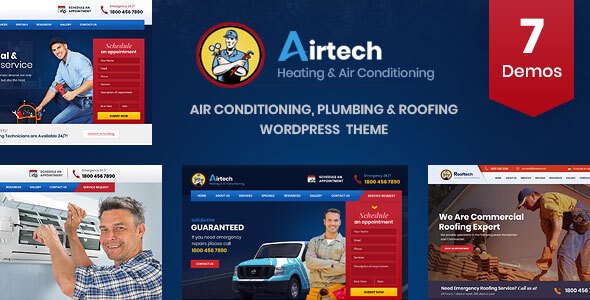
Stuck on your Airtech WordPress theme? Let's fix it.
No endless back-and-forth. Just send us the details and we'll get it done.
No obligation · Replies within 1 hour · Quote within 1 day
Setup · Customization · Bug fixes · WooCommerce integration
About Airtech WP Theme
Airtech is a WordPress theme built by Templatation, designed for aviation, aerospace, and technology-related businesses. It ships with a clean layout structure, multiple header styles, and a focus on professional service presentation. The theme is built on a custom framework and includes a drag-and-drop page builder, making it easier to build landing pages without touching code.
Airtech targets companies in the air transport, charter flight, and aviation maintenance sectors. It includes pre-built inner page templates, a booking-ready layout, and icon packs suited to the industry. Under the hood, it relies on standard WordPress hooks and WPBakery for layout control. Performance depends heavily on how the theme is configured, and like most multi-purpose aviation themes, it benefits from proper setup to avoid bloat.
Get matched with a Airtech developer in under one day
Tell us about your Airtech project. Small fixes, Airtech theme customization, or a full website build, whatever you need, we've got it covered.
We'll connect you to the right Airtech developers, define the scope, and get everything 100% clear.
You'll get one estimate, hire your preferred developer, and start collaborating.
Airtech is a niche theme. It looks polished in demos, but adapting it to real business requirements takes more than clicking through the options panel. Custom booking flows, third-party API integrations, and layout work outside WPBakery’s defaults all require hands-on development. Through Codeable, you get matched with vetted WordPress developers who have worked with themes like Airtech. Post your project, get a free estimate, and only proceed if it makes sense for your budget.
Pros
- Pre-built aviation industry layout that reduces design time for sector-specific businesses
- Multiple header styles including transparent, sticky, and split layouts
- WPBakery integration allows drag-and-drop page building without coding
- Includes industry-specific icon sets relevant to aviation and aerospace
- WPML compatible for multilingual airline or charter business sites
Cons
- WPBakery shortcode lock-in makes switching page builders or themes difficult later
- Demo content import can be unreliable and may require manual cleanup
- No native booking or reservation system included despite the aviation focus
- Theme options panel lacks granular mobile responsiveness controls
- Limited documentation makes advanced customization harder without developer support
Who is Airtech for?
Charter Flight Companies
Airtech’s service-focused layout and booking-ready structure suit charter flight operators well. You can present fleet options, route information, and a contact or quote form clearly. A developer can wire up a booking plugin to handle reservation requests and availability, which the theme does not cover natively.
Aviation Training Schools
Flight schools need course listings, instructor profiles, and registration forms. Airtech’s inner page templates handle service descriptions cleanly. A custom post type setup for courses and a form plugin for enrollment inquiries can be added without rebuilding the theme structure from scratch.
Airport Ground Services
Ground handling and airport services companies can use Airtech to present service categories, client logos, and operational coverage areas. The multi-column layout sections work well for presenting fueling, cargo, and ramp services side by side without heavy development work.
Aerospace Engineering Firms
Aerospace engineering firms benefit from Airtech’s professional, technical visual tone. Case study pages, technical service breakdowns, and team sections are supported by the existing template set. Custom project portfolio layouts can be built with WPBakery or added via a plugin.
Aircraft Maintenance Providers
MRO and aircraft maintenance providers can present certifications, service packages, and compliance information using Airtech’s content blocks. The theme handles text-heavy technical pages without breaking layout. A developer can add a quote request workflow tied to specific service categories.

Customizing Airtech
Airtech includes a built-in theme options panel that controls typography, colors, header layout, and footer structure. Most visual changes can be made without custom CSS, though more precise adjustments will require child theme work.
WPBakery Page Builder handles page layouts. It works for standard builds but has limitations when you need custom post types, conditional content, or non-standard booking flows. An Airtech expert can reconfigure the template structure, create custom shortcodes, and adapt the theme to workflows Templatation did not design for out of the box. If you need changes beyond what the options panel offers, working with a developer who knows Airtech directly saves time and avoids breaking existing styles.
Recommended plugins for Airtech
Airtech works with standard WordPress plugins but has been tested primarily alongside WPBakery, Contact Form 7, and WPML for multilingual sites. WooCommerce can be added for merchandise or paid bookings, though styling may need manual adjustment.
For flight or charter booking functionality, a dedicated booking plugin such as WP Amelia or Bookly will need to be connected separately. If site speed is a concern, pairing Airtech with a caching layer and image optimization setup is important. You can review specific performance improvements at our WordPress performance service. For search visibility, see our WordPress SEO optimisation service.
Not sure which plugins to use? This WordPress plugins directory covers the most popular options with reviews and setup guides.
Airtech common issues
Airtech theme demo content not importing correctly
Demo import failures in Airtech are usually caused by PHP memory limits, file size restrictions, or a timeout during the import process. First, increase memory_limit and max_execution_time in your php.ini or via wp-config.php. If the import still fails partially, check whether the required plugins listed by Templatation are all activated before running the import. Missing plugins cause content to import without its associated styles or builder data. If issues persist, a developer can import the demo data manually via WP CLI.
Airtech WPBakery layout broken after plugin update
WPBakery updates sometimes break shortcode rendering or remove deprecated elements that Airtech templates rely on. When this happens, visual content is replaced with raw shortcode strings or blank sections. Downgrading WPBakery to the previously working version is the fastest fix while you diagnose which element broke. After identifying the conflict, the affected rows or columns need to be rebuilt using the current WPBakery structure. A WordPress bug fixing service can handle this efficiently.
Airtech mobile menu not working or not opening
A broken mobile menu in Airtech is usually a JavaScript conflict with another plugin or a jQuery loading order issue. Open your browser console and check for JS errors on mobile viewport. Common culprits include optimization plugins that defer or combine scripts. In your caching or optimization plugin, exclude Airtech’s main JS file and jQuery from deferral. If the menu works after disabling all plugins, re-enable them one at a time to find the conflict. A developer can resolve this cleanly without disabling your optimization setup.
Airtech theme header overlapping page content
Header overlap in Airtech typically occurs when the transparent or sticky header option is enabled but the first page section lacks the correct top padding offset. Go to the page template settings and add padding-top to the first WPBakery row equal to the header height, usually between 80px and 120px. If the overlap only happens on specific pages, check whether those pages use a different page template setting. For site-wide fixes, the correct solution is a small CSS rule scoped to the relevant template class.
Airtech FAQ
Airtech is one of the few WordPress themes built specifically with aviation businesses in mind. The layouts, icon sets, and inner page templates are designed for flight services, aerospace companies, and related industries. It is a reasonable starting point. Expect to do configuration work and likely some custom development to match your actual business requirements.
WooCommerce can be installed alongside Airtech, but the theme does not include dedicated WooCommerce templates. Shop pages will use default WooCommerce styling, which may not match your Airtech design. A developer can write custom WooCommerce template overrides within a child theme to bring the shop pages in line with the rest of your site.
WPBakery is deeply embedded in Airtech’s demo layouts. You can technically use the theme without it, but all existing page content built with WPBakery will break or display as shortcode text. Building pages with the block editor is possible on a clean install, but migrating existing WPBakery content to Gutenberg requires a manual rebuild of each page.
Airtech does not include native booking functionality. You need a separate plugin such as WP Amelia, Bookly, or a custom solution depending on your booking type. The plugin handles availability, scheduling, and payments. A developer connects it to your Airtech layout and styles the booking forms to match the theme. See our WordPress development services for this kind of integration work.
Migrating an existing site to Airtech means rebuilding your content inside WPBakery and reconfiguring your menu, widgets, and settings. It is not a one-click switch. If your current site has a lot of pages, the rebuild time adds up. A WordPress migration specialist can plan and execute this without losing content or breaking your current SEO structure.
Hire an Airtech WordPress Developer
Whether you need a full Airtech setup, a specific feature added, or something on the site fixed, a specialist developer is faster and safer than trial and error. Our WordPress development services are delivered through Codeable, a vetted developer network. Get a free estimate with no obligation to hire. You describe the work, get matched within 24 hours, and decide from there.
You'll need a free Codeable account so developers can ask questions and send their quotes.