Alona WordPress Theme
by subsolar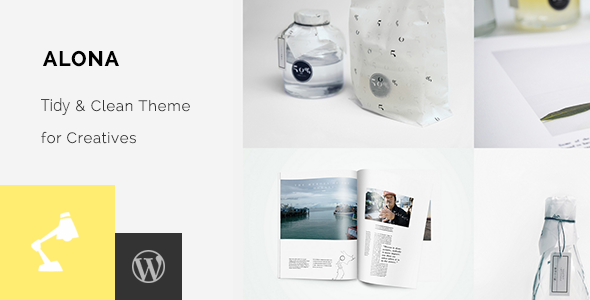
Stuck on your Alona WordPress theme? Let's fix it.
No endless back-and-forth. Just send us the details and we'll get it done.
No obligation · Replies within 1 hour · Quote within 1 day
Setup · Customization · Bug fixes · WooCommerce integration
About Alona WP Theme
Alona is a WordPress theme developed by Subsolar, built for creative professionals who need a clean, image-forward layout without sacrificing speed or flexibility. It suits photographers, designers, and portfolio-focused businesses that want their work to speak first.
The theme uses a minimal grid structure with strong typographic choices and smooth transitions. It loads light, which helps with Core Web Vitals. Customization happens through the native WordPress Customizer, keeping the setup straightforward for most users.
Alona works well with Gutenberg and supports WooCommerce for those who want to sell prints, services, or products alongside their portfolio. It ships with a handful of demo layouts, giving you a starting point without locking you into a specific look.
Get matched with a Alona developer in under one day
Tell us about your Alona project. Small fixes, Alona theme customization, or a full website build, whatever you need, we've got it covered.
We'll connect you to the right Alona developers, define the scope, and get everything 100% clear.
You'll get one estimate, hire your preferred developer, and start collaborating.
Alona is straightforward to set up, but making it genuinely yours takes more than swapping a logo and picking a font. A developer who knows the theme structure can modify layouts, fix display issues across devices, and extend functionality without hacking core files.
Through Codeable, you get matched with vetted WordPress developers who have real experience with themes like Alona. No agencies, no juniors guessing their way through your project. Post your project, get an estimate within 24 hours, and decide from there with no obligation.
Pros
- Minimal, image-first layout that loads fast and looks clean on all screen sizes
- Native WordPress Customizer support means no page builder dependency
- WooCommerce compatible for selling work directly from a portfolio site
- Gutenberg-ready with block support for building pages without extra plugins
- Lightweight codebase that scores well on Core Web Vitals out of the box
Cons
- Limited demo templates compared to larger commercial theme frameworks
- Deep customization requires CSS or PHP knowledge without a visual drag-and-drop builder
- Documentation is sparse, making troubleshooting harder for non-developers
- Portfolio filtering options are limited without custom development
- Smaller community means fewer third-party tutorials or pre-built child themes
Who is Alona for?
Photographers
Alona suits photographers who want their images to fill the screen without visual clutter. The grid layout handles large photo sets cleanly, and the minimal UI keeps the focus on the work. Combined with lazy loading and proper image compression, it performs well even with high-resolution galleries.
Graphic Designers
Designers building a portfolio need a theme that does not overshadow the work. Alona’s clean typography and restrained color defaults give case studies and project showcases room to breathe. Custom CSS can push the aesthetic further without touching the core theme files.
Illustrators and Artists
Illustrators and fine artists benefit from Alona’s image-forward structure. Projects display in a grid that scales well across devices. Adding a WooCommerce store for print sales or originals is straightforward, keeping the shopping experience consistent with the portfolio aesthetic.
Creative Agencies
Small creative agencies can use Alona as a base for a client-facing site that emphasizes work samples over text-heavy service pages. The theme handles multi-category portfolios cleanly, and a developer can extend it with custom post types for case studies or client testimonials.
Print and Digital Product Sellers
Creators selling digital downloads, prints, or design assets can combine Alona with WooCommerce to run a shop alongside a portfolio. The theme keeps the commercial side from feeling disconnected, maintaining a consistent visual identity across browsing and buying experiences.

Customizing Alona
Out of the box, Alona gives you control over fonts, colors, header layout, and footer structure through the WordPress Customizer. Most visual changes are live preview, so you see exactly what you are changing before publishing.
Beyond the basics, customization gets more technical. Adjusting the grid spacing, modifying hover effects, or reworking the portfolio filtering requires editing CSS or PHP. If you want Alona to look different from its default demo, you will likely hit limits quickly without coding knowledge.
Hiring an Alona expert removes that ceiling. A developer familiar with Subsolar themes can modify templates, add custom post types, integrate third-party plugins, and tailor the theme to your exact requirements without breaking updates or introducing technical debt.
Recommended plugins for Alona
Alona pairs well with several plugin categories. For contact and lead capture, WPForms or Gravity Forms slot in cleanly. WooCommerce works for selling digital downloads or physical products directly from your portfolio site.
For SEO, Rank Math or Yoast integrate without conflict. If site speed matters to you, combining Alona with a caching plugin and a CDN makes a measurable difference. See our WordPress performance service for technical optimisation options.
For those running client-facing sites, pairing Alona with a solid WordPress SEO strategy helps surface the portfolio in search results where it counts.
Not sure which plugins to use? This WordPress plugins directory covers the most popular options with reviews and setup guides.
Alona common issues
Alona theme images not displaying correctly in portfolio grid
Grid display issues in Alona are usually caused by inconsistent image dimensions or a missing image size registration. Check that your media settings match the theme’s expected crop ratios. Regenerating thumbnails using a plugin like Regenerate Thumbnails often resolves broken grid alignment. If the issue persists after regeneration, a CSS conflict from another plugin may be overriding the grid styles. Use browser dev tools to isolate the rule. For persistent display bugs, our WordPress bug fixing service can diagnose and resolve the issue quickly.
Alona WordPress theme not updating or update breaks layout
If an Alona theme update breaks your layout, the most likely cause is direct edits made to the parent theme files rather than a child theme. Always run Alona customizations through a child theme so updates do not overwrite your changes. Before updating, back up your site. If the layout broke after an update and you have no child theme in place, restore from backup and rebuild customizations properly. Check Subsolar’s changelog before updating to identify breaking changes. For help recovering a broken site, see our WordPress maintenance service.
Alona theme slow loading on mobile devices
Slow mobile load on Alona is typically an image optimization problem. The theme is lightweight, but uncompressed high-resolution portfolio images will kill mobile performance. Use WebP format, add lazy loading, and serve correctly sized images using srcset. A caching plugin and a CDN will reduce latency further. Check your mobile score in PageSpeed Insights and address the specific recommendations it flags. If your score is still poor after image optimization, a JavaScript or render-blocking CSS issue may be the cause and worth investigating with a developer.
Alona portfolio filter not working after plugin update
Portfolio filtering in Alona relies on JavaScript that can conflict with certain plugin updates, particularly those that load their own version of jQuery or modify script loading order. First, deactivate recently updated plugins one at a time to identify the conflict. Check the browser console for JavaScript errors pointing to the filtering script. If the issue appeared after a WordPress core update, the theme’s bundled scripts may need updating to match. A developer can patch the filtering functionality without waiting for an official theme release.
Alona FAQ
Alona from Subsolar is built for modern WordPress and works with WordPress 6. That said, always check the theme’s changelog and test in a staging environment before updating a live site. Some older Alona installations may need minor CSS adjustments after a major WordPress core update, particularly around block editor styling.
Yes, Alona is WooCommerce compatible. You can add a shop for selling prints, digital downloads, or services alongside your portfolio. Basic WooCommerce pages inherit the theme’s styling, though the shop and product pages may need CSS tweaks to match your portfolio layout exactly. A developer can handle that integration cleanly.
Alona works with Elementor, but it is designed around the native WordPress Customizer and Gutenberg. Using a page builder on top of it can introduce CSS conflicts and slow down the site. If you need heavy drag-and-drop editing, Alona may not be the best base theme. For most portfolio use cases, Gutenberg blocks are enough.
Creating a child theme for Alona involves making a new folder in your themes directory with a style.css file that references Alona as the parent template, plus a functions.php that enqueues the parent stylesheet. Never edit Alona’s parent theme files directly. All customizations go in the child theme so updates do not overwrite your changes.
Yes, you can migrate an existing WordPress site to Alona. The process involves installing the theme, rebuilding page layouts to match Alona’s structure, and adjusting content formatting. It is not automatic. Portfolio content and images carry over, but template-specific layouts need to be rebuilt. Our WordPress migration service can handle this end to end.
Hire an Alona WordPress Developer
Whether you need a full Alona setup, a specific customization, or a fix for something that broke, working with a specialist saves time and avoids costly mistakes. Our developers know WordPress themes inside and out and deliver clean, maintainable code.
Post your project and get a free estimate with no commitment. Get your free estimate here and have a developer matched to your project within 24 hours.
You'll need a free Codeable account so developers can ask questions and send their quotes.