AlphaColor WordPress Theme
by AncoraThemes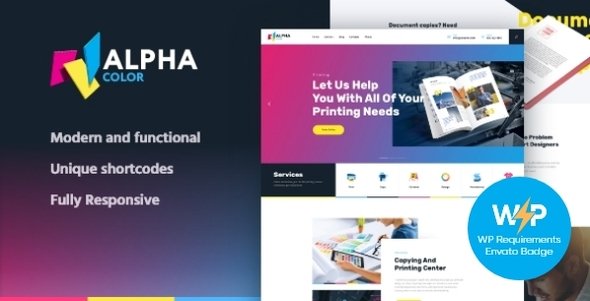
Stuck on your AlphaColor WordPress theme? Let's fix it.
No endless back-and-forth. Just send us the details and we'll get it done.
No obligation · Replies within 1 hour · Quote within 1 day
Setup · Customization · Bug fixes · WooCommerce integration
About AlphaColor WP Theme
AlphaColor is a multipurpose WordPress theme by AncoraThemes built around bold color customization and flexible layout options. It targets creative agencies, portfolios, and small businesses that want strong visual identity without writing custom CSS from scratch.
The theme ships with multiple demo sites, a drag-and-drop page builder, and deep integration with the WordPress Customizer. Color schemes can be changed globally or per section, which is the core selling point. AlphaColor also supports WooCommerce, making it a practical choice for shops that want a branded storefront. Performance is reasonable out of the box, and AncoraThemes maintains the theme with regular compatibility updates for current WordPress releases.
Get matched with a AlphaColor developer in under one day
Tell us about your AlphaColor project. Small fixes, AlphaColor theme customization, or a full website build, whatever you need, we've got it covered.
We'll connect you to the right AlphaColor developers, define the scope, and get everything 100% clear.
You'll get one estimate, hire your preferred developer, and start collaborating.
AlphaColor is flexible, but flexibility creates complexity. Customizing it properly, keeping it fast, and integrating third-party tools without breaking things takes real WordPress experience. FoxyConcept connects you with vetted developers through Codeable, the professional WordPress developer network. Every developer is screened, and you get a free estimate before committing to anything. No hourly surprises, no junior freelancers guessing at your theme files. Just experienced WordPress developers who know how to get AlphaColor working exactly the way you need it.
Pros
- Global and per-section color control directly in the WordPress Customizer
- Multiple prebuilt demo sites that can be imported with one click
- Native WooCommerce support with styled product and cart pages
- Compatible with Elementor for users who prefer a visual page builder
- AncoraThemes provides consistent updates and WordPress version compatibility
Cons
- Color override logic at the section level is not intuitive for non-technical users
- The native page builder is less capable than Elementor or Bricks for complex layouts
- Demo content import can overwrite existing settings without a clear warning
- Limited documentation for developer-level customization and child theme setup
- Some shortcodes become redundant if you switch to Elementor, creating cleanup work
Who is AlphaColor for?
Creative Agency Portfolio
AlphaColor suits agencies that want a distinctive color identity across service pages, team sections, and case studies. The per-section color control lets you differentiate content areas without custom CSS. An agency can match the theme to its brand palette in the Customizer and present a polished, consistent front end to potential clients.
WooCommerce Boutique Store
The built-in WooCommerce support makes AlphaColor a practical base for small online shops. Product pages, category archives, and the cart all inherit the theme’s color scheme. A boutique store benefits from the visual branding options without needing a dedicated WooCommerce theme or heavy customization to make product listings look on-brand.
Freelance Designer Website
A freelance designer can use AlphaColor’s portfolio layouts and bold color options to build a personal site quickly. The Customizer handles most of the visual work without code. Adding a contact form and a simple project gallery is straightforward, making it a low-setup option for designers who want to focus on content, not configuration.
Local Service Business
Service businesses like plumbers, electricians, or consultants need a clear homepage with services, contact details, and trust signals. AlphaColor’s prebuilt demos include service-focused layouts with call-to-action sections and icon blocks. Color branding helps local businesses stand out in a market where most competitors use generic themes.
Photography Studio
Photography studios need large imagery with minimal visual clutter around it. AlphaColor’s full-width section options and muted color palette choices support image-forward layouts. Gallery plugin integration works without layout conflicts, and the theme’s header options give photographers control over how branding sits above their visual work.

Customizing AlphaColor
AlphaColor gives you a lot of control through the Customizer, but that flexibility has a learning curve. Color palettes apply globally, but overriding them at the section or widget level takes more digging. Header layouts, typography scales, and sidebar positions are all adjustable without touching code.
For anything beyond what the Customizer exposes, you need a developer. An AlphaColor expert can build custom page templates, modify the theme’s color logic, or restructure layouts that the built-in builder handles poorly. Custom post type integration, child theme setup, and plugin conflict resolution are common requests. Working with an AlphaColor expert through FoxyConcept means getting a developer who knows the theme’s structure, not someone guessing their way through unfamiliar code.
Recommended plugins for AlphaColor
AlphaColor works well with the standard WordPress plugin stack. WooCommerce integration is built in, and contact form plugins like WPForms or Gravity Forms drop in without styling issues. For page building, the theme supports Elementor alongside its native builder.
If you want to extend performance, a caching plugin and image optimization are straightforward to add. SEO plugins like Rank Math or Yoast apply cleanly. For larger sites, consider reviewing WordPress performance improvements and pairing them with proper WordPress SEO configuration to get the most out of AlphaColor’s visual strengths.
Not sure which plugins to use? This WordPress plugins directory covers the most popular options with reviews and setup guides.
AlphaColor common issues
AlphaColor header not displaying correctly on mobile
Mobile header issues in AlphaColor are usually caused by a conflict between the theme’s mobile menu script and a caching plugin serving stale JavaScript. Start by clearing all caches and testing without caching active. If the issue persists, check for a missing hamburger icon font by inspecting the console for 404 errors. A custom CSS override for the breakpoint is often needed if the header layout was modified outside the Customizer. For persistent issues, the WordPress bug fixing service can diagnose and resolve it quickly.
AlphaColor color changes not saving in Customizer
If AlphaColor color changes aren’t saving, the most common cause is a permissions problem with the wp-options table or a security plugin blocking Customizer AJAX requests. Check your browser console for failed requests when clicking Publish. Deactivate security plugins temporarily to test. Another cause is a child theme that enqueues its own stylesheet after the parent, overriding color variables. If you’re unsure, WordPress bug fixing support can trace the exact cause without guesswork.
AlphaColor Elementor sections not loading after update
After an AlphaColor or Elementor update, sections sometimes fail to render due to a widget registration conflict. Open the affected page in the Elementor editor and check for deprecation notices in the console. Regenerate CSS files under Elementor’s Tools panel. If AlphaColor’s native shortcodes and Elementor widgets overlap on the same page, remove duplicate elements. In some cases, re-saving the page template clears the conflict. If sections are blank on the front end, check whether the Elementor container structure changed in the update.
AlphaColor WooCommerce product page layout broken
Broken WooCommerce product page layouts in AlphaColor are usually triggered by a WooCommerce template update that the theme hasn’t caught up with yet. Check under WooCommerce > Status > System Status for outdated template files flagged against AlphaColor. If the theme hasn’t updated its WooCommerce templates, you can override them in a child theme using the correct folder structure. Avoid editing the parent theme files directly. If the layout breaks only on specific product types, the issue may be with a product add-on plugin conflicting with the theme’s single product template.
AlphaColor FAQ
Yes. AlphaColor includes built-in WooCommerce support with styled pages for products, categories, cart, and checkout. It’s a practical choice for small to medium stores. The color customization options carry through to WooCommerce pages, so your shop stays on-brand. For complex store setups or custom product templates, you’ll likely need a developer to extend what the theme provides.
AlphaColor is compatible with Elementor. You can build pages using Elementor’s editor while the theme handles the global header, footer, and color settings. Some users run both the native builder and Elementor on the same site, which creates redundancy. For a cleaner setup, commit to one builder. Elementor gives you more layout control, but it can slow page load if not configured carefully.
Create a child theme folder in wp-content/themes, add a style.css with the correct Template header pointing to AlphaColor, and enqueue the parent stylesheet in a functions.php file. From there, any template file you copy into the child theme folder will override the parent. AncoraThemes documentation covers the basics, but child theme setup is worth doing correctly to protect your customizations through future theme updates.
AncoraThemes maintains AlphaColor with regular updates for WordPress compatibility. Check the theme’s changelog on ThemeForest or the AncoraThemes site to confirm it has been tested against the current WordPress release. If you’re running an older version of AlphaColor on a newer WordPress install, update the theme first before troubleshooting any compatibility issues. Always backup before updating.
AncoraThemes provides support through their official channels for theme-specific bugs. For customization beyond what the theme supports natively, layout changes, plugin integration, or performance work, you need a WordPress developer. FoxyConcept connects you with vetted AlphaColor developers through Codeable. Get a free estimate to describe your project and receive a proposal with no obligation to hire.
Hire an AlphaColor Developer
Need an AlphaColor developer to customize your site, fix a layout issue, or build something the Customizer can’t handle? FoxyConcept delivers expert WordPress developers through Codeable within 24 hours. Post your project, get a free estimate, and only hire if the proposal works for you. Get a free estimate and describe exactly what you need. No obligation, no risk.
You'll need a free Codeable account so developers can ask questions and send their quotes.