Anona WordPress Theme
by AivahThemes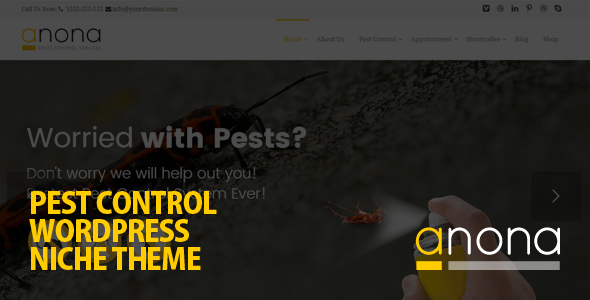
Stuck on your Anona WordPress theme? Let's fix it.
No endless back-and-forth. Just send us the details and we'll get it done.
No obligation · Replies within 1 hour · Quote within 1 day
Setup · Customization · Bug fixes · WooCommerce integration
About Anona WP Theme
Anona is a WordPress theme built by AivahThemes, designed primarily for portfolio and creative agency websites. It ships with a clean, minimal layout that puts visual content front and center. The theme is built on a solid block-based structure and supports the WordPress block editor out of the box.
Where Anona stands out is in its attention to typography and whitespace. It is well-suited for photographers, designers, and small studios who want a professional online presence without wrestling with a heavy page builder. The theme includes multiple homepage layouts, a filterable portfolio section, and smooth scroll animations that do not require third-party plugins to activate.
AivahThemes maintains the theme with regular updates, and documentation covers the key setup steps clearly. If you need something beyond the defaults, a developer can extend it without too much friction.
Get matched with a Anona developer in under one day
Tell us about your Anona project. Small fixes, Anona theme customization, or a full website build, whatever you need, we've got it covered.
We'll connect you to the right Anona developers, define the scope, and get everything 100% clear.
You'll get one estimate, hire your preferred developer, and start collaborating.
Most Anona issues come down to customization requests the theme does not handle out of the box, plugin conflicts, or layout adjustments that need clean code rather than workarounds. Hiring through Codeable means your project goes to a vetted WordPress developer with real experience, not a generalist guessing their way through the theme files. You get a fixed estimate upfront, no surprise invoices, and work done correctly the first time. For anything beyond basic Customizer tweaks, working with a specialist is faster and cheaper than trial and error.
Pros
- Clean minimal design that works well for portfolio and creative agency sites without needing heavy customization
- Full WordPress block editor compatibility, so you can build pages without installing a separate page builder
- Filterable portfolio section built into the theme, no extra plugin required
- Lightweight codebase compared to multipurpose themes, which helps with initial page load performance
- AivahThemes provides regular updates and accessible documentation that covers core setup clearly
Cons
- Customizer options are limited compared to multipurpose themes, so visual changes beyond basics need custom CSS or PHP
- WooCommerce support is not a primary focus, so shop pages require additional styling work to match the theme
- Limited built-in demo content, which means more manual setup time when starting a new site
- The portfolio template structure can be restrictive if you need non-standard project layouts without editing theme files
- Smaller community and fewer third-party tutorials compared to major theme frameworks, so troubleshooting can take longer
Who is Anona for?
Photographer Portfolio
Anona’s full-width image support and minimal surrounding chrome make it a strong choice for photographers. The filterable portfolio lets visitors sort by category without reloading the page. Gallery layouts display cleanly on both desktop and mobile. A developer can connect WooCommerce for print sales or add a client proofing plugin without major structural changes to the theme.
Creative Agency Website
Small creative agencies need a site that looks sharp and loads fast. Anona delivers both. The clean section layouts work well for service listings, team pages, and case studies. You can extend the portfolio post type with custom fields to display project details, client names, and results. It presents the agency professionally without the bloat of a multipurpose theme.
Freelance Designer Site
Freelancers benefit from a theme that is quick to set up and easy to maintain. Anona’s block editor support means you can update project pages yourself without relying on a developer every time. The typography defaults are strong enough that a freelancer with a good eye can produce a polished site with minimal customization effort and a small plugin stack.
Architecture Firm
Architecture firms need large images, project filtering, and clean detail pages. Anona handles all three well. The whitespace-heavy layout gives renders and photography room to breathe. A developer can add custom fields for project specs like location, year, and size, making each project entry more useful for prospective clients browsing the portfolio section.
Digital Product Studio
Studios selling digital products like fonts, templates, or UI kits can use Anona as a base with WooCommerce handling the storefront. The minimal design keeps the focus on the products themselves. Some CSS work is needed to align shop page styles with the rest of the theme, but the underlying structure is clean enough to make that a straightforward task.

Customizing Anona
Anona gives you a reasonable amount of control through the WordPress Customizer. You can adjust colors, fonts, header layout, footer columns, and logo sizing without writing code. The theme also supports custom CSS fields if you want to push styles further without editing template files directly.
That said, more involved changes, like restructuring the portfolio archive, modifying the project single template, or building custom header layouts, require PHP and CSS work. An Anona expert who knows AivahThemes conventions can make those changes cleanly without breaking theme updates. Custom post type adjustments, WooCommerce integration, and adding ACF fields to portfolio items are all tasks that benefit from someone who has worked with the theme before rather than starting from scratch.
Recommended plugins for Anona
Anona works well with a focused set of plugins. WooCommerce can be added if you sell prints or digital downloads, though the default shop styles will need some CSS work to match the theme aesthetic. Contact Form 7 and WPForms both integrate without conflict.
For performance, pairing Anona with a caching plugin like WP Rocket and optimizing images through ShortPixel keeps load times sharp. If you need stronger search visibility, an SEO plugin like Rank Math or Yoast slots in cleanly. You can also explore our WordPress performance services or WordPress SEO optimisation if you want those handled professionally.
Not sure which plugins to use? This WordPress plugins directory covers the most popular options with reviews and setup guides.
Anona common issues
Anona theme portfolio not filtering correctly
Portfolio filtering in Anona relies on JavaScript that categorizes posts by taxonomy. If filtering stops working, the most common cause is a JavaScript conflict with another plugin, usually a caching plugin serving a minified JS file that breaks the filter script. Disable JS minification in your caching plugin first and test. If that resolves it, re-enable scripts one by one to isolate the conflict. A WordPress bug fixing service can trace the exact conflict quickly.
Anona theme fonts not loading or displaying wrong
Font loading issues in Anona are usually caused by a content security policy blocking Google Fonts requests, a caching layer serving stale CSS, or a plugin that overrides the theme’s font enqueue settings. Check your browser console for blocked resource errors first. If fonts are loading but displaying incorrectly, inspect whether another plugin is injecting its own font-family declarations that override the theme stylesheet. Clearing all caches after any font change is essential.
Anona WordPress theme layout broken after update
Layout breaks after an update typically mean a CSS change in the new theme version conflicts with custom CSS you had added previously. Compare your custom CSS against the changelog if AivahThemes provides one. Another cause is a child theme that was referencing a class or template file that changed in the update. Always use a child theme for customizations so your changes are not overwritten, and keep a backup before applying theme updates.
Anona theme slow loading on mobile
Anona uses full-width images that can significantly increase mobile payload if not optimized. Check that images are served in WebP format and sized correctly for mobile viewports using a plugin like ShortPixel or Imagify. Also verify that your hosting serves pages from a location close to your audience. If animations are triggering on mobile, they can delay perceived load time. Disabling scroll animations on smaller screens through CSS media queries can help noticeably. See our WordPress performance service for a full audit.
Anona FAQ
Anona does not have dedicated WooCommerce templates built in, so shop pages will use WooCommerce’s default styling. The theme and WooCommerce do not conflict, but the shop, product, and cart pages will look visually inconsistent with the rest of the site without custom CSS work. If ecommerce is a core requirement, plan for some additional development time to style those pages properly.
Anona supports the WordPress block editor natively. It will technically work alongside Elementor, but AivahThemes designed it for the block editor rather than third-party builders. Using Elementor on an Anona site can create styling conflicts and will likely override theme typography and spacing. For best results, stick with the block editor and extend through custom CSS or a child theme rather than layering in a page builder.
Create a new folder in your wp-content/themes/ directory named something like anona-child. Add a style.css file with the correct header referencing Anona as the template, then add a functions.php that enqueues the parent theme stylesheet. Activate the child theme from the WordPress Appearance menu. All custom CSS and template overrides go into the child theme so updates to Anona do not erase your changes.
Migrating content to Anona from another theme is straightforward for posts, pages, and media. The main work involves rebuilding page layouts in the block editor to match Anona’s structure, since most themes store layout in shortcodes or page builder data that does not transfer. Portfolio items need to be recreated as Anona’s custom post type if your previous theme used a different one. Our WordPress migration service can handle the full transition.
Anona produces clean, minimal HTML which is a good starting point for SEO. It does not have built-in schema markup or advanced meta tag controls, so you will want an SEO plugin like Rank Math or Yoast to cover those areas. The theme’s lightweight code helps with Core Web Vitals scores when images are properly optimized. Using a caching plugin and a CDN will strengthen performance scores further, which are now a ranking factor.
Hire an Anona Developer
Whether you need a full Anona setup, a custom portfolio layout, or a specific bug fixed, we can match you with a developer who knows the theme. Work is delivered through Codeable, so you get a vetted professional, a clear estimate before any work starts, and no risk if it is not the right fit. Get a free estimate and describe what you need. Most projects get matched within 24 hours.
You'll need a free Codeable account so developers can ask questions and send their quotes.