Anvogue WordPress Theme
by PressLayouts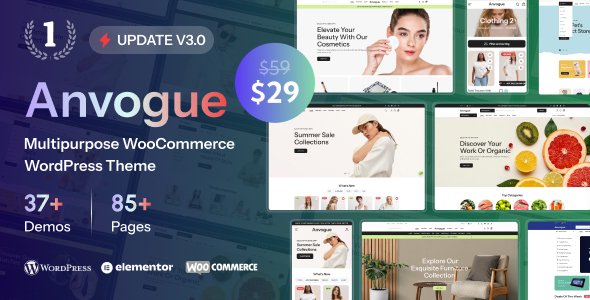
Stuck on your Anvogue WordPress theme? Let's fix it.
No endless back-and-forth. Just send us the details and we'll get it done.
No obligation · Replies within 1 hour · Quote within 1 day
Setup · Customization · Bug fixes · WooCommerce integration
About Anvogue WP Theme
Anvogue is a premium WooCommerce theme by PressLayouts built specifically for fashion and apparel stores. It ships with multiple pre-built demo layouts, a drag-and-drop page builder, and deep WooCommerce integration that covers product filtering, wishlist functionality, and AJAX cart behavior out of the box.
The theme targets boutique clothing brands, multi-vendor fashion marketplaces, and lifestyle retailers who need a polished storefront without starting from scratch. Built on a clean codebase with Elementor support, Anvogue gives store owners visual control over product pages, category layouts, and promotional banners without touching PHP. PressLayouts maintains active updates and documentation, which makes it a solid foundation for a serious eCommerce build.
Get matched with a Anvogue developer in under one day
Tell us about your Anvogue project. Small fixes, Anvogue theme customization, or a full website build, whatever you need, we've got it covered.
We'll connect you to the right Anvogue developers, define the scope, and get everything 100% clear.
You'll get one estimate, hire your preferred developer, and start collaborating.
Anvogue gives you a strong starting point, but most store owners hit a wall when customizations get technical. That is where hiring through Codeable makes sense. Every developer on the platform is vetted, so you are not gambling on an unknown freelancer. You describe your project, get matched with an Anvogue-experienced WordPress developer, and receive a fixed estimate before any work begins. No retainers, no surprises. For a WooCommerce store, that kind of certainty matters.
Pros
- Multiple fashion-specific demo layouts included, ready to import with one click
- Deep WooCommerce integration with AJAX cart, product quick view, and wishlist built in
- Elementor compatibility gives non-developers visual control over most page sections
- PressLayouts provides regular updates and maintains active theme documentation
- Flexible header and mega menu builder suits both small boutiques and large catalog stores
Cons
- Demo import can be unreliable on shared hosting environments with low PHP memory limits
- Some design options only work when using the bundled plugins, creating plugin lock-in
- Mobile menu behavior requires custom CSS tweaks on some breakpoints out of the box
- Child theme setup is necessary before making any serious customizations to avoid update conflicts
- Support response times from PressLayouts can be slow during high-volume release periods
Who is Anvogue for?
Women's Fashion Boutique
Anvogue’s lookbook layouts and editorial-style product pages are a natural fit for women’s clothing boutiques. Category filtering by size, color, and style works cleanly with the built-in WooCommerce filter integration. A developer can configure the wishlist and size guide features quickly, reducing friction for shoppers comparing items before buying.
Streetwear and Sneaker Store
Streetwear stores need product pages that handle multiple variants, limited drops, and hype-driven urgency elements. Anvogue supports countdown timers, stock notifications, and variant swatches. With some customization, a developer can configure pre-order flows and low-stock alerts that fit the fast-moving nature of sneaker retail.
Multi-Brand Fashion Marketplace
Anvogue’s mega menu and vendor-ready layout structure makes it usable for multi-brand stores. Combined with a plugin like Dokan or WCFM Marketplace, a developer can turn an Anvogue install into a curated marketplace. The clean category landing pages help separate brand identities without needing separate sites.
Luxury Accessories Retailer
Luxury retailers need fine control over typography, spacing, and imagery presentation. Anvogue supports full-width product galleries, video embeds on product pages, and custom badge overlays. A developer familiar with the theme can strip unnecessary elements and dial in the visual restraint that premium accessory brands require.
Sustainable Clothing Brand
Sustainable brands often need to communicate story alongside product. Anvogue’s flexible content sections let developers build product pages that mix ethical sourcing details with standard WooCommerce add-to-cart behavior. Custom landing pages built in Elementor can support campaign storytelling without affecting the core shop structure.

Customizing Anvogue
Anvogue ships with a lot of options, but getting them to work exactly the way you want takes time. The Customizer controls header styles, typography, and color schemes at a surface level. Deeper changes, like custom product card layouts, modified checkout flows, or brand-specific animations, require child theme work or targeted CSS and PHP edits.
An Anvogue expert can handle this properly without breaking core theme files or creating update conflicts. That matters when you are running a live store. A developer familiar with PressLayouts themes knows where the hooks are, how the demo importer behaves, and how to extend Anvogue with plugins like YITH WooCommerce or WooCommerce Subscriptions without introducing layout conflicts or performance issues.
Recommended plugins for Anvogue
Anvogue integrates cleanly with the major WooCommerce plugin ecosystem. Common extensions used alongside it include YITH Wishlist, YITH Quick View, WooCommerce Product Filter, and Elementor Pro for landing pages. It also works with WooCommerce Multilingual for international stores.
If you are adding heavy plugins or third-party integrations, watch your page load times. A poorly configured stack can slow product pages significantly. Check our WordPress performance service if your store starts feeling sluggish. For stores running SEO campaigns, pairing Anvogue with a proper schema and metadata setup through our WordPress SEO service helps product pages rank.
Not sure which plugins to use? This WordPress plugins directory covers the most popular options with reviews and setup guides.
Anvogue common issues
Anvogue demo import not working
Demo import failures in Anvogue are usually caused by low PHP memory limits, upload size restrictions, or a timeout on shared hosting. Start by setting memory_limit to at least 256MB and max_execution_time to 300 in your php.ini or wp-config.php. If the import still stalls, try importing XML content manually through Tools > Import. If you need a reliable fix fast, our WordPress bug fixing service can resolve it quickly.
Anvogue product page layout broken after update
Product page layout breaks after an Anvogue update usually mean a conflict between the updated theme templates and a customization made directly in the parent theme files. Always use a child theme. If you are already on a child theme, check whether the update changed any template files you have overridden. Compare your version against the updated parent template and merge the changes. A developer can do this in under an hour for most cases.
Anvogue WooCommerce cart not updating with AJAX
AJAX cart issues in Anvogue are often caused by a JavaScript conflict with another plugin or a caching plugin serving stale assets. Start by disabling caching and testing with plugins deactivated one by one. Check the browser console for JS errors pointing to a specific script. If WooCommerce sessions are misconfigured, cart fragments will also fail. Clearing transients and re-saving WooCommerce settings resolves this in many cases.
Anvogue mobile menu not opening on iPhone
Mobile menu failures on iPhone typically come from a touch event conflict or a z-index issue causing the menu toggle to be blocked by another element. Open Chrome DevTools in mobile emulation mode and check whether the hamburger icon registers a click. Also verify that no sticky header or overlay element has a higher z-index than the menu. A targeted CSS and JS fix usually resolves this without touching the theme core.
Anvogue FAQ
Yes. Anvogue is built specifically around WooCommerce and includes product filtering, wishlist support, AJAX cart, quick view, and variant swatches without needing extra plugins. It is one of the more WooCommerce-focused fashion themes available and handles catalog stores with large product counts reasonably well when properly configured.
Anvogue supports Elementor for building pages and custom layouts. Most of the pre-built demo content is also Elementor-based, so you can edit sections visually. For product page templates, Elementor Pro’s WooCommerce builder works alongside the theme. Some sections use PressLayouts-specific shortcodes, which fall back to plain text if Elementor renders them outside their intended context.
After installing Anvogue and its required plugins, go to Appearance > Import Demo Data and select the demo layout you want. The importer installs pages, images, menus, and widgets automatically. Make sure your hosting environment has at least 256MB of PHP memory and a max execution time of 300 seconds before starting to avoid import timeouts.
Technically yes, but Anvogue’s design language is built around fashion and lifestyle products. Using it for a software product, services business, or B2B store would require significant restyling to feel appropriate. For non-fashion eCommerce, there are better-suited themes. Anvogue performs best when the visual direction already aligns with apparel or accessories.
Anvogue includes basic RTL stylesheet support. For Arabic, Hebrew, or Persian stores, most layout elements flip correctly. However, some third-party bundled plugins may not have full RTL support, and custom sections may need additional CSS adjustments. Testing your specific language setup before going live is strongly recommended.
Hire an Anvogue Developer
Need an Anvogue expert to customize your store, fix a layout issue, or build out a full fashion eCommerce site from a demo? Our developers have hands-on experience with PressLayouts themes and WooCommerce builds of all sizes. You get a free estimate with no obligation to proceed. Get your free estimate here and have a developer matched to your project within 24 hours.
You'll need a free Codeable account so developers can ask questions and send their quotes.