Appilo WordPress Theme
by themexriver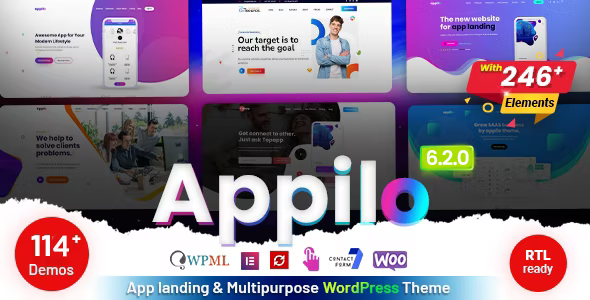
Stuck on your Appilo WordPress theme? Let's fix it.
No endless back-and-forth. Just send us the details and we'll get it done.
No obligation · Replies within 1 hour · Quote within 1 day
Setup · Customization · Bug fixes · WooCommerce integration
About Appilo WP Theme
Appilo is a multi-purpose SaaS and app landing page theme built by themexriver. It ships with over 20 pre-built demos covering SaaS products, mobile apps, startups, and digital agencies. The theme runs on Elementor, which means page layouts are built visually without touching code.
It includes a dedicated pricing table builder, animated counters, testimonial sliders, and a flexible header system. The design language leans modern and minimal, with gradient accents that suit software and tech-focused brands well.
Appilo supports WooCommerce for selling licences or digital products, and it integrates cleanly with popular newsletter and CRM tools. It is regularly updated by themexriver and currently holds a strong rating on ThemeForest with thousands of active installs.
Get matched with a Appilo developer in under one day
Tell us about your Appilo project. Small fixes, Appilo theme customization, or a full website build, whatever you need, we've got it covered.
We'll connect you to the right Appilo developers, define the scope, and get everything 100% clear.
You'll get one estimate, hire your preferred developer, and start collaborating.
Appilo has enough moving parts that small configuration mistakes compound quickly. Elementor widgets, the theme options panel, and plugin interactions all need to be managed deliberately. Hiring a vetted Appilo developer through Codeable means you are matched with someone who has handled these setups before, not a generalist working through documentation for the first time. Codeable vets every developer on its platform, so you are not rolling the dice on quality. Post your project, get a free estimate, and decide from there with no obligation to proceed.
Pros
- Ships with 20+ niche-specific demo sites covering SaaS, apps, and startups
- Built entirely on Elementor, so layout editing does not require code
- Dedicated pricing table builder with toggle for monthly/annual billing
- WooCommerce compatible for selling software licences or digital downloads
- Active updates from themexriver with a responsive support team on ThemeForest
Cons
- Demo import pulls in a large amount of content and media that must be cleaned up manually
- Multiple animation libraries are loaded globally, which hurts initial page load if not optimised
- Some pre-built sections are only available in specific demos and are not modular by default
- Heavy reliance on Elementor means switching page builders later is a significant migration effort
- The theme options panel duplicates some Elementor settings, which can cause conflicts if both are used inconsistently
Who is Appilo for?
SaaS Product Landing Pages
Appilo was built with SaaS in mind. The pricing toggle, feature comparison tables, and integration showcase sections map directly to what a SaaS product page needs. An Appilo specialist can configure these sections to reflect real product tiers, connect to billing tools like Stripe or Paddle, and make sure the page converts rather than just looking good.
Mobile App Promotion Sites
The mobile app demos include app store badge sections, device mockup areas, and screenshot sliders out of the box. For teams promoting an iOS or Android app, this removes a lot of setup time. An Appilo developer can swap in your actual screenshots, configure the download CTAs, and adjust animations so they do not slow down the page on mobile connections.
Digital Agency Websites
Digital agencies need portfolio sections, service breakdowns, and clear conversion paths. Appilo covers all three, though the default agency demo requires meaningful customisation to feel distinct. An Appilo expert can restructure the layout, integrate a case study post type, and add contact forms connected to CRM tools the agency already uses.
Startup Marketing Sites
Startups often need to move fast and iterate. Appilo’s Elementor base makes it possible to update messaging and layout without a developer on call every time. For the initial build, an Appilo specialist can set up a structure that the internal team can manage, with a locked header and footer so core branding stays consistent across updates.
Software Documentation and Pricing Pages
Product-led companies often need a dedicated pricing page that handles multiple plans, feature lists, and FAQ sections. Appilo’s pricing builder handles the visual side well. An Appilo developer can connect it to dynamic data, add a billing toggle that works correctly with JavaScript, and make the page load fast enough that it does not hurt conversion rates.

Customizing Appilo
Out of the box, Appilo covers the basics. Getting it to match your actual brand, structure, and conversion goals is where most site owners run into friction. An Appilo expert can rework demo content into a production-ready site without inheriting the bloat that comes from importing everything blindly.
Common customisation work includes building custom pricing sections, adjusting the sticky header behaviour, creating new Elementor template parts, and wiring up third-party integrations like Intercom, HubSpot, or Paddle. Typography and spacing defaults also need tuning for most brands.
If you want a child theme setup so updates do not overwrite your changes, or if you need custom CSS that scales cleanly across breakpoints, working with an Appilo specialist saves a significant amount of trial and error.
Recommended plugins for Appilo
Appilo works well with a focused plugin stack. For performance, pairing it with a caching plugin and a CDN makes a measurable difference, particularly because the theme loads several animation libraries by default. A WordPress performance audit can identify exactly which assets are slowing your pages down.
For organic growth, Appilo pages benefit from proper schema markup and technical SEO configuration. The theme does not handle this on its own. A structured WordPress SEO setup covering meta, sitemaps, and page speed will help SaaS and app landing pages rank competitively.
Not sure which plugins to use? This WordPress plugins directory covers the most popular options with reviews and setup guides.
Appilo common issues
Appilo demo import not working
Demo import failures in Appilo are usually caused by PHP memory limits, execution timeouts, or missing required plugins. Check that your server has at least 256MB of memory allocated and that the max execution time is set to 300 seconds or higher. Install all required plugins before running the importer. If the import still fails partway through, try importing XML content and widgets separately rather than using the one-click importer.
Appilo header not sticking on scroll
Appilo’s sticky header is controlled through the theme’s header settings panel. If the header is not sticking, first confirm the sticky option is enabled under Appearance > Theme Options > Header. If it is enabled but still not working, a JavaScript conflict with another plugin is the likely cause. Disable plugins one by one to isolate the conflict, or clear your browser cache and test in a private window first.
Appilo pricing toggle not switching between monthly and annual
The pricing toggle in Appilo relies on a specific JavaScript function tied to the pricing widget. If the toggle is visible but not changing prices, check the browser console for JS errors. Common causes include a caching plugin serving a minified script incorrectly or a conflict with another plugin that hooks into jQuery. Exclude the pricing page from JS minification in your caching plugin and test again. If the issue persists, get professional bug fixing help.
Appilo animations not loading on mobile
Appilo uses CSS and JS animation libraries that some mobile browsers throttle or disable for performance reasons. If animations are not triggering on mobile, check whether a caching plugin is combining scripts in a way that breaks the animation initialisation sequence. Also confirm that the Elementor motion effects settings are not set to desktop-only for those sections. Reducing animation complexity on mobile viewports is often the better long-term fix.
Appilo contact form not sending emails
If the Appilo contact form is not sending emails, the issue is almost always SMTP configuration, not the form itself. WordPress sends mail through the PHP mail function by default, which most hosting providers block. Install an SMTP plugin such as WP Mail SMTP and connect it to a transactional email service like Mailgun or SendGrid. Test the form after configuring SMTP and check spam folders before assuming the form is broken.
Appilo Elementor widgets missing after update
Missing Elementor widgets after an Appilo update usually means the theme’s companion plugin needs updating separately. Go to Plugins and check whether the Appilo Core or themexriver companion plugin has a pending update. If widgets are still missing after updating, deactivate and reactivate the companion plugin. In some cases, regenerating the Elementor CSS cache under Elementor > Tools > Regenerate CSS resolves display issues caused by stale cached data. Contact WordPress bug fixing support if the problem continues.
Appilo page loading slowly on mobile
Appilo loads several animation and icon libraries globally across all pages. On mobile connections this creates a noticeable delay. Start by identifying which scripts are largest using a tool like GTmetrix or PageSpeed Insights. Defer non-critical JavaScript, use a CDN for static assets, and consider disabling animations on mobile through Elementor’s responsive controls. A caching plugin with proper configuration will also reduce time to first byte on repeat visits.
Appilo footer widgets not displaying correctly
Footer widget display issues in Appilo are often caused by the footer widget areas not being assigned correctly in Appearance > Widgets, or by a page-level Elementor template overriding the global footer. Check whether the affected page uses a full-width Elementor template that excludes the theme footer entirely. If you are using a custom Elementor footer, make sure it is set as the global footer in the Elementor Theme Builder and that the display conditions are configured correctly.
Appilo child theme not inheriting styles properly
If your Appilo child theme is not inheriting styles, check that the child theme’s stylesheet has the correct Template header pointing to the parent theme folder name exactly as it appears on the server. Also confirm the child theme is enqueuing the parent stylesheet using wp_enqueue_scripts in functions.php rather than relying on @import in style.css. The @import method causes load order issues in some configurations. After fixing the enqueue, clear all caches and test. Get help with persistent theme issues.
Appilo WooCommerce pages not matching theme style
WooCommerce pages that do not match the Appilo theme style are usually missing the theme’s WooCommerce template files. Appilo includes custom WooCommerce templates in its woocommerce folder. If these are not loading, check whether a conflicting plugin is overriding them. Also confirm the WooCommerce version is compatible with the installed version of Appilo. After major WooCommerce updates, running the WooCommerce database update and regenerating template files often resolves visual inconsistencies.
Appilo FAQ
Yes, Appilo is built on Elementor and works with Elementor Pro. The free version of Elementor covers most of what the theme needs, but Elementor Pro unlocks additional widgets, the Theme Builder, and dynamic content features that are useful for more complex builds. There are no known conflicts between Appilo and Elementor Pro at current versions.
Appilo includes WooCommerce support and ships with custom template overrides for shop, product, and cart pages. It is suited to selling digital products, software licences, or subscriptions. For more complex shop builds with custom product types or checkout flows, additional configuration by an Appilo developer is recommended.
The theme is designed for SaaS and app products, but the Elementor base makes it adaptable. Several of the included demos suit digital agencies, startups, and portfolio sites reasonably well. Using it for e-commerce, blogs, or content-heavy sites is possible but requires more customisation work to move away from the default SaaS-oriented structure.
Always use a child theme for any custom CSS or template overrides. Updates to the parent Appilo theme will not overwrite child theme files. Before updating, take a full backup and check the themexriver changelog for any breaking changes. Elementor-based content is stored in the database and is not affected by theme updates directly.
Appilo bundles certain premium plugins as part of the ThemeForest licence. This typically includes Revolution Slider and the themexriver companion plugin. These bundled copies are licensed for use with Appilo only and may not receive updates through the standard WordPress plugin update channel. You need to update them through the theme’s update notification system.
Appilo does not automatically make your site GDPR compliant. Compliance depends on how you collect data, which third-party services you use, and whether you have a proper cookie consent mechanism in place. The theme itself does not set tracking cookies, but any integrated analytics, chat, or marketing tools will require proper disclosure and consent handling configured separately.
A standard ThemeForest Regular Licence covers one website. If you need to use Appilo on multiple client sites or on more than one domain you own, you need a separate licence for each site. The Extended Licence applies if you are building a product or service that end users pay to access. Check the ThemeForest licence terms for your specific situation.
Yes, Appilo includes RTL stylesheet support. Right-to-left layouts are enabled through the WordPress language settings or by adding a specific body class. Most sections mirror correctly in RTL mode, though some animated elements and custom Elementor widgets may need manual adjustment to display correctly when RTL is active.
Migrating an existing site to Appilo means rebuilding your pages in Elementor using the theme’s structure. There is no automated import path from another theme. Content like posts and pages transfers via the standard WordPress export, but layout and design work needs to be done from scratch inside Elementor. A WordPress migration specialist can handle this cleanly without data loss.
ThemeForest purchase includes six months of support from themexriver, renewable for an additional fee. Support covers bugs and questions directly related to the theme. For customisation work, performance issues, or plugin conflicts, themexriver support will not resolve those. A dedicated WordPress maintenance service or a specialist Appilo developer is a better option for ongoing site management.
Hire an Appilo Expert Developer
Whether you need a full Appilo build from a demo, a specific customisation, or a performance fix, working with a specialist gets the job done without the back-and-forth of a generalist approach. Our developers know the theme inside out and have delivered Appilo projects across SaaS, mobile apps, and digital agency niches. Get a free estimate and have a developer matched to your project within 24 hours, with no obligation to hire.
You'll need a free Codeable account so developers can ask questions and send their quotes.