Aquaterias WordPress Theme
by like-themes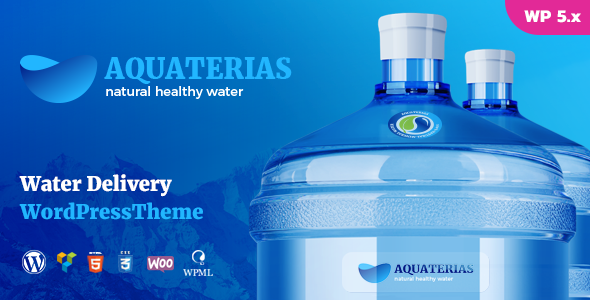
Stuck on your Aquaterias WordPress theme? Let's fix it.
No endless back-and-forth. Just send us the details and we'll get it done.
No obligation · Replies within 1 hour · Quote within 1 day
Setup · Customization · Bug fixes · WooCommerce integration
About Aquaterias WP Theme
Aquaterias is a WordPress theme by like-themes, built for water-related businesses, aquatic centers, swimming pools, and spa facilities. It ships with a clean, blue-toned design that puts services and booking information front and center.
The theme includes pre-built page templates, a responsive layout, and compatibility with popular page builders. It targets businesses that need a professional online presence without starting from scratch.
Out of the box, Aquaterias covers the essentials: service listings, pricing tables, contact forms, and a hero section designed to showcase water-based facilities. It works with the WordPress Customizer for basic branding changes and supports WooCommerce if you want to sell memberships or packages online.
Get matched with a Aquaterias developer in under one day
Tell us about your Aquaterias project. Small fixes, Aquaterias theme customization, or a full website build, whatever you need, we've got it covered.
We'll connect you to the right Aquaterias developers, define the scope, and get everything 100% clear.
You'll get one estimate, hire your preferred developer, and start collaborating.
Aquaterias is straightforward to install but harder to customize well. Layout changes, custom booking flows, and plugin integrations take time and specific knowledge. Working with a vetted developer through Codeable means you get someone who has dealt with like-themes builds before. No guessing, no wasted hours on trial and error. You describe what you need, get an estimate, and decide from there. No commitment required upfront.
Pros
- Purpose-built design for aquatic and spa businesses, so the default layout fits the niche without heavy modification
- Responsive out of the box with mobile-friendly service and pricing sections
- Compatible with WooCommerce for selling memberships, passes, and class packages
- Works with major page builders, giving non-developers flexibility for content updates
- Includes pre-built templates for key pages like services, pricing, and contact, reducing initial setup time
Cons
- Limited advanced booking functionality without adding a third-party scheduling plugin
- Design customization beyond colors and fonts requires CSS or PHP knowledge
- Like-themes support can be slow to respond for theme-specific issues
- Not ideal for businesses outside the aquatic or wellness niche without significant design overhaul
- Plugin compatibility issues can surface with newer WordPress versions if theme updates lag behind
Who is Aquaterias for?
Swimming Pool & Aquatic Centers
Aquaterias fits aquatic centers well. You can list pool lanes, session times, and membership tiers using the built-in pricing and service templates. Adding a booking plugin gives visitors a way to reserve slots directly. The blue-toned design reinforces the water theme without needing a full custom build.
Spa and Wellness Facilities
Spas and wellness businesses benefit from Aquaterias’ clean layout and service-focused structure. You can display treatments, pricing packages, and staff profiles using the theme’s existing sections. Pair it with a booking plugin and a contact form, and the site handles the full client journey from discovery to appointment.
Swimming Lesson Providers
Swimming instructors and schools can use Aquaterias to showcase class levels, instructor profiles, and schedules. The theme supports custom page layouts where you can organize beginner, intermediate, and advanced programs. Add a scheduling plugin like Amelia to let parents book lessons without calling in.
Water Park and Recreation Venues
Water parks and recreation venues need clear information architecture for tickets, attractions, and visiting hours. Aquaterias can be configured to show admission pricing, facility maps, and seasonal hours. A WooCommerce integration handles online ticket sales, and the visual design matches the fun, water-centered brand.
Fitness Centers with Pool Access
Fitness centers that include pool access can use Aquaterias to highlight both gym and aquatic offerings. The theme handles service listings and membership pricing well. You can create separate sections for gym classes and pool sessions, giving members a clear picture of what is included in each membership tier.

Customizing Aquaterias
Aquaterias gives you a starting point, but most businesses need more than the default setup. Changing the layout, adding custom booking functionality, or connecting a third-party scheduling tool requires real development work.
An Aquaterias expert can configure the theme to match your brand, restructure page templates, and integrate plugins for online booking, membership management, or payment processing. If you want custom post types for classes or instructors, that needs code beyond what the Customizer offers.
Color schemes, typography, and section ordering can be adjusted without touching code, but anything beyond surface-level changes benefits from a developer who knows the theme structure and how like-themes built it.
Recommended plugins for Aquaterias
Aquaterias pairs well with several plugins that extend its core functionality. WooCommerce handles memberships and class packages. Amelia or Bookly add appointment and class scheduling. WPML is worth adding if you serve multiple language markets.
For speed, combining Aquaterias with a caching plugin and a CDN makes a real difference on image-heavy pages. Need better search rankings? A proper WordPress SEO setup on top of Aquaterias helps your facility show up in local searches. For site speed improvements, check out WordPress performance optimization.
Not sure which plugins to use? This WordPress plugins directory covers the most popular options with reviews and setup guides.
Aquaterias common issues
Aquaterias theme not displaying correctly on mobile
Mobile display issues in Aquaterias are usually caused by conflicting CSS from a plugin or a custom stylesheet that overrides the theme’s responsive rules. Open browser developer tools, check which styles are overriding the layout, and remove or adjust them. If you added custom CSS in the Customizer, test with it disabled. If the problem persists across plugins, a developer can audit the stylesheet and fix the specific breakpoints. WordPress bug fixing can handle this quickly.
Aquaterias page builder sections not loading after WordPress update
Page builder sections breaking after a WordPress update usually means a compatibility gap between the theme version and the builder plugin. First, check if Aquaterias has a pending update in Appearance > Themes. Update the theme and the page builder plugin together. If sections still fail to load, deactivate all plugins except the builder and test. A persistent conflict may need a developer to identify which hook or function broke in the update cycle.
Aquaterias WooCommerce styles broken or misaligned
Broken WooCommerce styles in Aquaterias typically happen when the theme’s WooCommerce stylesheet is not loading or a plugin adds its own styles that conflict. Go to Appearance > Customize and check if WooCommerce-specific options are enabled. Clear your cache and test in a private browser window. If styles are still misaligned, inspect the shop and product pages in developer tools to find which CSS rules are causing the conflict and override them precisely.
Aquaterias custom fonts or colors not saving in Customizer
If Customizer changes are not saving in Aquaterias, the first thing to check is whether a caching plugin is serving the old version of your site. Clear all caches after saving. If changes disappear after a refresh without cache, check for a permissions issue with your theme’s files or a JavaScript error in the Customizer console. Disable plugins one at a time to isolate a conflict. A persistent issue may point to a corrupted theme installation worth reinstalling cleanly.
Aquaterias FAQ
Aquaterias is built by like-themes and generally receives updates for major WordPress releases, but there can be a lag. Before updating WordPress core, check the theme’s changelog and the like-themes support forums for compatibility notes. Running a staging site before updating production is always the safer option, especially for business-critical pages.
Aquaterias works with popular page builders including Elementor and WPBakery. Most pre-built sections can be edited through these builders. Some theme-specific layouts may behave differently depending on which builder you use. Testing your preferred builder on a staging environment before committing to a full build saves time and avoids surprises in production.
Aquaterias does not include a built-in booking system. You need a dedicated plugin like Amelia, Bookly, or Simply Schedule Appointments. These integrate with Aquaterias pages through shortcodes or blocks. For class-based scheduling or lane reservations, a developer can configure the plugin to match your specific schedule and capacity requirements.
Logo and color changes in Aquaterias are handled through Appearance > Customize. Upload your logo under the Site Identity section and adjust brand colors in the theme options panel. Font changes may require custom CSS if the theme does not expose all typography controls in the Customizer. Most surface-level branding changes are doable without writing code.
Migrating an existing site to Aquaterias means rebuilding your content within the new theme structure. Your posts and pages carry over, but layouts built in another theme will not transfer automatically. A developer can map your existing content to Aquaterias templates and preserve SEO settings during the switch. WordPress migration services handle this process without losing rankings or content.
Hire an Aquaterias Developer
Need help setting up, customizing, or extending your Aquaterias site? FoxyConcept connects you with experienced WordPress developers through Codeable. Post your project, get a clear estimate within 24 hours, and only move forward if it makes sense for you. Get a free estimate with no obligation to hire. Whether it is a booking integration, a layout overhaul, or a performance issue, the right developer is available.
You'll need a free Codeable account so developers can ask questions and send their quotes.