Argenta WordPress Theme
by colabrio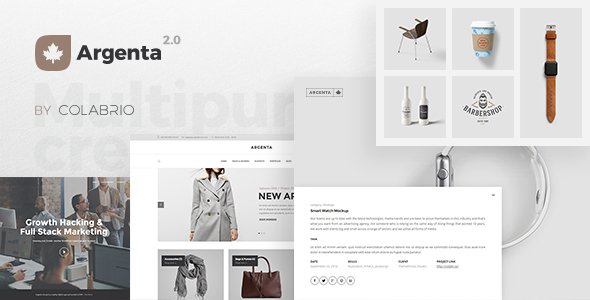
Stuck on your Argenta WordPress theme? Let's fix it.
No endless back-and-forth. Just send us the details and we'll get it done.
No obligation · Replies within 1 hour · Quote within 1 day
Setup · Customization · Bug fixes · WooCommerce integration
About Argenta WP Theme
Argenta is a premium WordPress theme by Colabrio, built specifically for creative agencies, photographers, and portfolio-driven businesses. It ships with a large collection of pre-built demo sites, all designed with a strong visual focus and clean typographic layouts.
The theme is built on Colabrio’s proprietary framework, which includes a custom page builder experience tightly integrated with the theme’s design system. This means layouts stay consistent across devices without heavy manual adjustment.
Argenta supports WooCommerce, custom post types for portfolio work, and extensive typography controls. It targets designers and studios who want a polished result without starting from scratch. That said, the custom framework has a learning curve, and getting the most out of it usually means spending time in the documentation or working with someone who knows the theme well.
Get matched with a Argenta developer in under one day
Tell us about your Argenta project. Small fixes, Argenta theme customization, or a full website build, whatever you need, we've got it covered.
We'll connect you to the right Argenta developers, define the scope, and get everything 100% clear.
You'll get one estimate, hire your preferred developer, and start collaborating.
Argenta’s custom framework is not the same as working with a standard Elementor or block-based theme. The options panel has depth, but it’s not always intuitive, and some customizations require child theme work to stick across updates.
Working with a developer who has hands-on Argenta experience means you get the result you’re after without the back-and-forth of someone learning the theme on your project. Through Codeable, you’re matched with vetted WordPress developers who know themes like Argenta inside out. You get a free estimate with no obligation to hire.
Pros
- Large selection of high-quality pre-built demos covering multiple creative niches
- Tight WooCommerce integration built into the theme from the start
- Strong typographic controls with Google Fonts and custom font size scaling
- Portfolio custom post type is well-structured and easy to manage
- Colabrio provides regular theme updates and responds to support requests
Cons
- Custom Colabrio framework has a steeper learning curve than standard page builders
- Switching between demo sites requires a full import, which can overwrite existing content
- Some layout options are only accessible through shortcodes, not a visual interface
- Heavy demo content can slow page load if images and scripts aren't optimized after import
- Limited compatibility with third-party page builders like Elementor or Divi
Who is Argenta for?
Photography Studios
Argenta’s full-width gallery layouts and minimal UI make it a strong fit for photographers. The portfolio post type handles large image sets cleanly, and the demo sites include several photography-specific layouts with lightbox support. A developer can configure custom gallery categories and archive pages to match how you organize your work.
Creative Agencies
Creative agencies need a site that communicates quality before a visitor reads a word. Argenta’s multi-section homepage layouts and case study-style portfolio templates handle this well. The theme supports team pages, service listings, and contact forms without needing extra plugins for basic functionality.
Freelance Designers
Freelancers often need a portfolio that loads fast and looks sharp on mobile. Argenta’s demos scale well on smaller screens, and the focused feature set means fewer things to configure. A single developer profile site can be up and running quickly with one of the included demos as a starting point.
Print and Digital Product Shops
With WooCommerce support built in, Argenta works for studios selling prints, digital downloads, or branded merchandise alongside their portfolio. Product pages inherit the theme’s visual style without needing custom WooCommerce templates, though a developer can extend them when you need specific product display options.
Architecture and Interior Design Firms
Architecture and interior design firms benefit from Argenta’s project-focused layouts. Full-bleed images, clean project detail pages, and structured portfolio archives align with how these businesses present work. The theme handles large, high-resolution images better than many alternatives when properly configured.

Customizing Argenta
Argenta gives you a lot of control over layout, typography, colors, and header styles through the WordPress Customizer and its own theme options panel. You can mix and match sections from different demo sites, swap fonts, and adjust spacing without touching code.
Where it gets more complex is when you need something outside the pre-built patterns. Custom post templates, modified archive layouts, or WooCommerce tweaks often require child theme work or targeted CSS. An Argenta expert will know exactly where the theme’s options end and where custom development needs to begin, saving you hours of trial and error.
If you have a specific design direction in mind that doesn’t match any of the included demos, custom development is usually faster than forcing the theme into a shape it wasn’t designed for.
Recommended plugins for Argenta
Argenta works well with a focused set of plugins. WooCommerce integration is built in, making it a solid base for portfolio sites that also sell prints, services, or digital products.
For performance, pairing it with a caching plugin and optimizing its Google Fonts loading can make a significant difference. Check our WordPress performance service if your Argenta site is running slow.
On the SEO side, Argenta’s markup is clean enough to work well with Yoast SEO or Rank Math. If you need structured data or deeper SEO work, our WordPress SEO service covers that.
Not sure which plugins to use? This WordPress plugins directory covers the most popular options with reviews and setup guides.
Argenta common issues
Argenta demo import not working in WordPress
Demo import failures in Argenta are usually caused by server memory limits or PHP timeout settings. The demo content files can be large, and shared hosting often can’t handle them in one request. Try increasing max_execution_time and memory_limit in your php.ini or wp-config.php. If the import stalls midway, check for missing required plugins like Revolution Slider. Our bug fixing service can sort this out quickly.
Argenta portfolio images not displaying correctly
Portfolio image display issues in Argenta are often tied to thumbnail regeneration after import or incorrect image size settings in the theme options. Run a thumbnail regeneration plugin after the demo import completes. If images appear cropped incorrectly, check the portfolio image dimensions set in Argenta’s theme options panel and make sure uploaded images meet the minimum size requirements specified in the documentation.
Argenta site running slow after demo import
Demo imports bring in placeholder images and unoptimized scripts that will slow your site if left as-is. After importing, run your images through a compression plugin, disable any demo-specific plugins you don’t need, and set up page caching. Argenta loads multiple Google Fonts by default; limiting font variants to what you actually use reduces render-blocking requests significantly. See our performance service for a full audit.
Argenta header not showing on mobile
If Argenta’s header disappears or breaks on mobile, check the mobile header settings in the Customizer under the Header section. Argenta has separate controls for mobile breakpoints, and these are sometimes missed during initial setup. Also check for CSS conflicts with any plugin that injects its own styles. If a recent update changed the behavior, a child theme override for the header template may be the most stable fix.
Argenta FAQ
Argenta uses Colabrio’s own framework and is not designed to work alongside Elementor. You can install Elementor, but the two systems will conflict in layout control and you’ll lose much of what makes Argenta’s design system work. If you need Elementor, a different theme is the better starting point.
Yes. WooCommerce support is built into Argenta from the ground up. Product pages, cart, and checkout inherit the theme’s styling without custom templates. For more complex shop setups, a developer can extend the WooCommerce templates using Argenta’s child theme structure to keep changes update-safe.
You can, but starting from a blank Argenta install is slower than importing a demo and stripping it back. The theme’s sections and options make more sense when you can see them in context. Import the closest demo, remove what you don’t need, then build from there. It’s a faster path than configuring everything from scratch.
Always use a child theme for any code customizations. Changes made directly to Argenta’s parent theme files will be overwritten on update. Customizer settings are stored in the database and survive updates. Before updating, back up your site and check Colabrio’s changelog for any breaking changes to templates you may have customized.
Argenta produces clean, valid HTML and works well with SEO plugins like Yoast or Rank Math. Page speed is the main SEO concern, as demo imports can leave a heavy asset footprint. With proper image optimization and caching in place, the theme won’t hold your rankings back. Schema markup should be added through a dedicated SEO plugin.
Hire an Argenta WordPress Developer
If you need help setting up Argenta, customizing a demo, or building something the theme options don’t cover out of the box, working with an experienced developer is the straightforward option. Our developers have worked with Colabrio themes and know where the limits are.
Get a free estimate and describe what you need. You’ll hear back within 24 hours with no obligation to proceed. It’s a risk-free way to find out exactly what your project will take.
You'll need a free Codeable account so developers can ask questions and send their quotes.