Arolax WordPress Theme
by crowdyTheme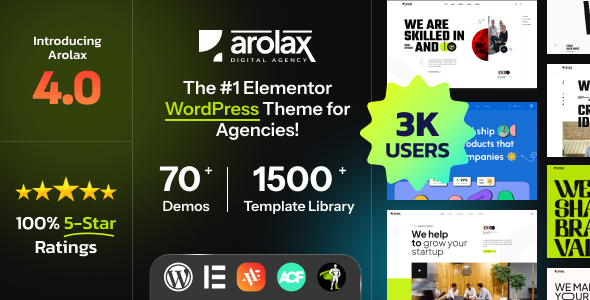
Stuck on your Arolax WordPress theme? Let's fix it.
No endless back-and-forth. Just send us the details and we'll get it done.
No obligation · Replies within 1 hour · Quote within 1 day
Setup · Customization · Bug fixes · WooCommerce integration
About Arolax WP Theme
Arolax is a premium WordPress theme by crowdyTheme, built for digital agencies, creative studios, and portfolio-heavy businesses. It ships with a stack of pre-built demos covering agency, portfolio, SaaS, and personal branding layouts, all driven by Elementor.
The theme leans hard into animation. GSAP-powered scroll effects, smooth page transitions, and cursor interactions are baked in rather than bolted on as plugins. That makes it visually distinctive but also means the learning curve is steeper than a typical page builder theme.
Performance is a genuine concern out of the box. The animation layer adds JavaScript weight, and on shared hosting you will notice it. Caching, image optimization, and a CDN are not optional extras here. Used on fast hosting with proper configuration, Arolax delivers the kind of polished presentation that suits high-end client work well.
Get matched with a Arolax developer in under one day
Tell us about your Arolax project. Small fixes, Arolax theme customization, or a full website build, whatever you need, we've got it covered.
We'll connect you to the right Arolax developers, define the scope, and get everything 100% clear.
You'll get one estimate, hire your preferred developer, and start collaborating.
Arolax has enough moving parts that small configuration mistakes cause visible problems fast. Animation conflicts, broken transitions after a plugin update, and Elementor template imports that don’t match the demo are common pain points. A vetted Arolax developer on Codeable has dealt with these scenarios before and can work through them without the trial-and-error cycle. Codeable only accepts the top tier of WordPress freelancers, so you’re not rolling the dice on someone figuring it out as they go.
Pros
- GSAP animations and smooth page transitions are built into the theme core, not dependent on third-party animation plugins
- Large library of pre-built Elementor demos covering agencies, portfolios, SaaS, and personal branding ready to import
- Dedicated Elementor widget set includes magnetic buttons, animated counters, and filterable portfolio grids
- Dark mode support is native and toggleable without CSS hacks or additional plugins
- WooCommerce compatibility is included, allowing product shop integration within the same creative layout system
Cons
- Heavy JavaScript from GSAP and scroll libraries pushes page weight up and requires deliberate performance work on most hosting setups
- Demo imports frequently require the exact plugin versions crowdyTheme specifies, otherwise layouts render incorrectly
- Customization beyond demo defaults assumes solid Elementor knowledge; the theme provides little guidance for non-standard layouts
- Theme updates occasionally break custom CSS written against internal variable names that change between versions
- Support response times from crowdyTheme can be slow during peak periods, with complex issues sometimes going days without resolution
Who is Arolax for?
Digital Creative Agency
Arolax was clearly designed with agencies in mind. The service showcase layouts, team sections, and case study templates give an agency site a structured feel without looking generic. Animated statistics and horizontal scroll sections work well for presenting process and results. An Arolax specialist can adapt these layouts to match a specific agency’s brand quickly using the global style controls.
Freelance Photographer or Videographer
The full-screen gallery layouts and cursor-driven portfolio grids make Arolax a strong fit for visual creatives. Photographers and videographers benefit from the minimal chrome around media and the smooth lightbox behavior. Loading performance on image-heavy pages needs attention, but with proper lazy loading and a CDN the experience holds up well on fast connections.
SaaS or Tech Product Landing Page
Several Arolax demos are built specifically for SaaS and software products, with feature grid sections, pricing tables, and integration showcase blocks. The scroll-triggered animations draw attention to key product benefits effectively. An Arolax developer can connect these layouts to a mailing list platform or CRM form without disrupting the visual flow of the page.
Graphic Designer Portfolio
Graphic designers need a portfolio that communicates craft from the first scroll. Arolax delivers this through its project grid options, full-bleed case study layouts, and typographic flexibility inside Elementor. The filterable portfolio widget handles categorized work neatly. Custom project page templates can be built out by an Arolax expert to present process work alongside final deliverables.
Motion Designer or Animator Showcase
Motion designers and animators have unusually high expectations for the sites they present their work on. Arolax’s GSAP integration means the site itself demonstrates motion competence before a single portfolio piece loads. Video background support and reel embed layouts are available across several demos. This is one of the few WordPress themes that can genuinely match the aesthetic standard motion professionals need.

Customizing Arolax
Arolax customization happens almost entirely inside Elementor, using the theme’s own widget library. There are dedicated widgets for animated headings, magnetic buttons, horizontal scrolling sections, and portfolio grids with filter controls. Most visual changes are point-and-click, but anything beyond the demo defaults requires a working understanding of Elementor’s structure.
Global color palettes and typography sets are controlled through the Elementor Site Settings panel, not the WordPress Customizer, which can catch people off guard. Child theme support is present but the theme’s CSS architecture uses custom properties heavily, so an Arolax expert can save significant time identifying which variables to override rather than hunting through compiled stylesheets.
Custom post type adjustments, WooCommerce template changes, and non-standard layouts typically need direct PHP or CSS work that sits outside what Elementor exposes visually.
Recommended plugins for Arolax
Arolax pairs naturally with performance and SEO plugins, though you need to be selective. WP Rocket or Perfmatters work well for caching and script management, but GSAP animations can break if JS optimization is too aggressive. Always test defer and delay rules carefully. Read more on WordPress performance tuning to get the balance right.
For search visibility, Rank Math or Yoast SEO slot in without conflict. Schema markup for portfolio items and agency services adds structured data that helps click-through rates. See our WordPress SEO optimisation service for a full setup approach tailored to creative and agency sites.
Not sure which plugins to use? This WordPress plugins directory covers the most popular options with reviews and setup guides.
Arolax common issues
Arolax demo import not matching screenshot
Demo import mismatches almost always trace back to plugin version conflicts. Arolax requires specific versions of Elementor and the crowdyTheme companion plugin. Import the required plugins first, then run the demo importer again from a clean install rather than over existing content. If the layout still doesn’t match, check whether the theme version in the changelog matches the demo screenshots you’re referencing, as crowdyTheme periodically updates demos without flagging it clearly.
Arolax page transitions not working after plugin update
Page transitions in Arolax depend on the companion plugin and specific JavaScript hooks. After updates, check whether the companion plugin updated at the same time as the theme. A version mismatch between the two is the most common cause. Deactivate and reactivate the companion plugin, then clear all caches. If the problem persists, a caching or minification plugin may be stripping the transition initialization script. Our WordPress bug fixing service can isolate the exact conflict quickly.
Arolax animations not loading on mobile
Arolax disables some GSAP animations on mobile by default to protect performance, but when animations fail entirely rather than being intentionally suppressed, the cause is usually a JavaScript error triggered by a plugin conflict or theme option. Open browser DevTools on a mobile emulator and check the console for errors. Also verify that your caching plugin is not serving a cached desktop version of JS to mobile users, which is a common configuration mistake.
Arolax Elementor widgets missing after theme activation
Missing Elementor widgets after activating Arolax almost always means the crowdyTheme companion plugin is not installed or is deactivated. The custom widget library ships through the companion plugin, not the theme files directly. Install the plugin from the notice in the WordPress admin, activate it, and then reload the Elementor editor. If you don’t see the install prompt, go to Appearance > Install Plugins and look for it in the required plugins list.
Arolax site slow loading score on PageSpeed Insights
Arolax carries significant JavaScript weight from its animation libraries. Start by identifying exactly what’s loading with a tool like WebPageTest rather than relying solely on PageSpeed scores. Defer non-critical scripts, use WP Rocket or Perfmatters with careful JS optimization settings, and serve images via a CDN. Avoid deferring the GSAP core script or the companion plugin JS or animations will break. See our guidance on WordPress performance for a structured approach to this kind of optimization.
Arolax horizontal scroll section broken on Safari
Horizontal scroll sections in Arolax use a GSAP ScrollTrigger implementation that Safari handles differently than Chrome or Firefox, particularly around momentum scrolling. The fix usually involves adding a CSS property to disable momentum scrolling on the horizontal scroll container or adjusting the ScrollTrigger pin spacing settings. This requires editing the companion plugin output or adding targeted JavaScript. Our WordPress bug fixing service handles browser-specific layout issues like this routinely.
Arolax dark mode toggle not working
The dark mode toggle in Arolax is controlled through a body class swap managed by the companion plugin. If the toggle appears but doesn’t change anything visually, the most likely cause is a caching plugin storing the light mode CSS and serving it regardless of the class state. Exclude the dark mode cookie or localStorage key from your caching rules. Also check whether a CSS minification tool has removed the dark mode variable declarations from the stylesheet.
Arolax WooCommerce shop page layout broken
Arolax’s WooCommerce templates are included in the theme files and override WooCommerce defaults. After WooCommerce updates, these overrides can become outdated and produce layout breaks. Go to WooCommerce > Status > System Status and look for outdated template warnings. Updating the theme to its latest version usually resolves this, but if crowdyTheme hasn’t shipped a compatibility update yet, a developer will need to manually merge the template changes.
Arolax custom fonts not applying in Elementor
Custom fonts in Arolax are set through Elementor’s Site Settings under Typography, not through the WordPress Customizer or theme options panel. If fonts aren’t applying, verify the font is correctly uploaded or connected via an Adobe Fonts or Google Fonts kit, and that it’s selected in Elementor’s global typography settings rather than only in individual widget settings. Also check whether a caching plugin is serving a stylesheet that predates your font changes.
Arolax header not sticking on scroll
Sticky header behavior in Arolax is controlled through the Elementor header template settings, not a theme options panel. Open the header template in Elementor, select the Section or Container that wraps the header, and look for the Sticky option under the Advanced tab. Set it to Top and configure the offset. If it still doesn’t stick, check whether a conflicting plugin is adding a fixed position style to another element that’s overlapping the header and making it appear non-functional.
Arolax FAQ
Arolax works with Elementor Free for basic editing, but most of the demo layouts and advanced features like custom header and footer templates, theme builder sections, and popup integration require Elementor Pro. If you’re planning to replicate the demo closely or use dynamic content features, budget for Elementor Pro as part of the stack.
Yes, but starting from scratch in Arolax without a demo import is significantly harder than with most themes. The widget library and global styles only make sense in context. Most developers recommend importing the closest demo and stripping it back rather than building from a blank canvas, as this is faster and reduces the chance of missing required global style configurations.
Arolax includes WooCommerce template support and several demos include shop page layouts. Basic store functionality works without additional plugins. For more advanced WooCommerce customization like custom product page layouts or checkout redesigns, an Arolax developer can extend the existing template structure without breaking theme update compatibility.
Always run theme updates on a staging site first. Arolax updates can introduce changes to CSS custom properties or JavaScript initialization that break customizations applied outside of Elementor. If you’ve made PHP or CSS edits outside a child theme, those will be overwritten on update. Using a child theme for any code-level changes is the safest approach before updating.
Arolax’s code structure is reasonably clean but the animation-heavy JavaScript can hurt Core Web Vitals scores, particularly LCP and TBT, on slower connections. Pairing it with a good SEO plugin and doing targeted performance work on script loading order brings it into acceptable range. Out of the box, without optimization, expect lower PageSpeed scores than you’d see from a lighter theme.
The required plugins are Elementor (free version at minimum), the crowdyTheme companion plugin, and the Arolax Core plugin. Several demos also use Contact Form 7 or WPForms for contact sections. The companion plugin is what unlocks the custom widget library and animation controls, so it’s effectively mandatory for the theme to function as designed.
Yes. An Arolax specialist hired through a platform like Codeable can handle demo import, layout customization, plugin configuration, and performance tuning. This is often faster than self-managing the learning curve, particularly if you need a live site on a deadline. FoxyConcept connects you with vetted Arolax developers who have worked with the theme directly.
Arolax is listed as WPML-compatible on crowdyTheme’s documentation, but real-world multilingual setups often need manual attention to translate Elementor template content and theme-specific strings. Polylang works but with more friction. If your project requires a full multilingual setup, plan for additional development time or hire an Arolax expert to configure it properly from the start.
Several Arolax animation and layout features are intentionally adjusted or disabled on mobile via breakpoint-specific CSS and JavaScript conditions. If the difference looks unintentional, check the Elementor responsive settings for each affected section. Cursor effects, some GSAP parallax elements, and horizontal scroll sections typically behave differently on touch devices by design.
A standard WordPress migration process works for Arolax sites. Export your database and files, move them to the new host, and update the site URL in the database. The main thing to check post-migration is whether any API keys for Google Fonts, Adobe Fonts, or map embeds need to be re-authorized. Our WordPress migration service handles this end to end if you’d prefer not to do it manually.
Hire an Arolax Expert Developer
If you need an Arolax developer to build a new site, fix a broken layout, or customize beyond what Elementor exposes visually, FoxyConcept connects you with vetted specialists through Codeable. Post your project, get a free estimate within 24 hours, and only move forward if you’re happy with the scope and cost. Get a Free Estimate and see what’s possible without any obligation.
You'll need a free Codeable account so developers can ask questions and send their quotes.