Ashade WordPress Theme
by shadow-themes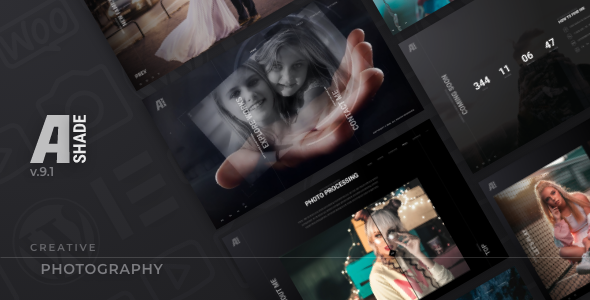
Stuck on your Ashade WordPress theme? Let's fix it.
No endless back-and-forth. Just send us the details and we'll get it done.
No obligation · Replies within 1 hour · Quote within 1 day
Setup · Customization · Bug fixes · WooCommerce integration
About Ashade WP Theme
Ashade is a photography WordPress theme built by shadow-themes. It’s designed specifically for photographers, visual artists, and creative studios who need a clean, image-first presentation. The theme ships with multiple pre-built demos covering portfolio layouts, galleries, and studio sites, all built around a minimal aesthetic that keeps the focus on the work itself.
Under the hood, Ashade uses the Elementor page builder and WooCommerce compatibility for print or digital sales. It supports full-screen galleries, lazy loading, AJAX navigation, and password-protected client galleries. The theme is well-documented and receives regular updates from shadow-themes, making it a reliable choice for photographers who want a polished site without building from scratch.
Get matched with a Ashade developer in under one day
Tell us about your Ashade project. Small fixes, Ashade theme customization, or a full website build, whatever you need, we've got it covered.
We'll connect you to the right Ashade developers, define the scope, and get everything 100% clear.
You'll get one estimate, hire your preferred developer, and start collaborating.
Most Ashade customization requests go beyond what documentation covers. Whether it’s a broken gallery layout after an update, a WooCommerce print shop setup, or a full custom build on top of the Ashade framework, you need a developer who knows the theme well.
Through Codeable, you get matched with vetted WordPress specialists who have hands-on experience with photography themes like Ashade. Post your project, get a clear estimate, and only move forward if it makes sense. No risk, no obligation.
Pros
- Purpose-built for photographers with image-first layouts and full-screen gallery support
- Includes AJAX-powered navigation that keeps gallery browsing smooth without full page reloads
- Password-protected client galleries built in, useful for delivering work to clients privately
- WooCommerce ready for selling prints or digital downloads directly from the portfolio
- Multiple distinct demo layouts covering weddings, portraits, commercial, and fine art niches
Cons
- Heavy reliance on Elementor means performance can degrade without proper caching and asset optimization
- Some demo layouts use deeply nested Elementor sections that are slow to edit and easy to break
- Client gallery password protection is basic and lacks advanced proofing or download management features
- Mobile gallery layouts occasionally need manual CSS fixes to display correctly on smaller screens
- Customizing outside the provided demos requires solid Elementor and PHP knowledge
Who is Ashade for?
Wedding Photography Studios
Ashade’s full-screen gallery layouts and elegant typography suit wedding photographers well. An Ashade developer can build out separate portfolio sections for different packages, configure inquiry forms, and set up password-protected galleries for each couple to view and download their delivered images privately.
Portrait Photographers
Portrait photographers benefit from Ashade’s clean grid and masonry layouts that present headshots, family sessions, and editorial work without distraction. A specialist can configure category filtering, set up a booking inquiry workflow, and ensure mobile gallery performance meets client expectations.
Commercial and Product Photographers
Commercial photographers often need a strictly organized portfolio split by industry or client type. An Ashade expert can build custom Elementor templates for each category, add case study pages, and ensure the site presents professionally to agency and brand clients browsing on desktop.
Fine Art and Gallery Artists
Fine art photographers and visual artists need gallery layouts that prioritize image quality and spacing. Ashade handles this well out of the box, but a developer can refine whitespace, add lightbox customizations, and integrate WooCommerce for limited edition print sales with proper variant and pricing controls.
Photo Printing and Digital Download Shops
Ashade’s WooCommerce compatibility makes it a workable base for selling prints or digital files. An Ashade developer can configure product variations for print sizes, set up digital download delivery, connect a print-on-demand service, and ensure checkout flows correctly without conflicts from gallery plugins.

Customizing Ashade
Ashade gives you a solid starting point, but most photographers need adjustments that go beyond the Customizer. Changing typography pairings, reworking gallery grid spacing, or building a custom client proofing workflow all require hands-on work inside Elementor or direct theme file edits.
An experienced Ashade expert can restructure demo layouts to match your actual brand, set up conditional page templates for different shoot categories, and configure WooCommerce for print sales with proper product variations. If you need custom CSS to fix hover states, lightbox behavior, or mobile breakpoints, a specialist handles that cleanly without breaking theme update compatibility. Hiring an Ashade developer saves hours of trial and error on tasks that need precision.
Recommended plugins for Ashade
Ashade works with several plugins that extend its core functionality. WooCommerce handles print and digital product sales. Smash Balloon or Envira Gallery add more gallery display options. WPML covers multilingual support for international studios.
For site speed, image-heavy photography sites need careful optimization. A developer can configure caching, CDN delivery, and image compression properly for Ashade’s gallery layouts. See our WordPress performance optimization service for details. If you’re building organic traffic from photography keywords, structured data and technical SEO setup matters. Our WordPress SEO service covers that ground.
Not sure which plugins to use? This WordPress plugins directory covers the most popular options with reviews and setup guides.
Ashade common issues
Ashade gallery not loading or showing blank page after update
Gallery loading failures after an Ashade update usually trace back to a JavaScript conflict, a plugin compatibility break, or a cached version of old scripts. Start by clearing all caches, then disable plugins one at a time to isolate the conflict. If the issue appeared directly after a theme update, check the shadow-themes changelog for breaking changes. Persistent gallery failures often need file-level inspection. Our WordPress bug fixing service handles these quickly with a proper diagnosis before touching anything.
Ashade Elementor layout broken or columns stacking incorrectly on mobile
Elementor layout breaks on mobile in Ashade are common after updates to either the theme or Elementor itself. The cause is usually a CSS specificity conflict or a changed breakpoint setting in Elementor’s global configuration. Open the affected page in Elementor, check responsive settings on each section, and look for hardcoded pixel widths on columns. If the layout was working before an update, use a staging site to compare versions. Our WordPress bug fixing service can pinpoint the exact element causing the stack issue.
Ashade WooCommerce shop page not displaying products correctly
When Ashade’s WooCommerce shop page shows blank areas, missing products, or broken product card layouts, the problem is usually a template override conflict. Ashade includes WooCommerce template files that can fall out of sync with newer WooCommerce versions. Go to WooCommerce > Status > System Status and check for outdated template files. Updating them manually or through a child theme usually resolves display issues. If the problem involves custom product layouts built in Elementor, those may need rebuilding after a WooCommerce major version update.
Ashade site loading slowly with large photo galleries
Ashade sites with large galleries slow down primarily because of unoptimized full-resolution images, missing lazy loading configuration, and Elementor’s asset bloat. Make sure lazy loading is enabled at the theme level and in your image optimization plugin. Serve images through a CDN, generate proper WebP versions, and limit the number of images loaded per gallery page. Elementor’s unused CSS and JS should be purged using its built-in asset loading controls. For a full performance audit tailored to Ashade gallery sites, see our WordPress performance service.
Ashade FAQ
Yes, Ashade is built specifically for photographers. It handles full-screen image display, gallery grids, client delivery, and portfolio organization cleanly. It’s a good fit for wedding, portrait, commercial, and fine art photographers. For anything beyond the default setup, hiring an Ashade specialist ensures the site reflects your actual brand and workflow rather than a generic demo.
Yes. Ashade is built around Elementor as its primary page builder. All demo layouts are constructed with Elementor widgets and sections, which means customization happens inside the Elementor editor. You’ll need Elementor free at minimum; some layouts may use Elementor Pro features like theme builder templates or dynamic content.
Yes. Ashade includes WooCommerce compatibility that lets you sell physical prints, digital downloads, or photography packages directly from your site. You can set up product pages with size and finish variations. A developer can configure this properly, connect a print-on-demand fulfillment service, and ensure checkout doesn’t conflict with Ashade’s gallery scripts.
Ashade includes a built-in password protection option for individual gallery pages. You set a password per page through the WordPress page settings, and clients access the gallery using that password. It’s simple and functional for basic delivery. If you need more advanced features like selective download, favorites, or client approval workflows, a custom plugin integration is required.
shadow-themes maintains Ashade with regular updates covering compatibility with new WordPress core releases, WooCommerce updates, and Elementor changes. The theme has been on the market for several years and has a solid update history. That said, major version updates occasionally introduce template changes that require manual review, especially if you’ve customized WooCommerce templates or used child theme overrides.
Hire an Ashade Developer for Your Photography Site
Whether you need a quick fix or a full custom build on Ashade, working with a specialist gets it done correctly the first time. Our developers know shadow-themes’ codebase, Elementor integration, and WooCommerce configuration inside out.
Post your project and get a free, no-obligation estimate within 24 hours. Get a Free Estimate and describe what you need. A vetted Ashade expert will review it and come back with a clear scope and price.
You'll need a free Codeable account so developers can ask questions and send their quotes.