Atomlab WordPress Theme
by ThemeMove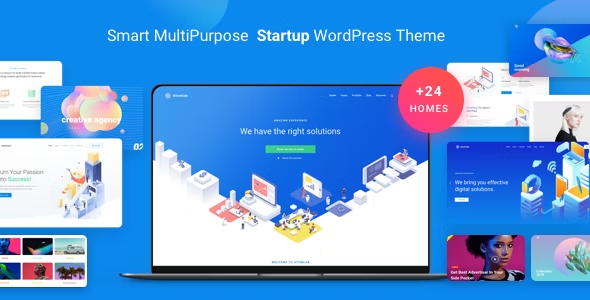
Stuck on your Atomlab WordPress theme? Let's fix it.
No endless back-and-forth. Just send us the details and we'll get it done.
No obligation · Replies within 1 hour · Quote within 1 day
Setup · Customization · Bug fixes · WooCommerce integration
About Atomlab WP Theme
Atomlab is a multi-purpose WordPress theme built by ThemeMove. It ships with over 30 pre-built demos covering portfolios, agencies, studios, and creative businesses. The page builder integration runs on WPBakery, and the theme includes a bundled version of Revolution Slider for animated header sections.
The demo content installs in one click, which gets a site looking close to the preview quickly. Atomlab targets designers, photographers, and digital agencies who want a polished visual layout without starting from scratch.
Built-in features include custom post types for portfolio items, team members, and testimonials. The theme supports WPML for multilingual sites and WooCommerce for basic shop functionality. It is regularly updated by ThemeMove and has accumulated strong ratings on ThemeForest since its release.
Get matched with a Atomlab developer in under one day
Tell us about your Atomlab project. Small fixes, Atomlab theme customization, or a full website build, whatever you need, we've got it covered.
We'll connect you to the right Atomlab developers, define the scope, and get everything 100% clear.
You'll get one estimate, hire your preferred developer, and start collaborating.
Atomlab is flexible but not always predictable. The WPBakery shortcode structure can produce bloated output, and mixing demo styles sometimes causes layout conflicts that are hard to trace without experience.
A vetted Atomlab developer on Codeable has solved these problems before. They know where the theme stores its settings, how to override templates correctly, and how to keep the site stable across updates. You get a specific person with relevant experience, not a generic freelancer. The work is scoped properly before anything starts, so there are no surprises.
Pros
- One-click demo import gets a site close to production-ready quickly
- Over 30 niche demos covering agencies, portfolios, studios, and shops
- Revolution Slider is bundled, avoiding an extra license cost
- WPML and WooCommerce compatibility for multilingual and ecommerce use
- Active update history from ThemeMove with ThemeForest support included
Cons
- WPBakery shortcode output creates heavy markup that slows page loads
- Heavy reliance on bundled plugins makes switching page builders painful
- Redux Framework options panel has a learning curve for new users
- Demo styles can conflict when mixing elements from multiple demos
- Portfolio and custom post type templates have limited override flexibility without a child theme
Who is Atomlab for?
Creative Agencies
Atomlab suits agency sites well. The service page layouts, team member sections, and case study portfolio templates map directly to what agencies need. The demo content is close enough to a real agency presentation that build time is significantly shorter than starting with a blank theme.
Freelance Designers and Photographers
Photographers and designers get grid-based portfolio layouts with filtering by category. The fullscreen image options and minimal navigation styles work for visual-first presentations. A developer can tighten the lazy loading and image optimization to keep gallery pages fast without sacrificing quality.
Digital Studios and App Developers
App and software studio demos in Atomlab include feature sections, pricing tables, and screenshot mockup areas. These work well for SaaS landing pages or mobile app promotion sites. Custom animations on scroll can be added through Revolution Slider layers or CSS transitions in a child theme.
WooCommerce Creative Shops
WooCommerce product pages inherit Atomlab’s styling reasonably well out of the box. The theme suits shops selling design assets, prints, or creative products where the visual brand matters as much as the product listing. Heavier catalog stores may need performance work given the theme’s script load.
Multilingual Business Sites
WPML compatibility makes Atomlab a practical choice for businesses serving multiple language markets. A developer can configure string translations, set up language switchers within the header, and ensure portfolio and custom post type content translates cleanly without layout breakage.

Customizing Atomlab
Atomlab customization happens primarily through the WPBakery page builder and the theme options panel powered by Redux Framework. You can adjust typography, colors, header layouts, and footer columns without touching code. Most visual changes are straightforward for users comfortable with drag-and-drop builders.
Beyond surface-level edits, things get more technical. Custom demo combinations, advanced layout changes, and modifications to the portfolio grid or filtering behavior require PHP and CSS knowledge. If you want a layout that sits outside the provided demos, you will likely need an Atomlab expert to step in.
An experienced Atomlab developer can extend the theme without breaking update compatibility, write clean child theme overrides, and integrate third-party plugins that do not conflict with the bundled scripts. That saves significant time compared to trial and error in the admin panel.
Recommended plugins for Atomlab
Atomlab works well with a focused set of plugins. WooCommerce adds shop pages that inherit the theme styling with minimal friction. WPML handles multilingual setups. Contact Form 7 and Mailchimp for WordPress cover lead capture. Revolution Slider is bundled and covers most hero section needs.
For sites that need faster load times, pairing Atomlab with a caching plugin and a CDN matters. WPBakery adds considerable JavaScript weight. A developer can defer or conditionally load scripts to improve scores. See our WordPress performance service for more on that. For organic visibility, structured content and clean markup help, and our WordPress SEO service covers the technical side.
Not sure which plugins to use? This WordPress plugins directory covers the most popular options with reviews and setup guides.
Atomlab common issues
Atomlab demo import not working
Demo import failures in Atomlab usually come from PHP memory limits or execution time settings that are too low on the hosting server. Set memory_limit to at least 256MB and max_execution_time to 300 in your php.ini or wp-config.php. Also confirm all required plugins, including WPBakery and Revolution Slider, are activated before running the import. If the problem continues, a manual XML import through the WordPress importer tool often gets around the timeout. Our bug fixing service can handle this if you are stuck.
Atomlab WPBakery elements not displaying correctly
WPBakery display issues in Atomlab are often caused by plugin conflicts or a cached version of the page still holding old shortcode output. Start by clearing all caches, including any server-side cache your host provides. Then deactivate plugins one at a time to isolate a conflict. If elements still render incorrectly, check whether the WPBakery version bundled with Atomlab is behind the standalone installed version, as mismatches cause rendering problems. A child theme CSS override can correct most visual discrepancies without modifying core files.
Atomlab portfolio filter broken after update
Portfolio filter breakage after an Atomlab update typically points to a JavaScript conflict. Open the browser console and look for errors tied to isotope.js or the theme’s custom filtering script. A common cause is a second copy of jQuery loading through a plugin. Use a script manager plugin to defer conflicting scripts. If the theme update changed the filter markup structure, any custom CSS targeting old class names will also need updating. Check the ThemeMove changelog to see if filter-related files were modified in the release.
Atomlab site loading slowly on mobile
Atomlab loads Revolution Slider scripts and WPBakery assets site-wide by default, including on pages that do not use them. This adds significant weight on mobile connections. Use a plugin like Asset CleanUp to disable unused scripts per page. Compress images before upload and consider a CDN for static assets. Enabling lazy loading on images helps perceived load time. For deeper performance work, see our WordPress performance service, where a developer can audit the full asset stack and reduce load time significantly.
Atomlab FAQ
Yes. ThemeMove continues to release updates for Atomlab on ThemeForest. The theme has an active support forum and a changelog showing regular maintenance releases. Buyers get lifetime updates included with the purchase. That said, response times on the support forum can vary, so complex issues often benefit from a dedicated developer rather than waiting in the queue.
Not practically. Atomlab’s demo content, portfolio templates, and most page layouts are built using WPBakery shortcodes. Removing WPBakery would leave those pages showing raw shortcode strings. You could rebuild pages from scratch using another builder, but that is essentially a site rebuild. If you want to move away from WPBakery, it is worth scoping that as a migration project rather than a quick swap.
Atomlab is not designed for Elementor. It is built around WPBakery, and the two builders conflict when run together on the same site. Some users install Elementor on specific pages while disabling WPBakery there, but this creates an inconsistent setup that is difficult to maintain. If Elementor is your preferred builder, a different theme built around it is a cleaner starting point.
Always use a child theme for any custom CSS or PHP changes. Updates to the parent theme will then not overwrite your modifications. Before updating, back up the full site including the database. Review the ThemeMove changelog to check if template files you may have copied into a child theme have changed, and update those manually. This process is straightforward but skipping the child theme step causes most update-related customization losses.
Yes, Atomlab sites migrate like any other WordPress installation. Export the database, move the files, update the site URL in the database, and update wp-config.php with the new database credentials. Revolution Slider and WPBakery licenses may need to be re-registered on the new domain. Our WordPress migration service handles the full process if you want it done without risk.
Hire an Atomlab Developer
If your Atomlab site needs custom layouts, plugin integration, speed improvements, or a fix that has been sitting in the backlog, working with a specialist is faster than figuring it out alone.
Through our free estimate process, you describe the project and get matched with a developer who has hands-on Atomlab experience within 24 hours. No obligation to hire, no upfront payment. Our WordPress development services cover everything from small fixes to full builds.
You'll need a free Codeable account so developers can ask questions and send their quotes.