Atrium WordPress Theme
by QuanticaLabs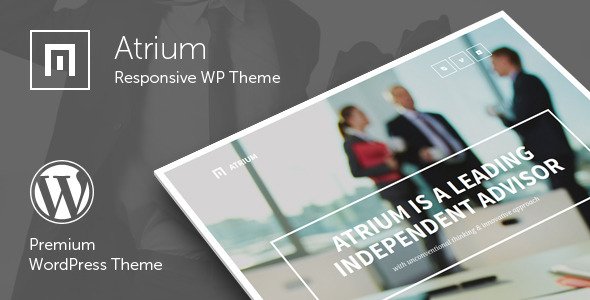
Stuck on your Atrium WordPress theme? Let's fix it.
No endless back-and-forth. Just send us the details and we'll get it done.
No obligation · Replies within 1 hour · Quote within 1 day
Setup · Customization · Bug fixes · WooCommerce integration
About Atrium WP Theme
Atrium is a WordPress theme built by QuanticaLabs, designed primarily for law firms, legal practices, and professional service businesses. It ships with a clean, authoritative layout that communicates trust without relying on heavy visual design. The theme includes pre-built page templates, a custom attorney/team member post type, a practice areas section, and a built-in case results display. It integrates with popular plugins like WPBakery Page Builder and Contact Form 7 out of the box.
QuanticaLabs built Atrium with non-technical users in mind, so most layout adjustments are handled through the WordPress Customizer. That said, getting the theme to match specific branding requirements or to extend beyond its default feature set usually requires someone with hands-on WordPress experience. The theme is sold through ThemeForest and comes with six months of author support.
Get matched with a Atrium developer in under one day
Tell us about your Atrium project. Small fixes, Atrium theme customization, or a full website build, whatever you need, we've got it covered.
We'll connect you to the right Atrium developers, define the scope, and get everything 100% clear.
You'll get one estimate, hire your preferred developer, and start collaborating.
Atrium is not a complicated theme, but getting it configured correctly for a real law firm takes more than clicking through the Customizer. Practice area taxonomies, attorney profiles, contact routing, and local SEO structure all need deliberate setup. FoxyConcept works with vetted WordPress developers through Codeable, so you get someone who has actually worked inside themes like Atrium before. No generalists, no guesswork. Just a developer matched to your specific project within 24 hours.
Pros
- Pre-built attorney and team member post type saves significant setup time for law firm sites
- Practice areas section with custom icons and descriptions is ready to populate out of the box
- WPBakery Page Builder is bundled, so no extra license cost for drag-and-drop layout editing
- Built-in case results and testimonials sections designed specifically for legal credibility signals
- Clean typography hierarchy with serif/sans-serif pairing suited for professional service contexts
Cons
- WPBakery shortcode lock-in makes switching page builders or themes later more difficult
- ThemeForest support expires after six months, leaving ongoing issues without official help
- Mobile menu behavior on complex navigation structures sometimes requires CSS fixes
- Limited layout variation outside the demo pages without custom development work
- No built-in appointment booking or client intake form beyond basic Contact Form 7 integration
Who is Atrium for?
Law Firms and Legal Practices
Atrium was built for this context. Multi-attorney firms can list each lawyer with their own profile, practice areas, bar admissions, and contact details. The case results section gives firms a structured way to display outcomes without custom post type work. The overall tone of the design reads professional and serious, which is exactly what legal clients expect before making contact.
Independent Attorneys
Solo practitioners get a focused single-page style setup that puts credentials, practice areas, and a contact form front and center. Atrium’s layout works well when the personal brand of one attorney is the product. You can strip back team sections and redirect that visual space toward trust signals like bar memberships, media appearances, or client testimonials.
Consulting and Advisory Firms
Consulting firms that need a clean, text-forward site with clear service descriptions and a strong contact call-to-action fit the Atrium structure well. The theme handles service listing pages and team bios cleanly. It works best for firms where authority and expertise are the primary selling points rather than visual portfolio work or product displays.
Accounting and Financial Services
Accounting practices and financial advisors need a site that communicates reliability. Atrium’s conservative design language works in that context. Service pages can be adapted from the practice area templates, and the testimonials section transfers directly. The main adjustment is replacing legal-specific terminology in labels and headings with accounting equivalents.
Real Estate Agencies
Real estate agencies can use Atrium’s team and listing structure as a starting point, though it requires more adaptation than legal use cases. Agent profiles map reasonably well to the attorney post type. The theme does not include native property listing functionality, so a plugin like WP-Property or Easy Property Listings would need to be added alongside it.

Customizing Atrium
Atrium gives you a reasonable starting point through the Customizer: colors, fonts, header layout, and basic section visibility. But most serious customization work happens outside those controls. If you want a custom homepage structure, modified attorney profile layouts, or a practice areas grid that does not match the defaults, you are looking at template overrides or child theme work.
Changing the WPBakery elements Atrium uses requires knowing how shortcodes and row/column structures interact. An Atrium expert can rebuild sections cleanly without breaking the theme’s built-in styling. They can also handle custom CSS conflicts that often appear after plugin updates. If your firm has a specific look in mind that the demo does not already show, hiring an experienced Atrium developer is the faster path to getting there without trial and error.
Recommended plugins for Atrium
Atrium pairs well with several plugins that extend what it does by default. WPBakery is already bundled, but adding Slider Revolution gives you more control over homepage hero sections. WPML or Polylang work for multilingual legal sites serving multiple regions. Yoast SEO or Rank Math slot in without conflicts for firms focused on local search. For performance, pairing Atrium with a caching plugin and a CDN makes a measurable difference on page load times. Learn more about WordPress performance optimisation and WordPress SEO for law firm sites.
Not sure which plugins to use? This WordPress plugins directory covers the most popular options with reviews and setup guides.
Atrium common issues
Atrium theme homepage not displaying correctly after update
This usually happens when a plugin update changes how WPBakery renders certain shortcodes, or when the theme’s bundled version of WPBakery falls out of sync with the standalone plugin version if both are active. Check whether you have WPBakery installed as a separate plugin alongside the theme’s bundled copy. Deactivating the standalone version and relying on the bundled one often resolves display issues. If the problem persists, a WordPress bug fixing service can isolate the conflict quickly.
Atrium WPBakery elements showing raw shortcodes on frontend
Raw shortcodes appearing on the frontend almost always mean WPBakery is deactivated or its required backend mapping is missing. Go to Plugins and confirm WPBakery Page Builder is active. If it is active and shortcodes still render as text, the issue may be a plugin conflict disabling the WPBakery output filter. Try switching to a default theme temporarily to isolate whether the problem is theme-side or plugin-side. Re-saving the affected page after reactivation often clears the output.
Atrium contact form not sending emails
Contact Form 7 email delivery failures on Atrium sites are almost always a server-level issue, not a theme issue. Shared hosting providers frequently block PHP mail functions. The fix is installing an SMTP plugin like WP Mail SMTP and routing form submissions through a real mail service such as Gmail, SendGrid, or Mailgun. Check your spam folder first to confirm the emails are sending but being filtered. If forms still fail after SMTP setup, review Contact Form 7’s mail tab for placeholder errors.
Atrium theme slow loading on mobile
Atrium loads several CSS and JavaScript files by default, including the full WPBakery library, which adds weight on mobile connections. Start by running the site through PageSpeed Insights to identify the largest offenders. Install a caching plugin and enable CSS/JS minification. Defer or lazy-load scripts that are not needed above the fold. If Slider Revolution is active on the homepage, optimize slider images and disable unused transition effects. More detail on this at our WordPress performance page.
Atrium FAQ
Yes. Atrium was specifically designed for legal practices. It includes attorney profiles, practice area templates, case results sections, and a layout style that suits professional service firms. It works well for solo practitioners and multi-attorney firms alike. The main limitation is that advanced customization beyond the demo requires development work, especially if your firm has specific branding requirements the default templates do not cover.
Atrium bundles WPBakery Page Builder, not Elementor. You can technically install Elementor alongside it, but the two page builders will conflict on the same pages. Most developers recommend sticking with the bundled builder to avoid compatibility issues. If you prefer Elementor, you would be better served by a different base theme. Replacing the builder in an existing Atrium site requires rebuilding affected page layouts from scratch.
Atrium registers a custom post type for attorneys. In your WordPress dashboard, look for an Attorneys or Team menu item in the left sidebar after the theme is active. Add a new entry, fill in the attorney’s name, title, bio, photo, and any custom fields for bar admissions or contact details. These profiles then display on the team page template that ships with the theme. You can control the display order through the post order settings.
Yes, with some adaptation. Consulting firms, accountants, financial advisors, and real estate agencies have all used Atrium successfully. The attorney post type and practice area sections can be relabeled for other professional contexts. The design language is conservative and authority-focused, which transfers well to any business where trust is the primary conversion factor. It is less suited to creative agencies or e-commerce stores.
Always use a child theme for any CSS or template modifications. If you have been editing the parent theme directly, an update will overwrite those changes. Before updating, back up your site fully. After updating, compare your customizations against the new parent theme files and reapply anything that changed. Using a child theme from the start avoids this problem entirely. If you need help with an existing setup, a WordPress maintenance plan covers safe update management.
Hire an Atrium WordPress Developer
Whether you need a full Atrium setup from scratch, a layout fix, or a custom feature added to an existing law firm site, we can match you with the right developer. Projects on Codeable start with a free estimate and there is no obligation to hire. Get your free estimate and have an Atrium developer review your project within 24 hours. Every developer on the platform is vetted, so you are not taking a chance on an unknown freelancer.
You'll need a free Codeable account so developers can ask questions and send their quotes.