Avas WordPress Theme
by theme-x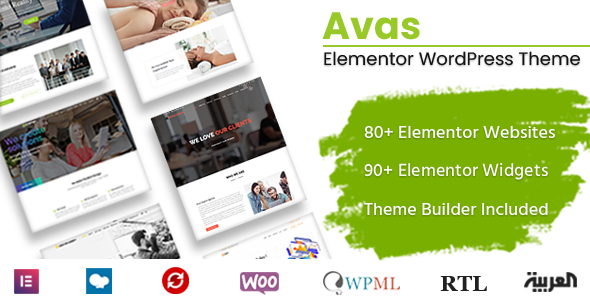
Stuck on your Avas WordPress theme? Let's fix it.
No endless back-and-forth. Just send us the details and we'll get it done.
No obligation · Replies within 1 hour · Quote within 1 day
Setup · Customization · Bug fixes · WooCommerce integration
About Avas WP Theme
Avas is a multi-purpose WordPress theme built by Theme-X. It ships with over 100 pre-built demo sites covering a wide range of industries, from agencies and portfolios to medical practices and e-commerce stores. The theme is powered by a drag-and-drop page builder and includes a built-in header and footer builder, giving you control over layout without touching code.
Avas supports WooCommerce, WPML for multilingual sites, and integrates with popular plugins like Contact Form 7 and Revolution Slider. Performance-wise, it is coded with clean markup and supports lazy loading and minification options out of the box. It is a solid choice for freelancers and agencies who want to build client sites quickly without starting from scratch every time.
Get matched with a Avas developer in under one day
Tell us about your Avas project. Small fixes, Avas theme customization, or a full website build, whatever you need, we've got it covered.
We'll connect you to the right Avas developers, define the scope, and get everything 100% clear.
You'll get one estimate, hire your preferred developer, and start collaborating.
Avas has enough flexibility to build almost any site, but that flexibility comes with complexity. Getting a pixel-perfect result from a pre-built demo takes real configuration work. Our developers on Codeable have hands-on experience with Avas projects across multiple industries. They can handle everything from initial setup and demo import to custom template creation and WooCommerce integration. No guesswork, no wasted revisions.
Pros
- Over 100 pre-built demos across diverse industries speed up project kickoff significantly
- Built-in header and footer builder removes the need for a separate plugin like Elementor Header Footer
- WPBakery Page Builder included in the theme price, saving on additional licensing
- Strong WooCommerce integration with dedicated product and shop page templates
- WPML compatible out of the box, making it a practical choice for multilingual client sites
Cons
- WPBakery shortcode lock-in makes switching page builders or themes painful later
- Demo import can be slow and occasionally requires manual cleanup of placeholder content
- The sheer number of options in the theme panel has a steep learning curve for newcomers
- Revolution Slider, while included, can add significant page weight if not configured carefully
- Updates occasionally break customizations made directly to theme files without a child theme
Who is Avas for?
Creative Agency Website
Avas has several agency-focused demos with bold typography, animated counters, team member sections, and portfolio grids. These work well as a starting point for digital agencies or design studios. A developer can strip out unnecessary sections and tailor the layout to match your brand quickly, without rebuilding from a blank canvas.
WooCommerce Online Store
The WooCommerce templates in Avas cover product pages, shop archives, and cart pages with clean, customizable layouts. You can adjust product image sizes, review placement, and add-to-cart button styles through the theme panel. For stores with specific product display requirements, a developer can extend these templates without modifying core files.
Medical or Health Clinic Site
Avas includes medical and dental demo sites with appointment booking sections, service lists, and doctor profile layouts. These demos pair well with booking plugins like Amelia or Simply Schedule Appointments. The clean layout works well for building patient trust and presenting services clearly without cluttered design.
Freelancer Portfolio
Freelancers can use Avas portfolio demos to showcase work samples, list services, and collect leads. The built-in portfolio post type supports filtering by category, and the contact sections integrate with Contact Form 7. It is a practical setup that can be live within a day if you start from the right demo.
Corporate Business Site
Avas corporate demos include features like icon boxes, pricing tables, testimonial sliders, and full-width call-to-action sections. These are well-suited to professional services firms, consultancies, and B2B companies. The header builder allows multi-row headers with contact details, phone numbers, and social links displayed prominently.

Customizing Avas
Avas gives you a lot of knobs to turn in the WordPress Customizer, but getting everything aligned exactly how you want takes time. The header builder alone has enough options to slow down someone unfamiliar with the theme’s logic. Font pairings, color schemes, section spacing, and mobile breakpoints all need deliberate attention.
If you want to skip the trial and error, working with an Avas expert saves hours. They know which demo to start from, how to modify the global styles without breaking child theme compatibility, and how to wire up WooCommerce product layouts the way you actually want them. Custom post type templates, mega menus, and sticky header behavior are all areas where experienced hands make a real difference.
Recommended plugins for Avas
Avas works well with a standard WordPress plugin stack. For e-commerce, WooCommerce slots in cleanly with dedicated product page templates. Revolution Slider and WPBakery come bundled, so you avoid extra licensing costs. The theme also plays nicely with caching plugins like WP Rocket, which matters for WordPress performance on larger sites.
For SEO, Avas generates clean heading structures and supports schema markup through plugins like Rank Math or Yoast. If you need structured WordPress SEO optimisation, both integrate without conflicts. WPML support makes it a practical choice for multilingual projects too.
Not sure which plugins to use? This WordPress plugins directory covers the most popular options with reviews and setup guides.
Avas common issues
Avas demo import not working or stuck
Failed demo imports in Avas are usually caused by low PHP memory limits or upload size restrictions on the server. Start by setting memory_limit to at least 256MB in your php.ini or wp-config.php. Also increase max_execution_time to 300 seconds. If the import still stalls, try importing content, widgets, and Customizer settings separately instead of all at once. If issues persist, our WordPress bug fixing service can resolve it fast.
Avas header builder not showing on front end
If the Avas header builder is enabled but not rendering on the front end, the most common cause is a conflicting plugin or a cached version of the old header. Clear all caches first, including server-level and CDN caches. Check that the header builder is assigned correctly under Theme Options and not overridden by a page-level template setting. If you are using a child theme, ensure the header template file is not overriding the theme’s builder output.
Avas WooCommerce pages not displaying correctly
WooCommerce display issues in Avas often occur after a WooCommerce update that changes template file structure. Avas ships with its own WooCommerce template overrides, and these can fall out of sync. Go to WooCommerce > Status > Tools and check for outdated templates. Updating or removing the overridden templates usually resolves layout breaks. A developer familiar with Avas can update these files safely without disrupting your store.
Avas theme update broke my site layout
Layout breaks after an Avas update almost always indicate customizations were made in the parent theme files rather than a child theme. The update overwrites those changes. If you do not have a child theme set up, create one and move your custom CSS and template overrides there before applying future updates. For immediate recovery, restoring a backup and then migrating changes to a child theme is the cleanest fix. See also our WordPress maintenance service for ongoing update management.
Avas FAQ
Avas is manageable for beginners who start from a pre-built demo, but it has a steep learning curve if you want to deviate from the demo layout. The volume of theme options and the WPBakery page builder both require time to learn properly. If you are not comfortable with page builders, hiring a developer for the initial setup and handing over a clean, editable site is a practical approach.
Avas is built around WPBakery Page Builder, not Elementor. While you can technically install Elementor alongside it, mixing two page builders on the same site creates conflicts and bloat. If you prefer Elementor, you would be better served by a theme designed for it. Avas is best used as intended, with WPBakery and its own built-in builder tools.
Avas currently offers over 100 pre-built demo sites. These cover a broad range of niches including agencies, restaurants, medical practices, gyms, law firms, portfolios, and e-commerce stores. Each demo can be imported with one click and then modified. Not all demos are equal in quality, so choosing the right starting point for your project matters.
Avas produces reasonably clean markup and supports standard performance optimizations like lazy loading and minification through its theme options. That said, bundled plugins like Revolution Slider add weight if not used carefully. For strong Core Web Vitals scores, you will need a caching plugin, optimized images, and possibly a CDN. It supports SEO plugins like Rank Math and Yoast without conflicts.
Yes. Avas comes with a regular license per site, so for client projects you need to purchase a license for each site you build. Theme-X does not offer a developer or agency license specifically, but many agencies simply factor the theme cost into their project pricing. If you plan to build multiple client sites, check the current licensing terms on Envato directly.
Hire an Avas Developer for Your WordPress Project
Whether you need a full Avas site built from a demo, a custom layout created from scratch, or an existing Avas site fixed and improved, we can help. Our vetted WordPress developers have direct experience with the Avas theme and deliver clean, maintainable work. Post your project and get a free estimate within 24 hours, with no obligation to proceed. Get your free estimate here and tell us what you need.
You'll need a free Codeable account so developers can ask questions and send their quotes.