Ave WordPress Theme
by LiquidThemes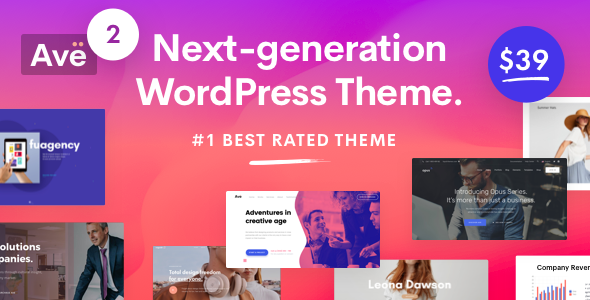
Stuck on your Ave WordPress theme? Let's fix it.
No endless back-and-forth. Just send us the details and we'll get it done.
No obligation · Replies within 1 hour · Quote within 1 day
Setup · Customization · Bug fixes · WooCommerce integration
About Ave WP Theme
Ave is a multi-purpose WordPress theme built by LiquidThemes. It ships with a drag-and-drop page builder, 200+ pre-built demo sites, and a header/footer builder that gives you control over layout without writing code. The theme leans on WPBakery and Slider Revolution, both bundled in. It targets agencies, freelancers, and businesses that want a polished site without commissioning a fully custom build.
Performance is a common concern with themes this size. Ave loads a significant amount of assets by default, so optimization usually requires deliberate configuration. The demo importer works well when server resources allow it, though shared hosting can cause timeouts. Overall, Ave is a capable theme with a wide feature set, but it rewards users who understand WordPress well enough to configure it properly.
Get matched with a Ave developer in under one day
Tell us about your Ave project. Small fixes, Ave theme customization, or a full website build, whatever you need, we've got it covered.
We'll connect you to the right Ave developers, define the scope, and get everything 100% clear.
You'll get one estimate, hire your preferred developer, and start collaborating.
Ave has enough moving parts that configuration mistakes are common. Wrong header settings, conflicting plugin scripts, or a broken demo import can stall a project for days. A vetted Ave developer on Codeable has seen these problems before and can fix them fast. Codeable screens every developer before they take a project, so you’re not guessing at qualifications. You post a project, get a fixed-price estimate, and only pay when you’re ready to proceed. No hourly surprises.
Pros
- 200+ pre-built demo sites cover most industries and import in a few clicks
- Header and footer builder gives layout control without custom code
- WPBakery and Slider Revolution are bundled, no extra license needed
- WooCommerce support is built in with dedicated shop layout options
- WPML compatible, suitable for multilingual business sites
Cons
- Heavy default asset load hurts performance scores out of the box
- WPBakery shortcode lock-in makes switching page builders painful later
- Demo importer frequently times out on shared or low-resource hosting
- Theme Options panel is dense and finding specific settings takes time
- Slider Revolution loads scripts site-wide even on pages without sliders
Who is Ave for?
Creative Agency
Ave has several agency-focused demos with portfolio grids, case study layouts, and team sections. The header builder supports transparent overlays and sticky navigation, which agency sites typically need. An Ave specialist can adapt an existing demo to match brand guidelines without rebuilding from scratch, saving significant time on a client project.
WooCommerce Store
Ave’s WooCommerce integration includes custom shop pages, product filters, and cart styling. You can build category landing pages with WPBakery and connect them to filtered product archives. The theme handles variable products and single-product layouts cleanly. An Ave developer can extend the default shop setup with custom hooks and template overrides where needed.
Corporate Business Site
Corporate demos in Ave include service pages, team grids, testimonial sections, and multi-level navigation. The theme handles large menus without dropdown issues. An Ave expert can configure the header for dual logos, language switchers, and CTA buttons, which are common corporate navigation requirements that need precise setup inside the header builder.
Freelance Portfolio
Ave includes masonry and grid portfolio layouts with filterable categories. Single project pages support full-width galleries, video embeds, and related project links. For freelancers who want a fast online presence, an Ave specialist can configure a portfolio, about page, and contact form quickly using an existing demo as the foundation.
Restaurant or Hospitality
Restaurant demos in Ave include menu sections, reservation form integration, and full-screen hero images. OpenTable and similar booking plugins work alongside Ave without conflict. The theme supports dark color schemes well, which suits hospitality branding. An Ave developer can build a custom menu layout using WPBakery that matches printed menu design.

Customizing Ave
Ave gives you multiple layers of customization. The Theme Options panel controls global typography, colors, and layout defaults. The header builder lets you construct custom navigation with search bars, social icons, and sticky behavior. The footer builder follows the same logic.
WPBakery handles most page layouts, though the learning curve is real if you haven’t used it before. An Ave expert can strip out redundant shortcodes, build reusable templates, and configure the theme so it doesn’t fight your content. Custom CSS is supported, but a lot of what people reach for custom code to do can be done inside the panel if you know where to look. Hiring an Ave specialist saves time and avoids breaking things during experimentation.
Recommended plugins for Ave
Ave integrates with WooCommerce for shop builds, Contact Form 7 and Gravity Forms for lead capture, and WPML for multilingual sites. Slider Revolution is bundled and handles hero sections and animated banners. Revolution Slider adds weight to every page load by default, so disabling it on pages that don’t use it matters.
If you’re running a content-heavy or ecommerce site on Ave, WordPress performance optimization should be a priority before launch. Caching, image compression, and script loading order all affect how Ave performs under real traffic. The theme doesn’t block any major optimization plugin from working.
Not sure which plugins to use? This WordPress plugins directory covers the most popular options with reviews and setup guides.
Ave common issues
Ave demo import failing or timing out
Demo import timeouts in Ave are almost always a server resource issue. Increase max_execution_time to 300 and memory_limit to 256M in your php.ini or wp-config.php. If you’re on shared hosting, try importing the demo XML manually through Tools > Import instead of using the built-in importer. Deactivate non-essential plugins before starting the import to reduce memory load.
Ave header not showing correctly on mobile
Ave’s mobile header behavior is controlled inside the Header Builder under the mobile breakpoint settings. Check that your mobile menu is assigned and that the hamburger icon is visible. If the header overlaps content, check the sticky header offset settings. CSS conflicts from third-party plugins can also affect mobile header display. Use browser dev tools to identify which rule is overriding the layout.
Ave WooCommerce shop page layout broken
A broken WooCommerce shop layout in Ave usually means a plugin conflict or a missing WooCommerce template override. Go to WooCommerce > Status > Tools and run the template check. If templates are outdated, update them. If the layout is still broken, temporarily switch to a default theme to confirm whether the issue is Ave-specific. For persistent layout problems, WordPress bug fixing can identify the conflict quickly.
Ave Slider Revolution not loading on homepage
If Slider Revolution isn’t loading on the homepage, first check that the plugin is activated and the slider is assigned to the correct element in WPBakery. Clear all caches, including server-side cache if applicable. If scripts are dequeued by a performance plugin, whitelist Slider Revolution’s assets. Check the browser console for JavaScript errors that may indicate a script conflict with another plugin.
Ave child theme changes not applying
If your Ave child theme changes aren’t applying, verify the child theme is active under Appearance > Themes. Check that your style.css has the correct Template: ave header declaration. If you’ve edited functions.php, confirm there are no PHP syntax errors by checking the error log. Changes to WPBakery-based layouts won’t inherit from a child theme since they’re stored in the database, not template files.
Ave page builder content showing as shortcode text
Shortcode text appearing instead of rendered content means WPBakery is either deactivated or its shortcodes are not being parsed. Reactivate the WPBakery Page Builder plugin under Plugins. If it’s active, check for a JavaScript error in the console that may be preventing rendering. Switching the editor backend role to Administrator can sometimes resolve permission-related shortcode issues in WPBakery.
Ave contact form not sending emails
Contact form email failures in Ave are usually a mail delivery issue, not a theme problem. Install WP Mail SMTP and configure it with an SMTP provider like SendGrid or Mailgun. Test the connection from the plugin’s diagnostic tool. If the form submits but never confirms, check for JavaScript errors in the console and confirm the form’s success/error message settings are configured correctly inside Contact Form 7 or Gravity Forms.
Ave theme update broke site layout
A theme update breaking layout is often caused by changes to shortcodes or WPBakery templates. After updating Ave, go to Appearance > Theme Options and resave settings. If pages look wrong, check for deprecated WPBakery elements. Restore from backup if available. For ongoing update-related problems, professional WordPress bug fixing can resolve version conflicts before they affect live traffic.
Ave portfolio filter not working
Ave portfolio filters use JavaScript category matching based on CSS classes assigned to each portfolio item. If filters stop working, a JavaScript conflict is the most likely cause. Open the browser console and look for errors on the portfolio page. Deactivate plugins one by one to find the conflict. Also confirm that portfolio items have categories assigned and that the filter element in WPBakery is set to match the correct portfolio post type.
Ave site slow loading on mobile
Ave loads Slider Revolution, WPBakery assets, and theme scripts by default on every page. For mobile speed, disable Slider Revolution on pages that don’t use it, enable lazy loading for images, and use a caching plugin like WP Rocket. A CDN helps with static assets. For deeper optimization, WordPress performance services can audit and configure Ave specifically to reduce load time on mobile connections.
Ave FAQ
Ave works with WooCommerce and includes dedicated shop page templates, product grid layouts, and cart styling. It supports variable products and has options for sidebar placement on shop and single product pages. For custom shop functionality beyond the default templates, an Ave developer can add template overrides or custom hooks without modifying core theme files.
Ave is built around WPBakery and is not officially optimized for Elementor. You can install Elementor alongside Ave, but the theme’s demo content and layout features are designed for WPBakery. Mixing both builders on the same site creates bloat and potential conflicts. If you prefer Elementor, a different theme built for it would be a cleaner starting point.
Always use a child theme for customizations so parent theme updates don’t overwrite your changes. Before updating, back up your site and check the Ave changelog for breaking changes. After updating, resave Theme Options settings. Custom CSS in the child theme’s style.css survives updates safely. Database-stored WPBakery content is not affected by theme updates.
Yes, Ave is WPML compatible. You can translate pages, theme strings, and WooCommerce content using WPML’s String Translation and WooCommerce Multilingual modules. The header builder supports per-language navigation setups. An Ave specialist can configure WPML correctly to avoid duplicate content and ensure language switchers display properly across all page templates.
Ave uses WPBakery Page Builder as its primary layout tool, with Slider Revolution bundled for hero sliders and animated sections. Both plugins are included with the theme license at no extra cost. The theme also uses its own Header Builder and Footer Builder for structural layout, which operate independently from WPBakery.
Go to Appearance > Ave Demos inside your WordPress dashboard. Browse available demos and click Install. The importer will pull in content, settings, and media. Increase your PHP memory limit and execution time before importing to avoid timeouts. On shared hosting, use the manual XML import method via Tools > Import if the one-click importer fails.
LiquidThemes continues to release updates for Ave through ThemeForest. Update frequency varies, but compatibility updates for major WordPress and WooCommerce releases are generally issued. Check the changelog on the ThemeForest product page to confirm the last update date before purchasing or before committing to a long-term project on the theme.
Create a folder named ave-child in your wp-content/themes directory. Add a style.css file with the required header including Template: ave and a functions.php that enqueues the parent stylesheet. Activate the child theme under Appearance > Themes. All custom CSS and template overrides should live in the child theme to survive Ave parent theme updates.
Yes. Ave is WPML compatible and works with Polylang for basic multilingual setups. For full WooCommerce multilingual support, WPML with the WooCommerce Multilingual addon is the more complete solution. Language switchers can be added to the header using Ave’s Header Builder. Proper configuration avoids translation conflicts and keeps SEO-friendly URL structures intact.
Ave developer rates on Codeable typically range from $70 to $120 per hour depending on the scope and complexity. Fixed-price projects are also available for clearly scoped tasks like demo setup, layout customization, or bug fixing. Post your project to get a specific estimate. There’s no obligation to hire, and the estimate is free.
Hire an Ave Developer
Whether you need a full site build, a single layout fixed, or a custom feature added to your Ave theme, a dedicated Ave expert can handle it. Projects are scoped upfront so you know the cost before work begins. Get a Free Estimate and describe what you need. You’ll be matched with a developer who knows Ave specifically, not just WordPress in general.
You'll need a free Codeable account so developers can ask questions and send their quotes.