Ayro WordPress Theme
by Select-Themes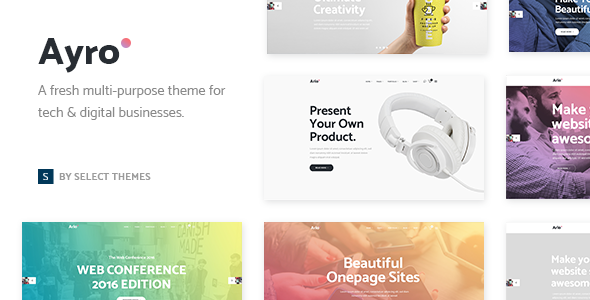
Stuck on your Ayro WordPress theme? Let's fix it.
No endless back-and-forth. Just send us the details and we'll get it done.
No obligation · Replies within 1 hour · Quote within 1 day
Setup · Customization · Bug fixes · WooCommerce integration
About Ayro WP Theme
Ayro is a multipurpose WordPress theme built by Select-Themes. It ships with a clean, minimal design and integrates tightly with Elementor, making it a practical choice for agencies, freelancers, and small businesses that want a professional site without starting from scratch.
The theme includes multiple pre-built demo sites covering creative, corporate, and portfolio use cases. It supports WooCommerce out of the box, handles custom headers and footers through the Elementor canvas, and keeps the codebase light enough that performance does not suffer on shared hosting. Select-Themes maintains the theme actively, with updates that track core WordPress and Elementor changes. It is a solid foundation for sites that need to look polished without heavy custom development.
Get matched with a Ayro developer in under one day
Tell us about your Ayro project. Small fixes, Ayro theme customization, or a full website build, whatever you need, we've got it covered.
We'll connect you to the right Ayro developers, define the scope, and get everything 100% clear.
You'll get one estimate, hire your preferred developer, and start collaborating.
Ayro is straightforward to work with if you know Elementor and WordPress theme architecture. Most problems — broken layouts after updates, slow load times, custom template conflicts — have clear solutions when you know where to look.
FoxyConcept connects you with vetted Ayro developers through Codeable, the professional WordPress network. Every developer on the platform has passed a strict vetting process. You get a free estimate before any work starts, and you only pay if you decide to move forward.
Pros
- Tight Elementor integration with pre-built sections that actually match the demo previews
- WooCommerce-ready out of the box with product and cart templates that need minimal adjustment
- Multiple demo imports covering distinct niches, not just colour variants of the same layout
- Child theme support is clean, making safe customization straightforward for developers
- Select-Themes maintains an active update schedule, keeping compatibility with current WordPress and Elementor versions
Cons
- Heavily dependent on Elementor, so switching page builders later requires rebuilding every page
- Demo import can fail or import incomplete content on slower or restricted hosting environments
- Typography and spacing controls inside the Customizer are limited, requiring Elementor Global Settings for real control
- Documentation is basic and does not cover advanced customization scenarios or child theme setup in depth
- Mobile menu behaviour is adequate but not flexible, making custom mobile navigation require additional CSS or JavaScript
Who is Ayro for?
Creative Agency
Ayro’s portfolio and agency demo layouts work well for creative teams that need to present client work clearly. The Elementor-based page structure makes it easy to build case study pages and service overviews without writing code. An Ayro developer can strip out demo content and build the actual page architecture your agency needs.
Freelance Portfolio
Freelancers benefit from Ayro’s clean visual style and straightforward project grid layouts. Setting up a contact form, skills section, and work samples takes a fraction of the time it would on a blank theme. A developer can tighten the layout and add custom post types for projects if the default setup is not enough.
Small Business
Service-based businesses get a professional online presence quickly with Ayro. The theme handles service pages, team sections, and testimonials without plugins for those elements. An Ayro expert can connect it to booking systems, CRMs, or custom enquiry forms depending on how the business operates.
WooCommerce Store
Ayro’s WooCommerce compatibility means product pages, cart, and checkout work without layout conflicts. It is a practical starting point for stores that do not need a heavily branded shopping experience. A developer can customise product templates, add upsell sections, and adjust the checkout flow using a child theme.
Startup Landing Page
Startups launching a single product or service can use Ayro’s landing page demos as a base. The full-width Elementor canvas makes it easy to build a focused page with a clear call to action. An Ayro developer can optimise it for speed and hook in email capture or payment tools quickly.

Customizing Ayro
Ayro gives you a reasonable head start, but most clients need changes that go beyond what the Customizer handles. Header layouts, custom post type templates, conditional sidebars, and WooCommerce checkout redesigns all require hands-on work inside Elementor or PHP template files.
An Ayro expert knows where the theme stores its settings, which hooks are available, and how to override templates cleanly using a child theme rather than editing core files. That matters because every Select-Themes update can overwrite direct edits.
Working with an experienced Ayro developer through FoxyConcept means your customizations survive updates, load quickly, and behave consistently across devices. Whether you need a single layout adjusted or a full site built on the Ayro framework, the work is done properly the first time.
Recommended plugins for Ayro
Ayro works well with the plugins most WordPress sites already rely on. WooCommerce integration is stable, and the theme handles product pages without major layout conflicts. For SEO, pairing Ayro with Rank Math or Yoast is straightforward — see our WordPress SEO service for help with that setup.
Performance tuning matters with any Elementor-based theme. Caching, image optimization, and script management can cut load times significantly — our WordPress performance service covers this in detail. Contact Form 7, WPForms, and Gravity Forms all integrate without issues.
Not sure which plugins to use? This WordPress plugins directory covers the most popular options with reviews and setup guides.
Ayro common issues
Ayro theme demo import not working
Demo import failures in Ayro are usually caused by server-side limits: low PHP memory, short execution timeouts, or file size restrictions. Start by checking your host’s PHP settings and temporarily increasing memory_limit and max_execution_time. If the import still fails partway through, try importing the content XML manually using the WordPress importer, then import widgets and Customizer settings separately. Our WordPress bug fixing service can resolve this cleanly if you are stuck.
Ayro header not showing correctly after update
Ayro builds its header through Elementor’s Theme Builder. After an update, the header template can lose its display conditions or conflict with a cached version of the page. Clear all caches first, including server-side and CDN caches. Then go to Elementor’s Theme Builder, check that the header template still has the correct display conditions set, and republish it. If the issue persists, deactivate plugins one by one to identify a conflict. Our bug fixing service handles this systematically.
Ayro theme slow loading with Elementor
Ayro with Elementor loads several scripts and stylesheets by default that may not all be needed on every page. Start by enabling Elementor’s built-in Improved Asset Loading under Elementor settings. Then implement a caching plugin with CSS and JavaScript minification, and serve images in WebP format. Avoid loading the full Elementor library on pages that do not use it. For a structured approach, see our WordPress performance service.
Ayro WooCommerce product page layout broken
WooCommerce template conflicts in Ayro usually happen when the theme’s product templates fall out of sync with the WooCommerce version. Check the WooCommerce status screen under Tools for any outdated template warnings. If Ayro templates are flagged, the fix is to copy the updated WooCommerce template file into the theme’s WooCommerce folder and merge the changes. Always do this in a child theme. If the layout is broken without a template warning, a plugin conflict is more likely. Our WordPress bug fixing service can diagnose this quickly.
Ayro FAQ
Select-Themes updates Ayro regularly to track WordPress core changes. For any theme, it is good practice to test updates on a staging site before pushing them to production. If you are running an older version of Ayro and need to update safely, our WordPress maintenance service handles staged updates and rollback if needed.
Ayro’s core layouts work with Elementor Free. However, the Theme Builder features that control header, footer, and archive templates require Elementor Pro. If your demo import includes custom headers, you will need Elementor Pro to edit or replicate them. Most sites built seriously on Ayro end up using Elementor Pro at some point.
Technically yes, but it is not practical. Ayro is designed with Elementor as the primary editor. Without it, the demo page layouts display as plain content blocks, and the visual structure is gone entirely. If you prefer not to use Elementor, Ayro is not the right theme for that project.
Create a new folder in wp-content/themes/ named ayro-child. Add a style.css file with the correct theme header including Template: ayro, and a functions.php file that enqueues the parent theme stylesheet. Activate the child theme from the Appearance menu. All your customizations go into the child theme so updates do not overwrite them.
Ayro produces clean HTML output and does not load unnecessary schema or SEO markup, which means it does not interfere with dedicated SEO plugins. Pair it with Rank Math or Yoast for full control over metadata and schema. For a properly optimised setup, take a look at our WordPress SEO service.
Hire an Ayro Developer
Need an Ayro expert who can hit the ground running? FoxyConcept works through Codeable, where every WordPress developer is individually vetted. You describe your project, get matched with a developer within 24 hours, and receive a fixed estimate before any work begins.
There is no obligation to hire and no upfront payment. It is a straightforward way to get qualified help without the guesswork. Get a free estimate today and see what a proper Ayro build looks like.
You'll need a free Codeable account so developers can ask questions and send their quotes.