Backhoe WordPress Theme
by Mymoun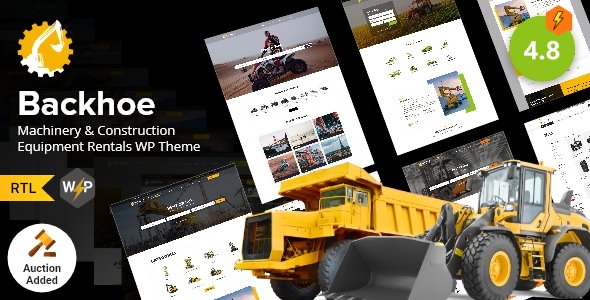
Stuck on your Backhoe WordPress theme? Let's fix it.
No endless back-and-forth. Just send us the details and we'll get it done.
No obligation · Replies within 1 hour · Quote within 1 day
Setup · Customization · Bug fixes · WooCommerce integration
About Backhoe WP Theme
Backhoe is a WordPress theme built by Mymoun, designed primarily for construction companies, heavy equipment businesses, and industrial service providers. It ships with a bold, professional layout that puts your services and project portfolio front and center.
The theme includes a page builder-compatible structure, pre-built section templates, and a clean codebase that loads fast without unnecessary bloat. You get a homepage that communicates credibility quickly, which matters when potential clients are comparing contractors online.
Backhoe supports WooCommerce for equipment sales or parts shops, custom post types for projects and services, and a contact system suited for quote requests. It works well out of the box, though most businesses will want at least some customization to match their branding and service offerings.
Get matched with a Backhoe developer in under one day
Tell us about your Backhoe project. Small fixes, Backhoe theme customization, or a full website build, whatever you need, we've got it covered.
We'll connect you to the right Backhoe developers, define the scope, and get everything 100% clear.
You'll get one estimate, hire your preferred developer, and start collaborating.
Backhoe is not a complex theme, but getting it to work exactly how a construction or equipment business needs it requires real WordPress experience. A developer who has worked with industrial and trade service sites knows what clients expect and where generic setups fall short.
Through Codeable, you get matched with vetted WordPress developers who have handled themes like Backhoe before. No junior freelancers, no guesswork. Post your project, get an estimate within 24 hours, and decide from there with zero obligation. See our full WordPress development services for what is possible.
Pros
- Purpose-built layout for construction and heavy equipment businesses
- Project portfolio post type included, ready for case studies
- WooCommerce compatible for equipment or parts sales
- Page builder compatible, so non-technical users can edit content
- Bold, high-contrast design that reads well on mobile at job sites
Cons
- Limited niche appeal, works best for construction and industrial sectors only
- Default demo content requires significant editing to remove generic placeholder text
- No built-in quote or estimate request system, requires a third-party form plugin
- Theme updates from Mymoun are infrequent, which can create compatibility gaps with newer WordPress versions
- Documentation is sparse, making advanced customization harder without developer help
Who is Backhoe for?
Construction Companies
General contractors and construction companies get a site that showcases completed projects, lists services clearly, and makes it easy for clients to request a quote. The project portfolio feature handles before-and-after case studies well, and the layout communicates scale and professionalism without needing heavy customization.
Equipment Rental Businesses
Backhoe’s WooCommerce support makes it practical for equipment rental businesses to list machines with specs, daily rates, and availability. A developer can add a booking inquiry form or a filterable catalog that lets customers search by equipment category or capacity without leaving the site.
Excavation and Earthmoving Services
Excavation and earthmoving contractors benefit from the theme’s strong visual structure. A Google Maps integration showing service regions, a project gallery with site photos, and a clear contact form for job inquiries all work well within Backhoe’s existing layout with moderate customization effort.
Industrial Suppliers
Industrial product suppliers can use Backhoe’s WooCommerce compatibility to build a parts or materials catalog. The theme handles product-heavy pages without feeling cluttered, and its bold design suits B2B buyers who want to find specs and pricing quickly rather than browse a consumer-styled shop.
Civil Engineering Firms
Civil engineering firms need a site that signals authority and handles complex service descriptions. Backhoe’s page structure supports detailed service pages, team profiles, and document downloads like permits or project briefs. It presents a firm as serious and established, which matters when competing for government or commercial contracts.

Customizing Backhoe
Out of the box, Backhoe gives you a solid foundation, but most construction or equipment businesses need more than a template swap. You will likely want custom color schemes, typography that matches your brand, and a homepage layout that reflects your actual service area and specialties.
Beyond visuals, a Backhoe expert can configure the project portfolio to filter by equipment type or industry, set up a quote request workflow, and integrate Google Maps to show your service territory. If you run a team, adding staff profiles or certifications pages takes the site from generic to convincing.
More technical work includes integrating CRM tools, setting up custom forms, or connecting an equipment catalog to WooCommerce. A developer who knows Backhoe well can get this done without breaking the theme’s layout or introducing compatibility issues.
Recommended plugins for Backhoe
Backhoe pairs well with several plugins that extend its core functionality. WooCommerce turns it into an equipment or parts shop. Contact Form 7 or Gravity Forms handles quote and inquiry submissions. WPML adds multilingual support for businesses operating across regions.
For visibility, structured data plugins help search engines understand your services and locations. A dedicated WordPress SEO service can push rankings further. If the site slows down after adding plugins, a WordPress performance audit identifies exactly what is causing the drag and fixes it properly.
Not sure which plugins to use? This WordPress plugins directory covers the most popular options with reviews and setup guides.
Backhoe common issues
Backhoe theme not displaying correctly after WordPress update
A WordPress core update can break theme styling if Backhoe’s CSS or template files rely on deprecated functions. Start by checking for a Backhoe theme update from Mymoun. If none exists, the issue is likely a PHP or JavaScript conflict introduced by the update. Deactivate plugins one by one to isolate the cause. If the layout is broken at the theme level, a developer can patch the specific file without requiring a full rebuild. See our WordPress bug fixing service for faster diagnosis.
Backhoe theme mobile menu not working
Mobile menu failures in Backhoe are usually caused by a JavaScript conflict with another plugin, or a jQuery version mismatch after a WordPress update. Open your browser’s developer console and check for JS errors on mobile. Disabling plugins that load their own scripts often isolates the problem quickly. If the issue is inside the theme’s own navigation script, a developer needs to patch it directly. This is a common fix and does not require a theme replacement.
Backhoe theme project portfolio images not loading
If portfolio images are not displaying, the most common cause is a broken image path after a site migration or media library issue. Check whether the images exist in your uploads folder via FTP or the Media Library. Regenerating thumbnails using a plugin like Regenerate Thumbnails fixes size mismatches. If images were lost during a migration, a WordPress migration specialist can recover or restore them from a backup properly.
Backhoe theme page builder layout broken
Backhoe’s page builder compatibility can break if the builder plugin is updated while the theme is not, or vice versa. This often shows as missing sections, collapsed columns, or content that falls outside its container. Clear your caching plugin first, then check whether the page builder has a compatibility update pending. If the layout is corrupted at the saved template level, a developer can restore it manually or rebuild the affected sections without touching other pages.
Backhoe FAQ
Yes, Backhoe is well-suited for construction companies. Its layout prioritizes services, project portfolios, and contact forms, which are the three things most construction clients look for first. The design reads as professional and trade-focused without looking generic. You will likely need some customization to match your specific branding and service structure, but the core is solid for the industry.
Backhoe is compatible with WooCommerce, making it workable for equipment sales, parts shops, or rental catalogs. The default WooCommerce styles will need some CSS adjustments to match Backhoe’s design language, but the core functionality works. A developer can align the shop pages with the rest of the theme so it does not look bolted on.
Basic customization happens through the WordPress Customizer, where you can change colors, fonts, logos, and layout options. For deeper changes like custom page templates, new section layouts, or plugin integrations, you need to edit theme files or use a child theme. A child theme is strongly recommended before making any code changes so updates do not wipe your work.
Backhoe’s compatibility with the latest WordPress versions depends on how recently Mymoun has pushed updates. Check the theme’s changelog on ThemeForest or wherever you purchased it. If the last update was more than a year ago, there may be minor compatibility issues with newer PHP versions or WordPress core changes. A developer can patch these without replacing the theme entirely.
Technically yes, but Backhoe’s design language is built around heavy industry and construction. The bold layouts, iconography, and section structure are designed for that context. Using it for a retail shop, health service, or hospitality business would require significant visual overhaul to avoid looking mismatched. For those sectors, a different theme is usually a better starting point.
Hire a Backhoe WordPress Developer
Whether you need a full Backhoe setup, specific customizations, or fixes to an existing build, working with an experienced developer saves time and avoids costly mistakes. FoxyConcept connects you with developers who know WordPress construction themes inside out, delivered through Codeable’s vetted network.
No contracts, no risk. Get a free estimate and know exactly what your project will cost before committing to anything.
You'll need a free Codeable account so developers can ask questions and send their quotes.