Bakery WordPress Theme
by milingona_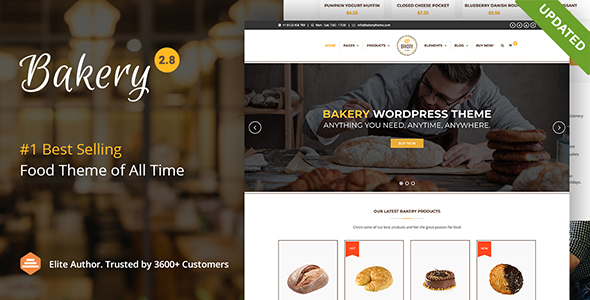
Stuck on your Bakery WordPress theme? Let's fix it.
No endless back-and-forth. Just send us the details and we'll get it done.
No obligation · Replies within 1 hour · Quote within 1 day
Setup · Customization · Bug fixes · WooCommerce integration
About Bakery WP Theme
Bakery is a WordPress theme built for food-related businesses — bakeries, cafes, patisseries, and specialty food shops. It ships with pre-built page templates, a visual drag-and-drop builder, and WooCommerce support so you can sell products straight from your site. The theme is designed with warm aesthetics in mind: clean typography, photo-forward layouts, and sections built to showcase menus, products, and team members.
Setup is relatively straightforward for someone comfortable with WordPress. The demo content imports quickly and gives you a working starting point. Under the hood, Bakery relies on standard hooks and the Elementor or WPBakery builder depending on the version, which means customization is doable without touching code. For anything beyond surface-level changes, working with a Bakery developer saves significant time.
Get matched with a Bakery developer in under one day
Tell us about your Bakery project. Small fixes, Bakery theme customization, or a full website build, whatever you need, we've got it covered.
We'll connect you to the right Bakery developers, define the scope, and get everything 100% clear.
You'll get one estimate, hire your preferred developer, and start collaborating.
Bakery looks straightforward until you need it to do something specific. A booking system that actually works, a custom menu layout, WooCommerce set up the right way — these take a developer who knows the theme. FoxyConcept works through Codeable, a vetted network of WordPress specialists. Every developer on Codeable is screened and reviewed. You post a project, get matched with a qualified Bakery developer, and receive a free estimate before any commitment. No guesswork, no hiring risk.
Pros
- WooCommerce integration is built in from the start, making product and order setup fast
- Pre-built demo templates cover common bakery and cafe layouts without needing custom design
- Works with Elementor, so visual editing is accessible without writing code
- Responsive layouts hold up well on mobile without heavy manual adjustment
- Includes dedicated sections for menus, team, testimonials, and gallery out of the box
Cons
- Demo import can bring in plugins you do not need, adding unnecessary bloat
- Advanced WooCommerce customization like variable product displays often requires developer work
- Font and color options in the Customizer are limited compared to a fully headless or custom build
- Theme updates occasionally break custom CSS added outside of child theme files
- Support response times from the original theme author can be slow for complex technical questions
Who is Bakery for?
Local Bakery Shop
A neighborhood bakery needs a site that shows products, hours, and location without a lot of overhead. Bakery theme handles this well. A Bakery developer can connect Google Maps, add a pickup order form, and make sure the site loads fast on mobile — which is where most local searches happen.
Cafe and Coffee Bar
Cafes need menus that are easy to update and a vibe that matches the space. Bakery’s photo-heavy layouts work well here. A Bakery specialist can set up a custom menu post type so staff can update items without touching the page builder, and integrate a reservation widget that actually sends confirmations.
Online Cake and Pastry Store
Selling cakes and pastries online means WooCommerce has to work correctly — product variations, delivery date selection, and order notes all matter. A Bakery developer can configure WooCommerce to handle custom orders, set up a checkout flow that reduces drop-off, and make sure payment gateways are connected properly.
Catering Business
Catering businesses need to show off their work and capture leads. Bakery’s gallery and testimonial sections handle the portfolio side. A Bakery expert can add a quote request form, build a packages page with pricing tiers, and set up email automation so no inquiry goes unanswered.
Recipe and Food Blog
Food bloggers using Bakery can publish recipes with structured layouts and good readability. Adding schema markup for recipes helps search engines display rich results. A Bakery specialist can configure this alongside SEO plugins, set up category filtering, and improve page load speed so readers stay longer.

Customizing Bakery
Bakery gives you control over colors, fonts, header styles, and section layouts through the WordPress Customizer and its included page builder. Most visual changes are point-and-click. But when you need custom menu layouts, a booking integration, or a product catalog that behaves differently from the default WooCommerce setup, you will hit the limits of what the theme panel offers.
A Bakery expert can modify template files, add custom post types for menu items or specials, and build functionality the theme does not include out of the box. That includes things like ingredient filters, allergen notices, or a loyalty program tied to WooCommerce. If your site needs to do more than the demo shows, hiring a Bakery specialist is the practical path forward.
Recommended plugins for Bakery
Bakery works well with several plugins that extend what the theme does by default. WooCommerce handles online orders and product listings. WPForms or Gravity Forms handles reservations and contact pages. WPML adds multilingual support if you serve multiple regions.
For site speed, pairing Bakery with a caching plugin and optimized image delivery makes a measurable difference — see our WordPress performance services for specifics. If organic search traffic matters to your business, proper schema markup for recipes, products, and local business listings is worth setting up correctly — our WordPress SEO service covers that in detail.
Not sure which plugins to use? This WordPress plugins directory covers the most popular options with reviews and setup guides.
Bakery common issues
Bakery theme demo import not working
Demo import failures in Bakery are usually caused by a PHP memory limit that is too low, a server timeout, or a missing required plugin. Start by setting WP_MEMORY_LIMIT to at least 256MB in wp-config.php. Install all required plugins before running the import. If the process still fails partway through, try importing the XML file manually via Tools > Import rather than using the one-click demo importer.
Bakery WooCommerce products not displaying correctly
When WooCommerce products show incorrectly in Bakery, the most common cause is a template conflict between the theme and WooCommerce. Run WooCommerce > Status > System Status to check for outdated template files. If Bakery’s WooCommerce templates are flagged as outdated, you need to update them manually or via a child theme. If the issue persists after that, a WordPress bug fixing service can identify and resolve the conflict cleanly.
Bakery theme mobile menu not opening
A mobile menu that does not open in Bakery is almost always a JavaScript conflict. Open your browser console and look for JS errors on page load. Deactivate plugins one at a time to identify what is interfering. If you recently added a caching plugin, clear the cache and check whether scripts are being minified or combined in a way that breaks the mobile menu toggle. Disabling JS minification in your caching settings often resolves this immediately.
Bakery theme slow loading on mobile
Bakery can load slowly on mobile if images are not compressed, if unused plugin scripts are loading on every page, or if the theme is loading full-size images for mobile viewports. Use a plugin like Smush or ShortPixel to compress images. Enable lazy loading. Use Query Monitor to identify scripts that should not be loading on mobile pages. A CDN for static assets also makes a measurable difference on slower connections.
Bakery Elementor sections not saving
Elementor sections not saving in Bakery is usually a server-side issue — specifically a PHP timeout or a memory limit being hit during save. Increase max_execution_time and memory_limit in your PHP settings. Also check whether your server is running PHP 7.4 or higher, as older versions cause Elementor save errors. If the problem is intermittent, check for plugin conflicts by disabling all plugins except Elementor and testing the save function again.
Bakery theme header overlapping page content
Header overlap in Bakery happens when the theme uses a fixed or sticky header but the page content does not have enough top padding to compensate. Go to Customizer > Header and check whether the sticky header option is enabled. If it is, add padding-top to the first section of your page equal to the header height. This is best done in a child theme stylesheet using the .site-content or first section selector rather than inline styles.
Bakery theme update broke my layout
A Bakery theme update breaking your layout almost always means custom CSS was added directly to the theme files rather than a child theme. After an update, those changes are overwritten. Going forward, use a child theme for all customizations. To recover your current layout, check your browser cache and any backup your host created before the update. If no backup exists, a WordPress bug fixing specialist can often reconstruct the lost styles from a cached version of the site.
Bakery theme contact form not sending emails
Contact forms not sending email in Bakery is a hosting issue, not a theme issue. Most shared hosts block the default WordPress wp_mail() function. Install an SMTP plugin like WP Mail SMTP and configure it with a transactional email service such as SendGrid, Mailgun, or your Google Workspace account. Once SMTP is configured, use the plugin’s test email feature to confirm delivery. Check spam folders too — sometimes emails are arriving but getting filtered.
Bakery theme custom CSS not applying
If custom CSS added in Appearance > Customize > Additional CSS is not applying in Bakery, the first thing to check is specificity. Theme styles may be using more specific selectors than your custom rules. Use browser developer tools to inspect the element and see which rule is winning. Write more specific selectors in your CSS or use the child theme stylesheet instead of the Customizer CSS box, which has lower specificity in some configurations. Also clear any caching plugin cache after adding CSS.
Bakery theme Google Fonts not loading
Google Fonts failing to load in Bakery usually points to a privacy plugin blocking external requests, a CSP header restriction, or a caching plugin that is serving a stale version of the page. Check your browser console for blocked resource errors. If you are using a GDPR plugin, it may be blocking Google Fonts by default. Consider self-hosting the fonts using a plugin like OMGF (Optimize My Google Fonts), which downloads the fonts to your server and removes the external dependency entirely.
Bakery FAQ
Bakery is a premium theme. It is available for purchase through ThemeForest and similar marketplaces. Pricing is a one-time fee for a regular license. Some sellers offer extended licenses for use on client sites. There is no official free version, though nulled copies exist — avoid them, as they frequently contain malware.
Yes. Bakery is built with WooCommerce support included. You can set up a product catalog, manage orders, and accept payments without additional theme work. For more advanced WooCommerce features like custom product types, delivery date selection, or complex pricing rules, plugin extensions or developer customization are needed.
Depending on the version, Bakery works with Elementor or WPBakery Page Builder. Check the theme documentation for your specific version. Elementor-based versions allow visual editing with more flexibility. WPBakery versions require working within that builder’s shortcode system, which can get complex for custom layouts.
Yes, Bakery works for restaurants as well as cafes and bakeries. The menu sections, gallery layouts, and WooCommerce integration apply equally. For a full restaurant site with table reservations, you would need an additional booking plugin. A Bakery developer can connect that to the theme cleanly.
Update Bakery through Appearance > Themes if you purchased through ThemeForest with the Envato Market plugin installed. Otherwise, download the latest version from your ThemeForest account and upload it via Themes > Add New > Upload Theme. Always back up your site before updating, and use a child theme so your customizations are not overwritten.
Bakery is compatible with WPML, the standard plugin for multilingual WordPress sites. You will need a WPML license in addition to the theme. Configuration requires setting up language switchers and translating page builder content, which varies in complexity depending on how your pages are built. A Bakery specialist can handle full WPML setup.
Online ordering in Bakery is handled through WooCommerce. For pickup and delivery scheduling, plugins like Orderable or WooCommerce Delivery Slots add the functionality. For restaurant-style ordering (items, customizations, cart), dedicated plugins like RestroPress are worth evaluating. A Bakery developer can integrate and configure the right option for your workflow.
Bakery uses clean HTML structure which is a reasonable baseline for SEO. To perform well in search, you still need an SEO plugin like Yoast or Rank Math, proper schema markup, fast load times, and well-structured content. The theme alone does not handle these — they require active setup and ongoing attention.
Yes. FoxyConcept provides Bakery theme customization through Codeable, a vetted WordPress developer network. You post your project, get matched with a qualified Bakery specialist, and receive a free estimate with no obligation to proceed. It is a straightforward way to get specific work done without a long-term retainer.
Migrating to the Bakery theme means moving your content into the new theme’s templates. If you are switching from another theme, your posts and pages migrate fine but the layouts will need rebuilding in Bakery’s page builder. A full migration also includes DNS changes if switching hosts. See our WordPress migration service for a managed approach.
Hire a Bakery WordPress Developer
Whether you need a full site build, a WooCommerce setup, or specific fixes to your existing Bakery theme, FoxyConcept delivers through Codeable — a platform where only vetted WordPress developers work. Post your project, get a free estimate within 24 hours, and only move forward if you are satisfied with the plan. Get a free estimate and get your Bakery site working the way it should.
You'll need a free Codeable account so developers can ask questions and send their quotes.