Barristar – Lawyer & Law Firm WordPress Theme WordPress Theme
by wpoceans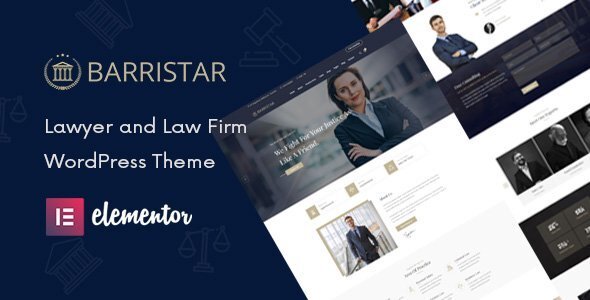
Stuck on your Barristar – Lawyer & Law Firm WordPress Theme WordPress theme? Let's fix it.
No endless back-and-forth. Just send us the details and we'll get it done.
No obligation · Replies within 1 hour · Quote within 1 day
Setup · Customization · Bug fixes · WooCommerce integration
About Barristar – Lawyer & Law Firm WordPress Theme WP Theme
Barristar is a WordPress theme by wpoceans built specifically for law firms, solo attorneys, and legal consultants. It ships with multiple pre-built demo layouts covering practice areas, attorney profiles, case studies, and appointment booking — everything a law firm website typically needs out of the box.
The theme is built on Elementor, so you can edit layouts visually without touching code. It includes a custom pricing table, testimonials, FAQ sections, and a filterable attorney roster. It also supports WPForms and Contact Form 7 for client intake.
Performance-wise, Barristar is reasonably lightweight for a niche theme. It follows standard WordPress coding practices and is translation-ready, making it suitable for law firms operating in non-English markets. Regular updates from wpoceans keep it compatible with current WordPress versions.
Get matched with a Barristar – Lawyer & Law Firm WordPress Theme developer in under one day
Tell us about your Barristar – Lawyer & Law Firm WordPress Theme project. Small fixes, Barristar – Lawyer & Law Firm WordPress Theme theme customization, or a full website build, whatever you need, we've got it covered.
We'll connect you to the right Barristar – Lawyer & Law Firm WordPress Theme developers, define the scope, and get everything 100% clear.
You'll get one estimate, hire your preferred developer, and start collaborating.
Barristar is well-structured, but law firm websites carry real business weight. A broken contact form or a slow mobile experience can cost a firm actual clients. Experienced developers on Codeable have worked with legal-niche WordPress themes before and understand the specific requirements — from intake form logic to attorney schema markup. You get a vetted professional, not a generalist freelancer guessing their way through your project.
Pros
- Pre-built demo layouts cover most law firm page types including practice areas, attorney profiles, and case studies
- Built on Elementor, making layout edits straightforward without custom code
- Custom post types for attorneys and practice areas are included and easy to populate
- Translation-ready with RTL support, useful for multilingual or international law practices
- Actively maintained by wpoceans with regular compatibility updates for new WordPress versions
Cons
- Elementor dependency adds page weight, which can affect Core Web Vitals scores without optimisation
- Demo content import can be fragile and sometimes requires manual cleanup after installation
- No built-in CRM or case management integration — those require additional plugins or custom development
- Attorney schema markup is basic and may not fully satisfy Google's structured data requirements for legal professionals
- Heavy reliance on shortcodes and Elementor widgets makes switching themes later a significant undertaking
Who is Barristar – Lawyer & Law Firm WordPress Theme for?
Solo Attorneys and Independent Lawyers
Barristar’s single-attorney layout lets solo practitioners present their credentials, practice areas, and contact details cleanly. The appointment booking section works well for scheduling initial consultations. A developer can wire this up to Calendly or a CRM so no lead falls through the cracks.
Multi-Partner Law Firms
The filterable attorney roster and team grid make Barristar a practical fit for firms with multiple partners and associates. Each attorney gets their own profile page with photo, bio, and specialisation. Custom fields can be added for bar numbers, jurisdictions, and publication links if needed.
Legal Consultants and Advisors
Consultants who offer defined service packages can use Barristar’s pricing table and service blocks to lay out their offerings clearly. The theme’s FAQ section handles common client questions without requiring a separate plugin. Clean and direct, which suits a professional advisory positioning.
Immigration Law Practices
Immigration practices often serve clients in multiple languages. Barristar’s RTL and translation-ready architecture makes WPML or Polylang integration straightforward. Practice area pages can be structured around visa types or country-specific services, keeping content well-organised for both users and search engines.
Corporate and Business Law Firms
Corporate law firms need a polished, trust-focused design. Barristar’s case study section lets firms highlight notable work without disclosing confidential details. The testimonials and partner logo sections help build credibility with potential business clients. Custom development can add a client login area for document access.

Customizing Barristar – Lawyer & Law Firm WordPress Theme
Out-of-the-box, Barristar covers the basics well. But most law firms need adjustments — a custom case intake form, a filtered practice area archive, a multilingual setup, or a client portal integration. That is where a Barristar – Lawyer & Law Firm WordPress Theme expert becomes useful.
Common customization requests include modifying the attorney profile post type to include bar admission details, connecting the appointment form to a CRM like Clio or HubSpot, and restructuring the homepage layout to match a firm’s branding guidelines rather than the demo.
More advanced work includes custom ACF field groups for case types, conditional content visibility for logged-in clients, and GDPR-compliant cookie consent flows. A developer familiar with Barristar can handle all of this without breaking the theme’s update path.
Recommended plugins for Barristar – Lawyer & Law Firm WordPress Theme
Barristar works well with several plugins that extend its default functionality. WooCommerce can be added for legal document sales or consultation fee payments. WPML or Polylang handles multilingual needs for international firms.
For SEO, pairing Barristar with Rank Math or Yoast is straightforward, though schema markup for legal services may need manual configuration. Learn more about WordPress SEO optimisation.
To improve loading speed on content-heavy pages with large team or case archives, caching and image optimisation plugins are worth adding. See our WordPress performance services for more.
Not sure which plugins to use? This WordPress plugins directory covers the most popular options with reviews and setup guides.
Barristar – Lawyer & Law Firm WordPress Theme common issues
Barristar demo import not working or incomplete after installation
Demo import failures in Barristar usually come down to server memory limits or a PHP timeout during the XML import process. Set memory_limit to at least 256MB and max_execution_time to 300 in your php.ini or wp-config.php. If the import still stalls, import the XML manually via Tools > Import. Missing images usually need the theme’s required plugins activated first before re-running the import. If problems persist, check our WordPress bug fixing service.
Barristar contact form not sending emails
Email delivery issues on Barristar contact forms are almost always a server-level problem, not a theme issue. WordPress’s default wp_mail() function relies on your host’s mail server, which many shared hosts block. Install an SMTP plugin like WP Mail SMTP and connect it to a transactional email service such as Brevo, Mailgun, or Gmail SMTP. Test with the plugin’s built-in diagnostic tool. If you are using WPForms or CF7, check that notifications are configured correctly inside the form settings panel.
Barristar attorney profile page layout broken on mobile
Broken attorney profile layouts on mobile usually point to a custom Elementor column structure that was not built with responsive breakpoints in mind. Open the affected page in Elementor, switch the editor to tablet and mobile view, and check column widths and padding values at each breakpoint. Elementor’s responsive controls let you override desktop settings per device. If the theme’s default template is causing the issue, a developer can build a custom template using the same post type data without the layout conflict.
Barristar slow loading speed on practice area pages
Practice area archive pages in Barristar can get heavy with large attorney grids and repeated Elementor widgets. Start by auditing with Google PageSpeed Insights to identify the biggest offenders. Enable lazy loading for images, use a caching plugin like WP Rocket or LiteSpeed Cache, and serve images in WebP format. Removing unused Elementor widget assets via the plugin’s Performance settings also helps. For more structured speed work, see our WordPress performance services.
Barristar – Lawyer & Law Firm WordPress Theme FAQ
Yes. wpoceans actively maintains Barristar and releases updates to keep it compatible with current WordPress versions. Before updating, back up your site and test in a staging environment first. Breaking changes are rare but theme updates can occasionally reset custom CSS or widget configurations, so a quick review after updating is good practice.
Not practically, no. Barristar’s page layouts and demo content are built around Elementor. Removing it would strip most of your page content down to raw text. If you prefer a block editor workflow, Barristar is not the right fit. You would need a theme built on the WordPress block editor instead. A developer can advise on alternatives if needed.
Yes. Barristar is translation-ready and supports RTL text direction. For full multilingual functionality, you need a plugin like WPML or Polylang. These allow you to create translated versions of each page, attorney profile, and practice area. Some configuration work is needed to make the language switcher display correctly within Barristar’s header.
Barristar includes a custom post type for attorneys. In your WordPress dashboard, look for the Attorneys or Team menu item in the sidebar. Add a new entry, fill in the name, bio, photo, and any custom fields, then assign practice area taxonomies if configured. The attorney will appear automatically in any grid or roster widget that pulls from that post type.
Yes, migrating Barristar to a new host is straightforward with a plugin like Duplicator or All-in-One WP Migration. Elementor stores layout data in the database, so a full database and files migration keeps everything intact. After migration, update the site URL in Settings and run Elementor’s Regenerate CSS tool to fix any styling that references the old domain. See our WordPress migration service for help.
Hire a Barristar – Lawyer & Law Firm WordPress Theme Developer
Need help setting up, customising, or extending Barristar on your law firm’s website? Our WordPress developers have hands-on experience with legal-niche themes and know exactly what a professional firm site needs to perform and convert.
Get a free estimate — no obligation, matched with a vetted developer within 24 hours. Tell us what you need and we’ll take it from there.
You'll need a free Codeable account so developers can ask questions and send their quotes.