Bayside WordPress Theme
by ProgressionStudios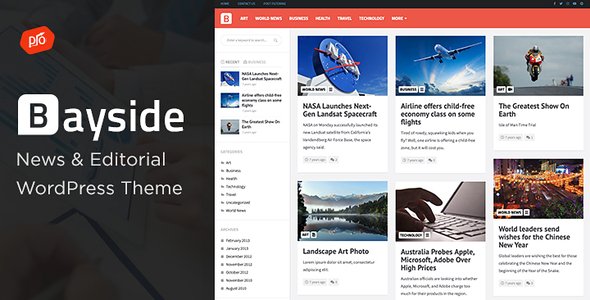
Stuck on your Bayside WordPress theme? Let's fix it.
No endless back-and-forth. Just send us the details and we'll get it done.
No obligation · Replies within 1 hour · Quote within 1 day
Setup · Customization · Bug fixes · WooCommerce integration
About Bayside WP Theme
Bayside is a WordPress theme built by ProgressionStudios, designed primarily for marinas, boat clubs, yacht charters, and waterfront businesses. It ships with a clean, nautical-leaning aesthetic that works well for businesses that want a polished online presence without starting from scratch.
The theme includes pre-built page templates, a drag-and-drop compatible layout, and integration with popular plugins like WooCommerce and booking tools. It is built on a solid foundation that supports responsive design across mobile, tablet, and desktop.
ProgressionStudios has a track record of building niche-specific WordPress themes with practical features baked in. Bayside follows that pattern, giving marina and waterfront businesses a starting point that does not require extensive custom development to look professional.
Get matched with a Bayside developer in under one day
Tell us about your Bayside project. Small fixes, Bayside theme customization, or a full website build, whatever you need, we've got it covered.
We'll connect you to the right Bayside developers, define the scope, and get everything 100% clear.
You'll get one estimate, hire your preferred developer, and start collaborating.
Most WordPress developers can install a theme. Fewer understand how ProgressionStudios themes are structured, where Bayside’s customization hooks live, and how to extend it without breaking updates.
FoxyConcept works through Codeable, a vetted network of senior WordPress developers. Every developer on Codeable is screened, rated, and accountable. You post your project, get a clear estimate, and only pay if you decide to move forward. No guesswork, no offshore lottery.
Pros
- Pre-built layouts designed specifically for marinas and waterfront businesses, saving significant design time
- WooCommerce compatible out of the box, suitable for charter bookings or retail add-ons
- Responsive design handles well on mobile without extra configuration
- ProgressionStudios provides documentation and theme updates through a managed license
- Clean code structure makes it workable for developers extending via a child theme
Cons
- Niche focus means the design language feels forced if used outside marina or waterfront contexts
- Built-in booking functionality is limited and usually requires a third-party plugin to be usable
- Theme options panel is basic compared to more flexible frameworks like Divi or Kadence
- Fewer community tutorials and support threads than mainstream themes, making troubleshooting slower
- Heavy use of full-width imagery can hurt page speed scores without additional optimization work
Who is Bayside for?
Marina and Boat Slip Rental
Bayside’s layout and visual style fits marina businesses naturally. Slip availability displays, contact forms for dock inquiries, and map integrations can all be layered on top. A developer can wire up a booking or inquiry system that keeps the clean aesthetic while handling real operational needs like seasonal pricing and slip size filters.
Yacht and Boat Charter Services
Charter businesses need clear package listings, availability calendars, and payment handling. Bayside provides the visual shell. Paired with WooCommerce or a dedicated booking plugin, a developer can build a charter booking flow that covers deposits, passenger counts, and date selection without pushing users to a clunky external form.
Waterfront Restaurants and Bars
Waterfront dining venues can use Bayside’s imagery-forward design to showcase atmosphere. Menu pages, reservation links, and event promotion all fit within the theme’s structure. Custom post types for seasonal menus or private event packages can be added without replacing the theme entirely, keeping the site manageable long-term.
Sailing Schools and Clubs
Sailing schools need course listings, scheduling, and member registration. Bayside gives the right first impression for a nautical brand. A developer can build course catalog pages, integrate a learning management plugin for certifications, or connect a membership plugin for club subscriptions, all without the site looking like a generic WordPress install.
Boat Sales and Brokerage
Boat sales sites need searchable listings with specifications, image galleries, and inquiry forms per vessel. Bayside can be extended with a custom post type for boat inventory, giving each listing its own detail page. WooCommerce or a custom inquiry flow handles lead generation, making this a workable solution for small to mid-size brokerages.

Customizing Bayside
Out of the box, Bayside gives you color controls, font options, and a homepage builder that covers the basics. But most businesses hit a wall quickly when they need something beyond what the theme settings panel offers.
Common customization requests include custom booking flows, member portals for boat slip rentals, tide schedule integrations, and tailored WooCommerce setups for charters or gear sales. These go well beyond what theme options alone can handle.
A Bayside expert can extend the theme properly, without hacking core files or building technical debt. Whether you need a custom child theme, bespoke template parts, or plugin integrations built to match your design, working with someone who knows this theme specifically saves time and avoids costly mistakes later.
Recommended plugins for Bayside
Bayside pairs well with several plugins that expand what it can do. WooCommerce handles product sales for gear shops or charter packages. Booking plugins like Amelia or WP Simple Booking Calendar add reservation functionality. WPML works for multilingual marina sites serving international visitors.
For performance, image optimization and caching are important since Bayside sites tend to be image-heavy. See our WordPress performance service for details. If organic search matters to you, structured SEO work on top of the theme makes a significant difference. Learn more on our WordPress SEO page.
Not sure which plugins to use? This WordPress plugins directory covers the most popular options with reviews and setup guides.
Bayside common issues
Bayside theme header not displaying correctly on mobile
Mobile header issues in Bayside usually come down to a CSS conflict with a plugin or a custom stylesheet overriding the theme’s responsive breakpoints. Open your browser’s developer tools and inspect which rule is winning on the problematic element. If a plugin is adding its own styles, load order matters. A child theme is the correct place to add targeted overrides so updates do not wipe your changes. If this is beyond your comfort level, our WordPress bug fixing service can resolve it quickly.
Bayside WordPress theme slider not working
Bayside’s homepage slider relies on a specific slider plugin or built-in script. If it stops working, the likely causes are a JavaScript conflict with another plugin, a failed plugin update, or a missing image dimension. Check your browser console for JS errors first. Deactivate plugins one by one to isolate a conflict. If the slider was working and stopped after an update, rolling back the plugin version temporarily is a reliable diagnostic step while you troubleshoot properly.
Bayside theme WooCommerce pages not styled properly
Bayside includes basic WooCommerce compatibility but does not ship with full WooCommerce template overrides. Shop pages, single product pages, and cart layouts often pick up generic WooCommerce styles instead of the theme’s design. The fix is adding WooCommerce template files to your child theme and styling them to match. This is standard development work but requires knowing which template files WooCommerce uses and where they sit in the override hierarchy.
Bayside theme update broke my site layout
When a Bayside theme update breaks your layout, it usually means custom CSS or template files were added directly to the parent theme folder and got overwritten. Always use a child theme for customizations. If the damage is already done, check what changed in the update changelog, restore from a backup if you have one, then rebuild your customizations inside a child theme. Going forward, test updates on a staging environment first. See our WordPress maintenance service for managed update workflows.
Bayside FAQ
Yes, Bayside is one of the few WordPress themes built with marinas specifically in mind. The design language, layout options, and demo content all reflect waterfront business needs. It will get you to a professional-looking site faster than adapting a generic theme. You will likely still need a developer for booking functionality or custom feature work beyond what the theme settings provide.
Bayside includes WooCommerce support, but the integration is partial. Basic shop and product pages work, but the styling often needs attention to match the rest of the theme. Cart, checkout, and account pages in particular tend to revert to default WooCommerce styling. A developer can add the right template overrides in a child theme to bring those pages in line with the overall design.
Technically yes, but it is not ideal. The visual style is nautical by design. Using it for an unrelated business, like a law firm or tech startup, would require significant design work to remove or override the marine aesthetic. You would likely get better results starting with a more neutral theme and customizing from there rather than fighting Bayside’s built-in direction.
Bayside does not include a full booking system. You will need a plugin. Amelia, WP Simple Booking Calendar, and Bookly are common choices that install alongside the theme. A developer can configure the plugin to match your workflow, connect it to payment processing, and style the booking interface to fit the Bayside design. This is one of the most common customization requests for this theme.
ProgressionStudios maintains their themes and releases updates through their licensing system. Check your ThemeForest or direct purchase account for the current version number and changelog. If updates have stalled or the theme is behind on WordPress compatibility, that is worth flagging before you build a serious business site on it. Testing on a staging site before any major update is always the safer approach.
Hire a Bayside WordPress Developer
Whether you need a full Bayside setup, a specific feature built out, or something fixed that is not working right, we can help. FoxyConcept delivers WordPress work through Codeable, which means you get a real developer with verified experience, not a generalist taking a guess at your project.
Get a free estimate with no obligation. Describe your project, get matched within 24 hours, and decide from there. 100% risk-free.
You'll need a free Codeable account so developers can ask questions and send their quotes.