Be Clean WordPress Theme
by cmsmasters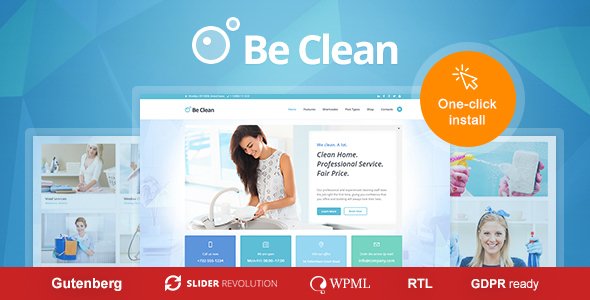
Stuck on your Be Clean WordPress theme? Let's fix it.
No endless back-and-forth. Just send us the details and we'll get it done.
No obligation · Replies within 1 hour · Quote within 1 day
Setup · Customization · Bug fixes · WooCommerce integration
About Be Clean WP Theme
Be Clean is a WordPress theme built by cmsmasters, designed for cleaning companies, housekeeping services, and home maintenance businesses. It ships with a purpose-built layout that puts service listings, booking calls-to-action, and trust signals front and center.
The theme is built on the CMSMasters framework and includes the CMSMasters Composer page builder. You get multiple header styles, pre-built inner pages, a working contact form, and a color scheme that fits professional cleaning brands out of the box.
It’s a solid starting point if you run a local cleaning business and want a professional site without building from scratch. That said, like most niche themes, it has limitations once you need functionality beyond what’s included. Plugin compatibility and page builder lock-in are worth factoring in before committing.
Get matched with a Be Clean developer in under one day
Tell us about your Be Clean project. Small fixes, Be Clean theme customization, or a full website build, whatever you need, we've got it covered.
We'll connect you to the right Be Clean developers, define the scope, and get everything 100% clear.
You'll get one estimate, hire your preferred developer, and start collaborating.
Be Clean looks straightforward until you need it to do something specific. Adding a live booking system, customizing the CMSMasters Composer templates, or fixing layout conflicts after a plugin update all take real theme knowledge.
FoxyConcept works with vetted WordPress developers through Codeable. Every developer on the platform has passed a technical screening process. You post your project, get matched with someone who knows the theme, and only pay if you decide to move forward. No risk, no guesswork.
Pros
- Purpose-built for cleaning and home service businesses with relevant section layouts
- Includes multiple pre-built inner pages covering services, pricing, team, and contact
- CMSMasters theme options panel gives non-technical users decent layout control
- WooCommerce compatible for selling cleaning packages or memberships
- One-time purchase with lifetime use, no recurring theme subscription fee
Cons
- CMSMasters Composer page builder creates vendor lock-in that complicates future migrations
- Theme updates have slowed considerably, raising long-term compatibility concerns
- Limited built-in booking functionality requires third-party plugins to handle scheduling
- Customizing beyond the preset layouts requires CSS or PHP knowledge
- Support quality is inconsistent once you move past basic setup questions
Who is Be Clean for?
Residential Cleaning Companies
Be Clean’s default homepage layout works well for residential cleaning businesses. The service section, before-and-after imagery support, and prominent call-to-action placement fit exactly what local cleaning companies need. Add a booking plugin and the site handles quote requests without heavy customization.
Commercial Cleaning Services
Commercial cleaning companies can use the pricing table and service list sections to detail their contract packages. The professional layout works for B2B audiences. A developer can add a quote request form specific to commercial clients or connect the site to a CRM for lead management.
Carpet and Upholstery Cleaning
The gallery and before-and-after sections make Be Clean a good fit for carpet cleaning businesses where showing results matters. Pair it with a testimonials plugin or embed Google Reviews to build trust. A Be Clean developer can style these additions to match the existing theme without visual conflicts.
Window Cleaning Businesses
Window cleaning businesses benefit from the clean visual design and clear service area sections. The theme’s structure lets you highlight service zones, safety credentials, and customer reviews. Adding an online booking form or scheduling widget integrates well with minimal custom coding required.
Home Maintenance and Handyman Services
Home maintenance and handyman services have enough overlap with the cleaning niche that Be Clean adapts reasonably well. The service icons, team section, and contact forms cover the essentials. With some copy and color changes, the theme fits without needing a complete design overhaul.

Customizing Be Clean
Be Clean gives you control over colors, fonts, header layouts, and widget areas through the WordPress Customizer and the CMSMasters theme options panel. You can adjust the homepage sections, swap out service icons, and set up your contact details without touching code.
Beyond the basics, customization gets more technical. Modifying the page builder templates, adding custom post types, or integrating a booking plugin like Bookly or Amelia requires developer work. A Be Clean expert understands how the CMSMasters framework handles custom CSS output and where theme hooks sit, which matters when you’re trying to extend the design without breaking existing layouts.
If you need changes beyond color swaps and text edits, working with someone who knows this theme saves significant time and avoids layout conflicts.
Recommended plugins for Be Clean
Be Clean pairs well with WooCommerce if you want to sell cleaning packages or gift vouchers directly. Booking plugins like Amelia or Bookly work alongside it, though you may need CSS adjustments to match the theme’s style.
For forms, WPForms and Gravity Forms integrate cleanly. Adding live chat or review widgets from platforms like Trustpilot is straightforward via shortcode or widget areas.
If site speed is a concern, pairing Be Clean with a caching plugin and image optimization is recommended. You can also explore options for WordPress performance improvements or WordPress SEO optimization to make your cleaning business site more competitive in local search.
Not sure which plugins to use? This WordPress plugins directory covers the most popular options with reviews and setup guides.
Be Clean common issues
Be Clean theme not showing homepage layout after install
This usually happens when the required CMSMasters plugins are not activated after theme installation. Go to Appearance > Install Plugins and activate everything listed. Then import the demo content from the theme options panel. If the layout still doesn’t match the demo, check that your WordPress version meets the theme’s minimum requirements. A WordPress bug fixing service can diagnose this quickly if the issue persists.
Be Clean CMSMasters Composer templates not loading correctly
CMSMasters Composer template loading issues often come from plugin conflicts or a failed demo import. Try disabling all non-essential plugins and refreshing the page builder. If templates are missing, re-importing the demo content sometimes restores them. Ensure the CMSMasters Composer plugin version matches what the current theme version expects. Mismatched versions between the theme and its bundled plugins are a common cause.
Be Clean contact form not sending emails
Be Clean uses a basic contact form that depends on your server’s mail configuration. If emails aren’t arriving, the issue is almost always with PHP mail on your host rather than the theme itself. Install WP Mail SMTP and connect it to a transactional email service like SendGrid or Mailgun. This fixes delivery for most hosting environments. Check spam folders first before making any changes.
Be Clean theme broken after WordPress update
Layout breaks after a WordPress core update typically mean a PHP compatibility issue or a conflict between the updated core and the CMSMasters framework. Check your error logs for specific PHP errors first. Updating the CMSMasters plugins to their latest versions often resolves it. If the theme hasn’t been updated in a while, some deprecated functions may need manual fixes. Consider a WordPress maintenance plan to keep things stable going forward.
Be Clean FAQ
Be Clean receives occasional updates from cmsmasters, but the pace has slowed compared to more actively maintained themes. It remains functional on current WordPress versions, but compatibility issues can appear as WordPress and PHP continue to update. If long-term support is a priority, factor this into your decision before committing to the theme.
Technically yes, but it’s not straightforward. Be Clean’s layouts are built inside CMSMasters Composer. Switching to Elementor means rebuilding those pages from scratch inside the new builder. You’d keep the theme wrapper but lose the pre-built templates. Most developers recommend either committing to the CMSMasters ecosystem or switching to a different theme built for Elementor.
Be Clean doesn’t include built-in booking functionality. Plugins like Amelia, Bookly, or Simply Schedule Appointments work well alongside it. After installing your chosen plugin, you’ll likely need CSS adjustments to match the theme’s visual style. A developer can also embed booking forms inside CMSMasters Composer sections cleanly.
Migrating away from Be Clean means rebuilding your pages since CMSMasters Composer shortcodes don’t transfer to other builders. Your posts, pages, and media migrate cleanly but page layouts need rebuilding. If you’re planning a full site redesign anyway, this is manageable. Check out the WordPress migration service for help moving to a new theme or host.
Yes, Be Clean is WooCommerce compatible. You can sell cleaning packages, gift cards, or service bundles through a standard WooCommerce store. The default WooCommerce styling may need some CSS work to match the Be Clean design. For a polished result, a developer can ensure the shop pages align with the rest of your site visually.
Hire a Be Clean WordPress Developer
Need a Be Clean expert to set up your site, add a booking system, or fix something that’s broken? FoxyConcept connects you with vetted WordPress developers through Codeable. Post your project, get a free estimate within 24 hours, and only hire if you’re happy with the plan. Get your free estimate now and have a developer working on your Be Clean site without the risk.
You'll need a free Codeable account so developers can ask questions and send their quotes.