BigHearts WordPress Theme
by WebGeniusLab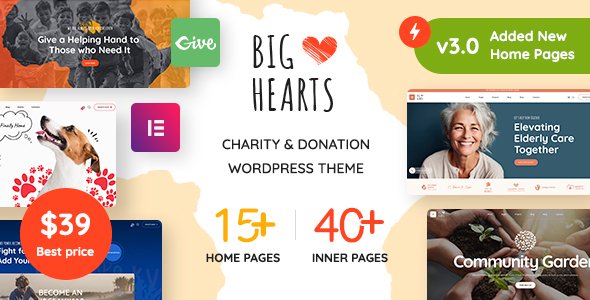
Stuck on your BigHearts WordPress theme? Let's fix it.
No endless back-and-forth. Just send us the details and we'll get it done.
No obligation · Replies within 1 hour · Quote within 1 day
Setup · Customization · Bug fixes · WooCommerce integration
About BigHearts WP Theme
BigHearts is a WordPress theme from WebGeniusLab built for charity, nonprofit, and fundraising websites. It ships with WPBakery Page Builder, the GiveWP donation plugin, and a set of pre-built demo sites covering various nonprofit niches. The theme handles campaign pages, donor management, volunteer sign-ups, and event listings out of the box.
WebGeniusLab has structured BigHearts around a visual builder workflow, meaning most layout changes happen through drag-and-drop without touching code. The theme includes over 25 inner page templates, custom widgets, and multiple header and footer variants. It supports WPML for multilingual sites and WooCommerce for merchandise or paid events. Performance and accessibility on nonprofit sites carry real stakes, so understanding where BigHearts excels and where it needs attention matters before you build.
Get matched with a BigHearts developer in under one day
Tell us about your BigHearts project. Small fixes, BigHearts theme customization, or a full website build, whatever you need, we've got it covered.
We'll connect you to the right BigHearts developers, define the scope, and get everything 100% clear.
You'll get one estimate, hire your preferred developer, and start collaborating.
BigHearts is feature-dense, and getting it to perform cleanly for a nonprofit audience takes more than importing a demo. A vetted BigHearts developer on Codeable can handle child theme builds, GiveWP customization, payment gateway integration, and performance optimization without the guesswork. Codeable only accepts the top tier of WordPress developers, so you’re not rolling the dice on quality. Projects are matched within 24 hours, and you get a free estimate before committing to anything.
Pros
- Ships with GiveWP integration pre-configured, saving significant setup time for donation-based sites
- 25+ pre-built inner page templates covering campaigns, events, volunteers, and team pages
- WPBakery Page Builder included, allowing non-technical admins to manage layouts
- WPML compatible for multilingual nonprofit sites targeting multiple regions
- Multiple header and footer variants built in, no separate plugin needed for layout switching
Cons
- WPBakery creates page builder lock-in, making future migration to Gutenberg or Elementor complex
- Heavy asset loading from bundled plugins and scripts can hurt performance without optimization
- Demo import process is fragile and often requires manual cleanup of orphaned content
- Theme options panel is large and disorganized, making it hard to locate specific settings
- Updates can break custom CSS or child theme overrides, requiring post-update review
Who is BigHearts for?
Charity and Nonprofit Organizations
BigHearts was designed with charities in mind. GiveWP handles one-time and recurring donations, donor management, and payment gateway connections. The campaign post type lets you track fundraising goals visually. A BigHearts developer can configure custom donation forms, restrict fund designations, and integrate with nonprofit CRMs like Salesforce Nonprofit or Bloomerang.
Crowdfunding and Campaign Sites
Campaign-specific landing pages, progress bars, and goal tracking are built into BigHearts without extra plugins. Each campaign can have its own page, cause category, and call-to-action block. A BigHearts specialist can wire up conditional logic on donation forms, build peer-to-peer fundraising flows using GiveWP add-ons, and set up automated donor receipt emails.
Religious and Community Groups
Church and community sites need event management, sermon or content archives, and volunteer coordination alongside donation tools. BigHearts supports all three. The events section pairs with The Events Calendar plugin, while volunteer forms connect to CRM or email tools. A BigHearts expert can configure role-based content access for members and build custom archive templates.
NGOs and International Aid Organizations
NGOs often need multilingual support, currency switching for international donors, and country-specific payment methods. BigHearts is WPML compatible, and GiveWP supports multiple currencies. A BigHearts developer can configure language switchers, localize donation forms, and set up regional contact forms to handle inquiries from multiple countries in one installation.
Fundraising Events and Galas
Event-focused fundraising sites need ticket sales, countdown timers, sponsor showcases, and post-event reporting. BigHearts supports WooCommerce for ticketing and includes event page templates. A BigHearts specialist can integrate seat selection, build sponsor tier pages, connect email marketing tools for attendee follow-up, and display real-time fundraising totals during live events.

Customizing BigHearts
BigHearts customization runs through WPBakery Page Builder combined with the theme’s own options panel. You can control typography, color schemes, header layouts, and donation form styling without writing CSS. The demo importer lets you start from a pre-built nonprofit or charity layout and modify from there.
Beyond the surface-level settings, a BigHearts expert can extend the theme meaningfully. Custom post types for campaigns, shortcode adjustments, child theme development, and GiveWP form customization all require someone who knows the theme’s architecture. WebGeniusLab’s documentation covers the basics, but integrating CRMs, payment gateways beyond the defaults, or building out membership areas needs hands-on development work. A BigHearts specialist will also know how to avoid the conflicts that come from stacking too many plugins on top of an already feature-heavy theme.
Recommended plugins for BigHearts
BigHearts works with a range of plugins to extend its core nonprofit functionality. GiveWP add-ons cover recurring donations, Stripe, fee recovery, and donor management. WooCommerce handles event tickets or branded merchandise. Contact Form 7 and WPForms both integrate cleanly for volunteer applications.
On the technical side, BigHearts sites benefit from caching, image optimization, and a CDN to offset the weight of WPBakery and bundled assets. A proper WordPress performance setup keeps donation forms loading fast, which directly affects conversion rates. For nonprofits relying on organic search to attract donors, pairing BigHearts with a solid WordPress SEO strategy improves visibility for cause-related keywords and local search queries.
Not sure which plugins to use? This WordPress plugins directory covers the most popular options with reviews and setup guides.
BigHearts common issues
BigHearts demo import fails or gets stuck
Demo import failures in BigHearts usually come from server timeout limits or memory restrictions. Increase max_execution_time to 300 and memory_limit to 256M in your php.ini or wp-config.php. Try the manual import method using the XML file rather than the one-click importer. If images fail to import, run the regenerate thumbnails process separately after content loads.
BigHearts donation form not showing on page
If a GiveWP donation form isn’t appearing in BigHearts, first confirm the form ID in the shortcode matches an active form in GiveWP. Check that GiveWP is active and updated. Some BigHearts page templates override content width in ways that hide form output. Switch to a default page template temporarily to isolate the conflict. If the issue persists, a WordPress bug fixing specialist can trace the output filtering chain.
BigHearts header layout not saving changes
BigHearts header settings not saving usually points to a caching conflict or a JavaScript error blocking the save request. Clear all caches including server-side caches and CDN caches after each save attempt. Open browser developer tools and check the console for JS errors on the options page. If you’re using a security plugin, whitelist the theme options page from nonce or form submission blocking.
WPBakery elements not loading in BigHearts
WPBakery elements not loading in BigHearts often means the WPBakery plugin version is out of sync with the theme. BigHearts bundles WPBakery as a required plugin through TGMPA. Go to Appearance > Install Plugins and update the bundled version. Avoid installing a separately purchased WPBakery license alongside the bundled one, as duplicate installations cause rendering conflicts and missing shortcode output.
BigHearts site slow after demo import
BigHearts demo sites pull in large images, redundant scripts, and unused CSS. After import, delete demo posts you won’t use, compress images with a tool like ShortPixel, and install a caching plugin. Disable WPBakery’s front-end editor script on production. For deeper issues, a proper WordPress performance and bug review can identify which enqueued scripts are blocking render.
BigHearts campaign goal bar not updating
BigHearts campaign goal bars pull data from GiveWP’s donation totals. If the bar isn’t updating, check that the correct form ID is assigned to the campaign and that test-mode donations are excluded from totals. Clear your object cache if you use Redis or Memcached. If GiveWP’s earnings aren’t matching expected totals, review whether manual donation entries or refunds have affected the stored goal percentage.
BigHearts WPML language switcher not working
BigHearts WPML integration requires the WPML String Translation and WPML Page Builders add-ons in addition to the core WPML plugin. Without these, the language switcher widget may render but not correctly swap translated pages. Register the BigHearts theme strings in WPML’s String Translation module. Also verify that translated versions of campaign and event pages exist and are assigned to the correct language in WPML’s page settings.
BigHearts WooCommerce shop page layout broken
BigHearts WooCommerce layout breaks usually occur when the theme’s WooCommerce template overrides are outdated relative to your installed WooCommerce version. Go to WooCommerce > Status > System Status and look for outdated template warnings. Copy updated templates from the WooCommerce plugin folder into the BigHearts child theme’s woocommerce/ folder. If you’re not using a child theme, a WordPress bug fix service can handle this safely.
BigHearts contact form not sending emails
BigHearts contact form email issues are almost always a mail delivery problem rather than a theme issue. WordPress’s default wp_mail function is unreliable without SMTP configuration. Install WP Mail SMTP and connect it to a transactional mail provider like SendGrid, Mailgun, or Postmark. Test delivery using the plugin’s built-in test tool. Also check your spam folder and confirm the from address matches your sending domain.
BigHearts theme update broke custom styles
BigHearts theme updates can overwrite custom CSS added directly to the theme files. Always use a child theme for any custom styles or PHP overrides. If you weren’t using one before the update, re-apply your customizations to a child theme now. For custom CSS added through the WordPress Customizer’s Additional CSS field, that data is stored in the database and survives updates. Audit your Customizer settings after each major update to confirm nothing was reset.
BigHearts FAQ
BigHearts is a solid choice for nonprofits, charities, and fundraising sites. It bundles GiveWP, campaign templates, event management, and volunteer pages in one package. The main tradeoff is performance overhead from WPBakery and bundled plugins. With proper optimization and a developer who knows the theme, it handles most nonprofit use cases well without custom builds from scratch.
Yes. BigHearts is built around GiveWP and includes pre-configured donation forms, campaign pages, and goal progress bars that connect directly to GiveWP’s data. The theme supports most GiveWP add-ons including Stripe, recurring donations, and fee recovery. Complex multi-form or conditional logic setups may need a BigHearts developer to configure correctly.
BigHearts is tightly coupled to WPBakery. Most page templates and pre-built layouts rely on WPBakery shortcodes. You can use the native WordPress editor for simple text pages, but you’ll lose access to the designed layouts and modules. Switching to Gutenberg or Elementor entirely would require rebuilding pages and is not officially supported by the theme.
BigHearts includes a one-click demo importer under Appearance > Import Demo Data. Select the demo you want, confirm required plugins are installed, and run the import. Large demos may time out on shared hosting. Increase PHP memory and execution limits before starting. If the importer stalls, use the manual XML import method via Tools > Import as a fallback.
BigHearts is not built for Elementor. It bundles WPBakery as its primary page builder. You can install Elementor separately and use it on individual pages, but the theme’s pre-built sections, modules, and demo layouts are WPBakery-specific. Running both builders simultaneously adds script weight and increases the chance of styling conflicts.
Recurring donations in BigHearts require the GiveWP Recurring Donations add-on, which is a premium GiveWP extension sold separately. Once installed and configured, donors can choose monthly or annual giving intervals on any form. The BigHearts theme renders GiveWP’s recurring UI without modification, though custom form styling may need CSS adjustments.
Create a folder named bighearts-child in your wp-content/themes/ directory. Add a style.css file with a header declaring the parent theme as bighearts and a functions.php file that enqueues the parent stylesheet. Activate the child theme in Appearance > Themes. All custom CSS and template overrides go into the child theme to survive future updates.
BigHearts doesn’t include built-in GDPR tools, but it’s compatible with plugins that handle compliance. Add a cookie consent plugin like Complianz or CookieYes, configure GiveWP’s data export and erasure tools for donor data requests, and review your contact forms for data processing disclosures. GDPR compliance depends on your site’s configuration, not just the theme.
Yes. BigHearts sites migrate like any other WordPress installation. Use a migration plugin like All-in-One WP Migration or Duplicator to export your database and files, then import on the new host. Update your domain in Settings > General after migration. Check that all BigHearts and GiveWP license keys are reactivated on the new domain after the move.
BigHearts developer rates on Codeable typically range from $70 to $120 per hour depending on the scope and complexity of the work. Smaller fixes like form styling or layout adjustments run a few hours. Full builds or custom GiveWP integrations are larger projects. You can post your project and get a free estimate before committing to any cost.
Hire a BigHearts Expert Developer
If your BigHearts site needs custom donation flows, layout fixes, plugin conflicts resolved, or a full build from scratch, working with a specialist saves time and avoids costly mistakes. FoxyConcept connects you with vetted BigHearts developers through Codeable. Get a Free Estimate with no obligation to hire. Describe your project and get matched with a developer who knows the theme inside out within 24 hours.
You'll need a free Codeable account so developers can ask questions and send their quotes.