BLO WordPress Theme
by XpeedStudio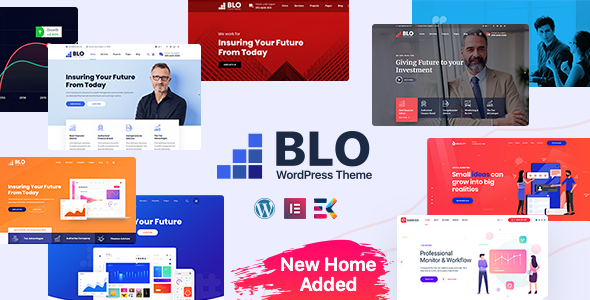
Stuck on your BLO WordPress theme? Let's fix it.
No endless back-and-forth. Just send us the details and we'll get it done.
No obligation · Replies within 1 hour · Quote within 1 day
Setup · Customization · Bug fixes · WooCommerce integration
About BLO WP Theme
BLO is a WordPress blog theme developed by XpeedStudio, built specifically for writers, journalists, and content-focused publishers. It ships with multiple homepage layouts, a clean reading experience, and deep integration with Elementor, making visual editing straightforward without touching code.
The theme supports dark mode, sticky headers, infinite scroll, and a fully widgetized sidebar structure. Typography controls are granular, which matters for blogs where readability drives engagement. BLO is translation-ready and WPML-compatible, making it a practical choice for multilingual publishing projects. Performance is reasonable out of the box, though like most feature-rich themes it benefits from proper caching and image optimisation. If you need a dedicated blogging theme that does not sacrifice design flexibility for simplicity, BLO is a solid starting point.
Get matched with a BLO developer in under one day
Tell us about your BLO project. Small fixes, BLO theme customization, or a full website build, whatever you need, we've got it covered.
We'll connect you to the right BLO developers, define the scope, and get everything 100% clear.
You'll get one estimate, hire your preferred developer, and start collaborating.
Getting BLO set up cleanly takes more than activating the theme and importing a demo. Layout decisions, plugin conflicts, and performance tuning all affect how the site performs in production. The developers on Codeable have worked with XpeedStudio themes across dozens of live projects and know where the common problems appear. You get a vetted specialist matched to your project within 24 hours, with a free estimate before any commitment is made.
Pros
- Multiple pre-built blog layouts that cover different content structures without custom development
- Native dark mode toggle with persistent user preference saved via localStorage
- Elementor integration allows visual control over post templates and archive layouts
- Granular typography settings including font size, line height, and letter spacing per element
- WPML-compatible and translation-ready, making multilingual blog setups straightforward
Cons
- Demo import can be unreliable, often requiring manual cleanup of placeholder content and broken images
- No built-in mega menu, which limits navigation complexity on larger editorial sites
- Elementor dependency adds page load overhead that requires deliberate performance optimisation
- Limited WooCommerce styling, so any shop integration beyond basic product listings needs extra CSS work
- Theme options panel can be confusing when settings in the Customizer conflict with Elementor widget controls
Who is BLO for?
Personal Blog
BLO suits personal bloggers who want a polished reading experience without hiring a designer. The theme’s typography controls and single-column post layouts keep the focus on writing. A BLO developer can add custom author bio sections, related post logic, and email opt-in blocks that go beyond what the default setup provides.
Online Magazine
Multi-author editorial teams benefit from BLO’s category archive layouts and sticky header. An online magazine needs reliable post scheduling, contributor role management, and fast load times on high-traffic days. A BLO specialist can configure custom post types, editorial taxonomies, and performance layers suited to a publication workflow.
Niche News Site
Niche news sites covering specific industries or communities need structured content and fast indexing. BLO’s archive templates and tag-based navigation support this well. A BLO expert can configure structured data markup for news articles and set up an automated social sharing workflow that reduces manual publishing overhead.
Food and Lifestyle Blog
Food, travel, and lifestyle blogs rely heavily on photography and visual hierarchy. BLO handles full-width featured images and grid-based category pages cleanly. A BLO developer can extend the theme with recipe card plugins, ingredient schema, and custom post templates that match the visual language of the overall site design.
Author or Writer Portfolio
Writers promoting books, courses, or freelance services need a site that balances blog content with a professional profile. BLO supports portfolio-style homepage sections alongside a standard blog feed. A BLO specialist can build a custom landing page layout within the theme that highlights credentials, testimonials, and a newsletter sign-up.

Customizing BLO
BLO gives you a good amount of native customisation through the WordPress Customizer and Elementor, but there are limits. Deeper changes, such as custom post layouts, modified category archive templates, or bespoke header structures, require PHP and CSS work that goes beyond drag-and-drop.
A BLO expert can restructure page templates, add custom post types for newsletters or podcasts, and integrate third-party tools like Mailchimp or ConvertKit directly into the theme. Child theme setup is strongly recommended before any code-level modifications so your changes survive updates. If you want the theme to behave differently from its defaults without breaking anything during updates, working with a BLO specialist is the most reliable path forward.
Recommended plugins for BLO
BLO works well with a focused plugin stack. For speed, pairing it with a caching plugin and a CDN makes a measurable difference, especially on image-heavy editorial sites. Our WordPress performance optimisation service covers asset minification, lazy loading, and server-level improvements specific to Elementor-based themes like BLO.
On the search side, BLO is compatible with Yoast SEO and Rank Math, but schema setup and technical SEO still require configuration. Our WordPress SEO service handles structured data, canonical tags, and crawlability issues that plugins alone do not resolve automatically.
Not sure which plugins to use? This WordPress plugins directory covers the most popular options with reviews and setup guides.
BLO common issues
BLO theme demo import not working in WordPress
Demo import failures in BLO are usually caused by server-side upload limits. The XML file or bundled media exceeds the default max_execution_time or upload_max_filesize set by the host. Increase these values via php.ini or .htaccess, then retry the import. If images fail to import, download them manually from the demo and replace placeholders. Persistent import errors often point to a plugin conflict. Our WordPress bug fixing service can diagnose and resolve import issues without data loss.
BLO theme header not displaying correctly on mobile
Mobile header issues in BLO often stem from Elementor header templates overriding the theme’s native responsive breakpoints. Check whether a custom header template is active in Elementor’s Theme Builder and review its mobile view settings. If the issue is in the default Customizer header, check for custom CSS that sets fixed widths or overrides flex behaviour. Clearing the Elementor CSS cache after any header change also resolves display inconsistencies that persist after saving. Our bug fixing team handles responsive layout issues across all screen sizes.
BLO blog page showing blank or missing posts
A blank blog page in BLO usually means the static front page setting is misconfigured. Go to Settings, then Reading, and confirm that the Posts page is assigned correctly. If you are using a custom archive template in Elementor, make sure the archive conditions are saved and published. Also check whether posts are assigned to a category or if category visibility is set to private. Deactivating plugins one by one helps identify conflicts that suppress the post loop output.
BLO theme slow loading with Elementor
BLO with Elementor can generate significant CSS and JavaScript on each page load. Start by enabling Elementor’s built-in asset loading improvements under Elementor, Tools, then Experiments. Install a caching plugin and configure it to exclude Elementor’s dynamic CSS from aggressive minification, which often breaks layouts. Reduce the number of Elementor widgets per page where possible, and serve images via a CDN. Unused global fonts and icon libraries registered by Elementor should also be dequeued in the theme’s functions file.
BLO FAQ
Yes. BLO is built with Elementor compatibility in mind and works with both the free and Pro versions. Elementor Pro unlocks Theme Builder features such as custom headers, footers, and archive templates, which expand what you can do with BLO significantly. A BLO specialist can set these up so they integrate cleanly with the theme’s existing styles.
Technically yes, but BLO’s demo content and layout options are designed around Elementor. Without it, you lose access to most of the pre-built page structures. The theme still functions with the block editor, but the visual output will differ from what you see in demos. If you prefer a block-editor-only workflow, a BLO developer can adapt the setup accordingly.
BLO includes basic WooCommerce support, meaning product pages and cart templates will render without breaking the layout. However, the theme does not include purpose-built WooCommerce styling, so shop pages will look generic without additional CSS. For sites combining blogging with a shop, a BLO expert can build out the necessary styling to keep the design consistent.
Always use a child theme for any customisations made through code. Changes in the parent theme files will be overwritten on update. Customizer settings and Elementor designs are stored in the database and survive theme updates safely. Before updating, back up the site and test on a staging environment first. Our WordPress maintenance service handles updates safely.
BLO produces clean HTML output and supports SEO plugins like Yoast and Rank Math without conflict. The theme is schema-aware for blog post types, which helps with Google’s rich results. That said, technical SEO still requires configuration beyond what the theme handles natively. A BLO specialist can set up proper meta structures, canonical tags, and Open Graph data.
Hire a BLO Developer for Your WordPress Project
Whether you need a BLO expert to build from scratch, customise an existing setup, or fix something that is not working as expected, the right developer makes a significant difference. Through our free estimate process, you describe your project and get matched with a vetted WordPress developer who has hands-on experience with BLO and XpeedStudio themes. No upfront payment, no obligation to hire.
You'll need a free Codeable account so developers can ask questions and send their quotes.