Brick WordPress Theme
by Select-Themes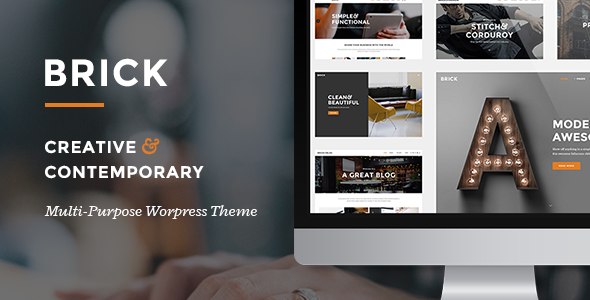
Stuck on your Brick WordPress theme? Let's fix it.
No endless back-and-forth. Just send us the details and we'll get it done.
No obligation · Replies within 1 hour · Quote within 1 day
Setup · Customization · Bug fixes · WooCommerce integration
About Brick WP Theme
Brick is a WordPress theme developed by Select-Themes, built for creative professionals and agencies who want clean, grid-based layouts without sacrificing flexibility. It ships with a modular design system that works well for portfolios, studios, and service businesses that prioritise visual presentation over clutter.
The theme is built on solid HTML5 and CSS3 foundations, with a responsive grid that holds up across screen sizes. Select-Themes has a reputation for well-documented, developer-friendly products, and Brick reflects that. You get sensible defaults out of the box, enough options to customise without feeling overwhelmed, and a codebase that does not fight you when you need to extend it. It integrates cleanly with the WordPress block editor and plays nicely with most popular plugins.
Get matched with a Brick developer in under one day
Tell us about your Brick project. Small fixes, Brick theme customization, or a full website build, whatever you need, we've got it covered.
We'll connect you to the right Brick developers, define the scope, and get everything 100% clear.
You'll get one estimate, hire your preferred developer, and start collaborating.
Brick is approachable for DIY users, but getting it to match a specific brand identity or handle custom functionality takes real WordPress development knowledge. Select-Themes builds solid themes, but themes are only the foundation. A developer who knows Brick’s structure will customise it faster, avoid breaking changes, and build on top of it in ways that actually hold up over time. Through Codeable, you can get matched with a vetted Brick developer who has handled this kind of work before. No guesswork, no freelancer lottery.
Pros
- Clean grid-based layout system that suits portfolio and agency sites without heavy setup
- Developer-friendly codebase from Select-Themes with solid documentation and logical file structure
- Responsive out of the box with breakpoints that do not require major CSS overrides
- Compatible with the WordPress block editor without layout conflicts
- Lightweight by default with no unnecessary bundled plugins or scripts slowing it down
Cons
- Limited built-in demo content, so setup takes longer without a clear starting reference
- Advanced layout customisation requires child theme work or developer involvement
- WooCommerce support is functional but needs CSS work to match shop pages to the rest of the site
- Fewer pre-built page templates compared to multipurpose themes like Divi or Avada
- Community support is smaller than major commercial themes, so finding third-party tutorials is harder
Who is Brick for?
Creative Portfolios
Brick’s grid layout and minimal styling make it a strong fit for individual creatives showcasing work. Designers, illustrators, and motion artists get a clean canvas without fighting default styles. A developer can configure custom portfolio post types, filterable project grids, and lightbox integration to present work the way it should be seen.
Design Agencies
Agencies need a site that looks sharp and loads fast. Brick delivers both without requiring a bloated page builder. With developer help, you can build out service pages, case study templates, and team sections that align with your brand. The clean codebase also makes ongoing edits straightforward for whoever manages the site after launch.
Photography Studios
Full-width imagery and minimal interface chrome make Brick a practical base for photography sites. A developer can configure gallery templates, session booking integration, and client proofing areas. The theme does not impose heavy visual styling that competes with the photography itself, which is exactly what most photographers need.
Freelance Consultants
Consultants and independents often need a simple but credible site covering services, credentials, and contact. Brick keeps things straightforward. A developer can set up a clean one-page or multi-page layout, connect a contact form, and wire up basic SEO configuration so the site actually gets found by prospective clients searching for specific services.
Small Product Shops
Brick works as a WooCommerce base for small shops selling physical or digital products. The theme handles product and archive pages without breaking the layout. A developer will need to apply custom CSS to match shop templates to the rest of the site’s styling, but the foundation is stable and the performance overhead stays low.

Customizing Brick
Brick gives you a good starting point, but most clients need more than defaults. Custom typography pairings, adjusted spacing systems, unique header layouts, and bespoke colour schemes all require hands-on work inside the theme files or via a child theme setup.
A Brick expert can handle that work properly. Rather than patching things through the Customizer and hoping updates do not break anything, a developer builds changes the right way using a child theme, custom CSS architecture, and hook-based modifications where needed.
More involved projects might need custom page templates, conditional layouts by post type, or WooCommerce styling that matches the rest of the site. A developer familiar with Brick and Select-Themes’ code patterns will move faster and produce cleaner results than a general WordPress developer working from scratch.
Recommended plugins for Brick
Brick pairs well with several plugin categories. WooCommerce can be added for product sales, and the theme handles shop pages cleanly with some CSS tuning. Contact Form 7 and Gravity Forms both drop in without layout issues.
For performance, combining Brick with a caching plugin and image optimisation tool keeps load times low. A developer can also help with WordPress performance optimisation specific to how Brick loads assets. If you need search visibility improvements alongside design work, WordPress SEO support can run in parallel without conflicting with the theme structure.
Not sure which plugins to use? This WordPress plugins directory covers the most popular options with reviews and setup guides.
Brick common issues
Brick theme header not showing correctly after update
Header display issues after a theme update usually point to a caching problem or a conflict introduced by the update itself. Start by clearing your site cache and browser cache, then check if the issue persists. If it does, deactivate plugins one by one to isolate a conflict. If you modified header files directly without a child theme, the update will have overwritten your changes. A developer can restore your customisations properly through a child theme structure. Visit our WordPress bug fixing service if you need fast help.
Brick WordPress theme mobile menu not working
A broken mobile menu on Brick is usually caused by a JavaScript conflict with another plugin or a jQuery loading issue. Open your browser console and look for JS errors. Common culprits include optimisation plugins that defer or minify scripts incorrectly. Try disabling your JS minification settings first. If the menu worked before a plugin install, deactivate recent plugins to identify the conflict. A developer can resolve this cleanly without disabling performance features entirely.
Brick theme WooCommerce shop page layout broken
WooCommerce shop page layout problems in Brick typically come from missing or overridden CSS. The theme’s base styles may not fully cover WooCommerce templates, especially after a WooCommerce version update that changed template structure. Check if your WooCommerce templates are outdated in WooCommerce > Status > Tools. A developer familiar with Brick can write targeted CSS and, if needed, override WooCommerce templates properly using a child theme to keep things update-safe.
Brick theme custom fonts not loading on frontend
If custom fonts are set in the Customizer but not appearing on the frontend, the issue is usually a caching layer, a missing font enqueue, or a Content Security Policy blocking external font requests. Clear all cache layers first. If you are loading Google Fonts, check your browser console for blocked requests. Fonts added through the Customizer can also be overridden by plugin CSS. A developer can enqueue fonts correctly via functions.php in a child theme to ensure they load reliably.
Brick FAQ
Yes, Brick is compatible with the WordPress block editor. You can build pages using core blocks without major layout conflicts. Some blocks may need minor CSS adjustments to match the theme’s spacing and typography, but nothing requires heavy workarounds. For more complex Gutenberg layouts, a developer can add custom block styles or patterns that fit within Brick’s design system.
Brick works with WooCommerce. Product pages, cart, checkout, and archive pages will function correctly, but the default styling may not match the rest of your site without CSS customisation. For a polished shop that looks intentional rather than bolted on, developer involvement is recommended to align WooCommerce templates with Brick’s visual style.
Select-Themes maintains their themes, including Brick, with updates that address WordPress core compatibility and security. Update frequency depends on how actively the theme is in their current portfolio. Check the theme changelog in your WordPress dashboard or on the Select-Themes site for the latest release history before making purchasing decisions.
To create a child theme for Brick, you need a new theme folder with a style.css file that declares the parent theme using the Template header, and a functions.php file that enqueues the parent stylesheet. Alternatively, a plugin like Child Theme Configurator can handle this automatically. Using a child theme is essential before making any code-level customisations to Brick.
Yes, you can migrate an existing WordPress site to Brick, but the process involves more than switching themes. Your current content, menus, and widgets will need to be reconfigured to fit Brick’s templates. Page layouts built with another theme’s shortcodes or page builder will need rebuilding. Our WordPress migration service can handle this cleanly.
Hire a Brick Developer for Your WordPress Project
Whether you need a Brick theme set up from scratch, customised to match your brand, or extended with new functionality, working with an experienced developer saves time and avoids costly mistakes. Through FoxyConcept and the Codeable network, you get access to vetted WordPress professionals who know what they are doing. Get a free estimate with no obligation to hire. You will hear back within 24 hours.
You'll need a free Codeable account so developers can ask questions and send their quotes.