Buzz WordPress Theme
by ThemesInflow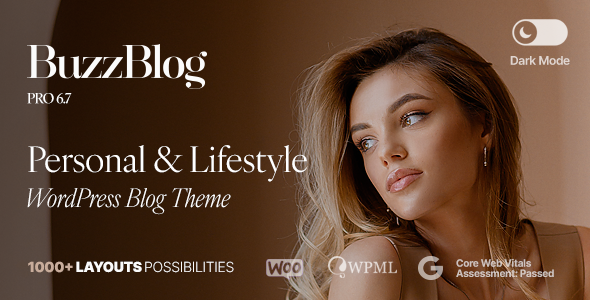
Stuck on your Buzz WordPress theme? Let's fix it.
No endless back-and-forth. Just send us the details and we'll get it done.
No obligation · Replies within 1 hour · Quote within 1 day
Setup · Customization · Bug fixes · WooCommerce integration
About Buzz WP Theme
Buzz is a WordPress theme by ThemesInflow built for blogs, magazines, and content-heavy sites. It ships with a clean grid layout, multiple post formats, and a header builder that gives you control over top-bar elements without touching code.
The theme is Gutenberg-compatible and works with the Classic Editor too. It supports WooCommerce for shops, has built-in ad zones for monetised blogs, and comes with demo content you can import with one click. Typography options are handled through the customizer, and the responsive grid holds up across screen sizes without needing extra CSS patches.
ThemesInflow actively maintains Buzz, so compatibility with recent WordPress versions is generally solid. It suits content creators who want a polished layout without hiring a designer from scratch.
Get matched with a Buzz developer in under one day
Tell us about your Buzz project. Small fixes, Buzz theme customization, or a full website build, whatever you need, we've got it covered.
We'll connect you to the right Buzz developers, define the scope, and get everything 100% clear.
You'll get one estimate, hire your preferred developer, and start collaborating.
Not every Buzz issue is a quick fix. Template conflicts, layout breaks after updates, or WooCommerce integration problems often need a developer who has worked inside ThemesInflow themes before.
Through Codeable, you get matched with vetted WordPress developers who know themes like Buzz inside out. Post your project, get a free estimate within 24 hours, and only move forward if it makes sense for your budget. No commitment required.
Pros
- Built-in header builder with multiple layout presets, no plugin required
- One-click demo import gets a working site up fast
- Dedicated ad zones built into the layout, useful for monetised blogs
- Gutenberg and Classic Editor both supported without compatibility issues
- Active theme updates from ThemesInflow with regular WordPress version checks
Cons
- Customizer options can feel limited once your layout needs grow beyond the presets
- No visual drag-and-drop builder included; requires Elementor or similar if you want that workflow
- Documentation is basic and doesn't cover advanced customization scenarios
- Child theme not included by default, meaning update-safe customization requires manual setup
- WooCommerce support is functional but the shop styling is minimal out of the box
Who is Buzz for?
Personal Blog
Buzz suits personal bloggers who want a structured layout without managing a complex page builder. The post grid, featured image zones, and sidebar widget areas give a solo blogger enough flexibility to organise content by category and keep readers on the page longer.
Online Magazine
The multi-column grid and multiple homepage layouts make Buzz a practical choice for online magazines covering several topics. A Buzz developer can set up custom category templates and post archives that keep high-volume content organised and easy to browse.
News Site
News sites need fast publishing and clean article layouts. Buzz handles both. The theme’s post formats support standard articles, video posts, and gallery posts, so editors can publish varied content types without hacking the template files.
Niche Review Site
Review sites benefit from Buzz’s clean article layout and ad zone support. You can slot affiliate banners into the built-in ad areas without custom code. A Buzz specialist can extend this with custom review post types and star rating displays if your niche demands structured review content.
Content Monetisation Site
Sites built around ad revenue or affiliate content need layouts that balance readability with monetisation. Buzz was designed with this in mind. Its native ad zones and widgetised layout let you place display ads without disrupting the reading experience or requiring third-party ad management themes.

Customizing Buzz
Buzz customization runs through the WordPress Customizer, where you can adjust colours, fonts, header layout, sidebar positions, and widget areas in real time. The theme includes multiple homepage layouts and lets you switch between them without rebuilding the page.
For anything beyond surface-level changes, like reworking the post grid, adding custom post types, or modifying the header builder logic, you need someone who knows the theme’s structure. A Buzz expert can work inside the child theme to make changes that survive updates and don’t break existing styles.
If your site has grown and the default customizer options no longer cut it, a Buzz developer can extend the theme with custom templates, hook-based modifications, or Page Builder integration tailored to your content model.
Recommended plugins for Buzz
Buzz works well with plugins that extend its core functionality. For SEO, pairing it with Yoast or Rank Math gives you meta control the theme doesn’t provide natively. For speed, a caching layer like WP Rocket combined with image optimisation will improve load times, especially on image-heavy magazine layouts.
If you want to take performance further, a WordPress performance specialist can audit your Buzz setup, identify render-blocking assets, and configure server-level caching. For deeper SEO gains, a WordPress SEO service can handle structured data, schema markup, and crawlability issues specific to your content archive structure.
Not sure which plugins to use? This WordPress plugins directory covers the most popular options with reviews and setup guides.
Buzz common issues
Buzz theme header not displaying correctly after update
Header display issues after a Buzz update are usually caused by a CSS conflict or a customizer setting that got reset. First, clear your caching plugin and browser cache. Then check the Customizer under Header settings to confirm your layout preset is still selected. If you’ve modified header files directly, those changes would have been overwritten. Use a child theme going forward to protect your edits. If the issue persists, a WordPress bug fixing service can trace the conflict quickly.
Buzz WordPress theme mobile menu not opening
A non-functional mobile menu in Buzz is almost always a JavaScript conflict. Open your browser console and look for JS errors on mobile view. A common cause is a plugin loading a script that conflicts with Buzz’s menu toggle. Try disabling plugins one by one to isolate the culprit. Also check if your mobile breakpoint setting in the Customizer matches your actual viewport. If deactivating plugins doesn’t resolve it, the theme’s menu script may need a targeted fix.
Buzz theme homepage layout broken after WordPress update
If the Buzz homepage breaks after a WordPress core update, the most likely cause is a template compatibility issue or a widget area that’s lost its content. Start by re-importing demo content into a staging copy to compare layouts. Check the Customizer homepage settings to confirm your selected layout template is still assigned. If blocks or widget areas have shifted, a Buzz developer can reconcile the template with the current WordPress block structure without you losing your content.
Buzz theme featured image not showing on posts
Featured images missing on Buzz posts usually points to a missing image size that the theme registers. Go to Settings > Media and verify your image dimensions match Buzz’s registered sizes. If you changed themes recently, regenerate thumbnails using a plugin like Regenerate Thumbnails. Also check that the featured image is set on the individual post, not just the category. If images vanish site-wide after an update, the theme may have changed its image size registration, which a WordPress bug fixing specialist can resolve fast.
Buzz WooCommerce shop page not styled correctly
Buzz includes basic WooCommerce support, but the shop and product pages use minimal styling. If your shop page looks unstyled, check that WooCommerce is active and that you haven’t accidentally overridden the shop template in your child theme with an outdated file. Also confirm the page assigned as your shop page in WooCommerce settings matches the page using the correct template. For a fully styled shop, a Buzz developer can write targeted CSS or build custom WooCommerce templates that match your site’s design.
Buzz theme footer widgets not saving
Footer widgets not saving in Buzz is often a permissions or caching issue. First, clear your cache entirely and try saving again. If the widgets reset after every save, check if a security plugin is blocking REST API requests, which WordPress uses for widget saving. Also confirm your user role has full admin access. If the issue is isolated to the footer widget area specifically, it may be a registered widget area conflict introduced by a plugin. Deactivate plugins and test in isolation.
Buzz theme slow loading on mobile
Buzz can load slowly on mobile if large uncompressed images are being served at full resolution. Start by running your site through Google PageSpeed Insights to identify specific assets causing delays. Install an image optimisation plugin and enable lazy loading if it isn’t already active. Check whether Buzz is loading Google Fonts for multiple font families on mobile, as that adds request overhead. For a thorough fix, a WordPress performance service can handle image delivery, caching, and script deferral together.
Buzz theme sidebar disappearing on single posts
If the sidebar disappears on Buzz single post pages, check your Customizer under the post layout settings. Buzz allows per-post-type layout selection, and a full-width option may have been applied unintentionally. Also look at individual post settings in the editor sidebar, as some Buzz versions allow overriding the layout per post. If the sidebar is present in the Customizer but doesn’t render, a widget area may have been emptied or a CSS rule is hiding it at a certain breakpoint.
Buzz theme customizer changes not saving
Customizer changes not saving in Buzz can be caused by a nonce timeout, a caching conflict, or a PHP error firing silently in the background. Start by checking your browser console for errors when you click Publish. Clear all caches before testing again. If changes save temporarily but reset on the next visit, a caching plugin may be serving a stale version of your settings. Also check your PHP error log for any warnings that might be interrupting the save request. Disabling all plugins temporarily can confirm if a conflict is involved.
Buzz theme ad zone not displaying ads
Buzz’s built-in ad zones require you to paste ad code directly into the Customizer ad fields. If nothing displays, first confirm the ad code is correct and that no ad blocker is active during your test. Some ad networks also delay ad delivery for new placements by a few hours. If you’re using a WordPress ad management plugin alongside the native ad zones, check for conflicts. If the zone HTML is rendering in the source code but the ad isn’t loading, the issue is with the ad network, not Buzz itself.
Buzz FAQ
Yes, ThemesInflow continues to maintain Buzz with compatibility updates for current WordPress versions. Check the theme’s changelog on ThemeForest or the ThemesInflow site to confirm the last update date before purchasing or upgrading. Active maintenance doesn’t mean every issue gets a fast resolution, but the theme is not abandoned.
Buzz is compatible with Elementor as a page builder, but the theme’s own layouts and templates won’t automatically integrate with Elementor’s design system. You’ll need to build Elementor-based pages alongside Buzz’s native templates, which can cause styling inconsistencies. A Buzz developer can align both if needed.
Buzz includes WooCommerce compatibility, so shop and product pages will render without a fatal error. The default styling is basic though, and product archive pages may need CSS work to match your overall site design. A Buzz specialist can write targeted WooCommerce styles or build custom templates for a polished shop experience.
Create a folder in your wp-content/themes directory, name it buzz-child, and add a style.css with the correct theme header and a functions.php that enqueues the parent theme’s stylesheet. Activate the child theme from the WordPress admin. All your custom CSS and template overrides should live in the child theme to survive Buzz updates.
Buzz produces clean HTML output and loads reasonably fast on optimised hosting, which are good starting points for SEO. It doesn’t include built-in schema markup or advanced meta tag control, so pairing it with a dedicated SEO plugin like Yoast or Rank Math is necessary for any serious SEO work.
Yes, Buzz supports the Gutenberg block editor. Core blocks render correctly within the theme’s content area. The theme doesn’t ship with custom blocks, so your content editing experience relies on default WordPress blocks. Classic Editor also works if you prefer it via the Classic Editor plugin.
Buzz has dedicated ad zone fields in the Customizer. Navigate to Appearance > Customize and look for the Ads or Advertising section. Paste your ad code directly into those fields. For header, footer, and in-content zones, Buzz handles placement automatically. For more complex ad setups, a plugin like Ad Inserter gives you finer control.
Your content, posts, and pages stay in the database regardless of theme changes, so switching to Buzz won’t delete content. Widgets, menus, and theme-specific settings will need to be reconfigured. If you’re migrating from another host entirely, a WordPress migration service can handle both the move and theme setup without downtime.
Start by updating Buzz to the latest version from ThemesInflow, as the issue may already be patched. Clear all caches after updating. If you’ve made direct edits to theme files, those will have been overwritten, which is why a child theme matters. For persistent breaks, a WordPress bug fixing service can diagnose the conflict fast.
You can hire a vetted Buzz WordPress developer through Codeable. Post your project, describe what you need, and get a free estimate within 24 hours. Developers on Codeable are individually screened, so you’re not sorting through unvetted freelancers. Visit our WordPress development services page to learn more about how it works.
Hire a Buzz WordPress Developer
Need a Buzz expert to fix a layout issue, build a custom template, or extend the theme for your use case? Post your project through our free estimate form and get matched with a vetted WordPress developer within 24 hours. You’ll receive a clear quote with no obligation to hire. Every project is covered by Codeable’s money-back guarantee.
You'll need a free Codeable account so developers can ask questions and send their quotes.