CareerUp WordPress Theme
by ApusTheme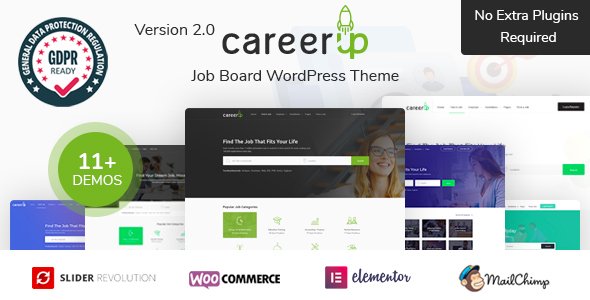
Stuck on your CareerUp WordPress theme? Let's fix it.
No endless back-and-forth. Just send us the details and we'll get it done.
No obligation · Replies within 1 hour · Quote within 1 day
Setup · Customization · Bug fixes · WooCommerce integration
About CareerUp WP Theme
CareerUp is a WordPress theme by ApusTheme built specifically for job boards, recruitment agencies, and career portals. It ships with a front-end job submission system, employer and candidate dashboards, and deep integration with the WP Job Manager plugin. The design is clean and professional, targeting both employers posting roles and candidates searching for work.
Out of the box, CareerUp includes multiple homepage layouts, resume management, company profiles, and a built-in search with filters for location, category, and job type. ApusTheme has packaged a lot of functionality into the theme itself, which speeds up the initial build but can create dependency issues later. It works with WooCommerce for paid job listings and supports several popular page builders. For anyone launching a job board in WordPress, CareerUp covers the core requirements without heavy plugin stacking.
Get matched with a CareerUp developer in under one day
Tell us about your CareerUp project. Small fixes, CareerUp theme customization, or a full website build, whatever you need, we've got it covered.
We'll connect you to the right CareerUp developers, define the scope, and get everything 100% clear.
You'll get one estimate, hire your preferred developer, and start collaborating.
ApusTheme builds CareerUp with a specific stack in mind. When something breaks or needs to be extended, generic WordPress help rarely cuts it. You need someone who knows WP Job Manager template overrides, ApusTheme’s widget system, and how Elementor interacts with job board data.
Through Codeable, you get matched with vetted WordPress developers who have hands-on experience with themes like CareerUp. No hiring risk, no guesswork. Post your project, get a clear estimate, and move forward only if the fit is right. It is a faster path to a working job board than forum threads and trial-and-error fixes.
Pros
- Built specifically for job boards with WP Job Manager integration pre-configured
- Includes front-end job submission, employer dashboards, and candidate profiles out of the box
- WooCommerce support for paid listing packages and monetization
- Multiple homepage layouts with Elementor compatibility for flexible design
- Resume Manager and Applications add-on support included in the core setup
Cons
- Heavy reliance on ApusTheme-specific widgets makes switching themes or builders difficult later
- WP Job Manager extension licensing adds recurring costs on top of the theme price
- Template overrides require specific knowledge of ApusTheme's file structure to do safely
- Page load performance needs additional optimization work, especially on listing-heavy pages
- ApusTheme support response times can be slow, leaving bugs unresolved for days
Who is CareerUp for?
General Job Board
CareerUp fits a general job board well. Employers can register, post listings, and manage applications from a front-end dashboard without touching the WordPress admin. Candidates browse filtered listings, upload resumes, and apply directly through the site. The WooCommerce integration handles paid listing tiers if you want to monetize employer submissions from day one.
Recruitment Agency Website
Recruitment agencies can use CareerUp to manage client job postings and candidate pipelines in one place. The company profiles feature lets agencies list each client with branding and open roles. Resume Manager keeps candidate data organized. Custom dashboard modifications by a developer can tailor the workflow to how a specific agency operates without rebuilding from scratch.
Niche Industry Job Portal
Niche portals for sectors like tech, healthcare, or creative industries benefit from CareerUp’s category and tag filtering system. Restricting listings to one industry keeps the job board focused and relevant. With proper SEO setup and structured data on listings, a niche board can rank well for specific role searches where broad job sites have less targeted content.
Freelance and Gig Work Platform
CareerUp can be adapted for freelance or short-term gig listings by adjusting job types and submission fields. WP Job Manager supports custom fields, so you can add project budget, duration, or remote-only filters. Paid submissions via WooCommerce work well for platforms charging clients to post project briefs. Some custom development is needed to fully shift the UX toward gig-style work.
University Career Services Portal
Universities and colleges can run internal career portals using CareerUp, giving students access to listings from verified employer partners. Restricting job submission to approved employers keeps content quality high. The candidate profile system works for student portfolios and resume uploads. Access control and single sign-on integration would require custom development beyond the theme defaults.

Customizing CareerUp
Customizing CareerUp goes beyond swapping colors and fonts. The theme relies on a mix of the Elementor page builder, custom ApusTheme widgets, and WP Job Manager extensions. Getting these to work together the way you want often requires knowledge of how the theme overrides plugin templates.
Common customization requests include custom job listing layouts, employer profile redesigns, filtered search adjustments, and front-end dashboard modifications. A CareerUp expert can save significant time here. Without familiarity with how ApusTheme structures its child theme support and template hierarchy, small changes can break core job board functionality. If you need the theme to match a specific brand or workflow, working with a developer who knows the CareerUp codebase directly is the most reliable route.
Recommended plugins for CareerUp
CareerUp integrates with several WP Job Manager add-ons including Applications, Resume Manager, and WC Paid Listings for monetizing job posts. WooCommerce unlocks paid submission packages. For maps, it uses Google Maps API to display job locations.
You can extend performance and discoverability with proper caching, image optimization, and structured data for job postings. Google’s Job Search feature supports schema markup on listings, which can drive organic traffic directly from search results. Pairing CareerUp with strong WordPress SEO work and a tuned performance setup makes a real difference in how the job board competes in search.
Not sure which plugins to use? This WordPress plugins directory covers the most popular options with reviews and setup guides.
CareerUp common issues
CareerUp job listings not displaying on the front end
This usually comes down to permalink settings or missing page assignments. Go to Settings > Permalinks and save without changing anything. Then check that WP Job Manager’s required pages (Jobs, Post a Job, Dashboard) are assigned correctly under WP Job Manager > Settings > Pages. If listings still do not appear, a theme or plugin conflict may be overriding the archive template. A WordPress bug fix can isolate the cause quickly.
CareerUp Elementor widgets not loading or showing errors
ApusTheme widgets for CareerUp depend on a specific version of Elementor and the theme’s own plugin layer. After an Elementor update, widget registration can fail if the theme plugin has not been updated to match. Check for pending updates to both the CareerUp theme and the ApusTheme Core plugin. If the issue persists, clear all caches and test with Elementor in safe mode to identify the conflicting element.
WP Job Manager forms broken after CareerUp update
WP Job Manager template files are sometimes bundled inside the CareerUp theme folder. When either the theme or the plugin updates, these can fall out of sync. Check whether CareerUp includes a /wc-job-manager/ or /job_manager/ template directory. Outdated templates cause form rendering issues. The safest fix is to update both together, then clear caches. If forms remain broken, custom template overrides in a child theme may need updating manually.
CareerUp employer dashboard showing blank page
A blank employer dashboard is almost always a template or session issue. Start by deactivating caching plugins and testing in an incognito window. If the dashboard loads then, the issue is a cached redirect or stale session. If it is still blank, check browser console for JavaScript errors tied to ApusTheme scripts. Plugin conflicts with security or membership plugins that interfere with user role detection are another common cause. Disabling plugins one by one helps isolate it.
CareerUp FAQ
ApusTheme updates CareerUp periodically, but the release cadence does not always keep pace with WordPress core updates. The theme generally works on recent WordPress versions, but minor visual or functional issues do appear after major core releases. Always test updates on a staging site before applying them to production. Checking the ApusTheme changelog and support forum before updating is a practical habit.
No. WP Job Manager is a required dependency for CareerUp’s core functionality. The theme is built around it. Without it, job listing pages, submission forms, employer dashboards, and candidate profiles will not work. Some layout elements may still render, but the job board will be non-functional. All CareerUp sites need WP Job Manager installed and configured correctly.
CareerUp is built and tested primarily with Elementor. Some sections use ApusTheme’s own Elementor widgets and are not portable to other builders. You can use WPBakery for general content pages if it was included with your purchase, but core job board templates are tied to the theme’s own rendering and are builder-independent. Rebuilding layouts in a different builder requires custom development work.
Custom fields on job listings are handled through the WP Job Manager custom fields add-on or via code using the job_manager_job_listing_data_fields filter. CareerUp surfaces these fields in listing templates, but displaying them correctly often requires template customization. A developer can map new fields to the front-end listing and search filters without breaking existing data.
Yes, CareerUp migrates like any standard WordPress site. The process covers database export, file transfer, and URL replacement. Job listings, resumes, and employer data are stored in the WordPress database and move with it. API keys like Google Maps need updating on the new server. A structured WordPress migration process avoids broken links and missing media after the move.
Hire a CareerUp Developer
Whether you need a CareerUp site built from scratch, a broken feature fixed, or a custom job board workflow built out, a specialist developer gets it done faster and cleaner than a generalist. Our WordPress development services connect you with developers who know the CareerUp theme inside out.
Get a free estimate with no obligation. Describe your project and get matched within 24 hours. 100% risk-free.
You'll need a free Codeable account so developers can ask questions and send their quotes.