CarSpot – Dealership WordPress Classified Theme WordPress Theme
by scriptsbundle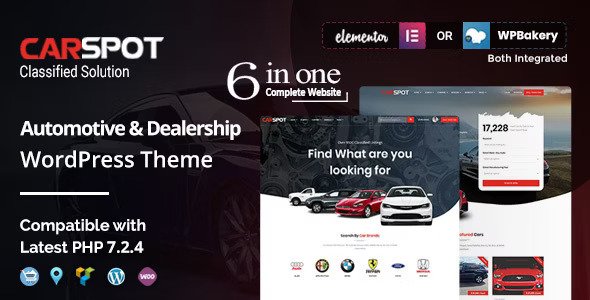
Stuck on your CarSpot – Dealership WordPress Classified Theme WordPress theme? Let's fix it.
No endless back-and-forth. Just send us the details and we'll get it done.
No obligation · Replies within 1 hour · Quote within 1 day
Setup · Customization · Bug fixes · WooCommerce integration
About CarSpot – Dealership WordPress Classified Theme WP Theme
CarSpot is a WordPress classified theme built specifically for car dealerships and auto listing platforms. Developed by ScriptsBunble, it ships with a front-end submission system, advanced vehicle search filters, and comparison tools that buyers actually use. Listings support detailed specs including make, model, year, mileage, fuel type, and price range.
The theme integrates with popular plugins like WP Job Manager and supports multiple payment gateways for paid listing packages. It includes a dealer profile system, so individual sellers or dealerships can manage their own inventory. The design is clean and mobile-responsive out of the box. If you’re building an auto marketplace or a single-dealership site that needs structured vehicle data, CarSpot covers the core requirements without needing a full custom build.
Get matched with a CarSpot – Dealership WordPress Classified Theme developer in under one day
Tell us about your CarSpot – Dealership WordPress Classified Theme project. Small fixes, CarSpot – Dealership WordPress Classified Theme theme customization, or a full website build, whatever you need, we've got it covered.
We'll connect you to the right CarSpot – Dealership WordPress Classified Theme developers, define the scope, and get everything 100% clear.
You'll get one estimate, hire your preferred developer, and start collaborating.
CarSpot is more capable than a generic theme, but it takes real configuration to run a production dealership site on it. Payment gateways, front-end submission logic, dealer roles, and listing expiry all need to work together correctly. The developers on Codeable have worked on classified and marketplace WordPress builds and can set up, extend, or fix CarSpot without guesswork. You get a vetted specialist, not a generalist who’ll figure it out as they go.
Pros
- Built-in front-end vehicle submission form with no extra plugin required
- Advanced search filters for make, model, year, price, mileage, and fuel type work out of the box
- Dealer profile system lets multiple sellers manage their own listings independently
- Supports paid listing packages with payment gateway integration
- Vehicle comparison tool is included and functional without additional plugins
Cons
- Default design looks dated and requires significant styling work to feel modern
- Documentation is thin in places, especially around payment gateway configuration
- Plugin dependency stack is large, which increases maintenance overhead
- Large listing databases cause noticeable slowdowns without performance optimization
- Customer support from ScriptsBunble can be slow, especially for complex technical issues
Who is CarSpot – Dealership WordPress Classified Theme for?
Independent Car Dealership Website
A single dealership can use CarSpot to publish their full inventory online with detailed specs, photo galleries, and a contact or test-drive request form per listing. The dealer profile system keeps inventory organized, and the search filters help buyers find what they’re looking for without calling in.
Regional Auto Classifieds Marketplace
CarSpot’s front-end submission system lets private sellers and multiple dealers list vehicles on one platform. With paid listing packages enabled, the site can generate revenue from submissions. A CarSpot developer can configure tiered packages, listing limits, and featured placement options to run a proper local marketplace.
Motorcycle and Powersports Listings Platform
The theme’s custom fields can be adapted to capture motorcycle-specific data like engine displacement, frame type, and license category. A CarSpot specialist can add or modify listing fields to match powersports inventory without affecting the core classified functionality or breaking search filters.
RV and Camper Van Sales Site
RV and camper listings need fields that standard car classifieds don’t cover: sleeping capacity, length, generator, hookup type. CarSpot’s field system is extensible. A developer can build out an RV-specific listing schema that captures the details buyers search for and presents them clearly on the listing page.
Commercial Vehicle and Truck Marketplace
Trucks and commercial vehicles have distinct spec requirements like payload capacity, axle configuration, and body type. CarSpot can be extended to support B2B vehicle listings with custom fields and filtered search. A CarSpot developer can separate commercial and consumer listings into distinct categories with their own search panels.

Customizing CarSpot – Dealership WordPress Classified Theme
CarSpot ships with a drag-and-drop page builder and a set of pre-built homepage layouts, but out-of-the-box styling rarely fits a dealership’s brand. A CarSpot – Dealership WordPress Classified Theme expert can rework the color scheme, typography, and header layout to match your visual identity without breaking the classified functionality underneath.
Common customization requests include custom listing fields for specific vehicle types (motorcycles, trucks, RVs), modified search filter panels, branded dealer profile pages, and custom pricing table layouts for listing packages. If you need the front-end submission form to collect specific data your business tracks, that requires PHP-level work on the field schema. A CarSpot specialist can handle all of this cleanly and keep it upgrade-safe.
Recommended plugins for CarSpot – Dealership WordPress Classified Theme
CarSpot pairs well with a focused set of plugins. For search visibility, structured data markup for vehicle listings is essential. A properly configured SEO setup using WordPress SEO optimisation can get individual listing pages ranking for make-model-location queries.
On the technical side, classified sites with large listing volumes can get slow quickly. Image optimization, database query caching, and a CDN make a real difference. A WordPress performance audit will identify the specific bottlenecks on your CarSpot install and prioritize fixes that affect real users.
Not sure which plugins to use? This WordPress plugins directory covers the most popular options with reviews and setup guides.
CarSpot – Dealership WordPress Classified Theme common issues
CarSpot theme vehicle search not returning results
This is usually a conflict between CarSpot’s search query logic and a caching plugin or a custom WP_Query elsewhere on the site. Start by disabling caching and testing. If results return, configure your cache plugin to exclude search result pages. If the issue persists, the problem is likely in the theme’s AJAX search handler. A WordPress bug fixing specialist can trace the query and identify exactly where it’s breaking down.
CarSpot front-end submission form not saving listings
Failed front-end submissions in CarSpot are typically caused by a nonce verification failure, a file upload permission issue, or a conflict with a security plugin blocking POST requests. Check your server’s PHP error log first. If the form submits but nothing saves, the issue is usually in how CarSpot writes to the database. A WordPress bug fixing service can isolate whether it’s a plugin conflict, a hosting configuration issue, or a theme bug.
CarSpot listing pages showing 404 after permalink change
After changing your permalink structure, CarSpot listing post types sometimes lose their rewrite rules. Go to Settings > Permalinks and click Save without changing anything. This forces WordPress to flush rewrite rules. If 404s persist, check that the listing custom post type is registered with the correct rewrite slug and that it matches your permalink structure. A theme update may have reset the slug.
CarSpot payment gateway not processing listing fees
CarSpot supports WooCommerce-based payment for listing packages. If payments aren’t processing, verify your WooCommerce payment gateway credentials are correct and that the gateway is active. Check whether CarSpot’s listing product is properly linked in the theme settings. SSL is required for most payment gateways. If configuration looks correct but payments still fail, the issue may be in how CarSpot hooks into WooCommerce order completion.
CarSpot – Dealership WordPress Classified Theme FAQ
CarSpot works well for dealership sites that need structured vehicle listings, filtered search, and a front-end submission system. It’s a solid starting point, but most dealerships will need customization to match their brand and specific inventory requirements. For a production-ready site, working with a CarSpot developer is recommended over relying on defaults.
CarSpot includes a dealer profile system that supports multiple dealers on one site. Each dealer can manage their own listings independently. This makes it suitable for marketplace-style platforms where independent sellers list alongside each other. The level of access each dealer gets can be configured through WordPress user roles.
Yes, CarSpot’s listing fields can be extended. Adding custom fields requires editing the theme’s field configuration or using a compatible custom field plugin. For complex additions like conditional fields or specialized vehicle types, a CarSpot specialist can implement changes cleanly without breaking the existing search and filter functionality.
Paid listings in CarSpot work through WooCommerce. You create listing package products in WooCommerce and link them in CarSpot’s settings. When a user submits a listing, they select a package and pay through WooCommerce checkout. You’ll need an active payment gateway configured in WooCommerce for this to work correctly.
Compatibility depends on the version of CarSpot you’re running. ScriptsBunble releases updates periodically, but there can be a lag after major WordPress releases. Always check the theme’s changelog and test updates in a staging environment before applying them to a live dealership site to avoid breaking classified functionality.
Hire a CarSpot – Dealership WordPress Classified Theme Developer
Whether you need a full CarSpot setup, custom listing fields, payment integration, or a design overhaul, working with an experienced developer saves you time and avoids costly mistakes. Every project starts with a free estimate so you know exactly what’s involved before committing. Get a Free Estimate and describe what your dealership site needs.
You'll need a free Codeable account so developers can ask questions and send their quotes.